00191099-01.pdf - 第58页
Retrofitting I nstructions SIPLACE 80 / S-23 (HM) / HS-50 Component Bar-Code Scanner (Optional) 2.9 Retrofitti ng Sequence on SIPLACE HS-50 Issue 06/00 58 &RPSRQHQW%DU&RGH6HWWLQJV See Se ction 2.8 .3 in …
Component Bar-Code Scanner (Optional) Retrofitting Instructions SIPLACE 80 / S-23 (HM) / HS-50
Issue 06/00 2.9 Retrofitting Sequence on SIPLACE HS-50
57
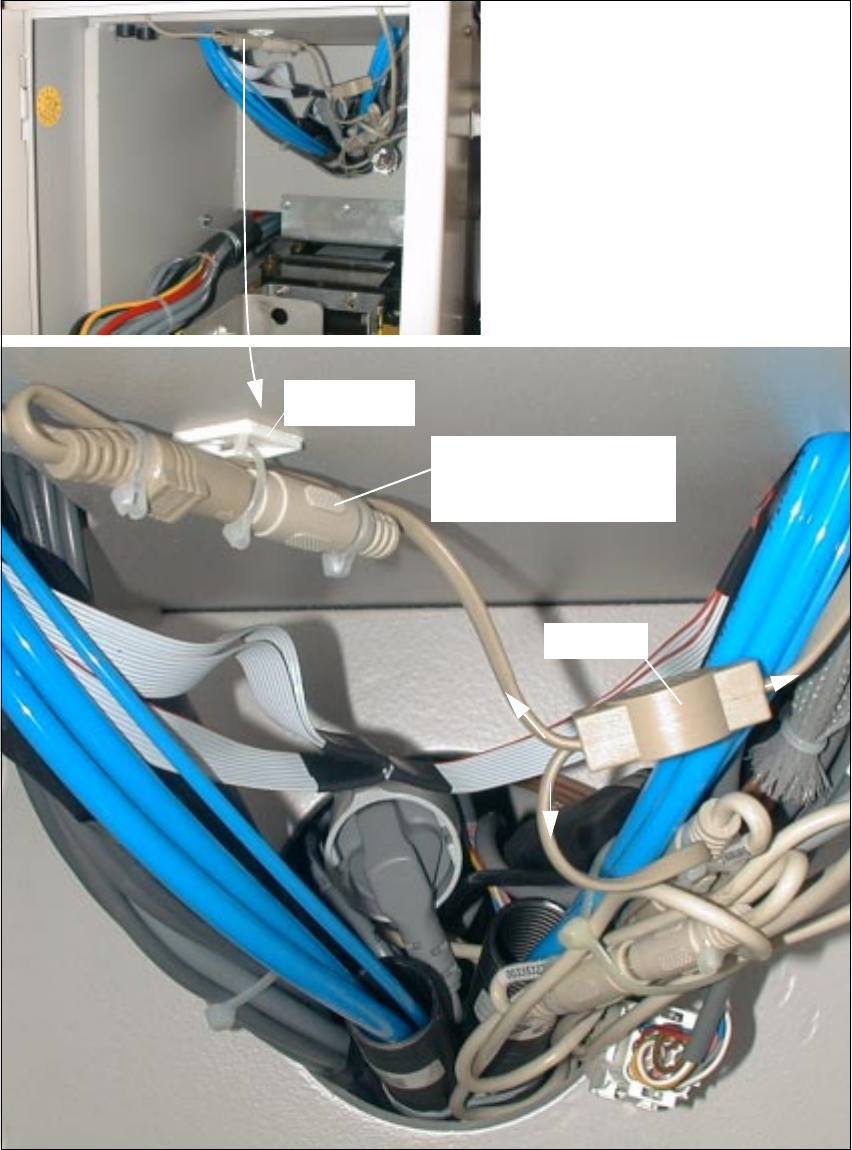
Fig. 2.9.8 AFTER: Cables and Plug-and-Socket Connections Completely Fastened (Power Supply Side)
Overview: New cabling on the
power supply side
Mounting
pedestal
Plug-and-socket connection:
signal filter -> Y-filter
Y-filter
Short cable from
KB
PD
Keyboard
Retrofitting Instructions SIPLACE 80 / S-23 (HM) / HS-50 Component Bar-Code Scanner (Optional)
2.9 Retrofitting Sequence on SIPLACE HS-50 Issue 06/00
58
&RPSRQHQW%DU&RGH6HWWLQJV
See Section 2.8.3 in this regard.
&RQILJXULQJWKH%DU&RGH
Configure the component bar-code as described in the UNIX Line Computer User Manual, in
Chapter "Production Equipment, Station and Line Configuration" and in the Station Computer
User Manual, in Chapter "Station Expansions, Options".
7HVWLQJWKH+DUGZDUHDQG6RIWZDUH
Proceed as described in Section 2.8.5.
q