TM3808.Setting of scanning procedure during a splicing.pdf - 第6页
SMT Software Engineering Group IM Operati ons Y AMAHA MOTOR CO., L TD MDOC- SOFT50149 6/9 6. Select [All L ines com mon] - [Off line/Inline Comm on] - [The Other Procedure] from the tr ee view and p erform [S…
SMT Software Engineering Group
IM Operations YAMAHA MOTOR CO., LTD
MDOC-SOFT50149
5/9
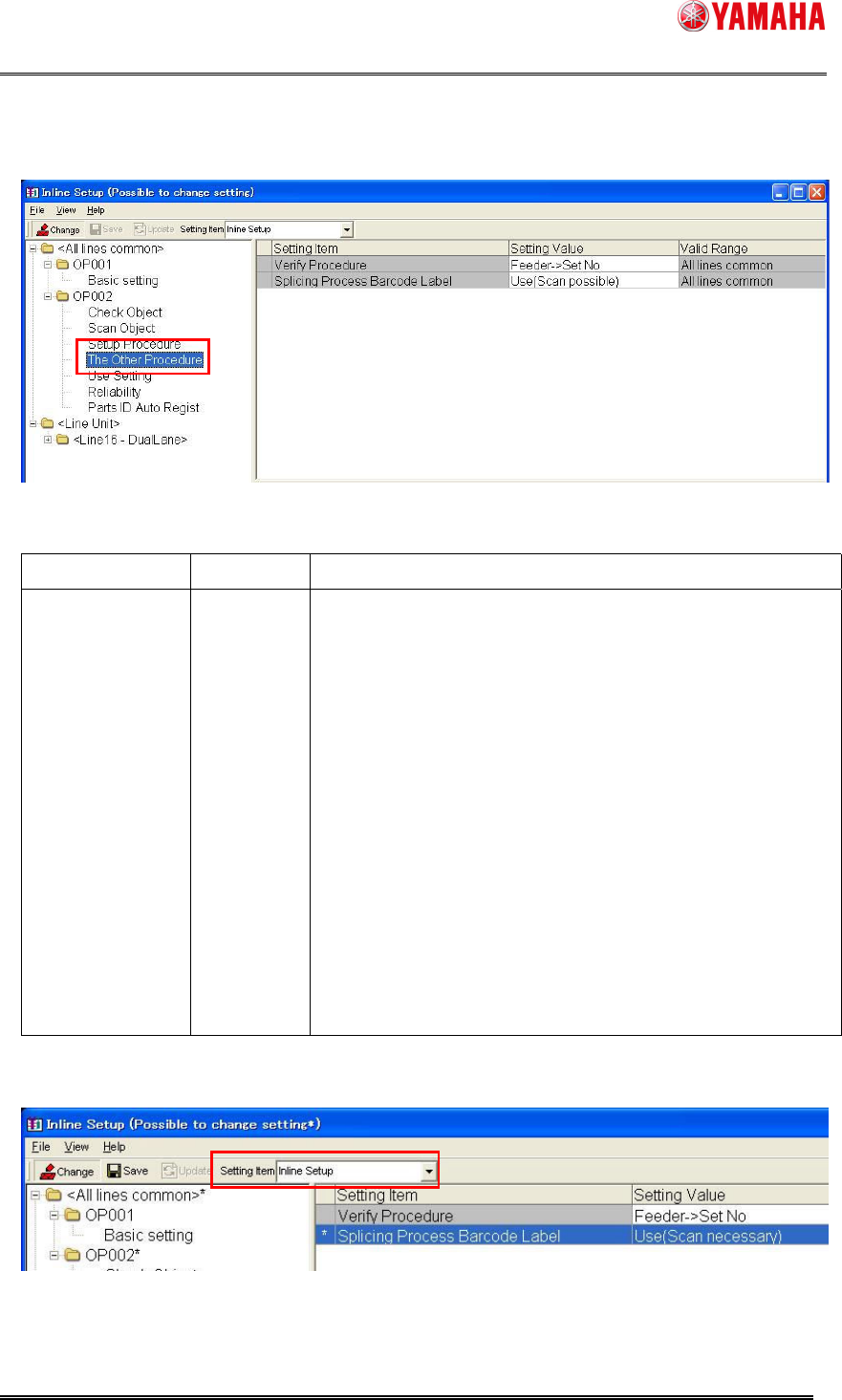
4. Select [All Lines common] - [OP002] - [The Other Procedure] from the tree view and
perform [Splicing Process Barcode Label] setting.
-Setting Item
Setting Item Initial value
Content
Splicing Process
Barcode Label
Use (Scan
possible)
Whether the “Process barcode label” is scanned is set as
beginning of the splicing work.
Use (Scan possible): *Current scanning procedure
Scanning “Process barcode label”, splicing starts.
If you don’t scan “Process barcode label”, it
is also possible
to start splicing.
Use (Scan necessary):
The splicing can’t start without scanning “Process barcode
label”.
Not Use:
Select this if you don’t use “Process barcode label”.
Splicing doesn’t start even when “Process barcode label”
(splicing) is scanned.
5. Select “Common” from the [Setting Item] combo box.
SMT Software Engineering Group
IM Operations YAMAHA MOTOR CO., LTD
MDOC-SOFT50149
6/9
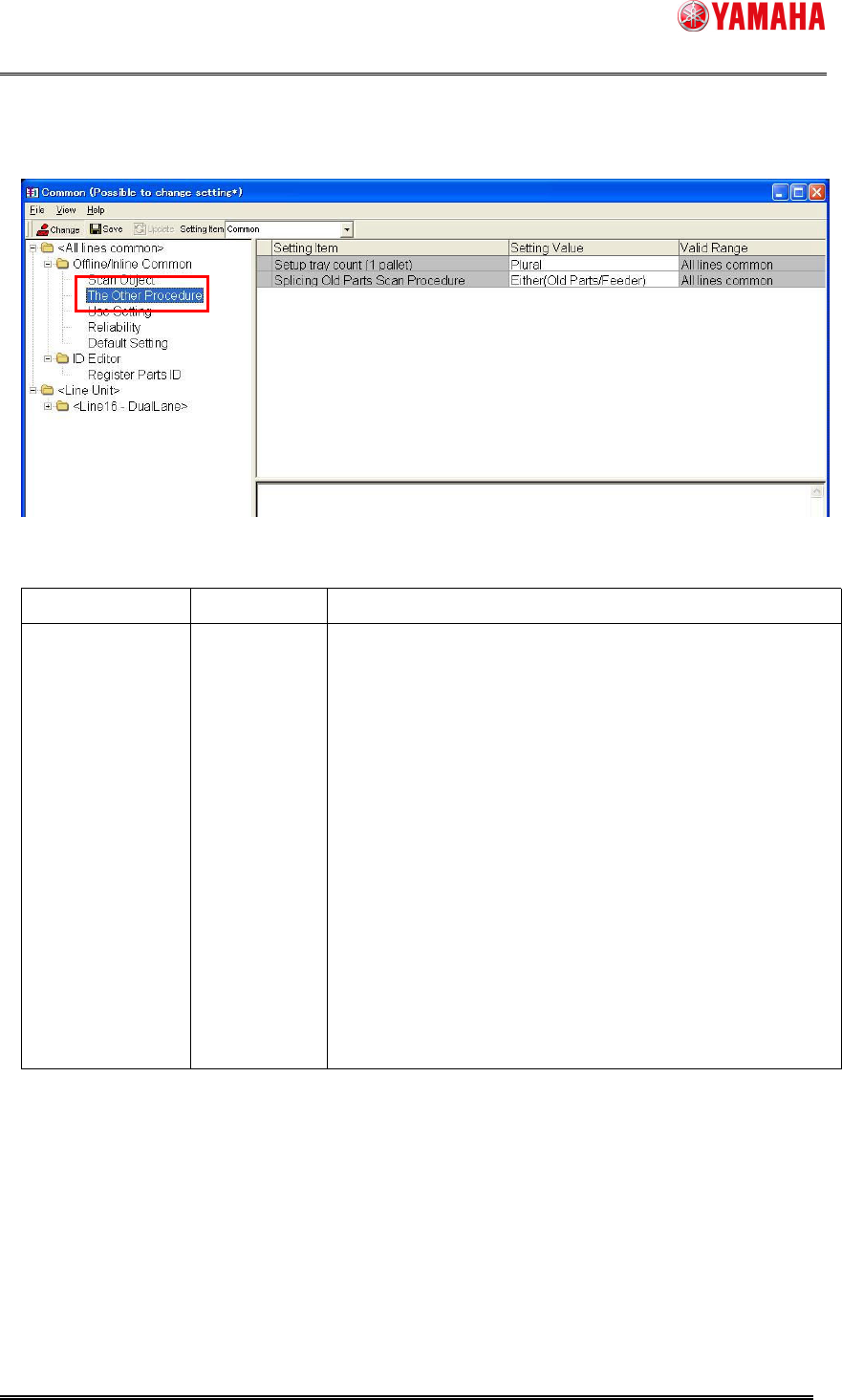
6. Select [All Lines common] - [Offline/Inline Common] - [The Other Procedure] from the tree
view and perform [Splicing Old Parts Scan Procedure] setting.
-Setting Item
Setting Item Initial value Content
Splicing Old Parts
Scan Procedure
Either (Old
Parts/Feeder)
The scanning procedure the splicing ahead is set.
Either (Old Parts/Feeder): *Current scanning procedure
Either of old parts or feeder ID scanning is necessary to
specify the splicing ahead.
Both necessary (Old Parts/Feeder):
It is necessary to scan old parts and feeder ID to specify
the splicing ahead.
Only Old Parts:
It is necessary to scan ID of old parts to specify the
splicing ahead. (Feeder ID scanning is unnecessary)
Only Feeder:
It is necessary to scan feeder ID to specify the splicing
ahead. (The scanning of ID of old parts is unnecessary)
SMT Software Engineering Group
IM Operations YAMAHA MOTOR CO., LTD
MDOC-SOFT50149
7/9
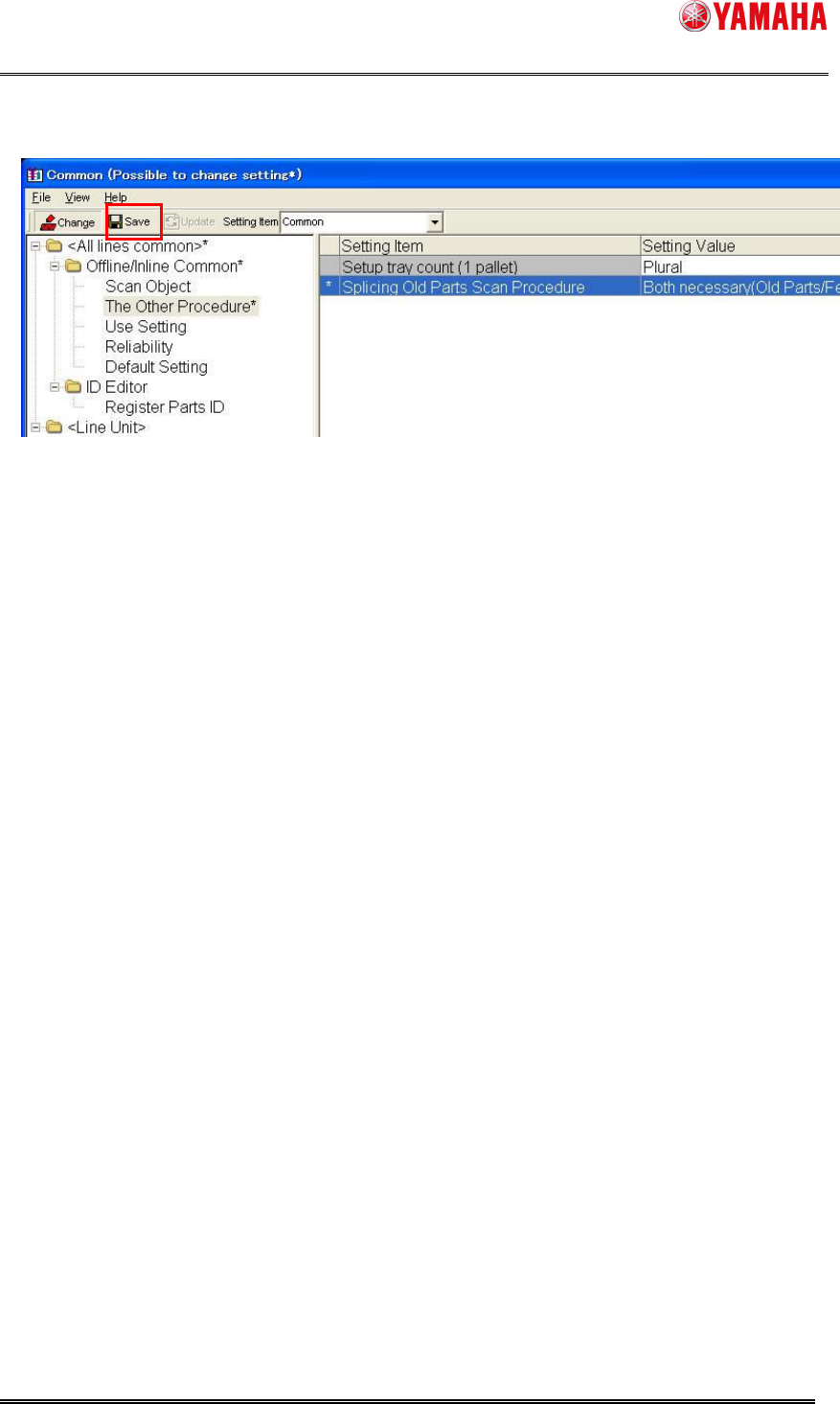
7. Click the [Save] button to save the setting contents.
After completion of the setting work on "System Config", please reload board data on Machine.
* Please reboot "Setup Navi".