Dek Training.pdf - 第41页
New dek pro gram 版本 3 Software r ecovery 恢复 系统 : (1) insert System r ecovery disk system softwar e for IBU S 03.04 PT NO 15 2663 放系统光 盘片重新用光盘起动 (2)continue 继续 PRESS “C” (3)Press “C ” to continue install the Softwar e (4)…
3 SATA 80G Hard disk(Partition C: , D:, E: ) 硬盆
C: install WIN XP,安装了 WIN XP
D: install DEK program file 安装了 SOFT 软件
E: printer config file(E:\CONFIG) & product file(E:\Product)安装了机器的工作参数****
3 G: DISK(USB Thumb driver ) must insert. Do not remove this USB Thumb Driver. It
will make Machine fail to boot up G:盘一定要接的,没有接就开不了机
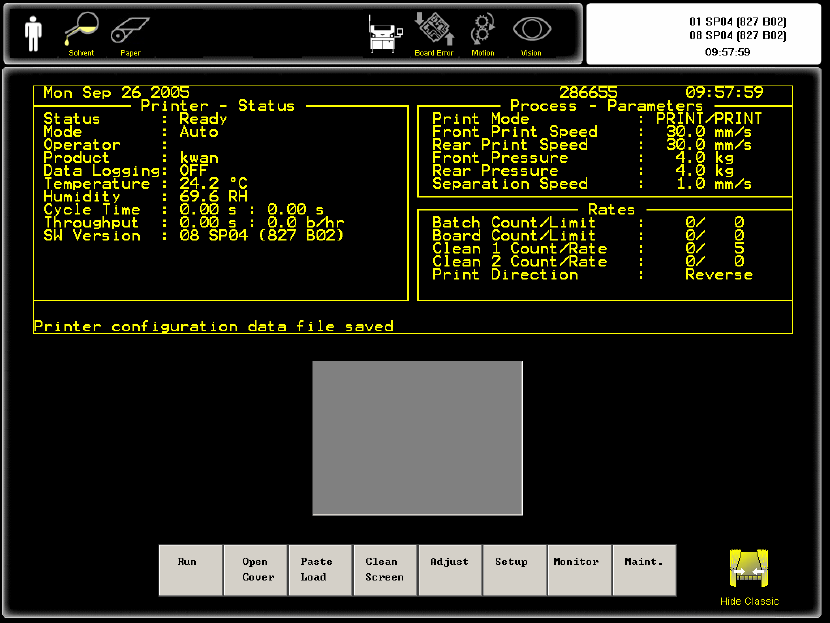
Printer software印刷机软件有二个 : (i) 08 SP04 New Instinctiv 版本 (ii) 08 SP04 Classic
program 经典版本
Classic program 经典版本
Dek Printer Training 39/70 25 June 2006
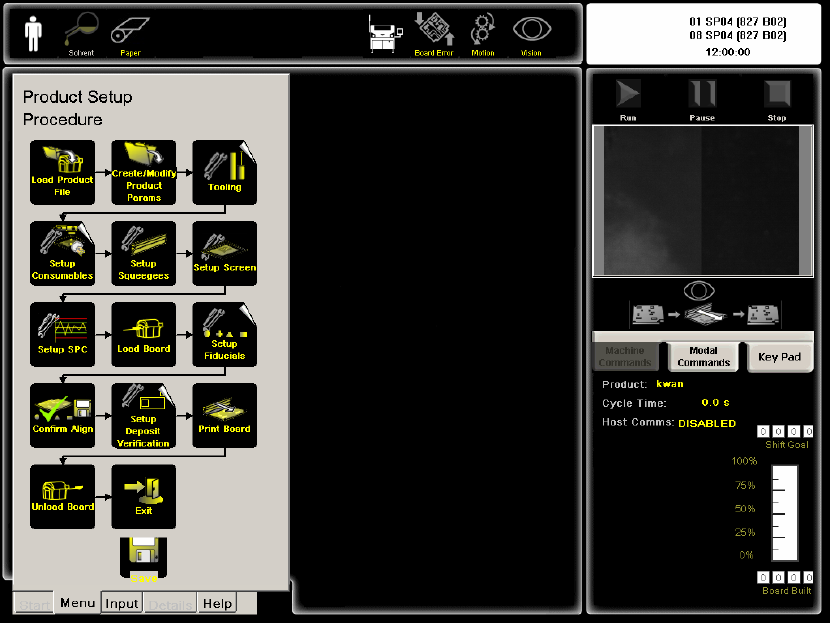
New dek program 版本
3 Software recovery 恢复系统:
(1) insert System recovery disk system software for IBUS 03.04 PT NO 152663 放系统光
盘片重新用光盘起动
(2)continue继续 PRESS “C”
(3)Press “C” to continue install the Software
(4)Enter machine Serial number按入机器编号
(5) Reboot computer 重新起动电脑
(6)Insert DEK Software CD 08 SP04(827) PT NO 152674 放入DEK的软件光盘
(7)Press “C” computer will reboot & install DEK software
(8Ccopy backup config & product data to E:/ 把机器参数放到E:盘config 文件夹
26. SMEMA connection联机
SMEMA Upline connected to Loader上线接送板机
Loader Pin 1 connected to Upline pin 1(12V). 送板机一号针接上线一号针(二十
四伏)
Loader Pin 2 connected to Upline pin 2(0V return) 送板机二号针接上线二号针
Dek Printer Training 40/70 25 June 2006
(零伏)
Loader Pin 3 connected to Upline pin 3. 送板机三号针接上线三号针
Loader Pin 4 connected to Upline pin 4. 送板机四号针接上线四号针
If the Loader don’t have Pin 3 & pin 4 Board Available. Please using copper
wire Short upline Pin3 & Pin4 .如果送板机没有三及四号针.请把上线三及四号
针用铜线短路
SMEMA Downline Connect to Mounter / Conveyor table下线接贴片机或过板枱
Loader Pin 1 connected to Downline pin 1(12V). 接贴片机或过板枱一号针接下
线一号针(二十四伏)
Loader Pin 2 connected to Downline pin 2(0V return) 接贴片机或过板枱二号针
接下线二号针(零伏)
Loader Pin 3 connected to Downline pin 3. 送板机三号针接上线三号针
Loader Pin 4 connected to Downline pin 4. 送板机四号针接上线四号针
Dek Printer Training 41/70 25 June 2006