Dek Training.pdf - 第6页
6. LOAD PRODUCT 运行程序 7. SETUP MENU 设定菜单 D e k P r i n t e r T r a i n i n g 6 / 7 0 2 5 J u n e 2 0 0 6
3 Please make sure the Under screen cleaner at the Front Home position.
If not, I will have an Screen Cleaner out of position Alarm 要把擦网纸
的部分拉到最前面原点的位置o不然就会出擦网纸超出位置
3 Take out all Table’s tooling support pins.先把所有放在的顶针取出来
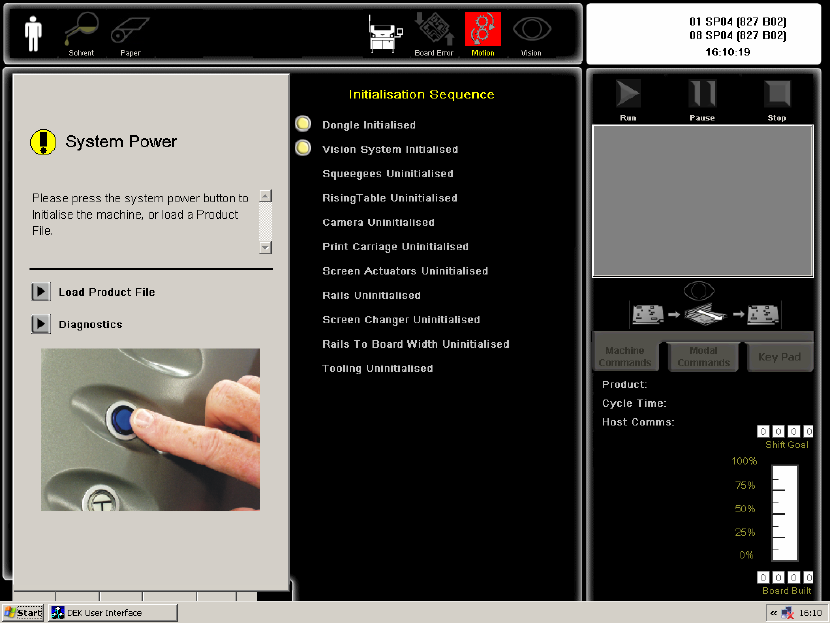
3 After computer boot up , it will automatic start the DEK Printer
Software.当计算机开了!自动会启动 DEK Printer 应用程序.然后出现
以下图像
It will do Dongle Initialised & Vision System initialised.先启动加密狗及相机初
始化
If Dongle Initialised Fail, please check the USB Key & Flash disk. 如果加密狗初
始失败,先检查一下加密锁及 U 盘有没有弄松
If Vision System initialized, Please check the IEEE1394 cable to Camera & PC.
如果相机初始化失败,先检查一下 IEEE1394 的线有没有弄松
3 Press System power Blue Button. It will Perform Reference Position 按蓝色
的按纽,自动回到原点!
3 Dongle initialized
3 Vision system unit
3 Squeegees(go to front & rear squeegees home sensor)
3 Rising table(go to table home sensor)
3 Camera(go to X & Y home sensors)
3 Print carriage(go to print carriage home sensor)
3 Screen changer(X fwd , X rear & Y offset motor home position)
3 Rail to board width(go to rail home sensor at 508mm)
3 Tooling(go to lifter table home sensor)
Dek Printer Training 5/70 25 June 2006
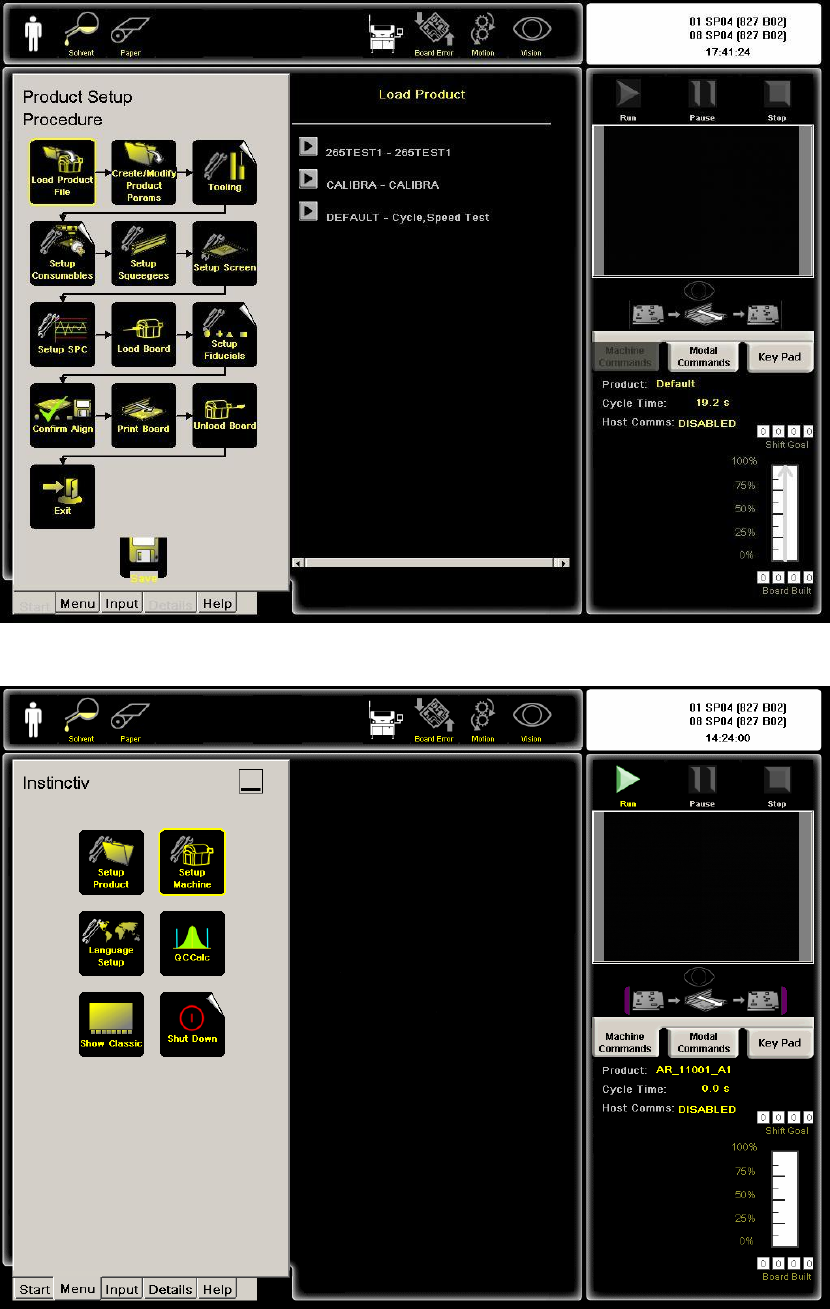
6. LOAD PRODUCT 运行程序
7. SETUP MENU 设定菜单
Dek Printer Training 6/70 25 June 2006
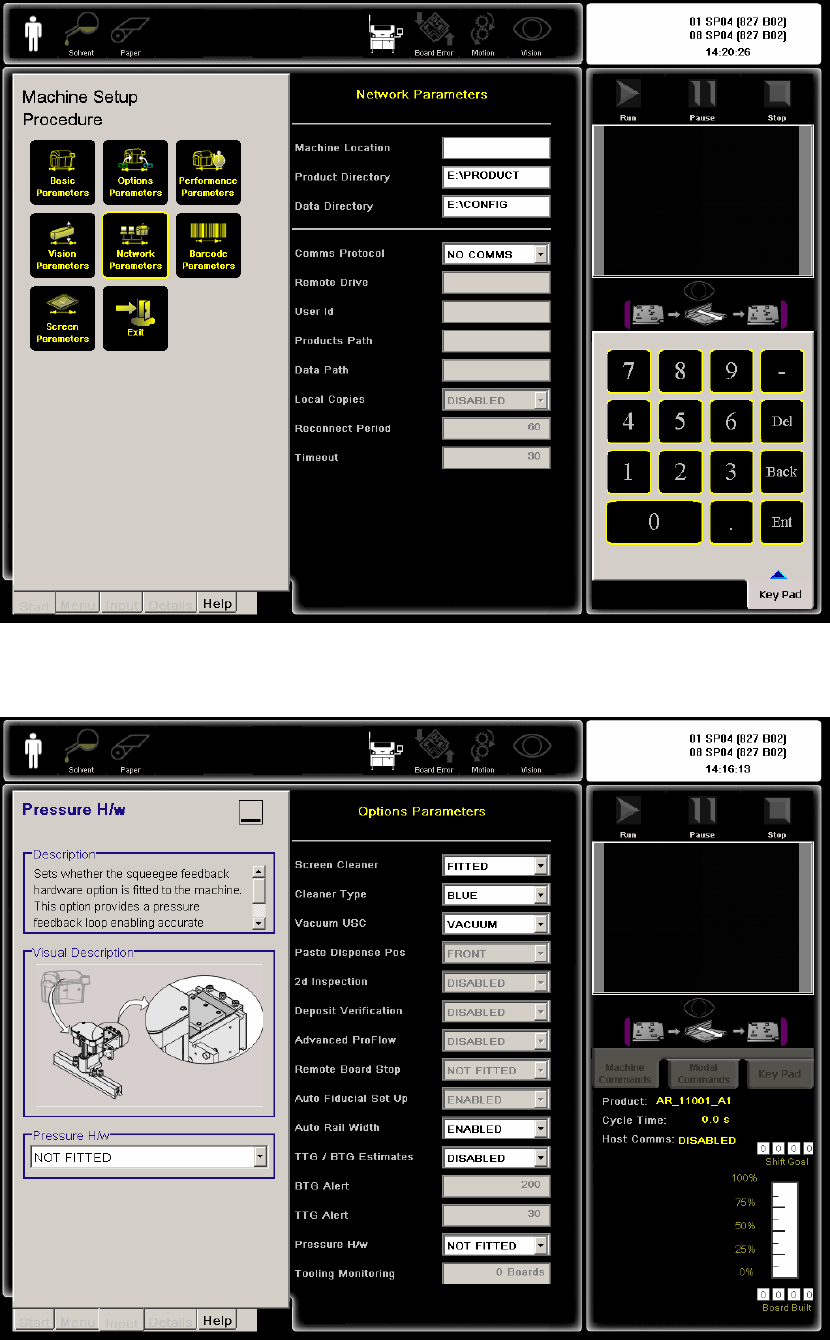
8. NETWORK PARAMETER 网络参数
9. OPTION PARAMETER 选择参数
Dek Printer Training 7/70 25 June 2006