00198371-01_UM_SWS-EN.pdf - 第124页
6 Options User manual SIPLACE Wafer System (SWS) 6.3 SWS wafer stretcher (expander) Edition 04/2018 124 Loosening the clamp Fig. 6.3 - 8 Wafer support - loosening the clamp Remove th e circlip on th e shaft (2) of th e…
User manual SIPLACE Wafer System (SWS) 6 Options
Edition 04/2018 6.3 SWS wafer stretcher (expander)
123
6.3.6.3 Removing the 8" wafer support
Removing the downholder plate
You need to replace the downholder plate for the relevant wafer support.
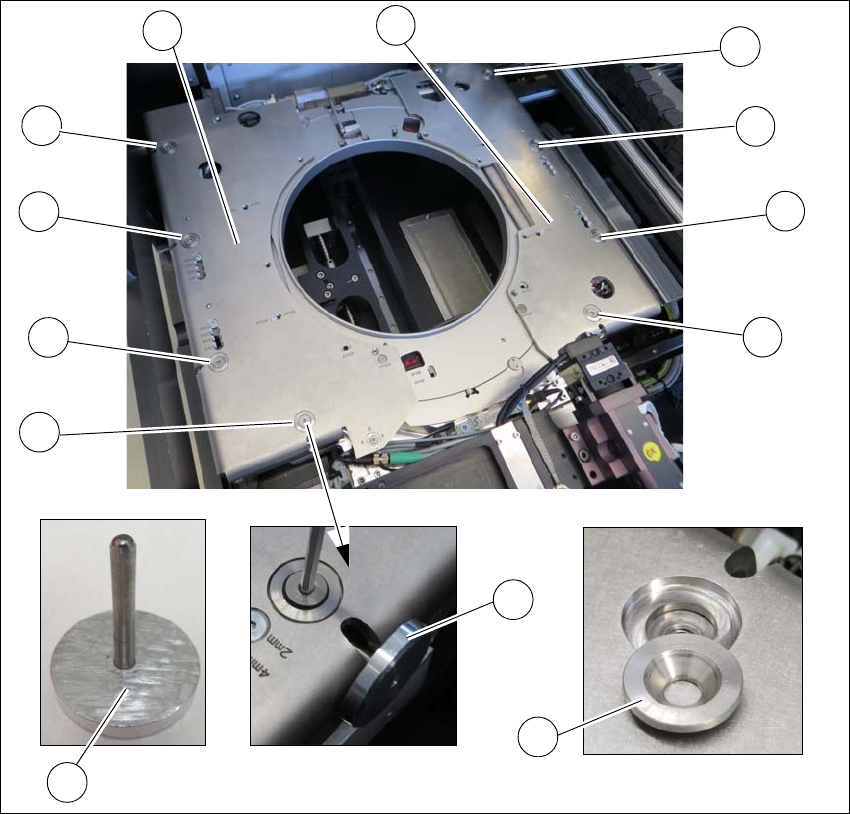
Fig. 6.3 - 7 Wafer support - removing the downholder plate
Insert the auxiliary tool for fixing the lifting piston (2) into the opening and fix the piston inside
(2+5).
One after the other, loosen all 4 screws (1) on the two downholder plates (4).
Remove the conical fixing disc (3). Make sure that you keep these safe for installation later
on.
Remove the two downholder plates (4).
1
1
1
1
1
1
1
1
2
5
4
4
3
6 Options User manual SIPLACE Wafer System (SWS)
6.3 SWS wafer stretcher (expander) Edition 04/2018
124
Loosening the clamp
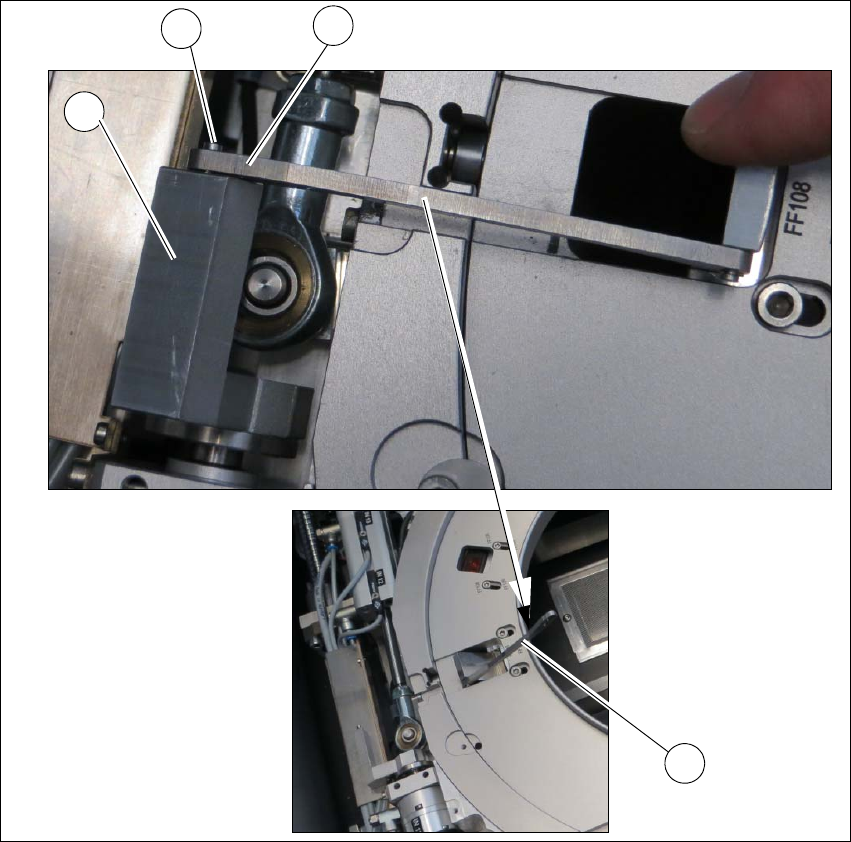
Fig. 6.3 - 8 Wafer support - loosening the clamp
Remove the circlip on the shaft (2) of the clamp (1).
Unhook the clamp so that the clamping lever (3) is free (4).
1
2
4
3
User manual SIPLACE Wafer System (SWS) 6 Options
Edition 04/2018 6.3 SWS wafer stretcher (expander)
125
Removing the stroke ring
You need to replace the stroke ring for the relevant wafer support.
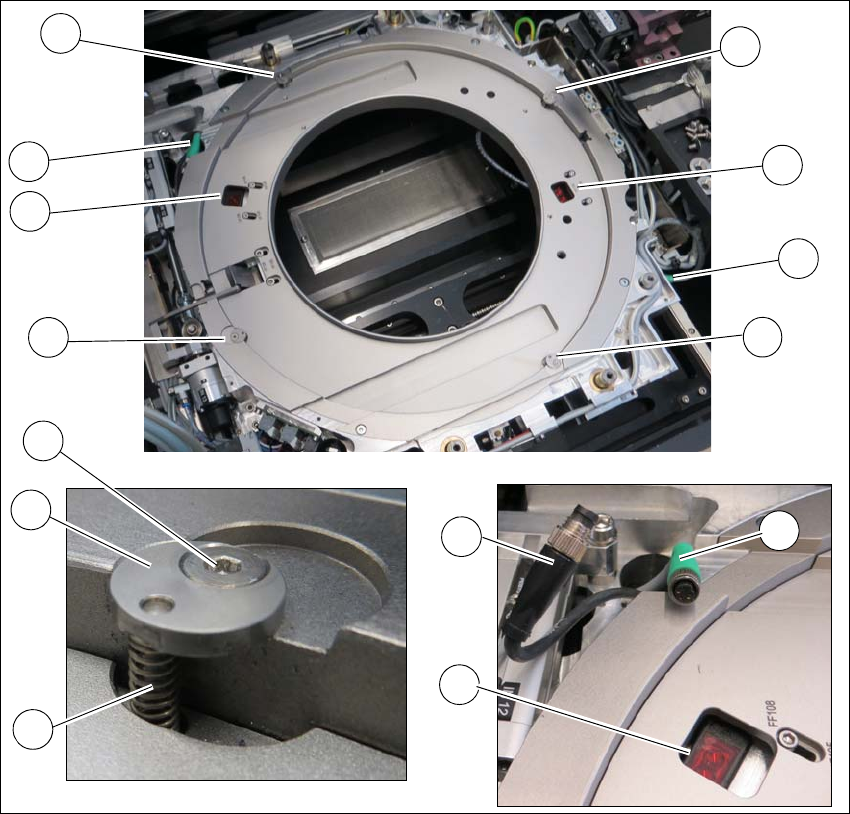
Fig. 6.3 - 9 Wafer support - removing the stroke ring
Loosen the 4 screws (1) fixing the stroke ring.
Remove the fixing disc (2) and the spring (3). Make sure that the fixing disc (2) and the spring
(3) are kept safe for refitting later on.
Unplug the two sensors (4) from the connector (5) of the cable extension (6).
Remove the stroke ring.
1
1
1
2
3
1
4
4
5
4
5
1
5
6