JANETS_INM.pdf - 第669页
JaNets In structio n Manual 17 Program Expl orer 17 - 17 Renami ng a folder in the database Figure 17.3 - 14 Renaming a folder Select a f older who se nam e you want to change (you cannot sele ct two or more folders at a…
JaNets Instruction Manual 17 Program Explorer
17-16
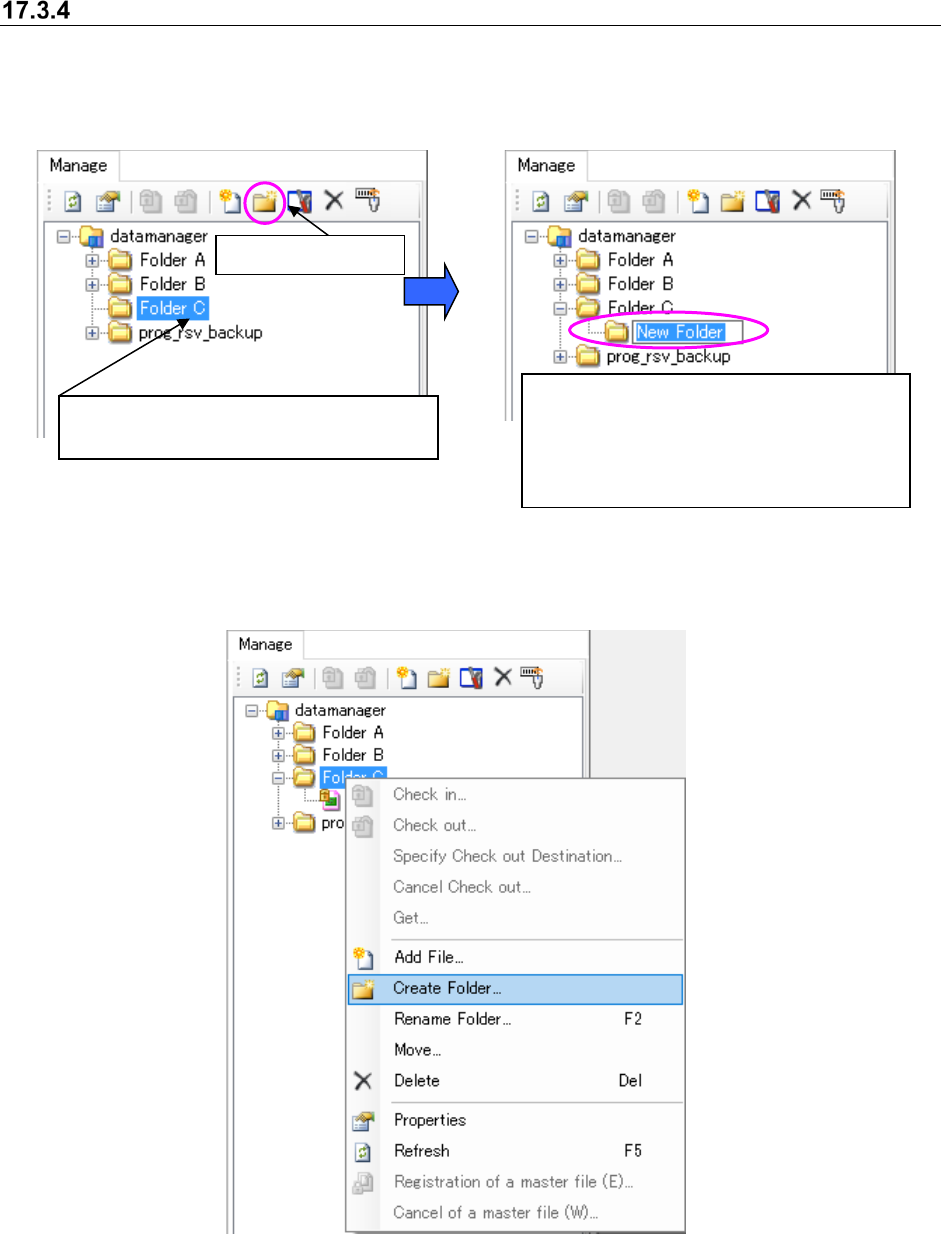
Creating a folder in the database
Follow the procedure 1 or 2 shown below.
1. Perform the operations from ① to ② below.
Figure 17.3-11 Selecting a folder
Figure 17.3-12 Creating a new folder
2. Perform the operations.
Figure 17.3-13 Clicking the right button of a mouse – [Create Folder]
① Select a folder (you cannot select two or
more folders at a time).
A new folder is created. Enter the folder
name (up to 256 characters).
If the same folder exists in the destination,
the folder is named “an entered name” +
(serial number).
②
Create a folder.
JaNets Instruction Manual 17 Program Explorer
17-17
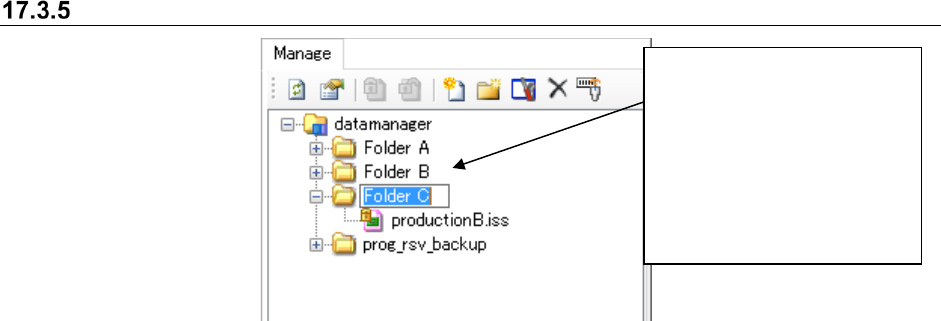
Renaming a folder in the database
Figure 17.3-14 Renaming a folder
Select a folder whose name
you want to change (you
cannot select two or more
folders at a time). Select the
[Rename Folder] command on
the pop-up menu displayed
when you click the right button
of a mouse. You can enter up
to 256 characters.
JaNets Instruction Manual 17 Program Explorer
17-18
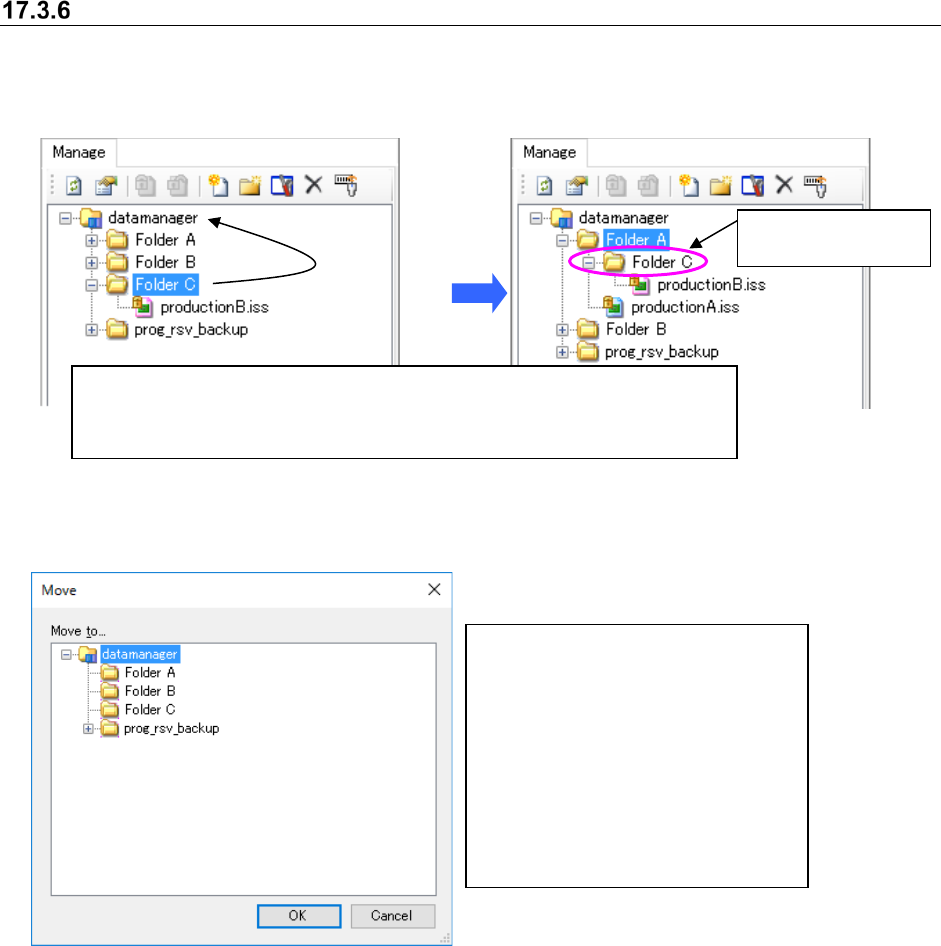
Moving a folder in the database
Follow the procedure 1 or 2 shown below.
1. Perform the operations ① and② below.
Figure 17.3-15 Moving a folder
2. Perform the operations from ① to ③ below.
Figure 17.3-16 “Move” dialog box
The selected folder
is moved here.
①
Select a folder to be moved (you can select two or more folders at a time.)
② Drag and drop the selected folder in the desired folder displayed on the
“Manage” screen.
①
Select a folder to be moved (you
can select two or more folders at a
time) on the “Manage” screen.
② Click the right button of a mouse on
the selected folder, and the select
the [Move] command on the pop-
up menu.
③ The “Move” confirmation dialog box
appears on the screen. Select the
destination folder.