JANETS_INM.pdf - 第686页
JaNets In structio n Manual 17 Program Expl orer 17 - 34 17.4 S pecifica tions of the Appli cations Applicati ons into w hich the Program Explorer is i n corporat ed ar e shown in T able 17 .4 - 1. T able 17.4 -1 Speci f…
JaNets Instruction Manual 17 Program Explorer
17-33
17.3.9.2 Reading a serial code
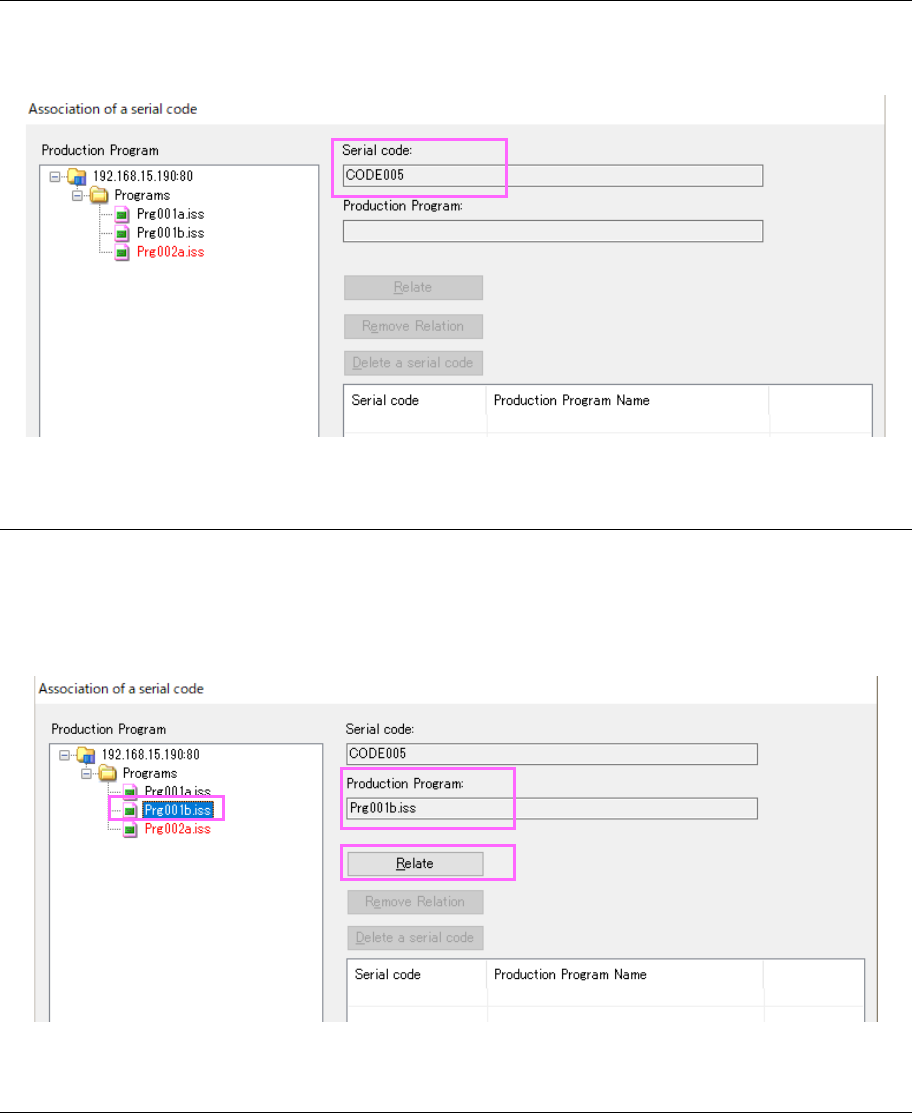
Use a code reader to read a serial code to be used for associating with a production program.
The read code is displayed on the “Association of a serial code” screen.
Figure 17.3-41 Screen displayed after a serial code is read
17.3.9.3 Specifying a production program to be associated with a serial code
Select a production program you want to associate with a serial code from among programs
displayed in the “Production Program” tree. The selected production program is displayed on
the “Association of a serial code” screen. When you finish reading a serial code and then
specifying a production program, the <Relate> button is enabled.
Figure 17.3-42 Screen displayed after you specify a production program
17.3.9.4 From executing association to terminating association
When you click the <OK> button or the <Cancel> button, the system finishes association
operation. When you click the <OK> button, the system saves the association information
before terminating association. When you click the <Cancel> button, the system does not save
any association information.
JaNets Instruction Manual 17 Program Explorer
17-34
17.4 Specifications of the Applications
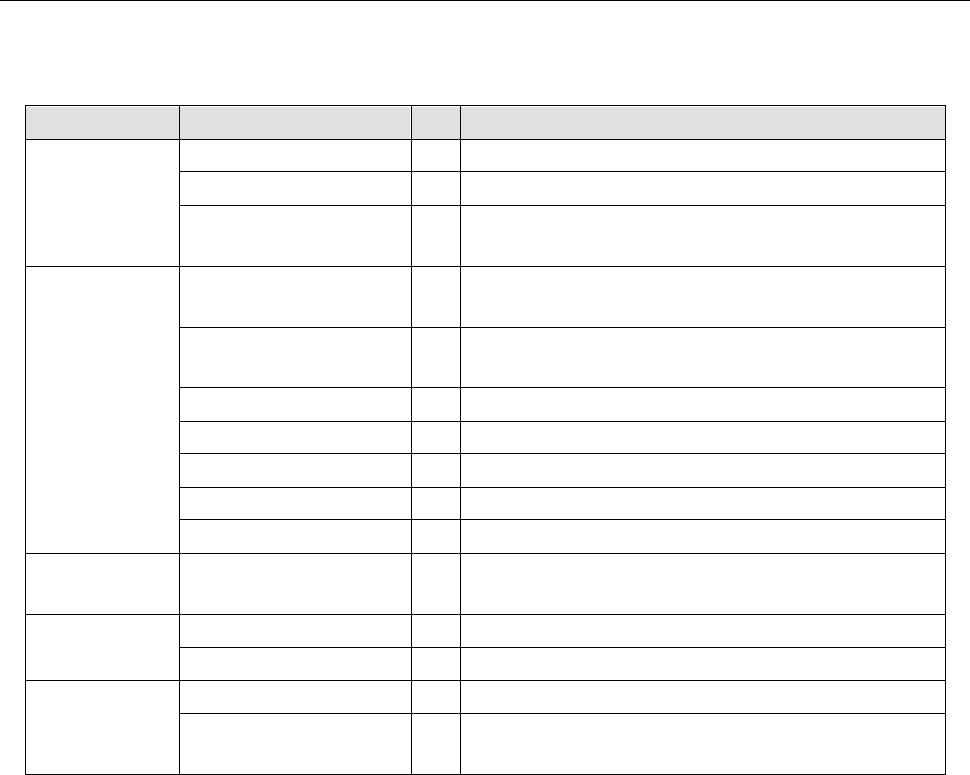
Applications into which the Program Explorer is incorporated are shown in Table 17.4-1.
Table 17.4-1 Specifications of each application
Application name
What to display
Shared User Management ×
Shopfloor Setup
×
(*1)
Component Database ○ Manage, Production Program, Reservation File and Floor
Configuration
Create Data Program Editor ○ Manage, Production Program, Reservation File and Floor
Configuration
Job Optimizer ○ Manage, Production Program, Reservation File and Floor
Configuration
Tact Simulation
○
Manage, Production Program and Floor Configuration
Feeder Set Database ○ Manage, Production Program and Reservation File
Mark Database
○
Manage and Production Program
Machine Program Relater × (*1)
Flexline CAD
×
Production Program Downloader ○ Manage, Production Program, Reservation File and Floor
Configuration
Maintenance
Tool
Snapshot Tool
○
Manage, Production Program and Reservation File
Log Control Tool ×
External Output
Function
External output monitor
×
Parts stock management
tool
×
○: To be used ×: Not to be used
*1 Displays the Line Explorer. The displayed contents are the same as those of the “Floor
Configuration.”
JaNets Instruction Manual 17 Program Explorer
17-35
17.5 Database Connection Condition
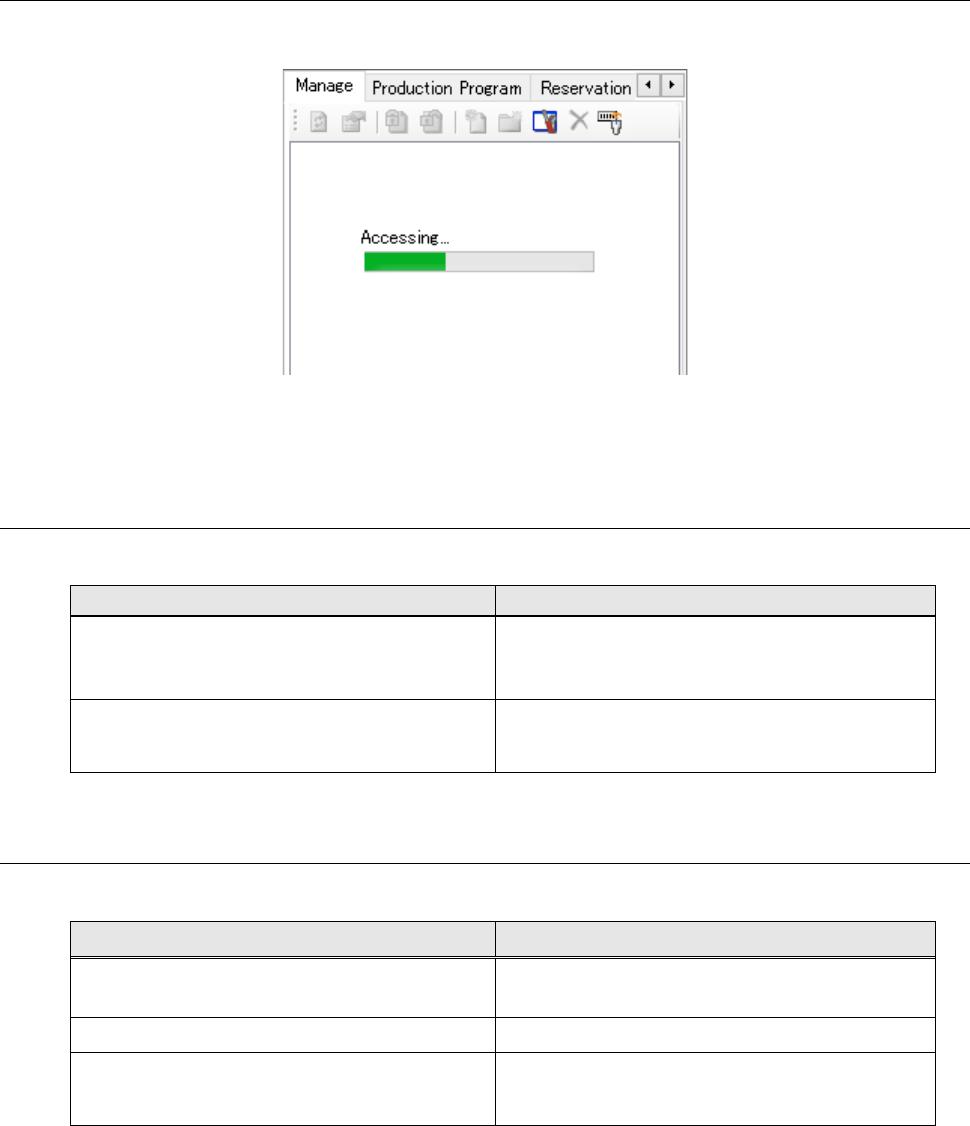
The Program Explorer obtains information from the database (server PC).
Figure 17.5-1 When the system is obtaining data from the database
* While the system is obtaining data from the database (server PC), you cannot operate the
Program Explorer at all.
17.6 Warning messages
<Warning conditions and the contents of warning messages>
Warning conditions
Contents of warning messages
When 100 or more files are operated at once
"W1405104 Because the number of selected data is
large, it takes much time to process it. May the
processing be continued?"
When free space on the database is less than
20MB after file registration and/or check-in are
executed.
“W1405103 Free space on the database server is
insufficient.”
17.7 Error Messages
<Error condition and its corresponding error message>
Error condition Error message
The system could not access the database (for
example, it is not connected to the database).
“Accessing the network caused an error. The
process will be aborted.” *1
An exception occurred in the database. “E1405004 Failed to access the database.”
When file registration and/or check-in fails
because of the shortage of free space in the
database
"E1405105 Free space on the database server is
insufficient.The process will be aborted."
*1 The system does not display the tree for files when it is not connected to the database yet at
this point because it cannot obtain any data. However, only the root hierarchy is displayed on
the production program tree and on the reservation file tree respectively.
* When a user tries to perform a certain operation for a file or a folder, you cannot perform any
operation for canceling the process for that operation from another location (such as a client
and application).