00196430-0102-AI_Head_Reconfiguration_Kit_SX_CPP_en_de.pdf - 第72页
Installing the CPP Placement Head Assembly of the CPP Placement Hea d Height Adjustment and Install ation of the Nozzle Station 72 Assembly Instructions / Montageanleitung Head Reconfiguratio n Kit CPP SX2 with stationar…
Installing the CPP Placement Head
Height Adjustment and Installation of the Nozzle Station Assembly of the CPP Placement Head
Assembly Instructions / Montageanleitung Head Reconfiguration Kit CPP 71
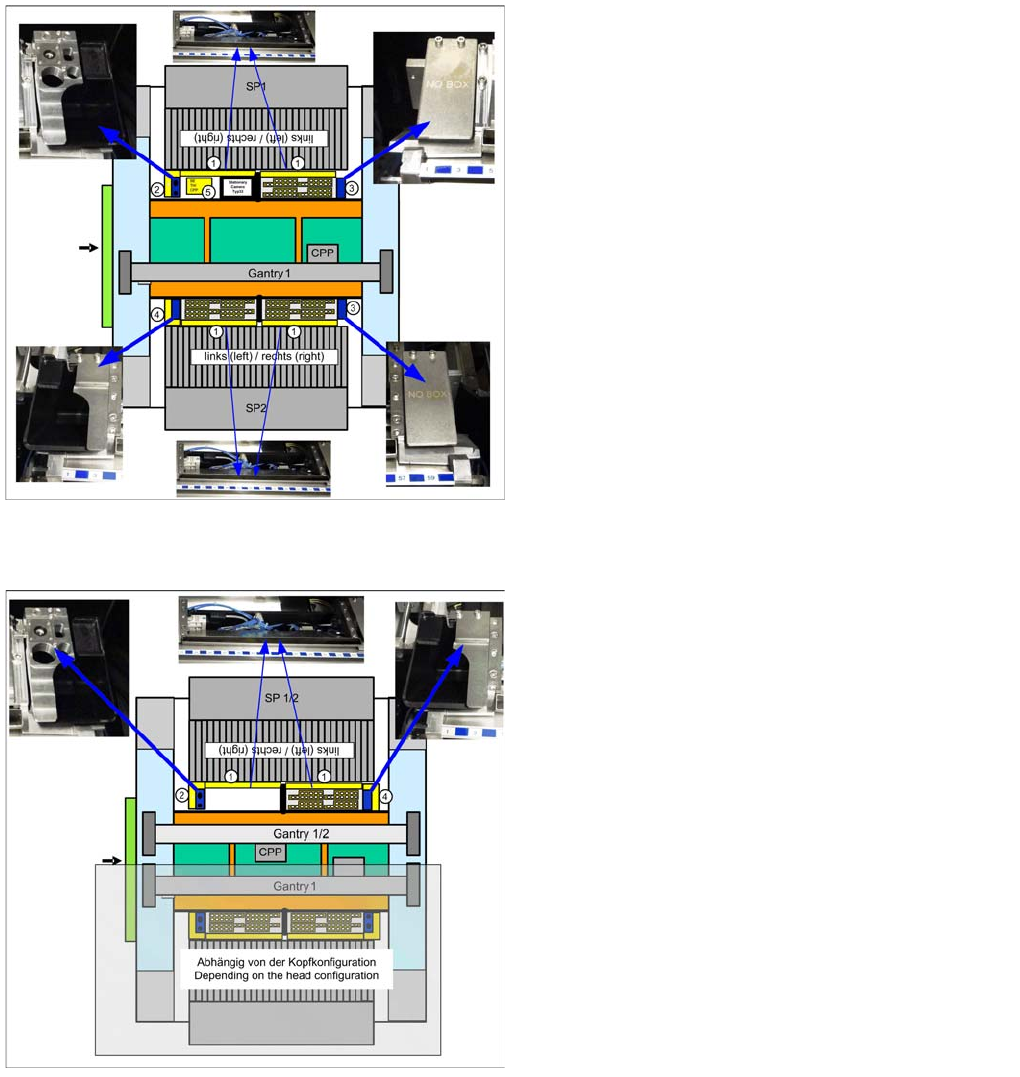
SX 1 with stationary camera
SX2 without stationary camera on one gantry
Nozzle station in SP1 right, component reject bin up to
6x6 [03062378--xx] in SP1 and 2, reject bin [03063238-
xx] with downholder [03079173-xx] in SP2 left, coding
sheet [03083883-xx] in SP1 left and SP2 right
Nozzle station in SP1/2 right, component reject bin up to
6x6 [03062378--xx] in SP1/2, reject bin [03063238-xx]
with downholder [03079173-xx] in SP1/2 left.
On the other gantry: depending on the configuration.
Installing the CPP Placement Head
Assembly of the CPP Placement Head Height Adjustment and Installation of the Nozzle Station
72 Assembly Instructions / Montageanleitung Head Reconfiguration Kit CPP
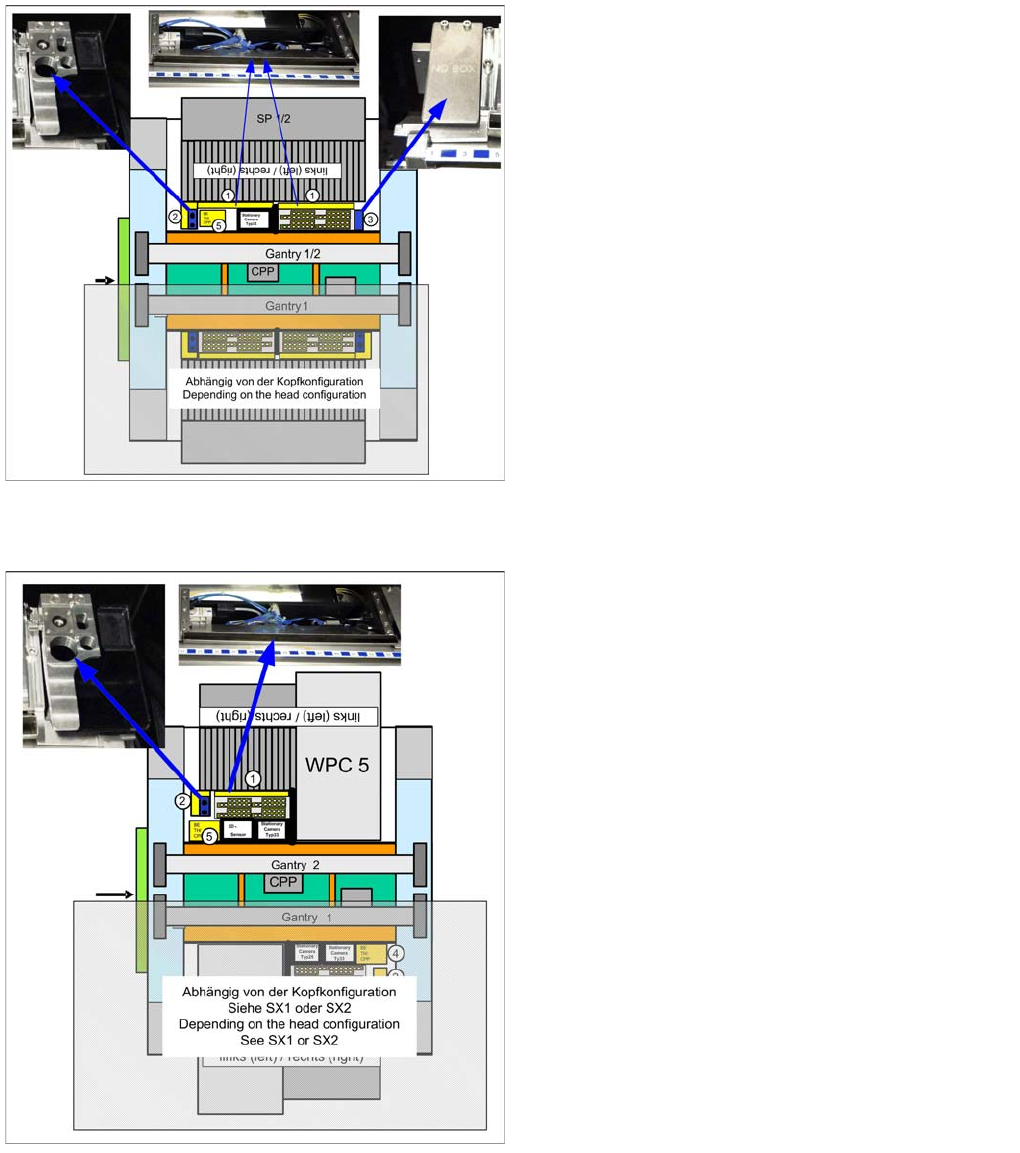
SX2 with stationary camera on one gantry
SX2 with WPC and stationary camera on one gantry
Nozzle station in SP1/2 right, component reject bin up to
6x6 [03062378--xx] in SP1/2, coding sheet [03083883-
xx] in SP1/2 left.
On the other gantry: depending on the configuration.
Nozzle station right, component reject bin up to 6x6
[03062378--xx].
On the other gantry: depending on the configuration.
Installing the CPP Placement Head
Height Adjustment and Installation of the Nozzle Station Assembly of the CPP Placement Head
Assembly Instructions / Montageanleitung Head Reconfiguration Kit CPP 73
Installing/Removing Downholder
Installing/Removing Downholder
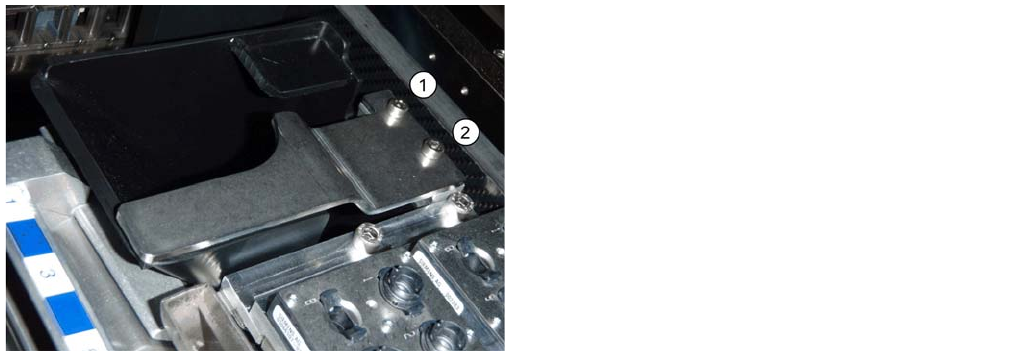
Installing downholder
Removing downholder
When exchanging the placement head type it may be necessary, depending on the new configuration,
to remove downholders and reject bins and replace them by coding sheets on unopccupied bin locations.
The configurations with reject bins, downholders and coding sheets are described in the relevant assem
-
bly instructions ([00196429--xx] for changeover to C&P20A, [00196430-xx] for changeover to CPP and
[00196431--xx] changeover to TwinHead).
► Remove the two screws (1 and 2) and lift off the downholder.
► Remove the reject bin.
See also
3.4.7.3.3 Installing/Removing Coding Sheet [ ➙ 74]
Installing/Removing Coding Sheet
► Insert the reject bin [03063238-xx].
► Fasten the downholder [03079173-xx] directly on the
cast part of the used tape channel using two screws
(1 and 2).
No shim plates are required.