Oxford-100-ICP-2-Step-DRIE-SOP-in-PDF-Format.pdf
Oxford ICP 2 - step DRIE SOP Page 1 of 10 Revisi on 2- 12 0 321 Oxford I CP 2- step DRIE SOP
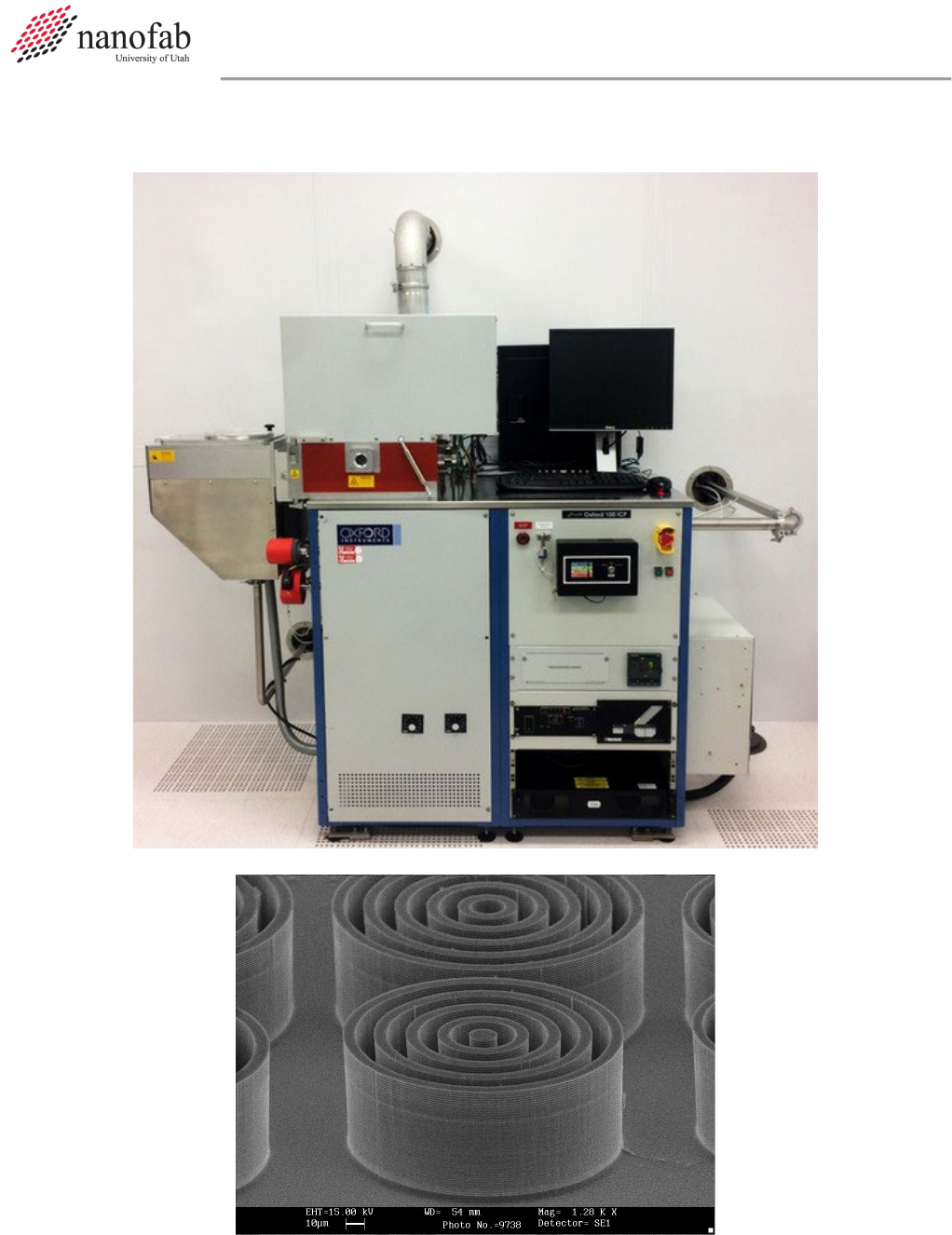
Oxford ICP 2-step DRIE SOP Page 1 of 10
Revision 2-120321
Oxford ICP 2-step DRIE SOP

Oxford ICP 2-step DRIE SOP Page 2 of 10
Revision 2-120321
1. Scope
1.1 This document provides operating procedures for the Oxford 100 ICP 2-step DRIE.
2. Table of Contents
1. Scope ............................................................................................................................................................. 2
2. Table of Contents .......................................................................................................................................... 2
3. Reference Documents ................................................................................................................................... 2
3.1 Referenced within this Document .......................................................................................................... 2
3.2 External Documents ............................................................................................................................... 2
4. Equipment and/or Materials ......................................................................................................................... 3
5. Safety............................................................................................................................................................. 3
6. Setup Procedures .......................................................................................................................................... 3
6.1 Reserve and Enable tool in Coral ............................................................................................................ 3
6.3 Vent Load Lock ........................................................................................................................................ 4
5
6.4 Load Wafer ............................................................................................................................................. 5
7. Run Recipe..................................................................................................................................................... 5
7.1 Load and Edit Recipe .............................................................................................................................. 5
7.2 Start Etch Process ................................................................................................................................... 7
8. Shutdown Procedures ................................................................................................................................... 8
8.1 Vent Load Lock ........................................................................................................................................ 8
8.2 Shutdown System ................................................................................................................................... 8
9. Revision History ........................................................................................................................................... 10
Figure 1, Liquid Nitrogen Tank .................................................................................... Error! Bookmark not defined.
Figure 2, Chiller ........................................................................................................... Error! Bookmark not defined.
Figure 3, Pump Control Page ...................................................................................................................................... 5
Figure 4, Load Lock ..................................................................................................................................................... 5
Figure 5, Temperature Controller .............................................................................................................................. 4
Figure 6, Recipe Editor Page ...................................................................................................................................... 6
Figure 7, Process Control Page ................................................................................................................................... 8
Figure 8, Etch Rate for 10 um Trenches ...................................................................... Error! Bookmark not defined.
Figure 9, Etch Rate for 2 um Trenches ........................................................................ Error! Bookmark not defined.
Figure 10, Etch Rate for 4 um Pillars ........................................................................... Error! Bookmark not defined.
Figure 11, 2-step Etching SEM Analysis ....................................................................... Error! Bookmark not defined.
Table 1, Deep Etch Recipe ......................................................................................................................................... 7
Table 2, Smooth Etch Recipe ...................................................................................... Error! Bookmark not defined.
3. Reference Documents
3.1 Referenced within this Document
3.2 External Documents
3.2.1 None
Oxford ICP 2-step DRIE SOP Page 3 of 10
Revision 2-120321
4. Equipment and/or Materials
4.1 Wafer/Sample
4.2 Oxford 100
4.3 Liquid Nitrogen
5. Safety
5.1 Follow all Nanofab safety procedures.
6. Setup Procedures
6.1 Reserve and Enable tool in Coral
6.1.1 Etch-Oxford 100 DRIE (software Login is nanofabuser, pw nanofabuser)
6.1.2 Record all processing and characterization information in Coral
6.2 Set chuck temperature
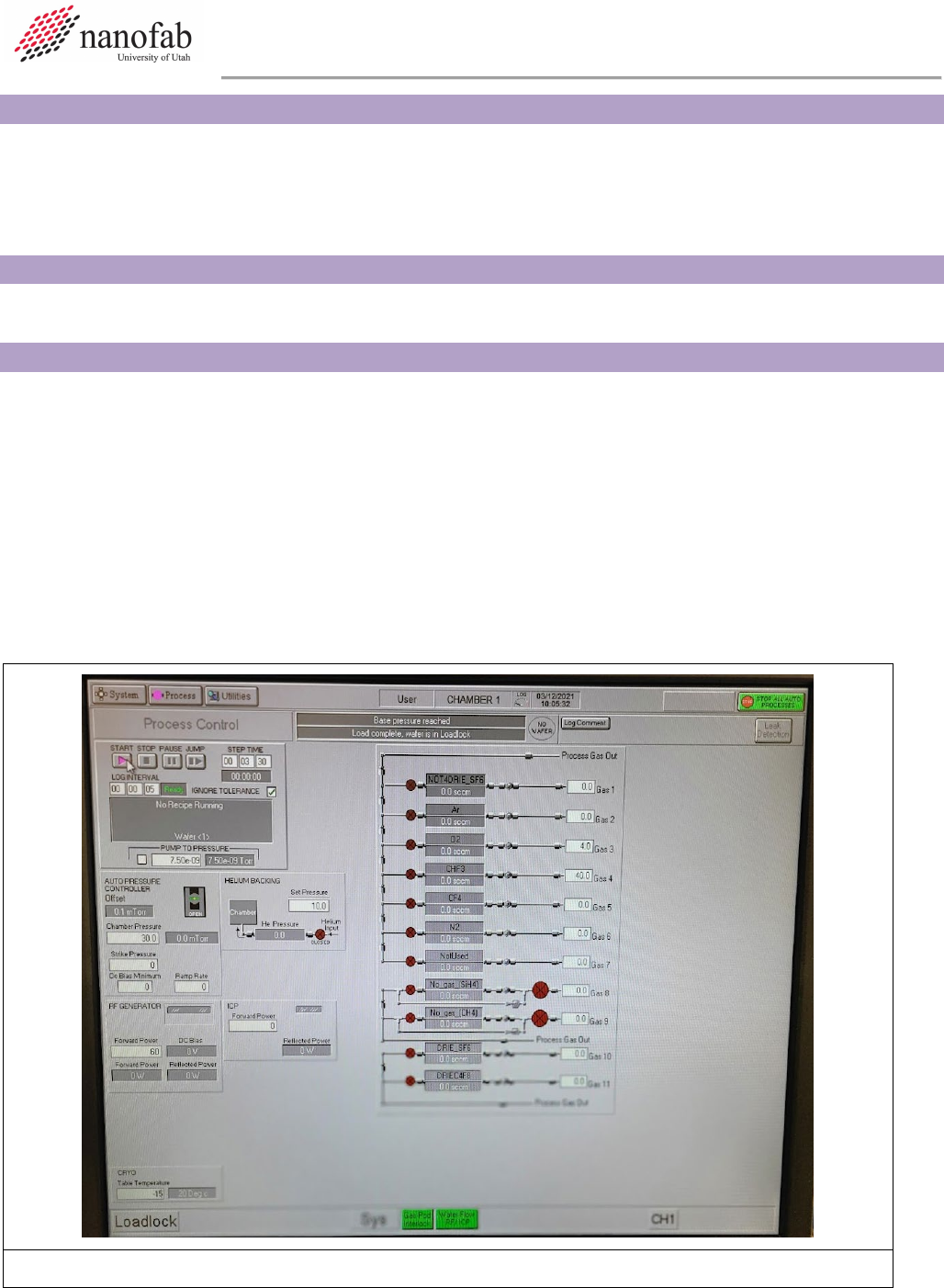
6.2.1 Click on Process icon. See Figure 1, Pump Control Page.
6.2.2 Click on “Chamber 1” on the drop-down menu
6.2.3 Set the table temperature to -15 (lower left corner of screen) See Figure 1.
6.2.4 Press the pink start button, then immediately click stop (right next to it). See Figure 1.
Figure 1. Set Chuck Temperature