00198055-01_IM_Taceability5.0_EN.pdf - 第20页
Installation of Trace Service and Monitor Trace Service 4.2.1 Installation 20 Installation Manual SIPLACE Traceability 5.0 ► Now specify the folder in which you wish to install the application. The default folder is C:\P…
Installation of Trace Service and Monitor
4.2.1 Installation Trace Service
Installation Manual SIPLACE Traceability 5.0 19
4.2
4.2 Trace Service
Trace Service
Trace Service requires a SIPLACE Pro installation (GUI or Desk).
4.2.1
4.2.1 Installation
Installation
NOTICE
Machine-Based Traceability
For machine-based traceability, the SIPLACE placement machines must be equipped with the
options "Setup verification" and "Traceability".
NOTICE
MS SQL Express
MS SQL Express databases are only allowed for testing/training purposes
► Place the SIPLACE Traceability CD into the CD-ROM
drive of your computer.
► Open the TraceService folder and execute TraceSer-
viceSetup.msi
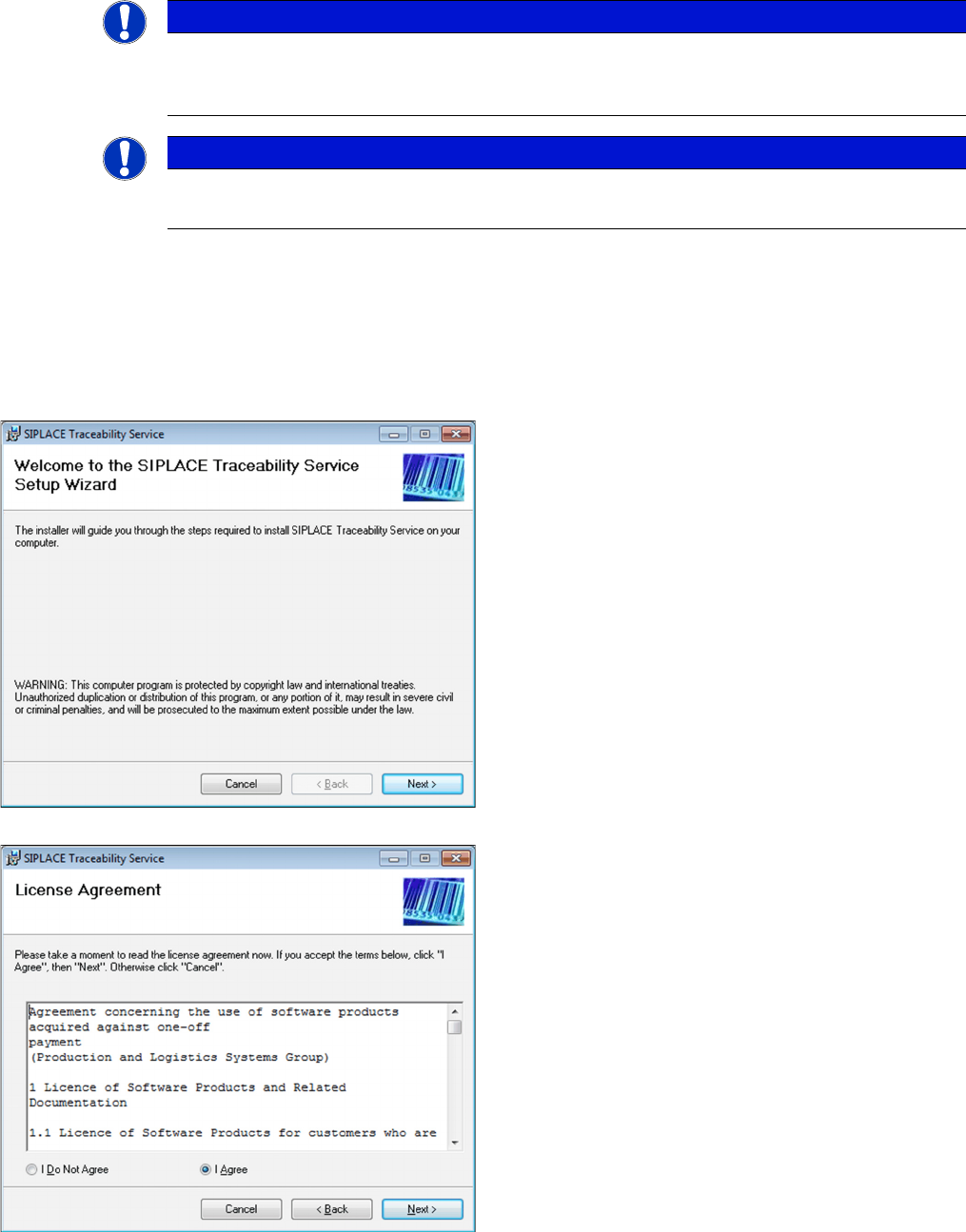
⇨ The Welcome dialog will appear.
► Click on Next to continue the installation procedure.
► Read the license agreement. If you agree with the
conditions, click on I Agree, otherwise click on I Do
Not Agree. If you select I Do Not Agree, the installa-
tion procedure will be terminated.
► Click on Next to continue the installation procedure.
Installation of Trace Service and Monitor
Trace Service 4.2.1 Installation
20 Installation Manual SIPLACE Traceability 5.0
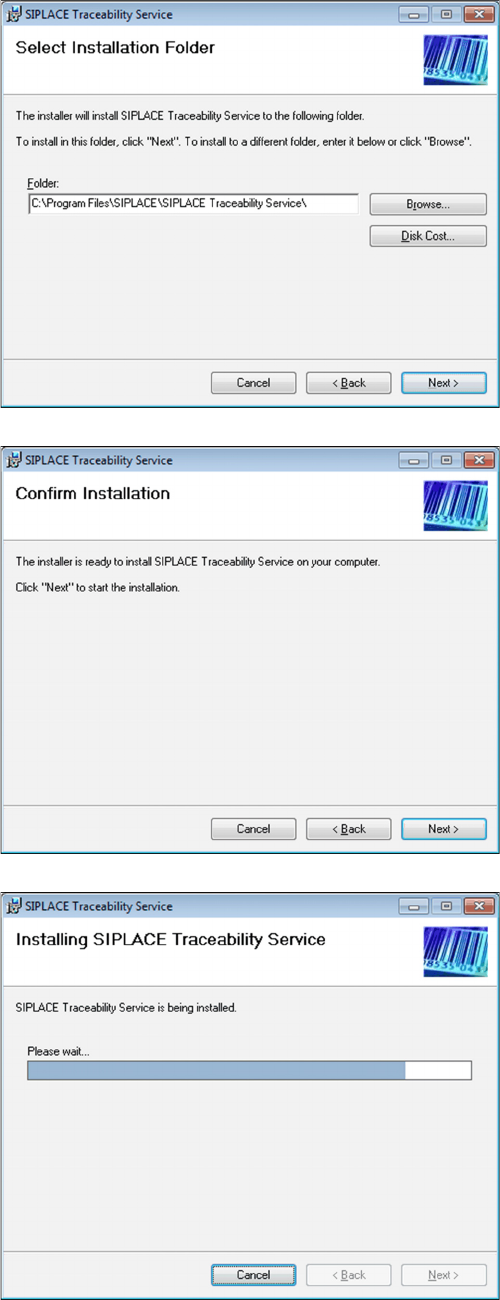
► Now specify the folder in which you wish to install the
application. The default folder is C:\Program
Files\SIPLACE\SIPLACE Traceability Service. You
can alter the default installation folder by using the
Browse… button.
► Confirm the installation by clicking on Next.
► The installation of Trace Service will begin.
Installation of Trace Service and Monitor
4.2.1 Installation Trace Service
Installation Manual SIPLACE Traceability 5.0 21
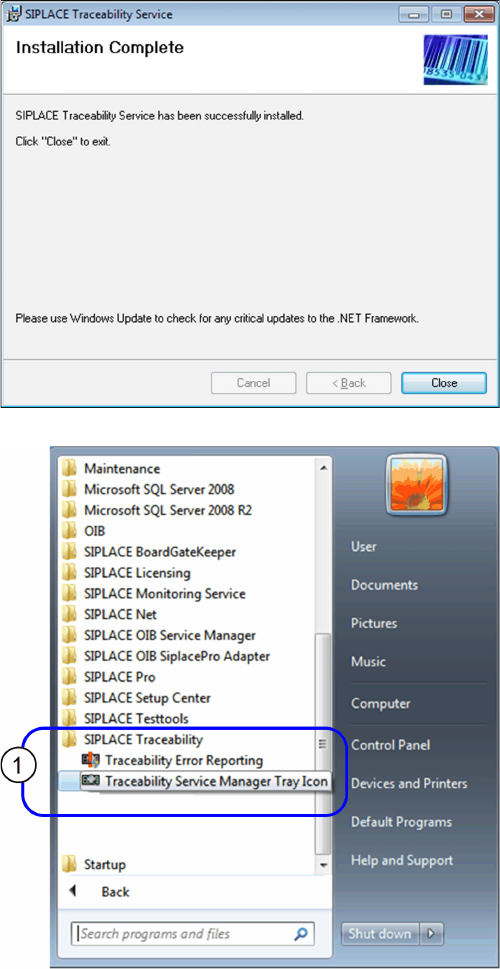
► The installation is successfully finished. Click Close
to exit.
The SIPLACE Traceability program group with the pro-
grams and shortcuts was added to the Windows Start
menu (1):
▪ SIPLACE Traceability
– Traceability Error Reporting
– Traceability Service Manager Tray Icon