E By DEK Operator Manual 英文版.pdf - 第5页
KEY 4 DAIL Y MAINTENANCE Escalate to an Engineer Inspect items for contamination Items are clean Clean contaminated area with correct cleaning product and dispose of in refuse bin Clean contaminated area with soapy water…
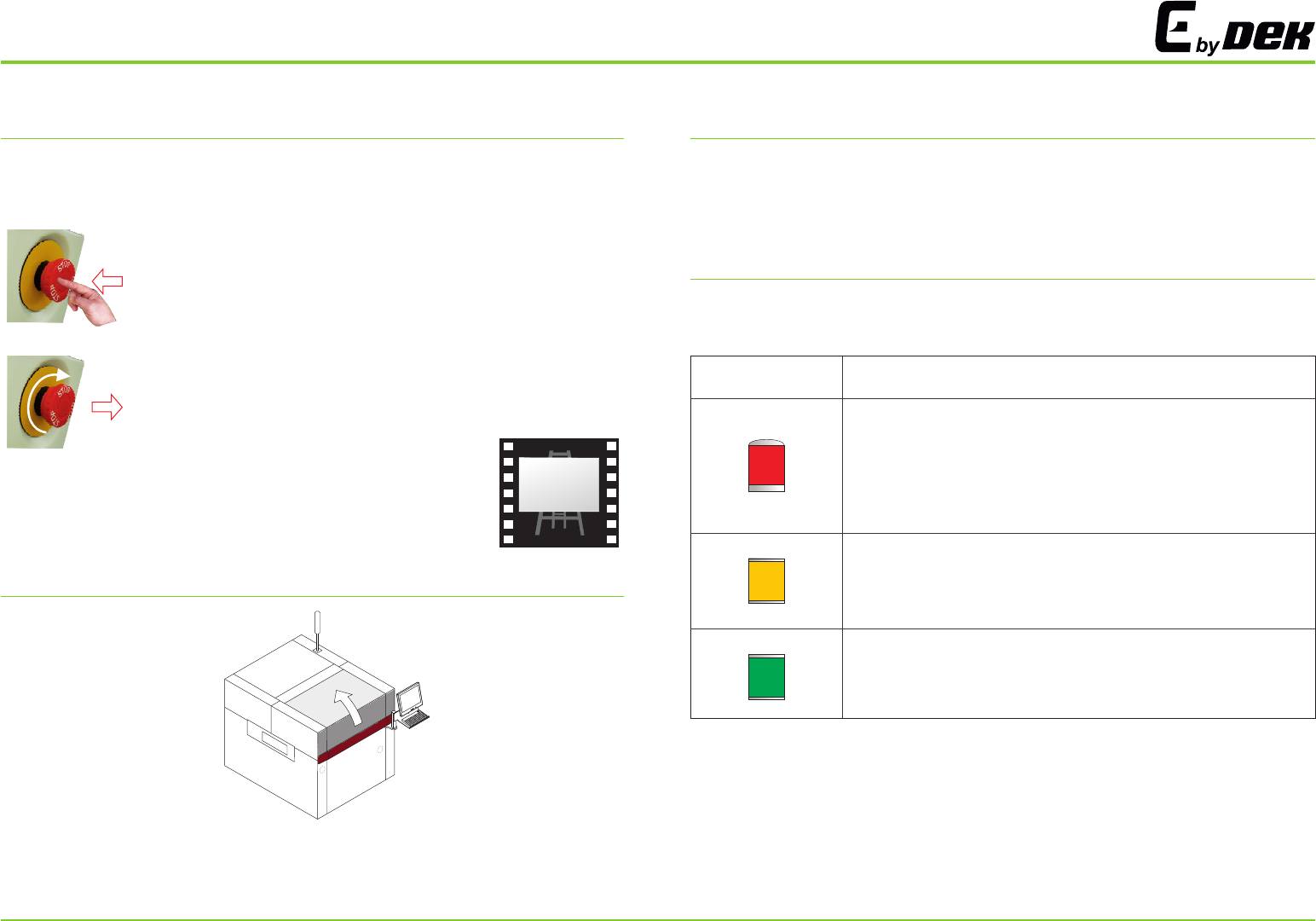
E STOP OPERATION SAFETY INTERLOCKS
TRI COLOUR BEACON
PRINTHEAD COVER
With the machine powered up, activating the red Emergency Stop button
(E Stop) causes the machine to stop in a controlled manner.
The safety features designed into the printer are for the protection of all
operators and maintenance personnel. strongly recommend safety
devices are never overridden.
ASM
The default settings for the beacon indicates the operational status of the
machine:
To activate:
press the E Stop button, electrical power to the machine
is suspended.
To reset:
turn the E Stop button clockwise until it unlatches.
Raising the printhead cover suspends operation of the machine to allow
the operator safe access to the tooling area.
i
SAFETY
Beacon Colour
Operational Status
Machine is not operational
System power is down
Error message displayed
Paper roll is empty
Solvent tank level is low
Machine is not in a ready state
Machine is initializing
Machine is in set up
Machine is in maintenance
Machine is operational
Machine is waiting in a ready state
3
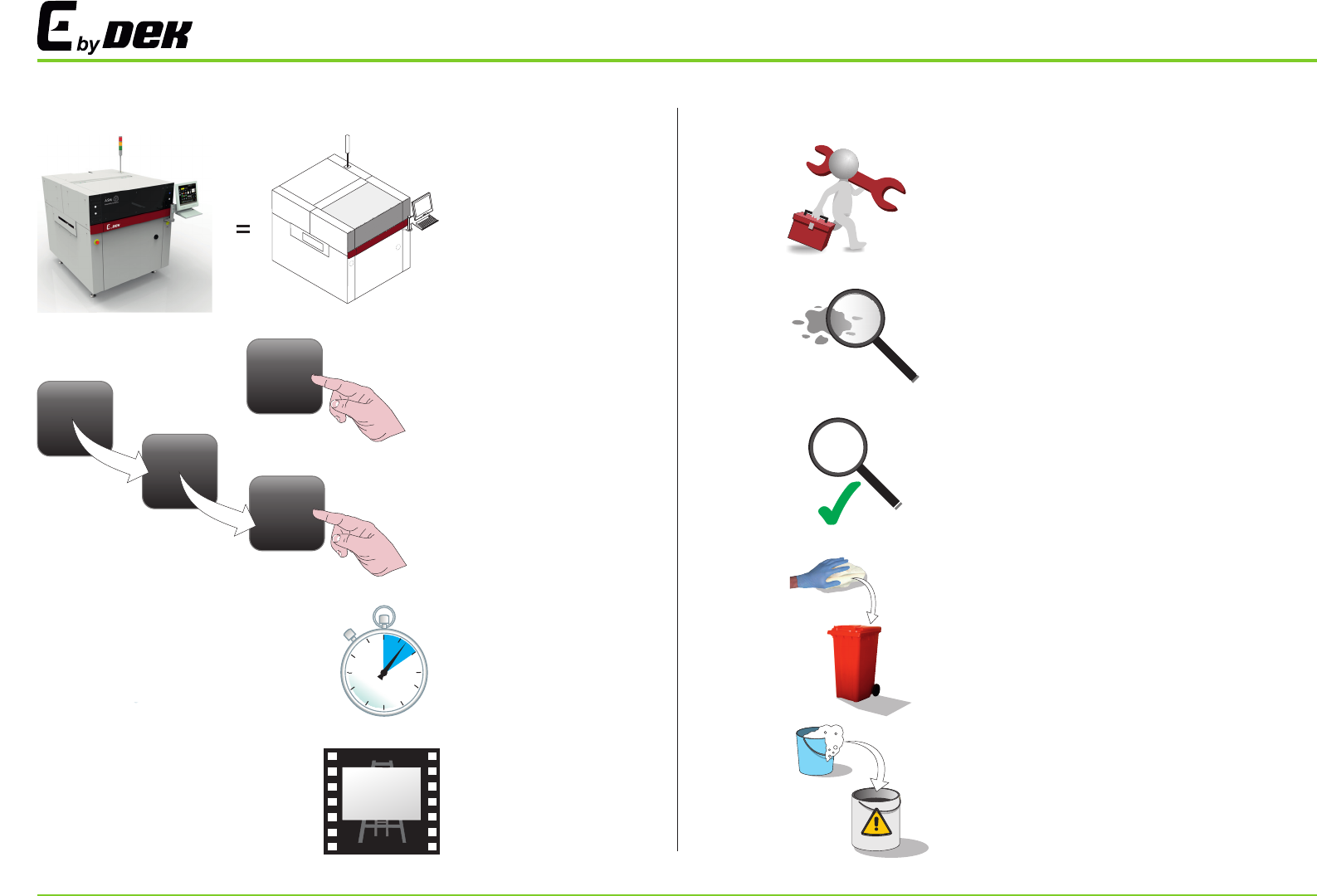
KEY
4
DAILY MAINTENANCE
Escalate to an Engineer
Inspect items for contamination
Items are clean
Clean contaminated area with correct
cleaning product and dispose of in
refuse bin
Clean contaminated area with soapy
water and dispose of in container
USER INTERFACE
i
Machine Recognition
Individual Select
Sequential Select
Wait for Action to
Complete
Tutorial Available
1
1
2
3
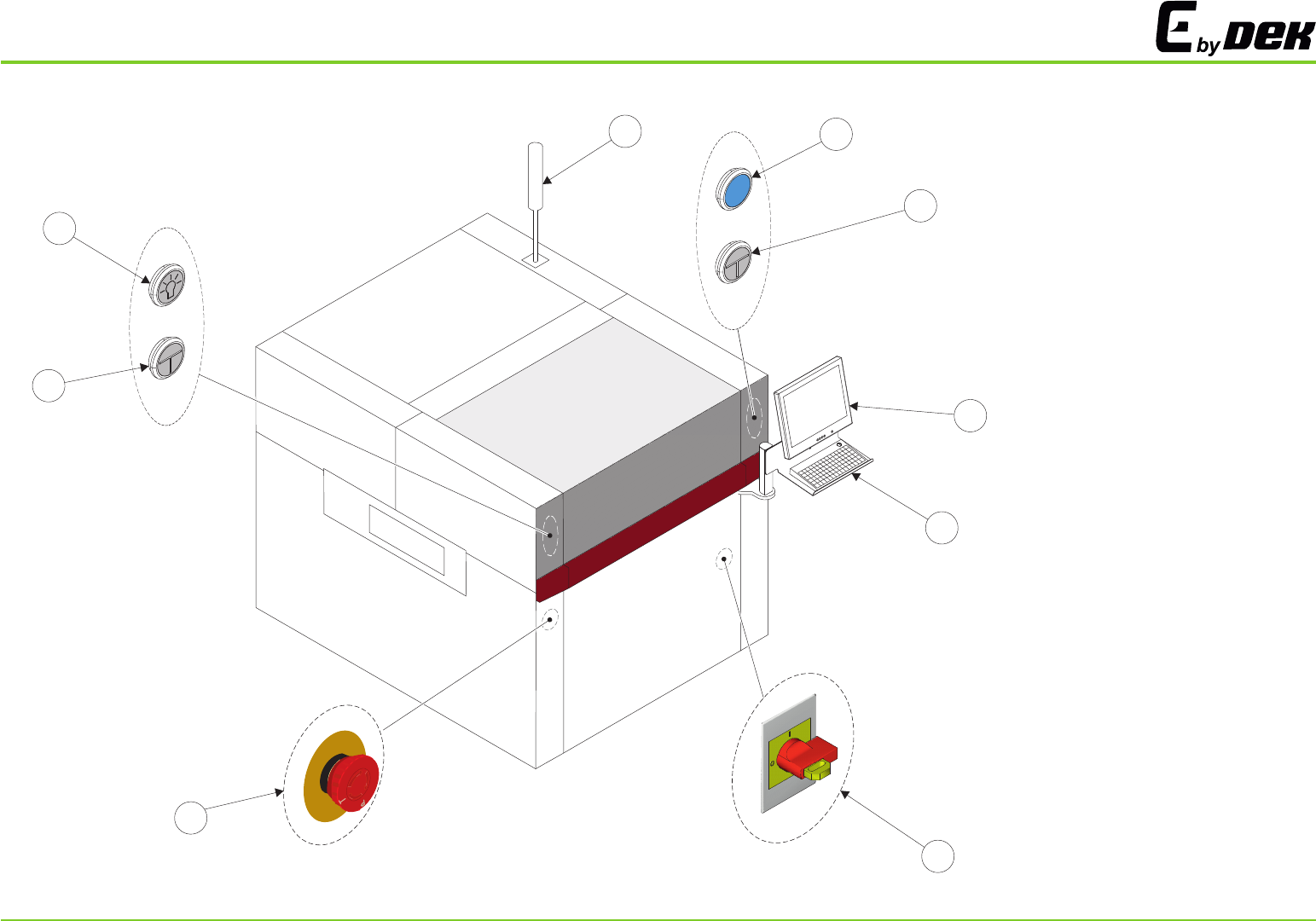
1.
2.
3.
4.
5.
6.
7.
Tricoloured Beacon
System Button
Two Button Control
Monitor
Keyboard
Mains Isolator
Emergency Stop Button
8. Internal Light
MACHINE OVERVIEW
s
T
O
P
s
T
O
s
O
P
2
3
1
4
5
6
7
3
8
5