LCMS_006.pdf - 第6页
6 此 章节为 允许管 理员修 改字体 设置和 添加加 合离子 设置。 Open Solution Application Configuration - Open Solution X 新 Application Settings Font Settings | Adduct Settings 9 Microsoft Ya Hei UI [Default] +H.-H, Charge(s) 1. Font Settings Manag…
5
X
d
Open
Solution
Application
Configuration
-
Open
Solution
Application
新
m
—
J
Settings
General
Sample
Processing
Spectral
Integrity
Processing
Display
Settings
Sample
Purity
Threshold
(%)
80
LC
Detector
Priority
PDA
MS
Spectrum
Priority
LC/PDA
LC
Peak
Area
Threshold
(%)
20
LC
Peak
Height
Threshold
(%)
20
Absolute
Spectral
Ion
Intensity
Threshold
170000
Relative
Spectral
Ion
Intensity
Threshold
20
Overlapping
Peak
height
threshold
(%)
10
Sample
Purity
Threshold
(%)
The
purity
(area%)
we
aim
to
achieve
for
a
single
compound
in
the
sample
Archive...
Cancel
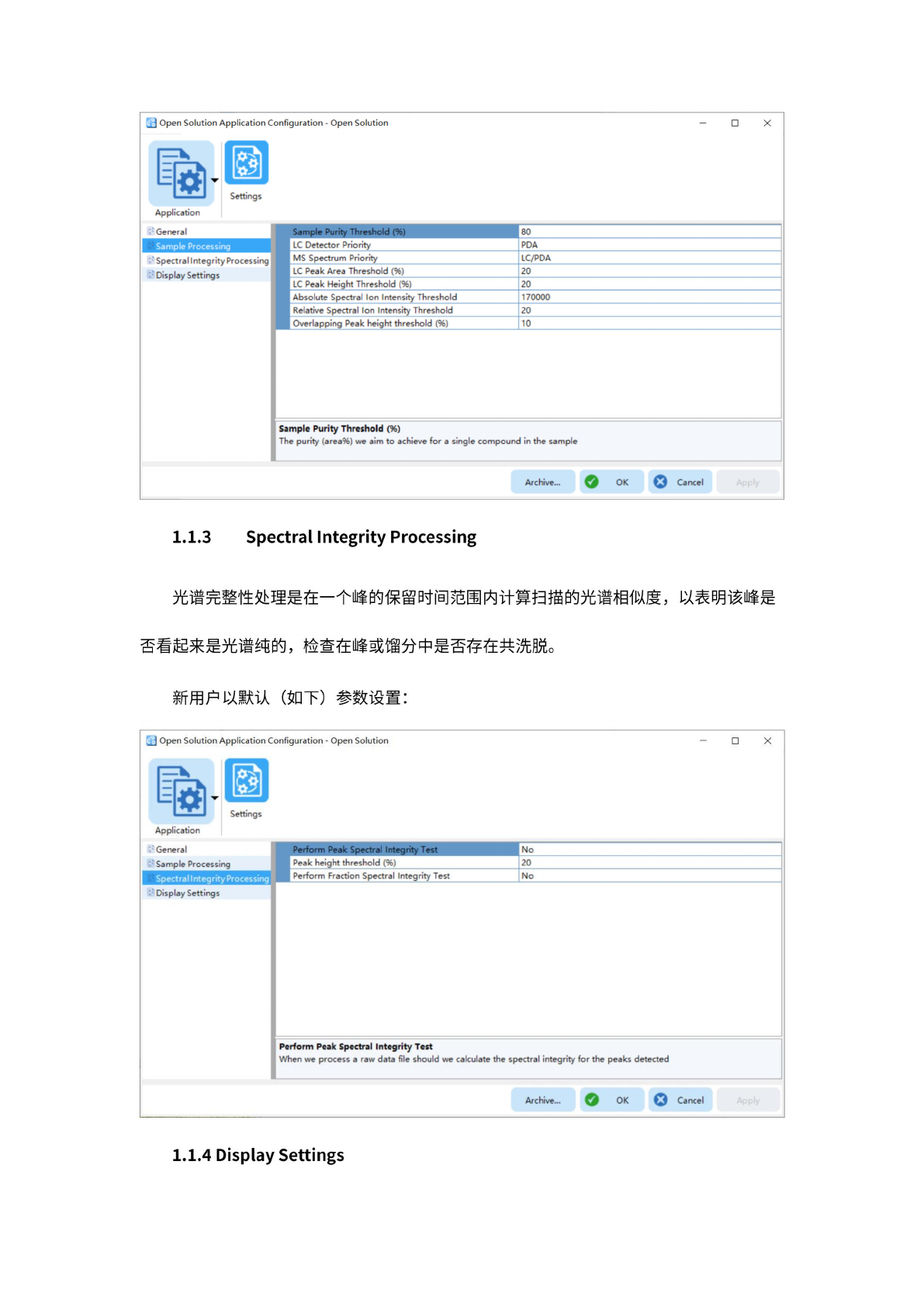
1.1.3
Spectral
Integrity
Processing
光
谱完整
性处理
是在一
个峰的
保留时
间范围
内计算
扫描的
光谱相
似度,
以表明
该峰是
否看起
来是光
谱纯的
,检
查在峰
或微分
中是否
存在共
洗脱。
新用户
以默认
(如
下)
参数
设置:
J
Open
Solution
Application
Configuration
-
Open
Solution
Application
Display
Settings
Cancel
Archive...
OK
Spectral
Integrity
Processing
Perform
Peak
Spectral
Integrity
Test
When
we
process
a
raw
data
file
should
we
calculate
the
spectral
integrity
for
the
peaks
detected
X
Settings
General
Sample
Processing
Perform
Peak
Spectral
Integrity
Test
No
Peak
height
threshold
(%)
20
Perform
Fraction
Spectral
Integrity
Test
No
1.1.4
Display
Settings
6
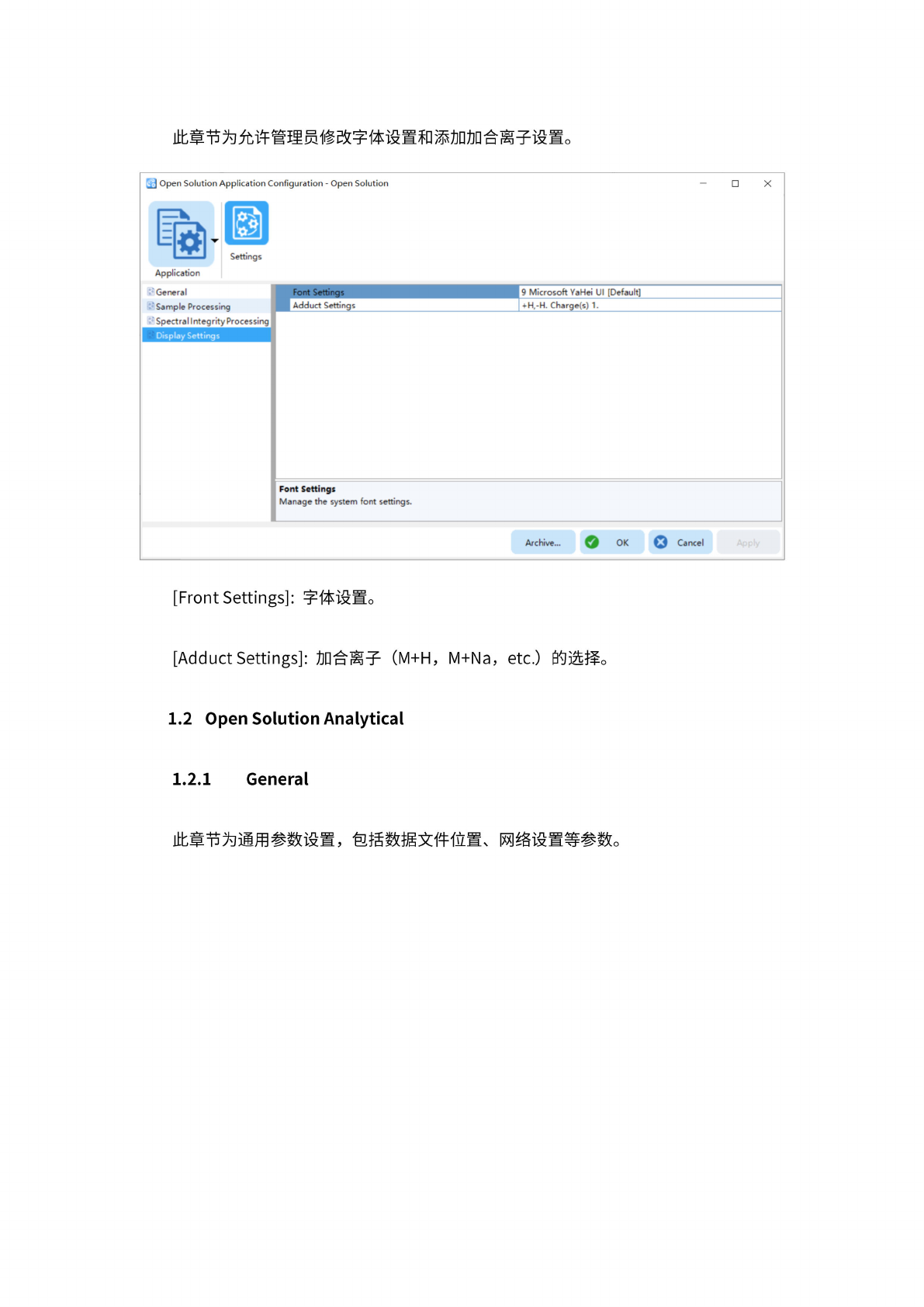
此
章节为
允许管
理员修
改字体
设置和
添加加
合离子
设置。
Open
Solution
Application
Configuration
-
Open
Solution
X
新
Application
Settings
Font
Settings
|
Adduct
Settings
9
Microsoft
Ya
Hei
UI
[Default]
+H.-H,
Charge(s)
1.
Font
Settings
Manage
the
system
font
settings.
'
General
Sample
Processing
;sing
Display
Settings
Archive...
。
OK
Cancel
[Front
Settings]:
字体
设置。
[Adduct
Settings]:
加
合离子
(M+H,
M+Na,
etc.)
的
选择。
1.2
Open
Solution
Analytical
1.2.1
General
此章
节为通
用参数
设置,
包括数
据文件
位置、
网络
设置等
参数。
7
a
Open
Solution
Application
Configuration
-
Open
Solution
Analytical
-
X
勒
Application
昌
Settings
Archive...
Q
OK
Q
Cancel
Apply
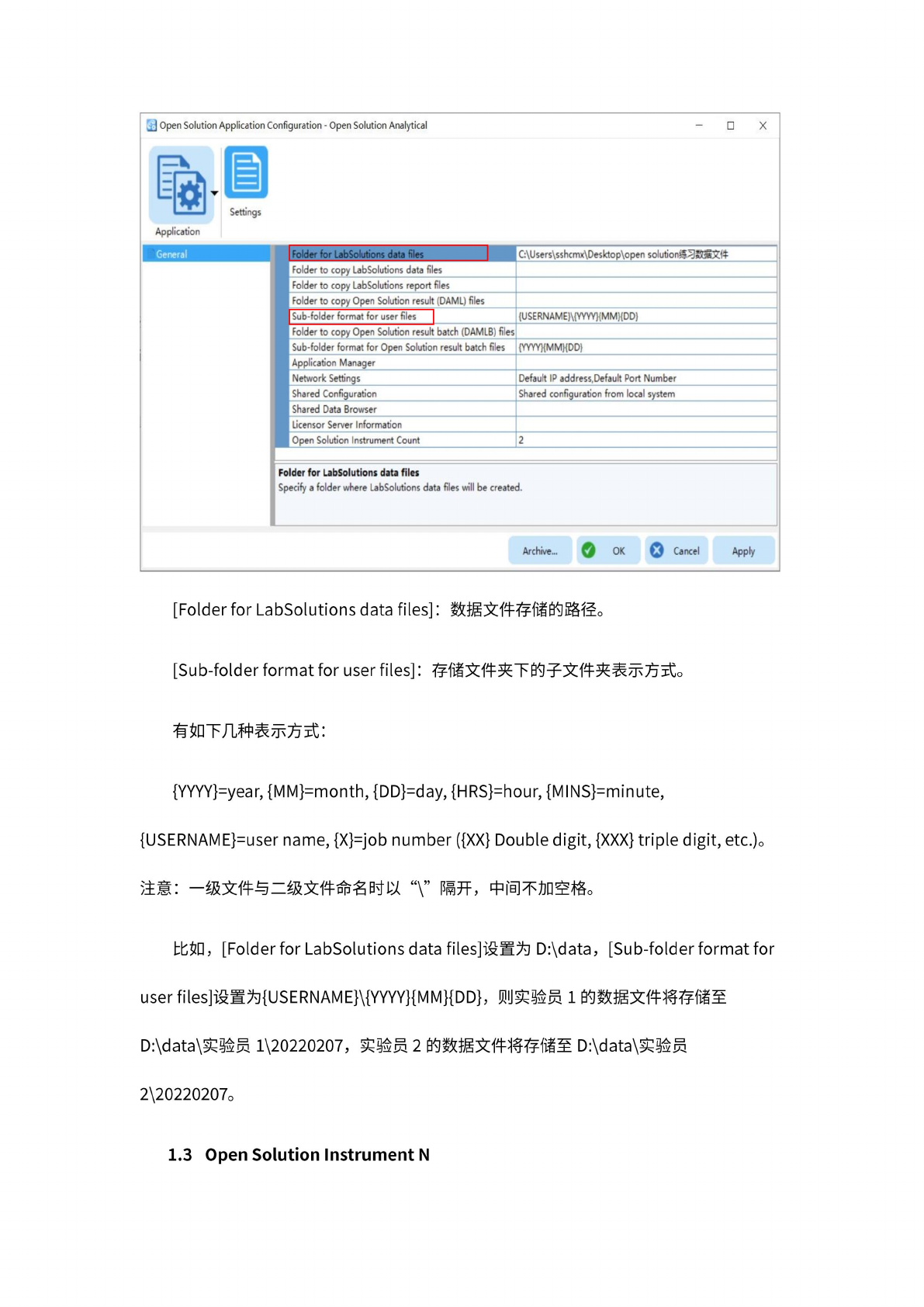
[Folder
for
LabSolutions
data
files]
:
数
据文件
存储的
路径。
[Sub-folder
format
for
user
files]
:
存
储文件
夹下的
子文件
夹表示
方式。
有
如下几
种表示
方式:
{YYYY}=year,
{MM}=month,
{DD}=day,
{HRS}=hour,
{MINS}=minute,
{USERNAME}=user
name,
{X}=job
number
({XX}
Double
digit,
{XXX}
triple
digit,
etc.)。
注意:
一
级文件
与二级
文件命
名时以
“\”
隔开,
中
间不加
空格。
比如,
[Folder
for
LabSolutions
data
files]
设置为
D:\data,
[Sub-folder
format
for
user
files]
设置为
{USERNAME}\{YYYY}{MM}{DD},
则
实验员
1
的数据
文件将
存储至
D:\data\
实验员
1\20220207,
实验员
2
的数据
文件将
存储至
D:\data\
实验员
2\20220207。
1.3
Open
Solution
Instrument
N