00197962-01_2nd_HMI_and_Tower_Light_en.pdf - 第41页
Installing the 2 Tower Light Kit or the 3 Tower Light Kit Functional Verification After Installation Assembly Instructions SIPLACE E 41 3.4 3 . 4 F u n c t io n a l V e r if ic a t io n A f t e r I n s t a lla t io n Fun…
Installing the 2 Tower Light Kit or the 3 Tower Light Kit
Installing the 2 Tower Light or 3 Tower Light Kits
40 Assembly Instructions SIPLACE E
Step 3:
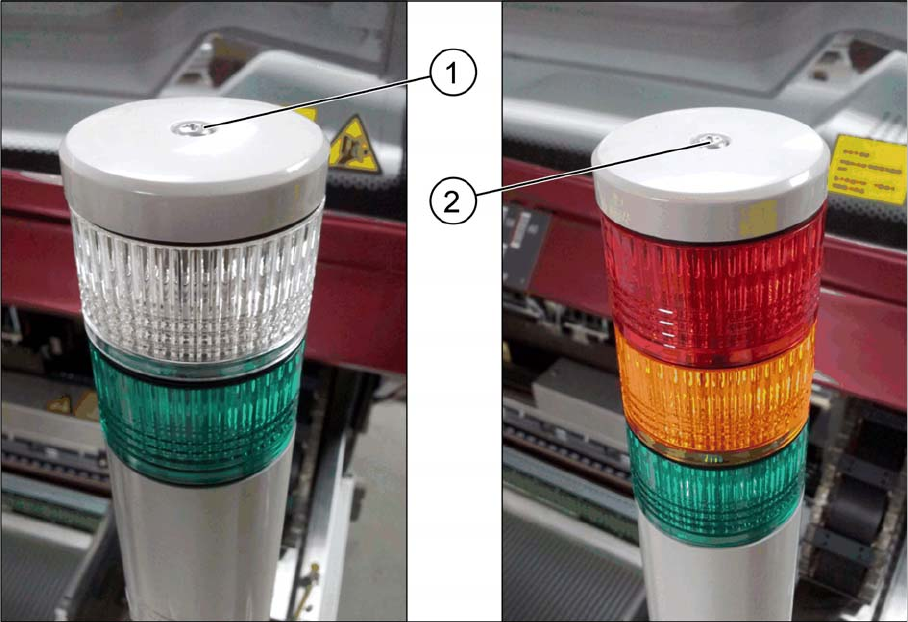
► Secure the 2 tower light with the provided M4x75 pan head screw (1).
-Or-
► Select the 3 tower light with the M4x105 pan head screw (2).
Installing the 2 Tower Light Kit or the 3 Tower Light Kit
Functional Verification After Installation
Assembly Instructions SIPLACE E 41
3.4
3.4 Functional Verification After Installation
Functional Verification After Installation
► Power up the machine.
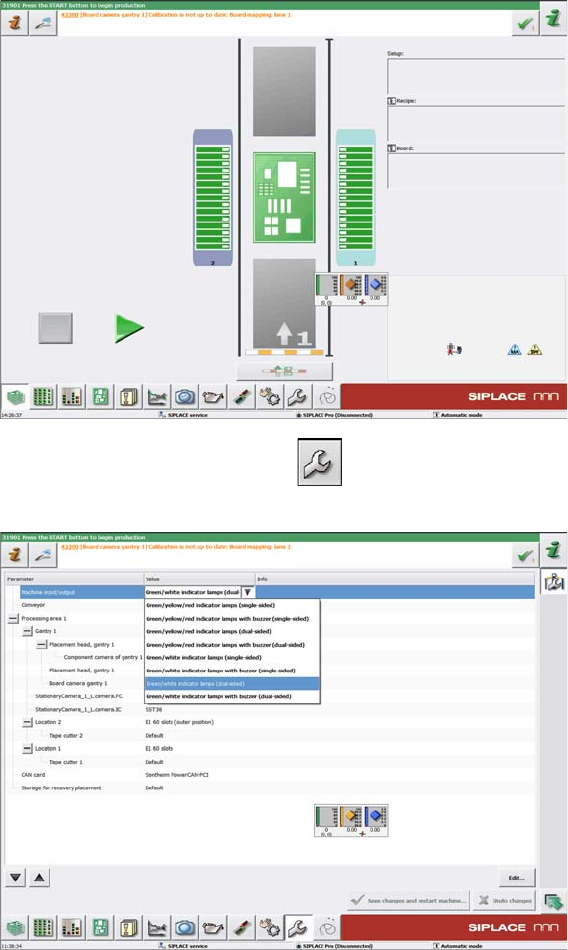
► On the main screen, click the icon.
► On the Parameter page Machine input/output, select Green/white indicator lamps (dual sided) for
the 2 tower light kit installation at location 2.
-Or-
Installing the 2 Tower Light Kit or the 3 Tower Light Kit
Functional Verification After Installation
42 Assembly Instructions SIPLACE E
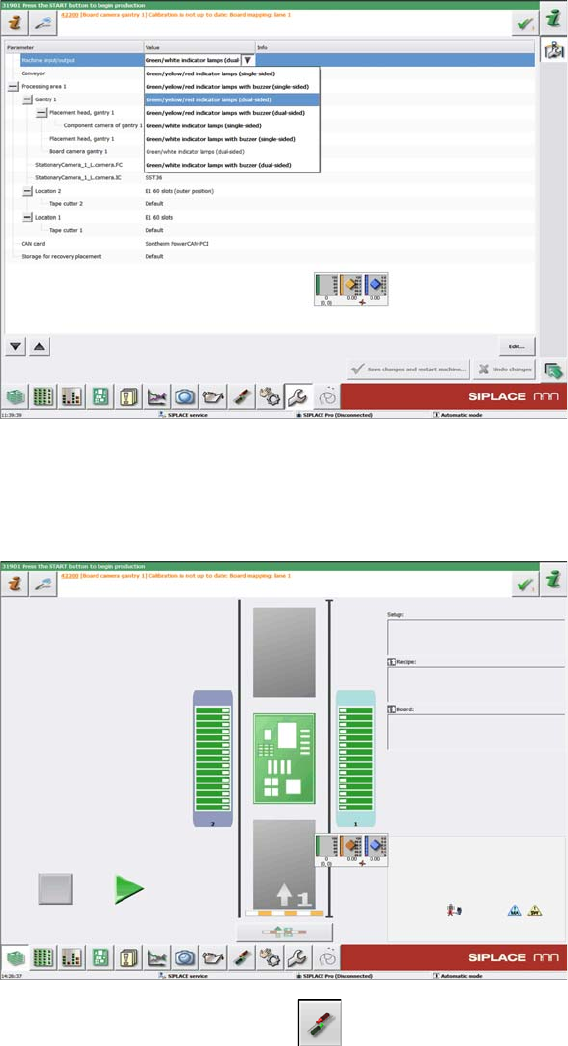
► On the Parameter page Machine input/output, select Green/yellow/red indicator lamps (dual sided)
for 3 tower light kit installation at location 2.
► Click Save changes and restart the machine.
► Power up the machine again.
► On the main screen, click the icon.