PS288_OwnersMnl_PriorTo2009.pdf - 第75页
Operation • Operat or Functions PS288 Owner’s Manual 3—15 Perform the following to disable a pro grammer: 1. Setup window— 1a) From the Setup window , cli ck the Programmers tab. 1b) Click the button for the failed progr…
Operation • Operator Functions
3—14 PS288 Owner’s Manual
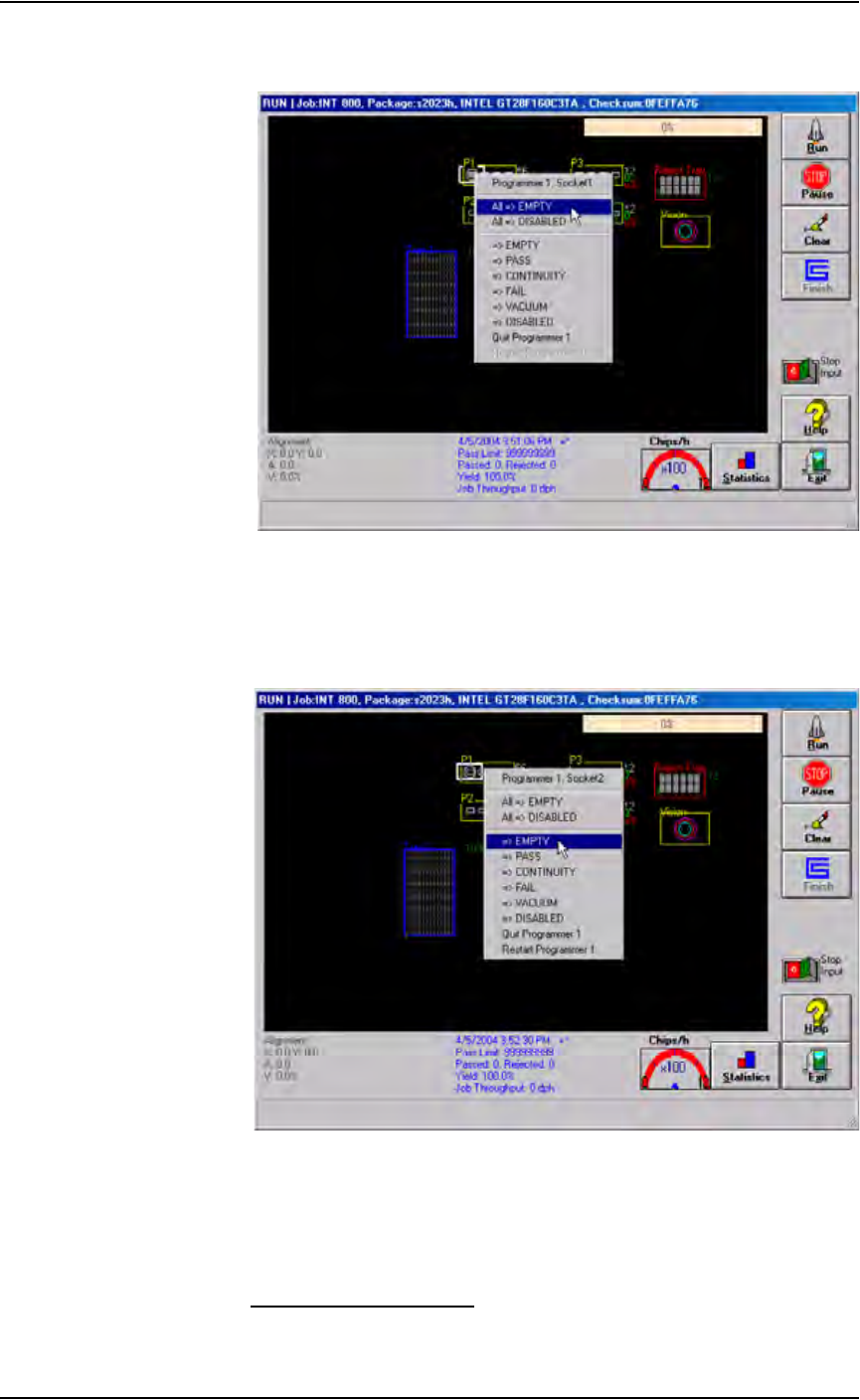
Programmer outlines turn grey and all sockets are re-enabled. See Fig-
ure 3-20.
Figure 3-20—Re-enabling all sockets
2b) To re-enable a single socket, right-click the socket and select
=> EMPTY
The programmer outline turns grey and the socket is re-enabled. See
Figure 3-21.
.
Figure 3-21—Re-enabling a single socket
3. Resume job—
3a) Remove any devices in the programmer’s sockets.
3b) Click Run, and then click Run again to resume the job.
Disabling Programmers
If programmers are not performing and the error cannot be cleared, disable
those programmers and continue to use the other sites to process devices.
Operation • Operator Functions
PS288 Owner’s Manual 3—15
Perform the following to disable a programmer:
1. Setup window—
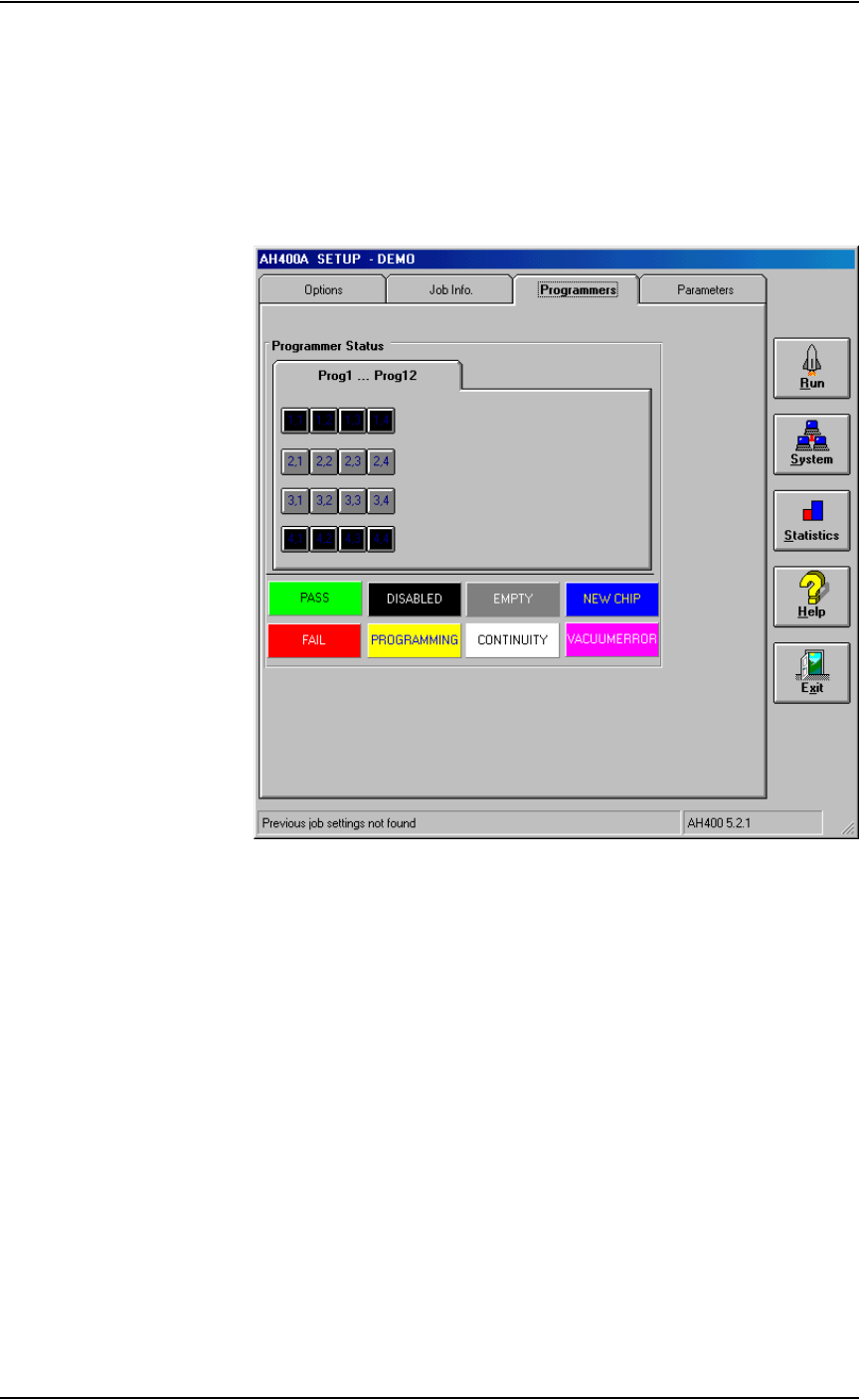
1a) From the Setup window, click the Programmers tab.
1b) Click the button for the failed programmers.
1c) Click the black DISABLED button. The programmer buttons change
to black. For example, in Figure 3-22, programmers 1 and 4 are dis-
abled.
Figure 3-22—Programmers 1 and 4 disabled
2. Resume job—
Click Run to resume the job.
(Optional) Preselect the Programmers
The PS288 has a FlashCORE Quad assembly that contains four FlashCORE
programmers. To improve efficiency, you may wish to shut off program-
mer(s) that are not used.
1. Preselect programmers —
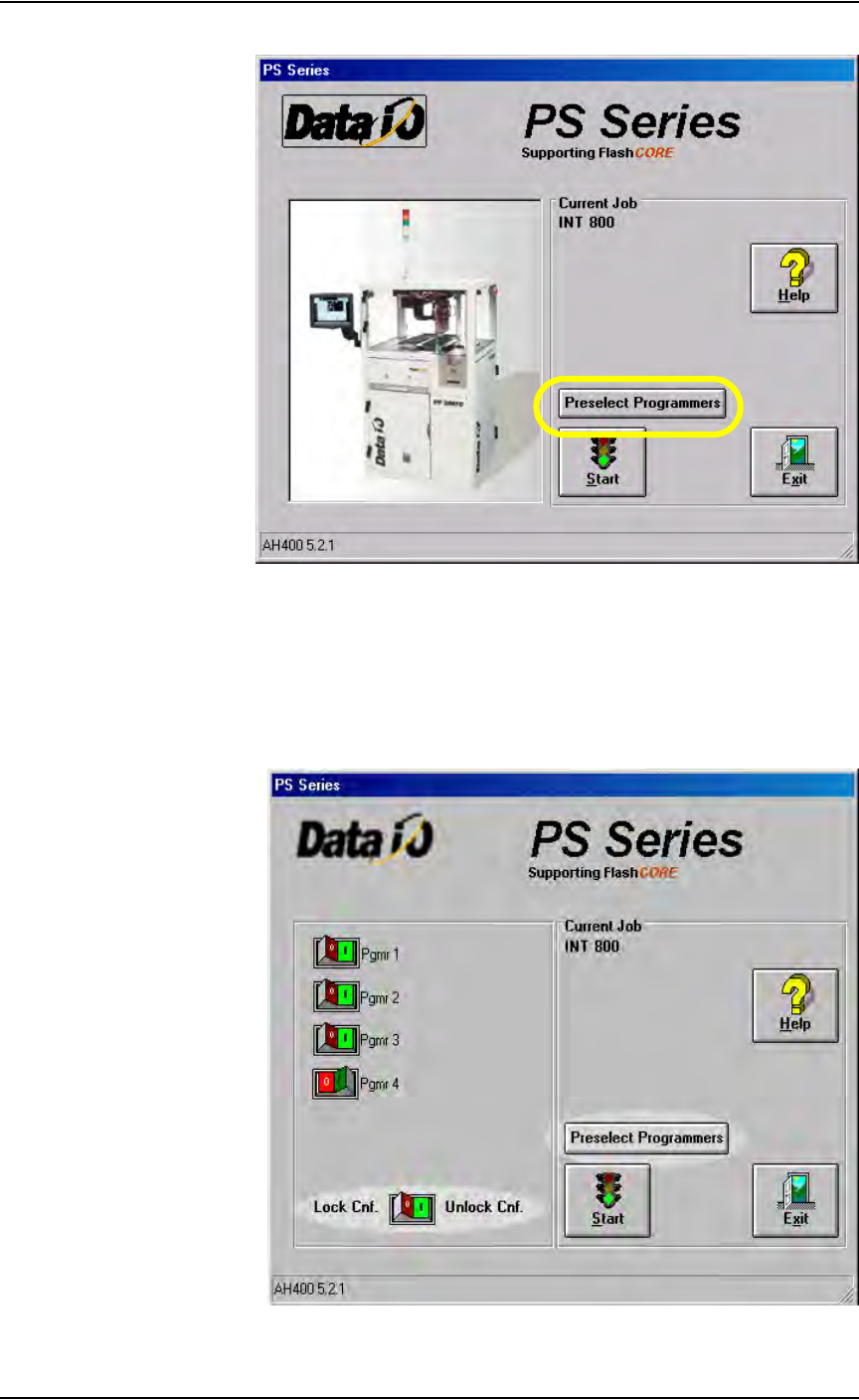
1a) On the AH500 main window, click Preselect Programmers.
Operation • Operator Functions
3—16 PS288 Owner’s Manual
.
Figure 3-23—Preselect programmers
1b) Unlock the configuration by clicking the I (green) side to toggle to the
Unlock Cnf position.
1c) Click the I (green) side of the toggle switch to enable a programmer.
Click the O (red) side of the toggle switch to disable a programmer. In
Figure 3-24, programmers 1, 2, and 3 are enabled, and programmer 4 is
disabled.
Figure 3-24—Programmers selected