Dek Training.pdf - 第30页
D e k P r i n t e r T r a i n i n g 2 9 / 7 0 2 5 J u n e 2 0 0 6
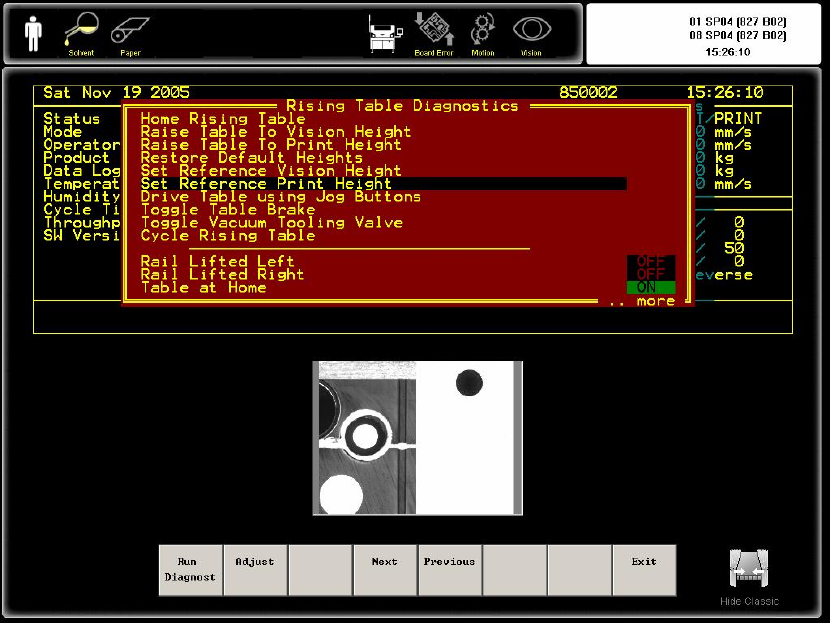
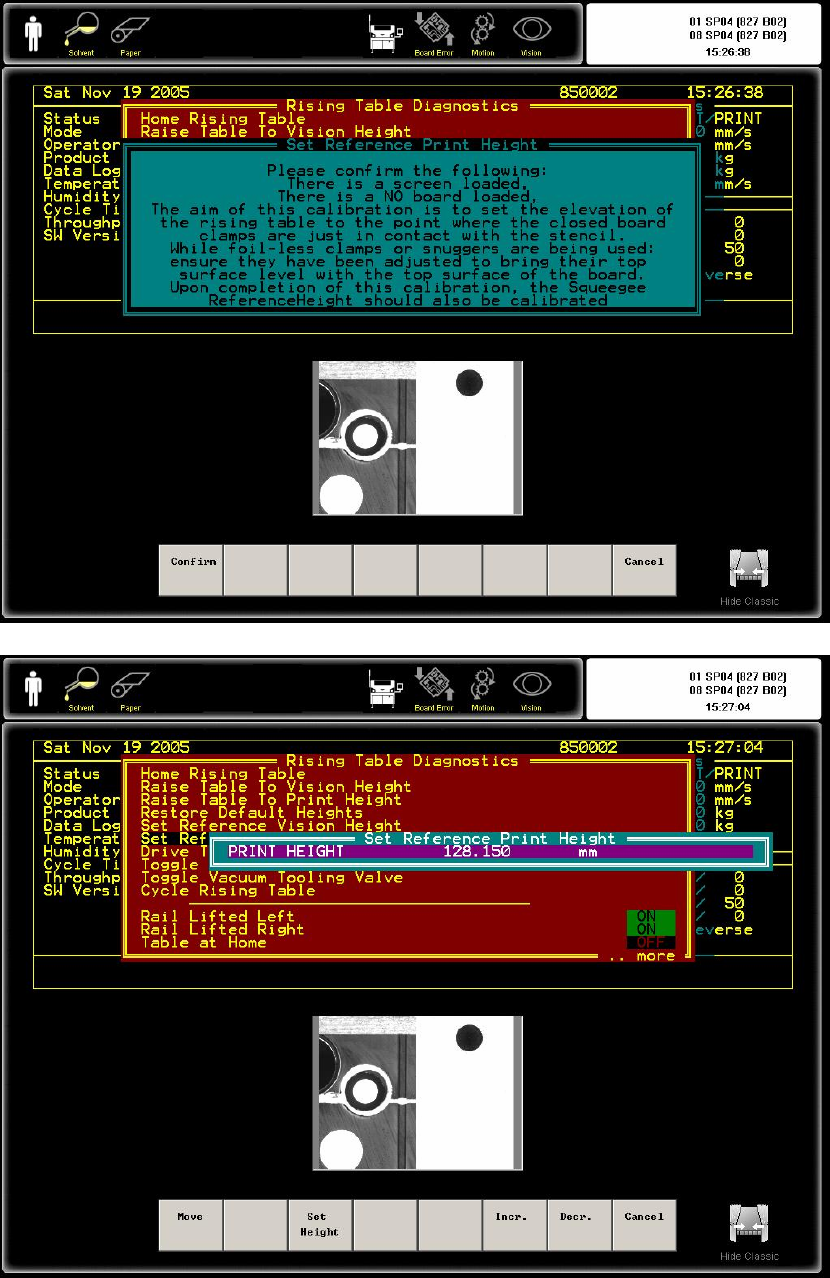
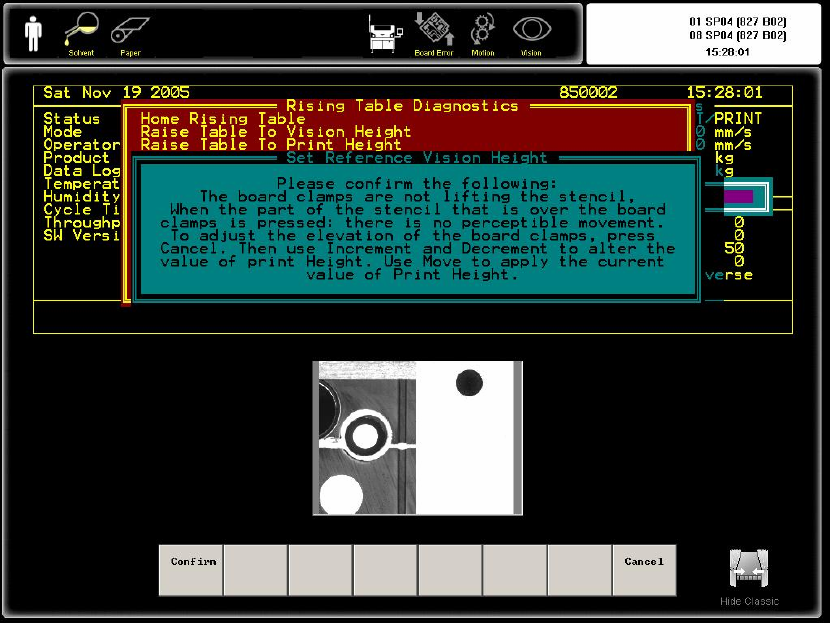
23. RISING TABLE CHANGING PRINT POSITION 更改印刷高度
Go to Diagnostic Mode.一定要在诊断模式
Dek Printer Training 28/70 25 June 2006
Dek Printer Training 29/70 25 June 2006
24. Squeegee print height calibration(In Diagnostic menu)
• Select Calib Machine menu
• Select Pressure
• Select Continue
• Select Step up /Step down to adjust the squeegee pressure
• It will setup the Front & Rear Squeegee pressure.
DEK 印刷机调机教材
1、正确了解程序中的每一参数
在生产过程中,我们在做新程序的过程中,目前的做法是在一个老的程序的基
础上进行“修改”而获得我们所需要的程序,尽管如此,我们还是有必要了解在
SETUP 状态下 EDIT 菜单中各项参数的含义和使用、调整方法。
• Product Name 产品名称,最多可接受不包含标点的 8 个字符。
• Product ID 是对产品的说明性文字,没有实质性意义,最多 32 个字符,
屏幕会显示头 20 个字符。
• Product Barcode 产品条形码,最长 20 个字符。目前我们没有使用。(仅
Dek Printer Training 30/70 25 June 2006