00198761-01_SM_Head_Care_Station_II_EN.pdf - 第58页
5 Service work – HCSII Control Box 5.5 Replacing the AC/DC converter (PS1) 58 Service Manual SIPLACE Head Care Station II 11/2019 Removal Fig.84: PS1 – cables ► Open any cable ties where necessary. You may want to mark…
5 Service work – HCSII Control Box
5.5 Replacing the AC/DC converter (PS1)
Service Manual SIPLACE Head Care Station II 11/2019 57
5.5 Replacing the AC/DC converter (PS1)
DANGER
Hazardous voltage
Death, serious injury or considerable damage may result if the power supply is handled
incorrectly.
Only SIPLACE service technicians or adequately trained personnel, e.g. certified electrical
specialist, are allowed to perform this task on the power supply.
Parts
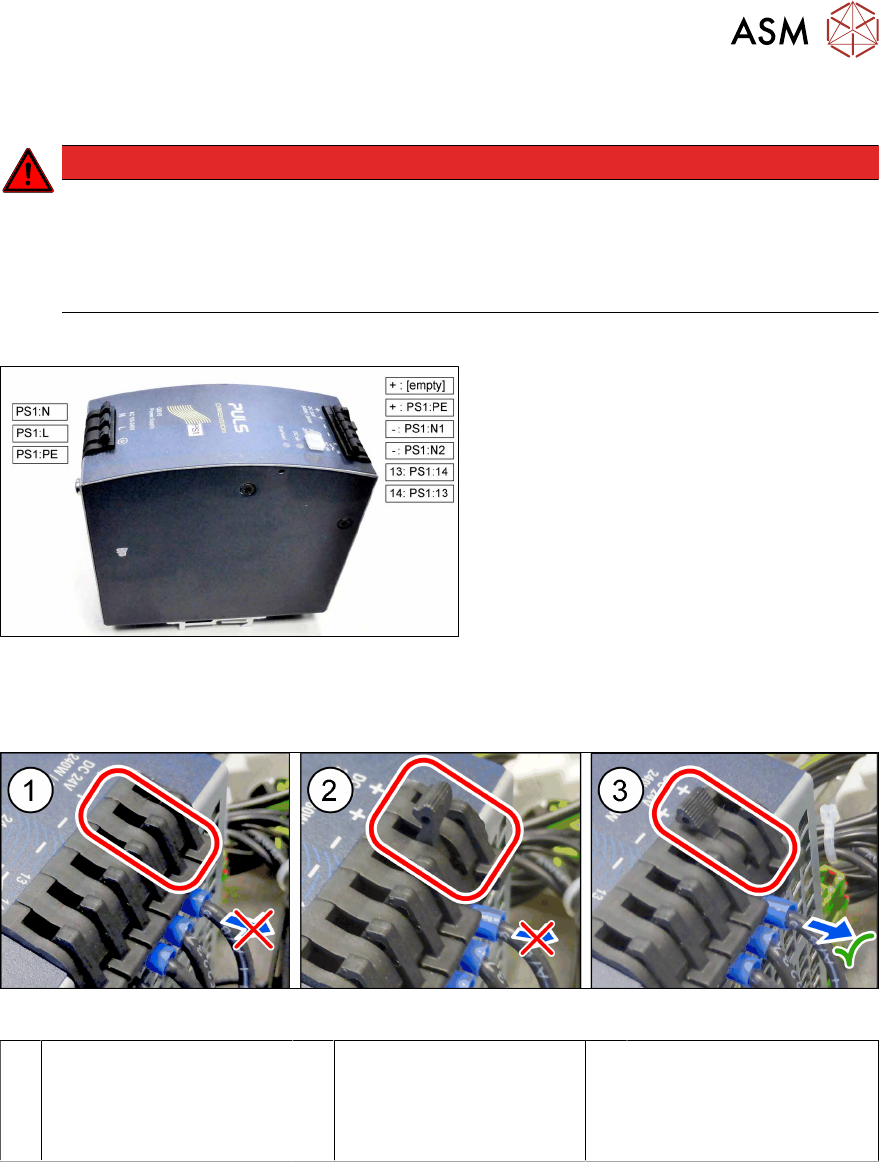
Fig.82: AC/DC converter QS10.241 24VDC 10A 240W
(PS1)
●
AC/DC converter QS10.241 24VDC
10A 240W (PS1) [03087898‑xx]
What to consider before the removal
Fig.83: PS1 – cable lock – closed / half open / open
1 Closed
► Cable is fixed.
2 Half open
► Cable is still fixed.
► Do not try to pull out
the cable.
3 Open
► You can pull out the
cable now.
Preparatory work...
► Turn off and disconnect the HCS II. See 3.1 "Turn off and disconnect the HCS II" [}19].
► Perform the steps described in section 3.4 "Access to the spare parts of the HCS II Control
Box" [}21].
5 Service work – HCSII Control Box
5.5 Replacing the AC/DC converter (PS1)
58 Service Manual SIPLACE Head Care Station II 11/2019
Removal
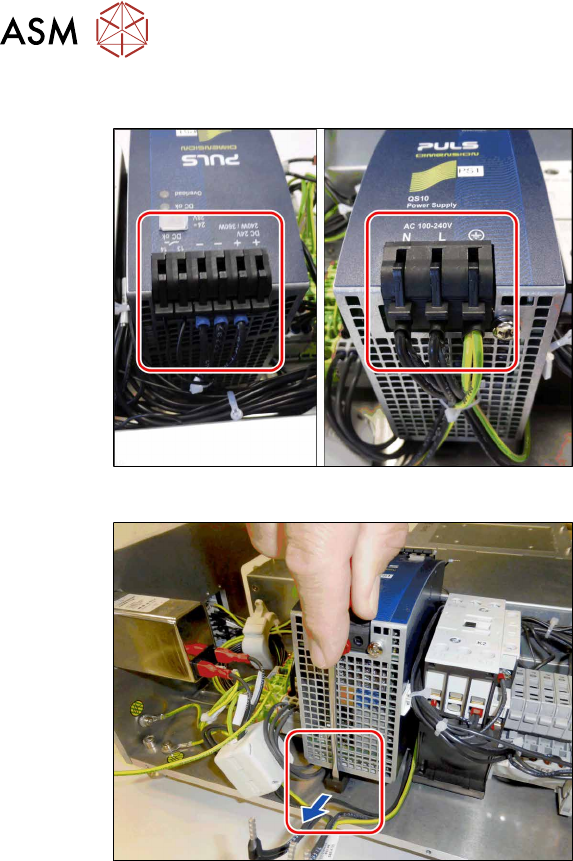
Fig.84: PS1 – cables
► Open any cable ties where necessary.
You may want to mark the positions of
the relevant connections to make clear
assignment easier later on.
► Carefully unplug all cables on both
sides.
Fig.85: PS1 – open the lock
► Open the lock and carefully pull the
PS1 off the rail.
Installation
► Follow the removal instructions in reverse order for installation.
► Replace any cable ties which you have removed.
5 Service work – HCSII Control Box
5.6 Replacing the BoxPC ABP402-A (iBase)
Service Manual SIPLACE Head Care Station II 11/2019 59
5.6 Replacing the BoxPC ABP402-A (iBase)
Parts
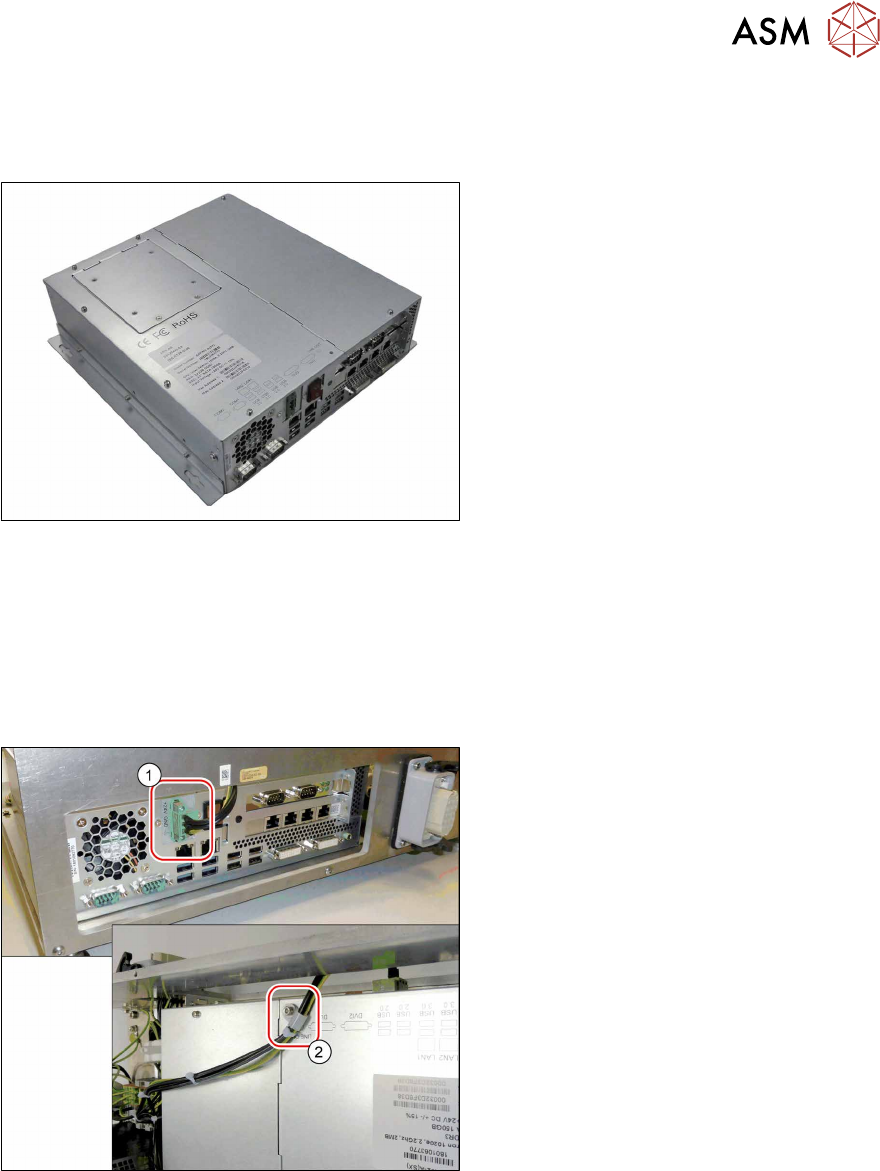
Fig.86: BoxPC ABP402-A CPU1020E 2xPCI SSD (iBase)
●
BoxPC ABP402-A CPU1020E 2xPCI
SSD (iBase) [03120423‑xx]
This newer version replaces the following
older versions:
Control Computer BoxPC 627B complete
[03055280‑xx]
Control Computer BoxPC 627C
[03094731‑xx]
Preparatory work...
► Turn off and disconnect the HCS II. See 3.1 "Turn off and disconnect the HCS II" [}19].
► Perform the steps described in section 3.4 "Access to the spare parts of the HCS II Control
Box" [}21].
Removal
Fig.87: Removal 1
► Carefully unplug the power cable(1)
(screwed) on the rear side.
► Remove the cable clamp(2) on the up-
per side.