TM1942.Lost Board Recover.pdf - 第5页
SMT Software En gineering Group IMOperations YAMAHAMOTORCO.,LTD. MD OC-SOFT50126 5/5 4. Settings In this ver sion, the fol lowing item s ar e added to [Sett ing] - [M achine Infor m ation] – [Ins…
SMT Software Engineering Group
IMOperationsYAMAHAMOTORCO.,LTD.
MDOC-SOFT50126
3/5
3. Specification
3.1. Target Board position
It is effective when a board is on the following positions.
Waiting position.
Mounting position.
3.2. Board status display
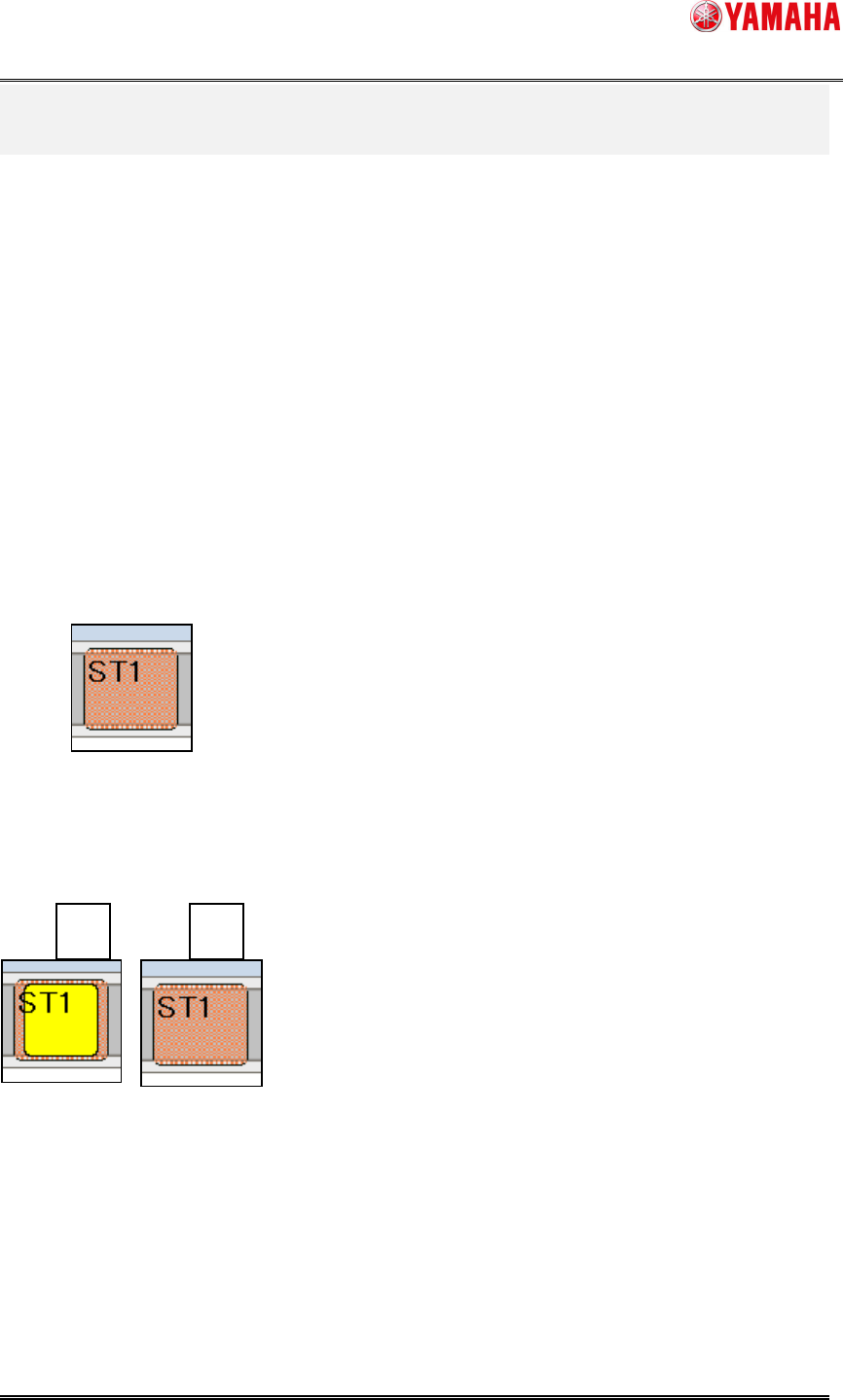
You can see the state of boards on [monitor] - [production] screen.
-StandardSpec
Aboarddetectedbeforeresettingandundetectedafterresettingisindicatedinred
asthefollowingimage.
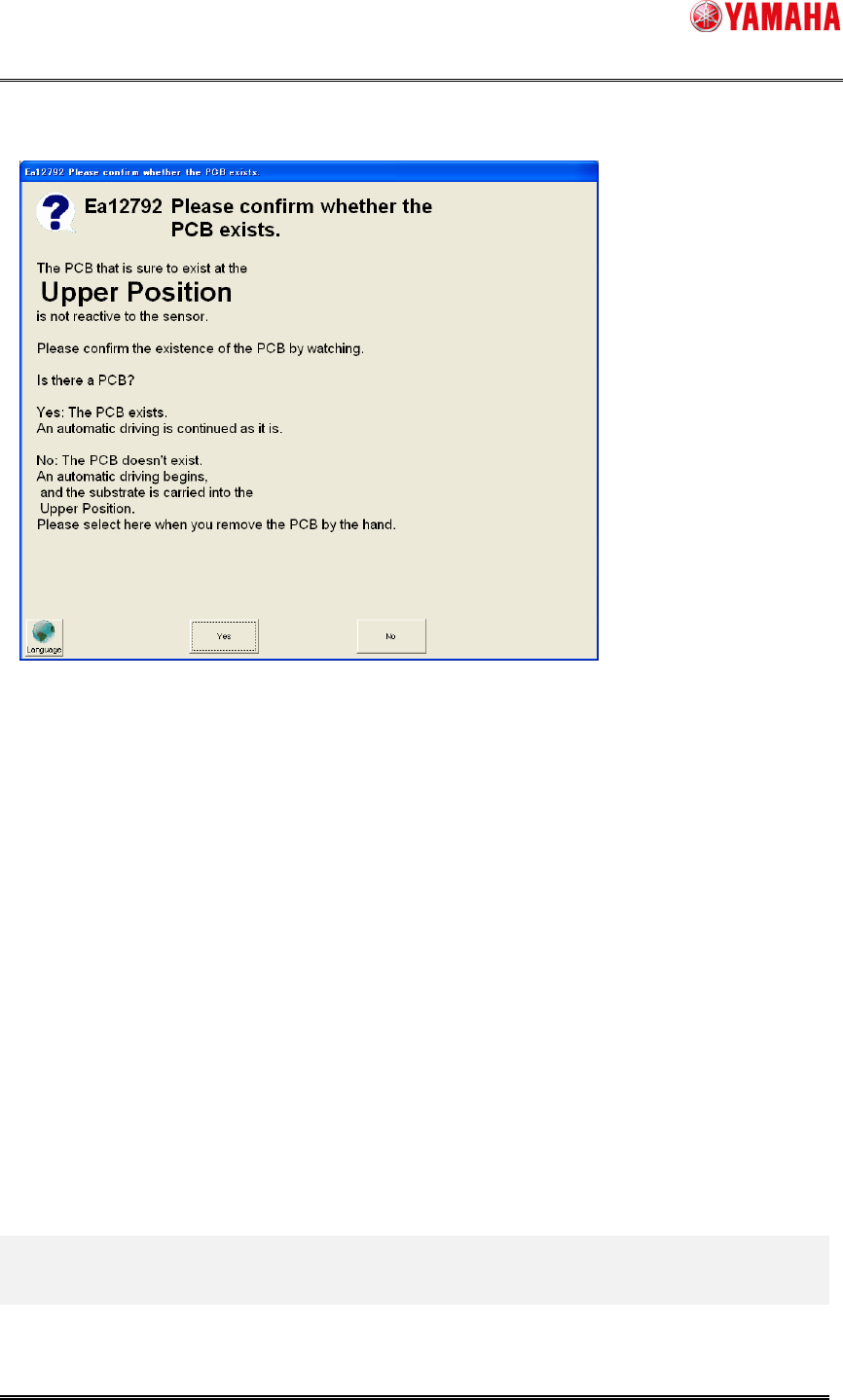
-Used Board ID
A board detected before resetting and undetected after resetting is indicated in A(yellow on
red) or B(red) as the following images.
A: Board with Board ID
B: Board without Board ID
A
B
SMT Software Engineering Group
IMOperationsYAMAHAMOTORCO.,LTD.
MDOC-SOFT50126
4/5
3.3. Operation
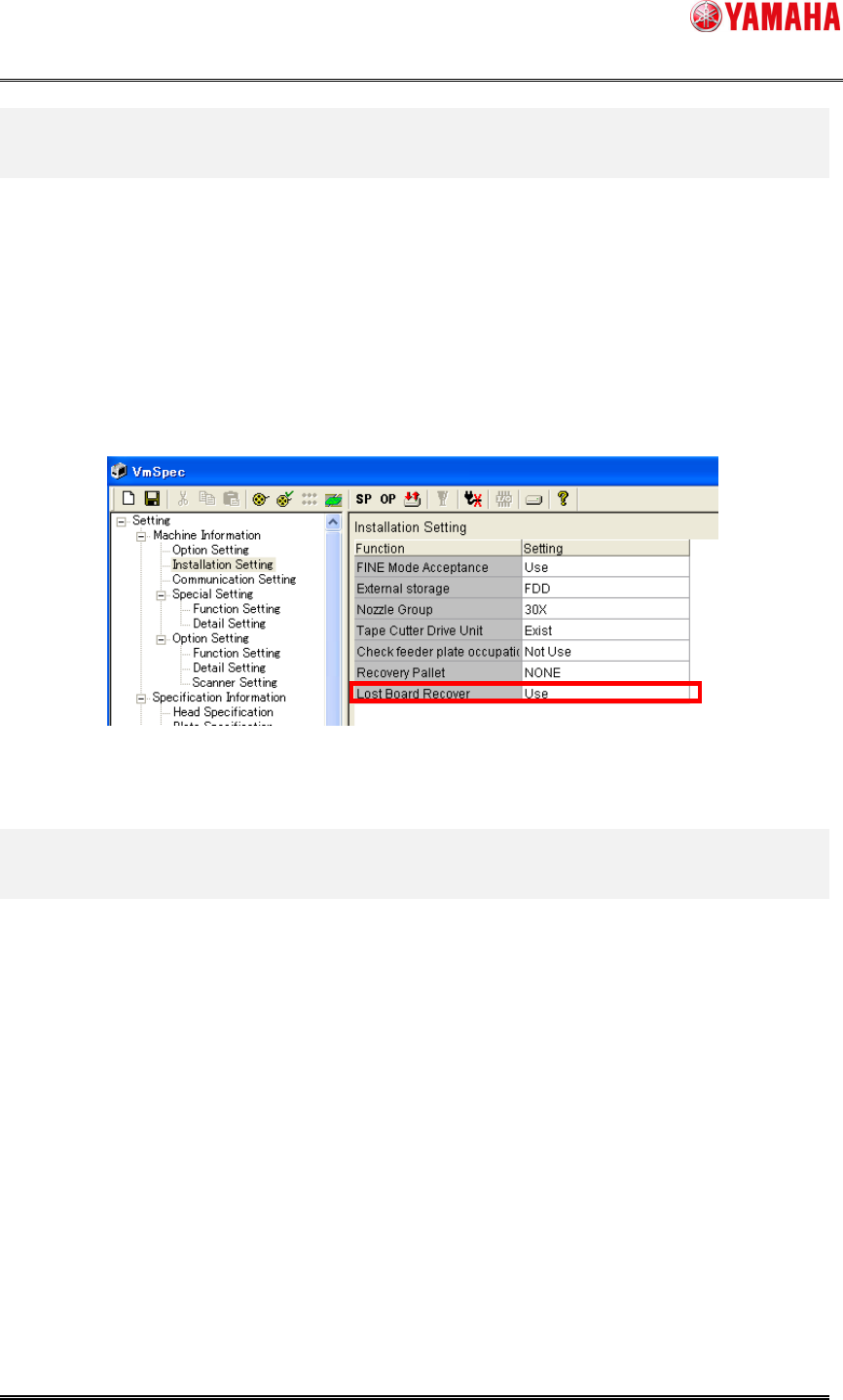
When you start auto-running under the state of lost board, the following message is displayed.
If there is a board there (for example, you use a slit board which is insensitive to the sensor),
select "YES", and it keeps running.
If there is no board (for example, you took it away by hand), select "NO", and it transfers the
next board to there, and start mounting.
SMT Software Engineering Group
IMOperationsYAMAHAMOTORCO.,LTD.
MDOC-SOFT50126
5/5
4. Settings
In this version, the following items are added to [Setting] - [Machine Information] –
[Installation Setting]
(Figure 4.1 red frame).
It is set to "Use" by default.
Select "Unused" if you do not use this function.(in such a case like you take a board away very
often)
Figure 4.1.
5. Limitations
There is no limitation with this function.