00193279-01.pdf - 第38页
Fan wi th Incr eas ed Po wer, i ncl. A ir Fil ter Box Re trof itt ing and Ma inten ance I nstr uct ions SI PLAC E HS- 50 2.5 Mai ntenan ce Issu e 07 /01 38 à At tach the new filter mat (Item n o. see Sec. 2.2), wh ich is…
Retrofitting and Maintenance Instructions SIPLACE HS-50 Fan with Increased Power,incl. AirFilter Box
Issue 07/01 2.5 Maintenance
37
2.5.3 Setting the Machine to the Initial Condition for Maintenance
à The component changeover table remains docked.
à Stop the placement sequence at a suitable point and shutdown the operatingsystem Windows
NT.
à Turn the machine OFF at the main switch.
à Isolate the machine from the power supply network.
à During the entire maintenance sequence, secure the machine against unauthorized
reactivation as described in the Chapter"Locking the Machine..." in the User Manual SIPLACE
HS-50
à Look and check that both the fans have stopped.
2.5.4 Replacing the Filter Mats in the Air Filter Boxes, Every X Weeks
The interval for replacing the two filter mats depends on the machine utilization and must be
established on the basis of the level of contamination revealed by the weekly cleaning.
Replace the filter mat in the event of damage or contamination which cannot be cleaned away.
à Set the machine to the initial condition for maintenance (see above).
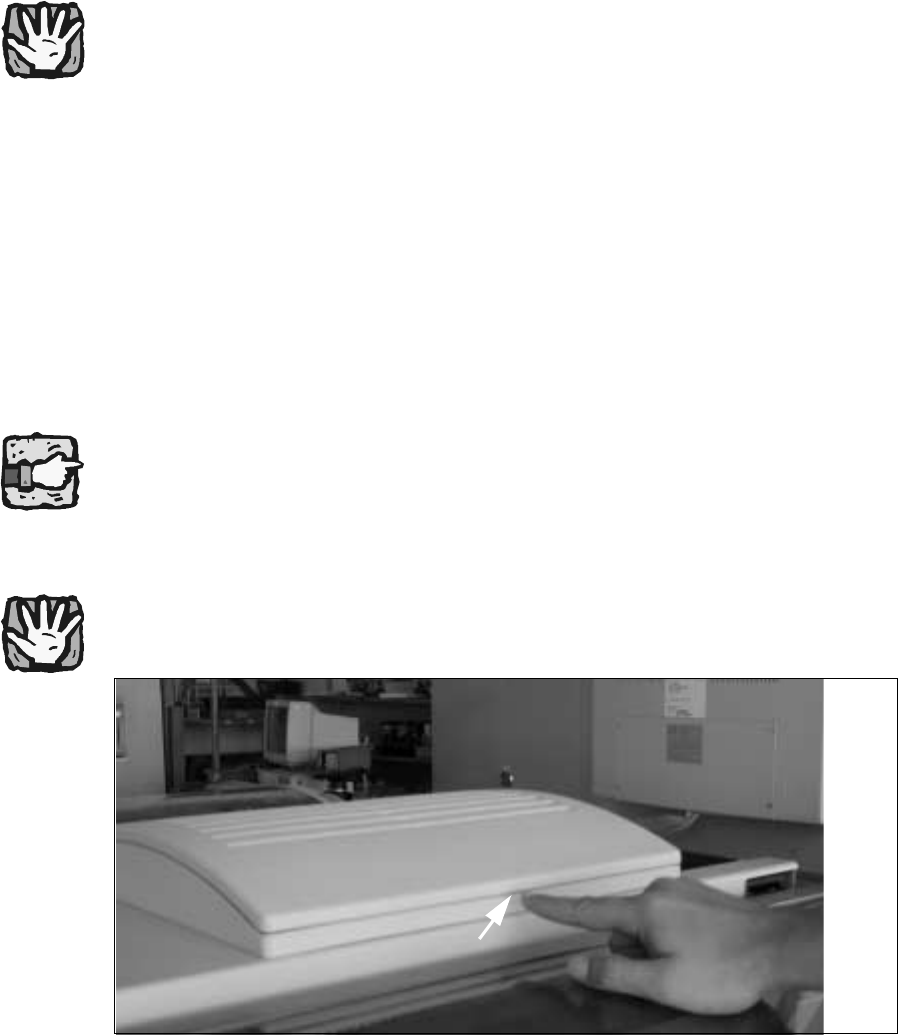
Fig. 2.5.1 Opening the Cover of the Air filter Box
à Unlock the cover by applying slight pressure on one end of the lug positioned midway along
the long side of the tray (see figure above) and lift the cover off.
à Pull the old filter mat (incl. filter frame) off the Velcro strip along the edge of the cover frame.
à Remove any filter mat residue and other particles from the Velcro surface.
Lug

Fan with Increased Power, incl. Air Filter Box Retrofitting and Maintenance Instructions SIPLACE HS-50
2.5 Maintenance Issue 07/01
38
à Attach the new filter mat (Item no. see Sec. 2.2), which is already attached to a filter frame
when delivered, to the cover frame using the Velcro.
à Place the complete cover onto the tray, applying gentle pressure so the cover clips in to the
tray.
2.5.5 Vacuuming the Air Filter Mats, Every Week
à Set the machine to the initial condition for maintenance as described above in Sec.
2.5.3.
à Open the cover of the air filter box as described above in Sec. 2.5.4 and remove the cover.
NOTE:
Set the vacuum cleaner to an appropriately reduced power setting to avoid the filter mat being
sucked in or pulled away from the Velcro, but still strong enough to clean it. 2
à Use a vacuum cleaner with a wide nozzle and thoroughly vacuum the top side of the filter mat
once a week.
à After the weekly cleaning, check the level of contamination of the filter mats and define a
reliable specific replacement interval for the filter mats in this machine on the basis of the
operating hours. There may be different intervals depending on the location of the machine in
the hall.
à Documentthe intervalyou have definedso thattheinformation willalwaysbe availableto other
people who are carrying out the maintenance.
G