21 Zoll breite LP X Serie.pdf - 第18页
2 Retrofit instructions: 21" wide PCB (00176062-01 ) SIPLACE X-series Special Design 05/2006 Edition 18 2 2 Possible errors when describing the fiducia ls 2 – If fiducials are described outside the travelling range …
Special Design 2 Retrofit instructions: 21" wide PCB (00176062-01) SIPLACE X-series
05/2006 Edition
17
2.7 Description in SIPLACE Pro
SIPLACE Pro 3.1 programming system 2
There are no restrictions concerning the maximum PCB width in SIPLACE Pro. 2
The PCB can be specified if the fiducials are in the travelling range of all four (LBO) placement
areas. 2
2
2
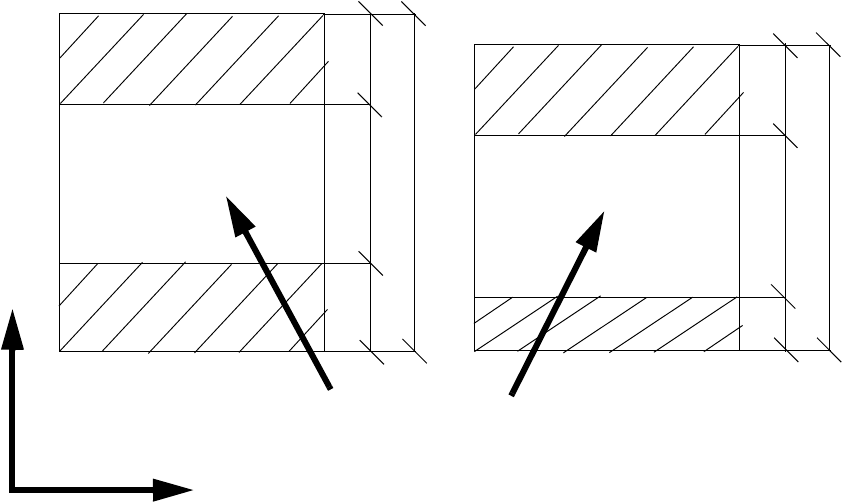
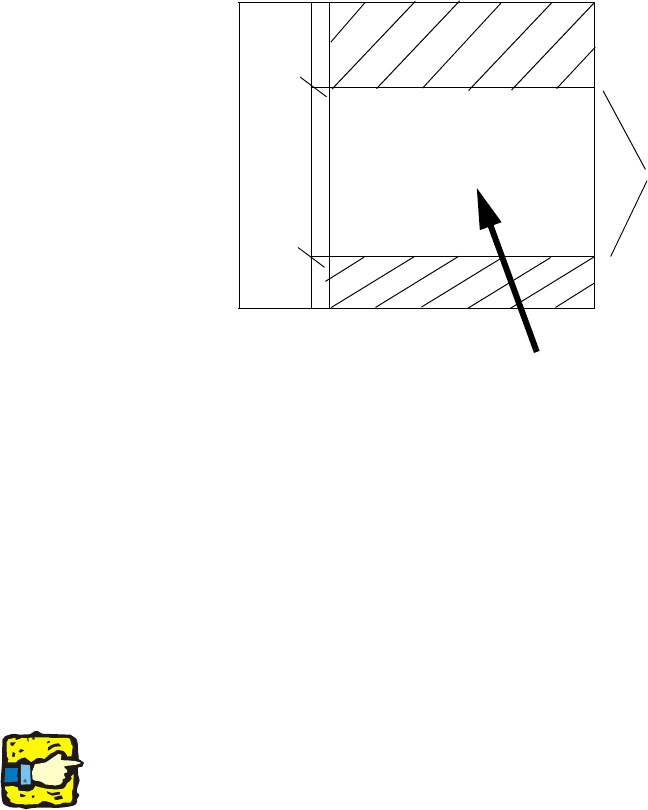
1.) (PCB length) - 160 mm = Ymax (max. fiducial position in the Y direction) 2
2.) (PCB length) - 450 mm = Ymin (min. fiducial position in the Y direction) 2
1.) - 2.) = Location for fiducial position = 290 mm 2
2
Example: 2
PCB length = 580 mm 2
580 mm - 450 mm = 130 mm 2
580 mm - 160 mm = 420 mm 2
Ranges for defining fiducials
610 mm - (2x160 mm)= 290 mm
160
160
290
680
160
50
290
500
Range for fiducials
Y
X
2 Retrofit instructions: 21" wide PCB (00176062-01) SIPLACE X-series Special Design
05/2006 Edition
18
2
2
Possible errors when describing the fiducials 2
– If fiducials are described outside the travelling range of the PCB camera, the job cannot be set.
There is still an error in SIPLACE Pro version 3.1: It is sometimes possible to describe fiducials
outside the travelling range and use them as a job setting.
– If two sets of fiducials are defined (for each placement area), then the feasibility fails and an
error message appears: "The batch files are inconsistent and could not be reoptimized".
2
2
Jobs with the LBO activated can only be set if the corresponding license number was entered. 2
2
Ymax = 420 mm
Ymin = 130 mm
130
420
580
Range for fiducials
Special Design 2 Retrofit instructions: 21" wide PCB (00176062-01) SIPLACE X-series
05/2006 Edition
19
2.8 Notes on the station's behavior
– The special design firmware must be downloaded using the SITEST function.
– The fixed conveyor side wall must be set to overwide using the SITEST function.
– The width must be adjusted to 21“ using the SITEST function.
– In SITEST, the PCB reference corner in PA1 and PA2 must be recalibrated.
– When the job is set on the machine, the following error message appears: "Conveyor error:
155 Conveyor belt width setting is outside the travelling range“. This error message can be
ignored.
2
Setting the fixed conveyor side wall to overwide makes the space for installing the additional stop-
per for the LBO in PA2 critical. For this reason, a spacer must be fitted in order to ensure there is
sufficient space for installation. 2
2.9 Removal
A standard firmware version must be downloaded using SITEST and the fixed conveyor side wall
must be reset to standard width. If necessary, the LBO must be removed as described in the in-
structions. 2
2
2