SP1 Maintenance Handbook (Chi Ver1.5).pdf - 第32页
SP1 Maintenance Handbook 32 Chap ter 3 High Ac curacy & Speed Screen Printer 2. 분리 방향 Pa pe r Win de r Ai r Bl owe r Pa pe r 输 送辊 ( Ro ll er ) 清除 Pa pe r 的粘 结带 。 R ewi nd er Ai r Bl owe r Ai r Bl owe r Pa pe r 释 放方向 …
SP1 Maintenance Handbook
31
Chapter 3
High Accuracy & Speed Screen Printer
Chapter 3
每日检查
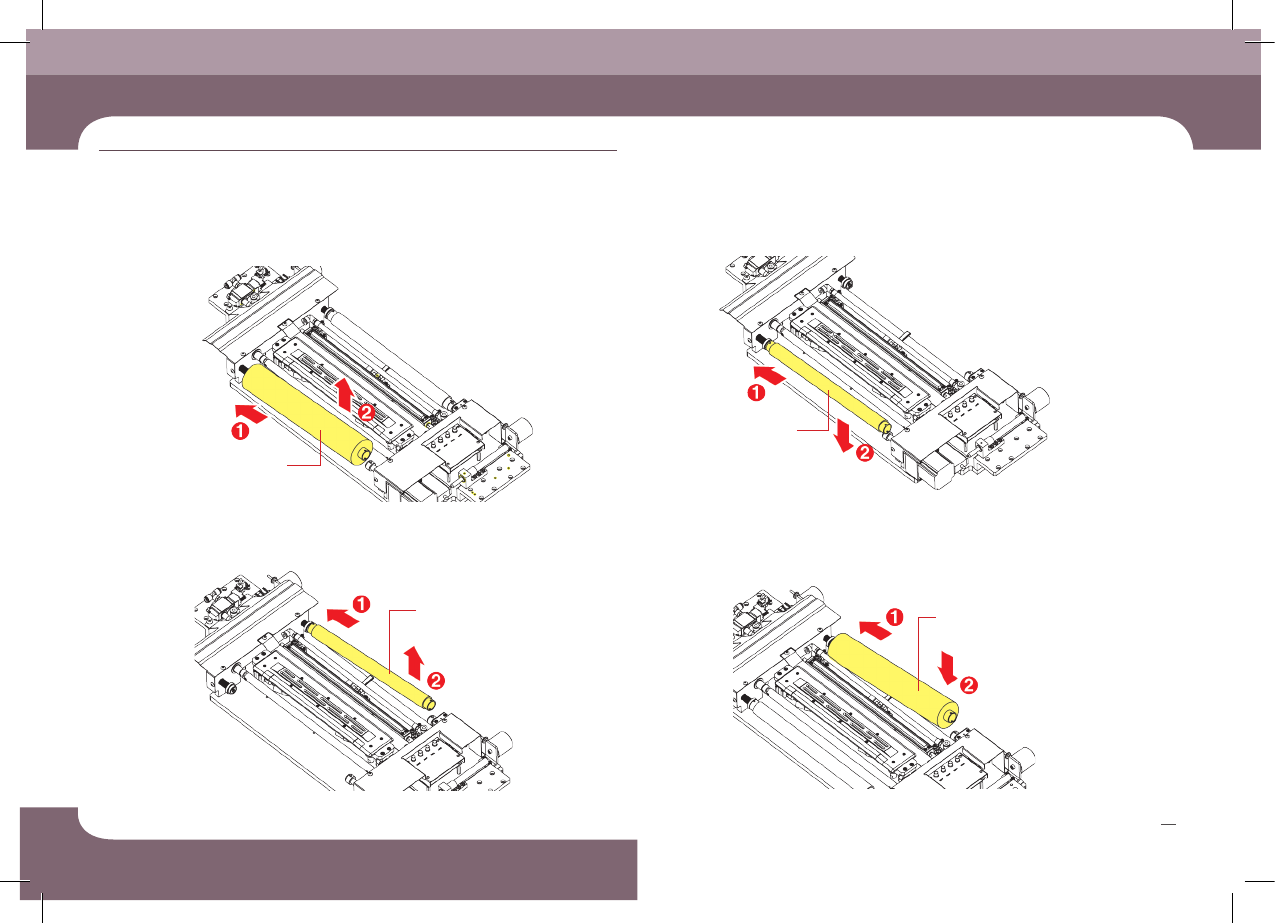
把准备好的Paper组装起来。
Winder侧Paper Roller
拆开Paper Roller。
拆下已经使用的纸卷(Paper)
3. 往箭头方向(1)推Rewinder侧的Paper,朝向反方向(2)倾斜后拆开。 5. 把拆开的Winder侧Paper Roller组装到Rewinder侧。
4. 往箭头方向(1)推Winder侧的Paper,朝向反方向(2)倾斜后拆开。 6. 把新准备好的Paper往箭头方向(1)推,朝向反方向(2)倾斜后组装。
每日检查
SP1 Maintenance Handbook
32
Chapter 3
High Accuracy & Speed Screen Printer
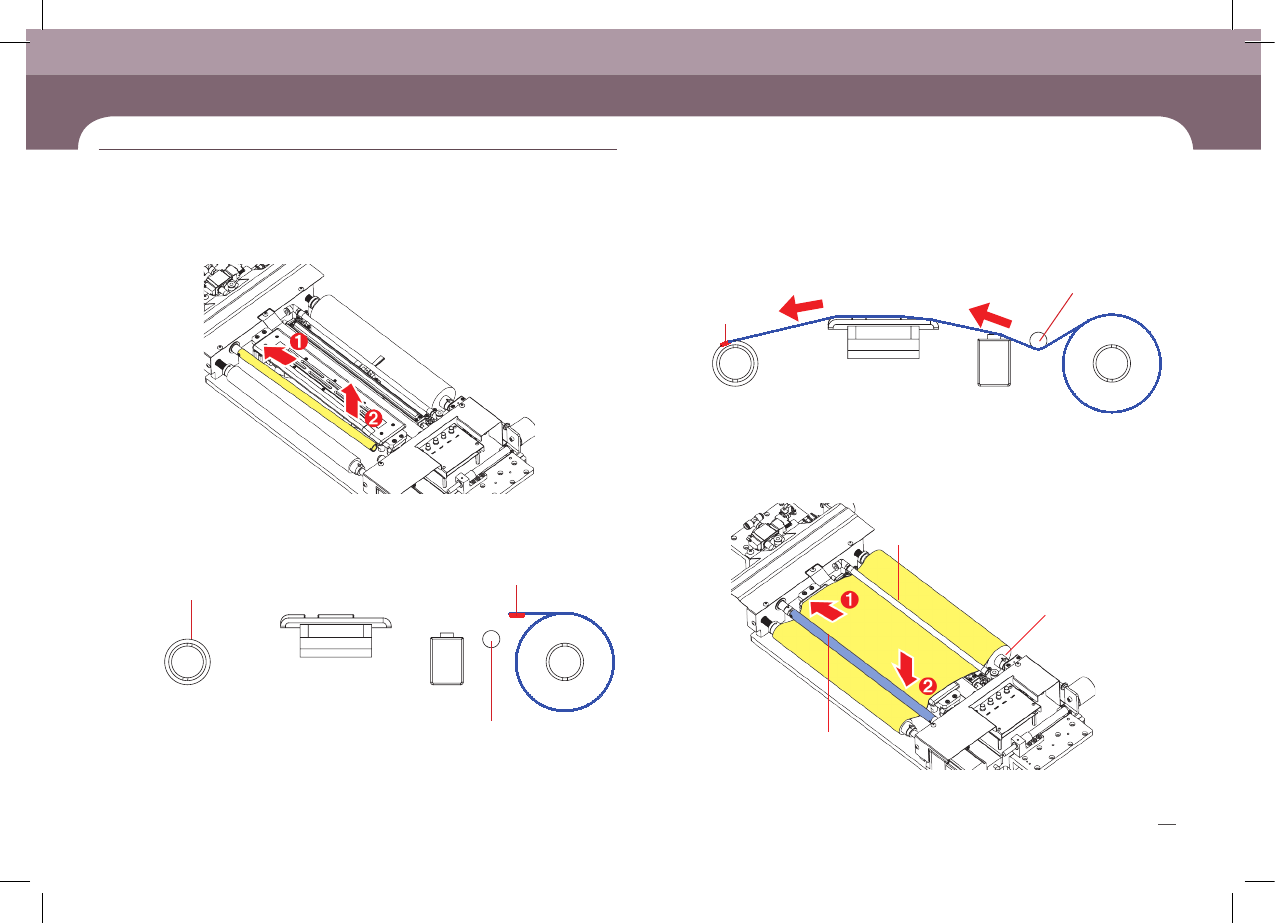
2.분리방향
Paper Winder
Air Blower
Paper输送辊(Roller)
清除Paper的粘结带。
Rewinder
Air Blower
Air Blower
Paper释放方向
把粘结带粘贴在
Rewinder表面
上。
7. 往箭头方向(1)推Paper输送Roller,朝相反方向(2)倾斜后拆开。 9. 清除了盖后,把Paper的粘结带面粘贴在Rewinder表面上。
8. 揭开粘附在Paper尾端的粘结带的盖。
10. 把拆下来的Paper输送Roller朝左推(1),对准右孔后(2)重新组装。
每日检查
SP1 Maintenance Handbook
33
Chapter 3
High Accuracy & Speed Screen Printer
Chapter 3
每日检查
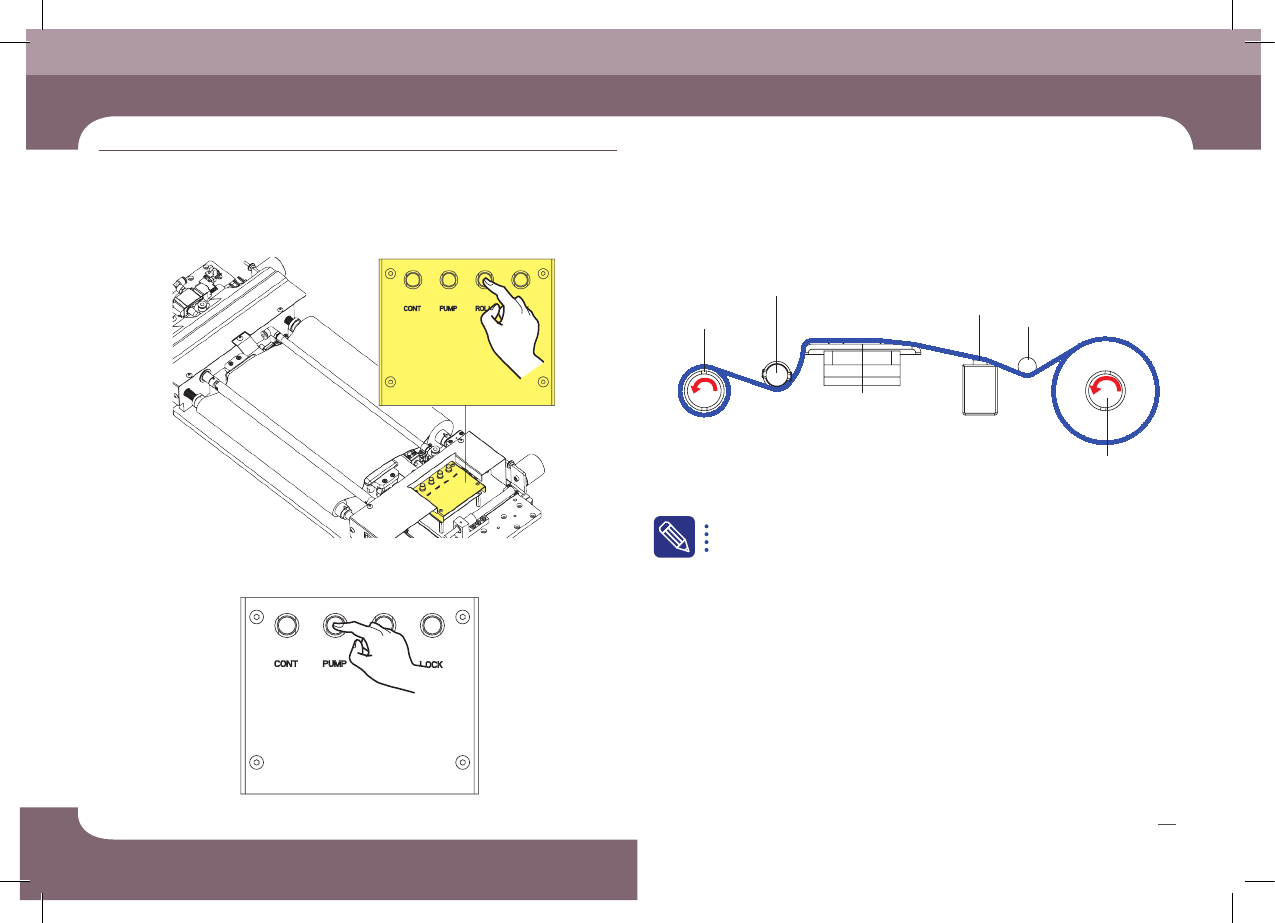
Air Blower
Vacuum
Paper输送Roller
Paper Winder
Paper Rewinder
Solvent Contact Sponge
各按钮的作用
- CONT:海绵Up/Down按钮,可以使Paper接触海绵。
- Pump:IPA清洗液的投入按钮
- Roll:Paper输送按钮
- Lock:可以把Cleaner Module固定到设备Body上。
11. 在右侧面板按下<Roll>按钮后完成Paper设定作业。
12. 按下<PUMP>按钮后检查IPA是否可以pumping。
13. 作业开始前,按下<PUMP>按钮后沾湿海绵。
每日检查