SP1 Maintenance Handbook (Chi Ver1.5).pdf - 第65页
SP1 Maintenance Handbook 65 Chap ter 5 High Ac curacy & Speed Screen Printer Chapte r 5 每月 检验 6. 注油完毕 后,从 Conve yor 的最 小宽幅到 最大宽 幅往复 3~ 4 次,让滑 脂在 Le ad Scr ew 与 LM Gu ide 轨道上整体 均匀地分 布。 7. 完成了一 切作业 后,在<板 尺寸>群 的Y编…
SP1 Maintenance Handbook
64
Chapter 5
High Accuracy & Speed Screen Printer
LM Guide
LM Guide
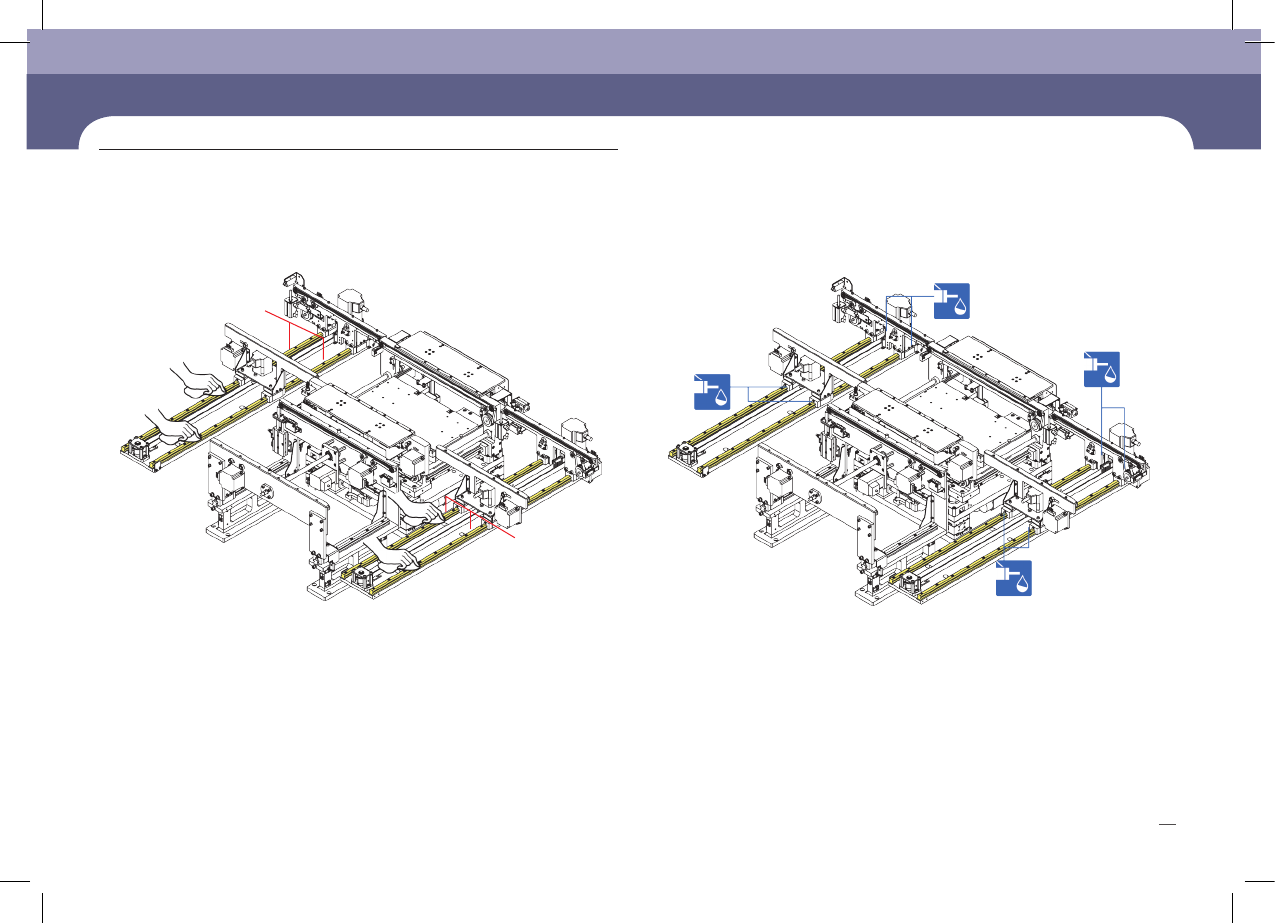
3. 进行程序操作使Conveyor Shuttle移动到适当的注油位置。
4. 使用Grease注油器并通过Guide Block的Grease Nipple注入Grease。
5. 需要时,可以使用小涂漆刷在输送轨面上薄薄地涂刷Grease。
2. 使用干净布清除灰尘等杂质。
每月检查
SP1 Maintenance Handbook
65
Chapter 5
High Accuracy & Speed Screen Printer
Chapter 5
每月检验
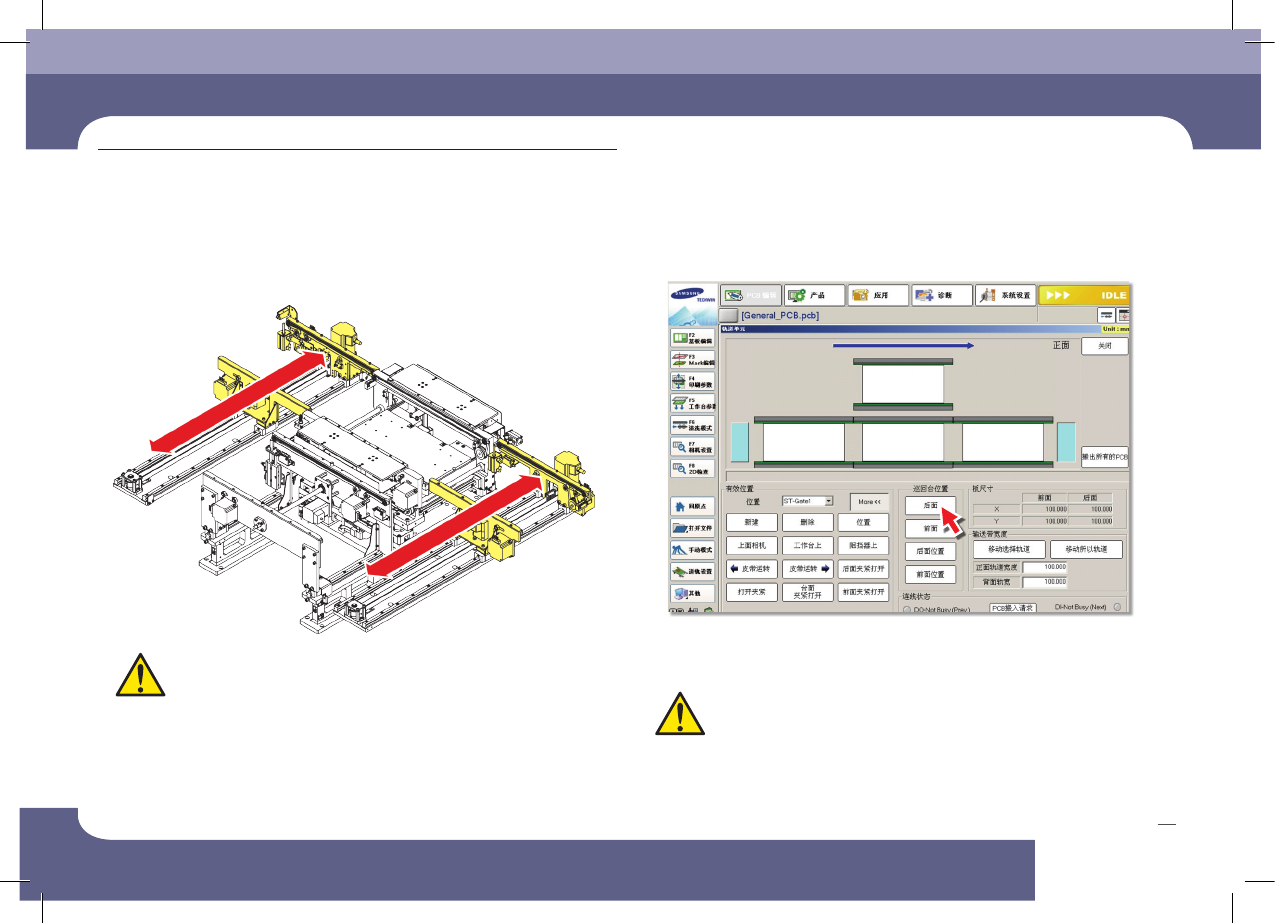
6. 注油完毕后,从Conveyor的最小宽幅到最大宽幅往复3~4次,让滑脂在Lead
Screw与LM Guide轨道上整体均匀地分布。
7. 完成了一切作业后,在<板尺寸>群的Y编辑框上输入该PCB的Widith值后选择<轨道
宽度>按钮。
8. 出现对话窗口后单击<是>键。
每月检查
使用指定注油器按照指定方法注入滑脂。
不得使用其它方法注入滑脂。
注意
设备的运转环境比较严苛时,需要时常检查注油状态。
注意
SP1 Maintenance Handbook
66
Chapter 5
High Accuracy & Speed Screen Printer
LM Block
Lead Screw
Grease注入口
1
2
3
干净布、涂漆刷、注油器、小涂漆刷、Grease:EP2
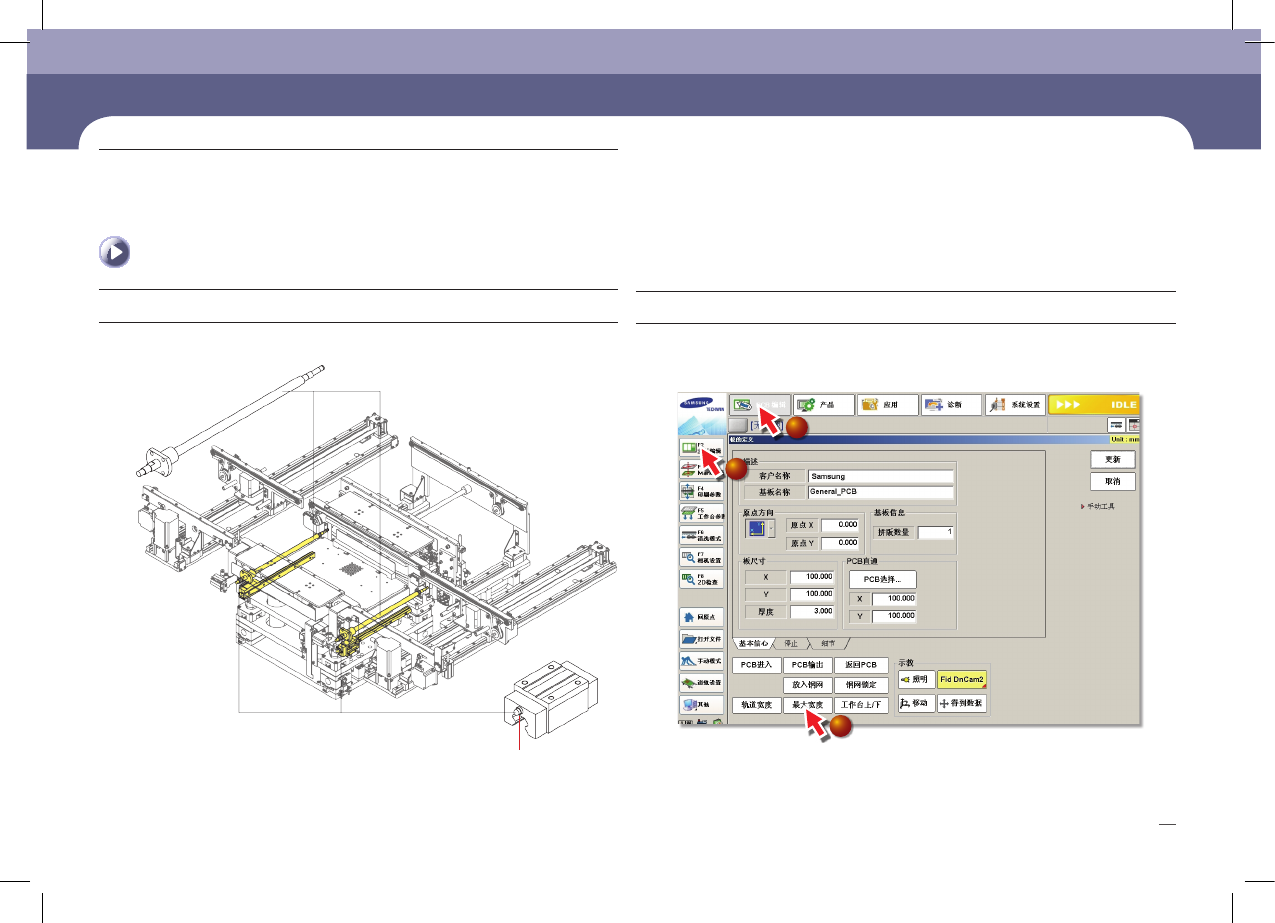
1. 在MMI画面的主菜单工具条选择<PCB 编辑>,在辅助菜单工具条选择<基板编辑>命令
后,单击<最大宽度>键。
每月检查
Stage LM Guide,Lead Screw
的清扫及注油
维护工具
措施