HGR12EOMA.pdf - 第94页
Page A-94 Recognition Device Maintenance The information requisite for searching for the cause (Outline recognition) Please send us the following information for quick investigation of the cause. A sheet of printout of t…
Page A-93
A
RECOGNITION DEVICE
Recognition Device Maintenance
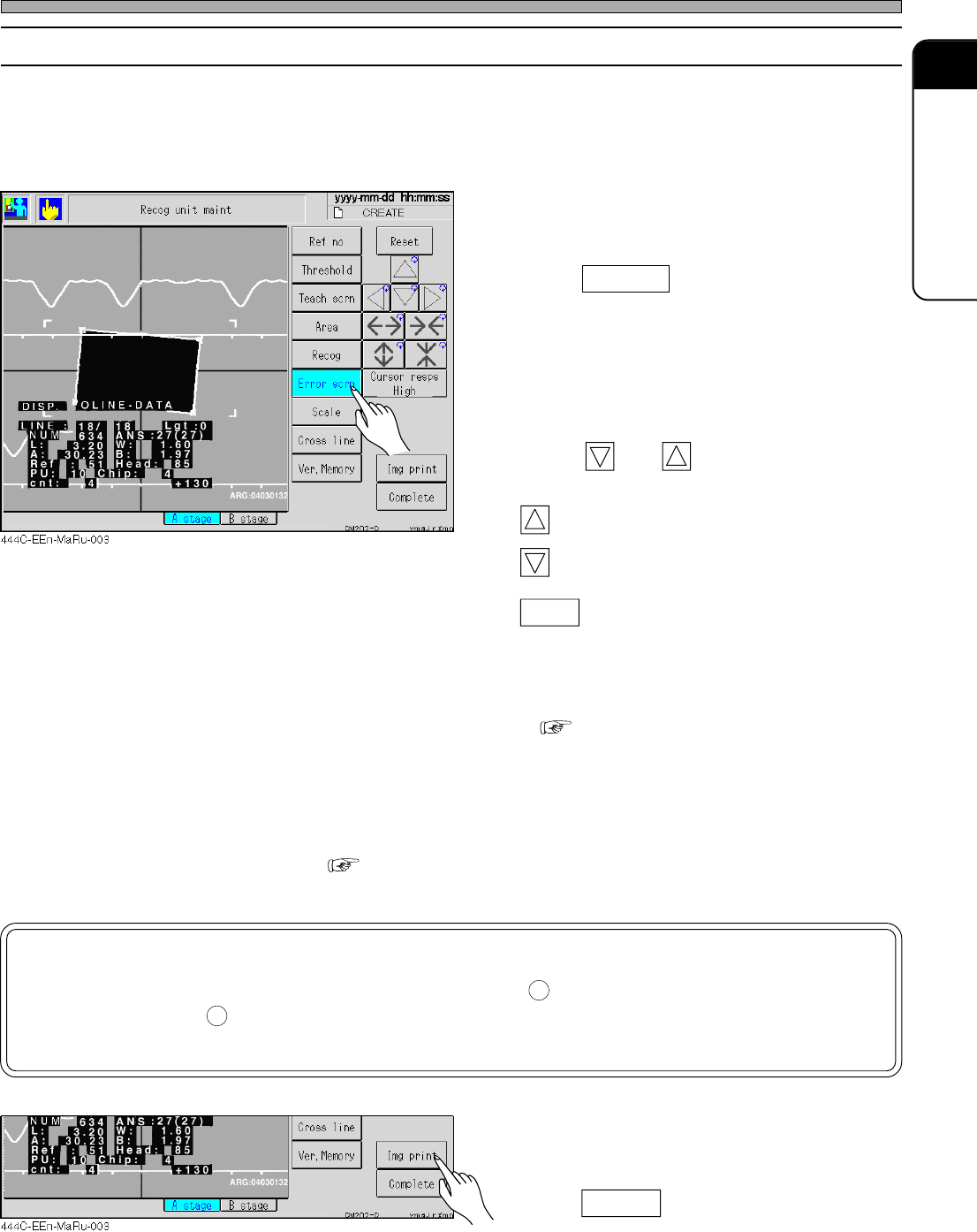
A-5-2 Error Screen Display
The recognition device stores the recognition errors which have occurred so that the details of the
errors can be confirmed after production has been completed. Use this function as a reference for
solutions.
1. Enter into the error screen display
mode.
• Press Error scrn .
• The latest error image is displayed.
2. Search for the error screen where you
want to know the cause.
• Press and to change the screen.
: To the next screen
: To the preceding screen
Reset : To clear the error information, press it.
• Use “Chip (chip number)” and “PU (unit num-
ber)” on the recognition device screen as a
clue to search.
( “A-4-2 Recognition Information after
Production (Memory Function)”)
Investigate the details of the error using the reference number and the error number on the recogni-
tion error screen as a clue. Cope with the errors following this manual, which contains the details of
errors and the solutions. ( “A-4 Outline Recognition Error Messages”)
NOTICE
If the error of unknown factor occurs, fax or mail the printout of the recognition
error screen and that of the chip data to our company.
And if possible, mail several samples of the parts, too.
3. Print out the error screen where you
want to know the cause.
• Press Img print .
8-2
HGR12-E-OMA0A-A03-04
1
2
3Y3C-026P
3Y3C-026P
Page A-94
Recognition Device Maintenance
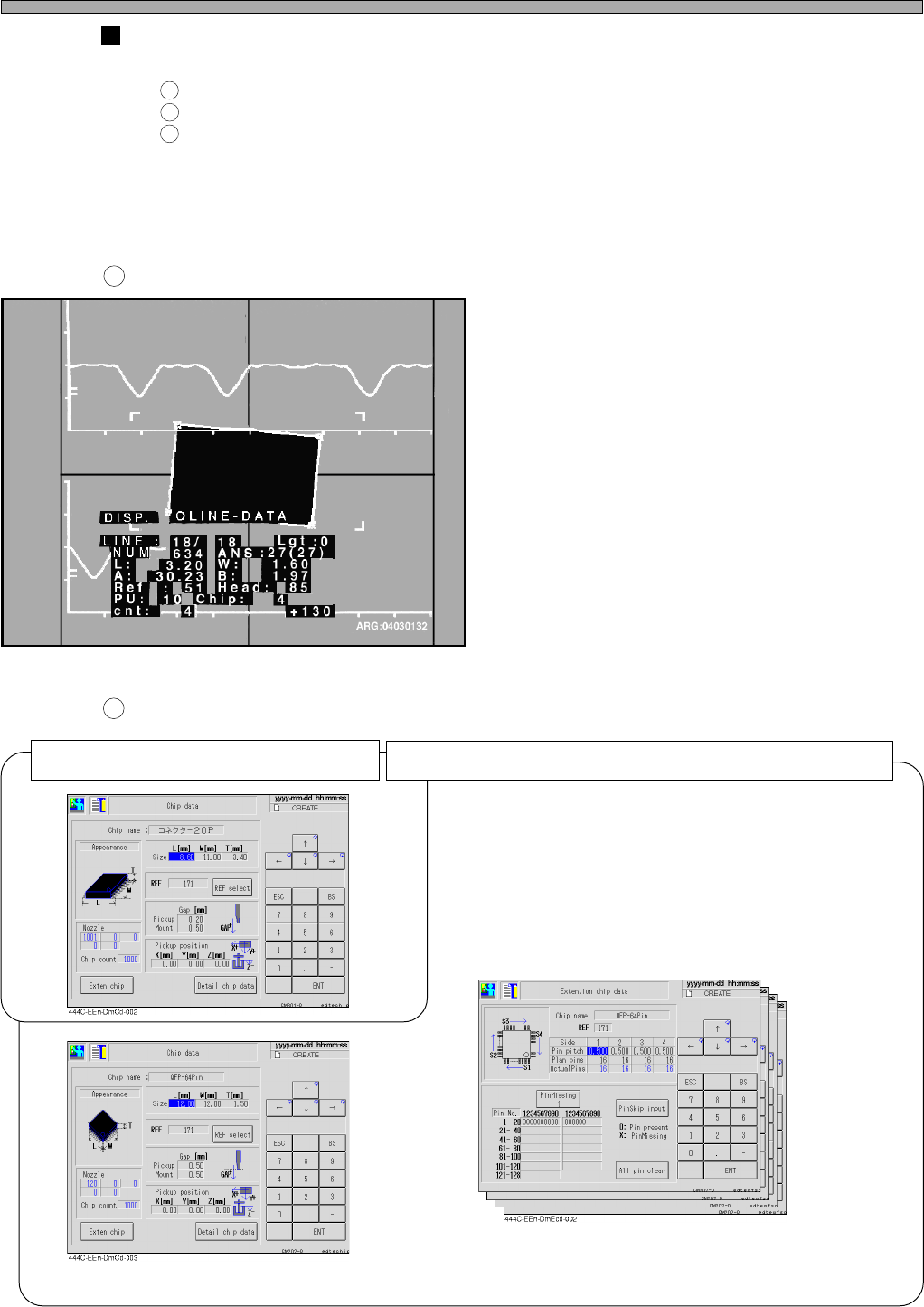
The information requisite for searching for the cause (Outline recognition)
Please send us the following information for quick investigation of the cause.
A sheet of printout of the recognition error screen
A sheet of printout of the chip data (Six ones of that for special part)
Note 1)
Several samples of the parts
Note 1) QFP, SOP, etc. include “QFP or SOP camera recognition data” and “QFP
or SOP batch recognition pin missing information.
Recognition error screen
Chip data
1
2
3
1
2
Four sheets of printout of “QFP or SOP
batch recognition pin missing informa-
tion” (From one side to four sides)
“QFP or SOP camera recognition data”
Six sheets of printout of the special chip data (QFP, SOP, etc.)
3Y3C-026P
A sheet of printout of the regular chip data
HGR12-E-OMA0A-A03-02
Page A-95
A
RECOGNITION DEVICE
Recognition Device Maintenance
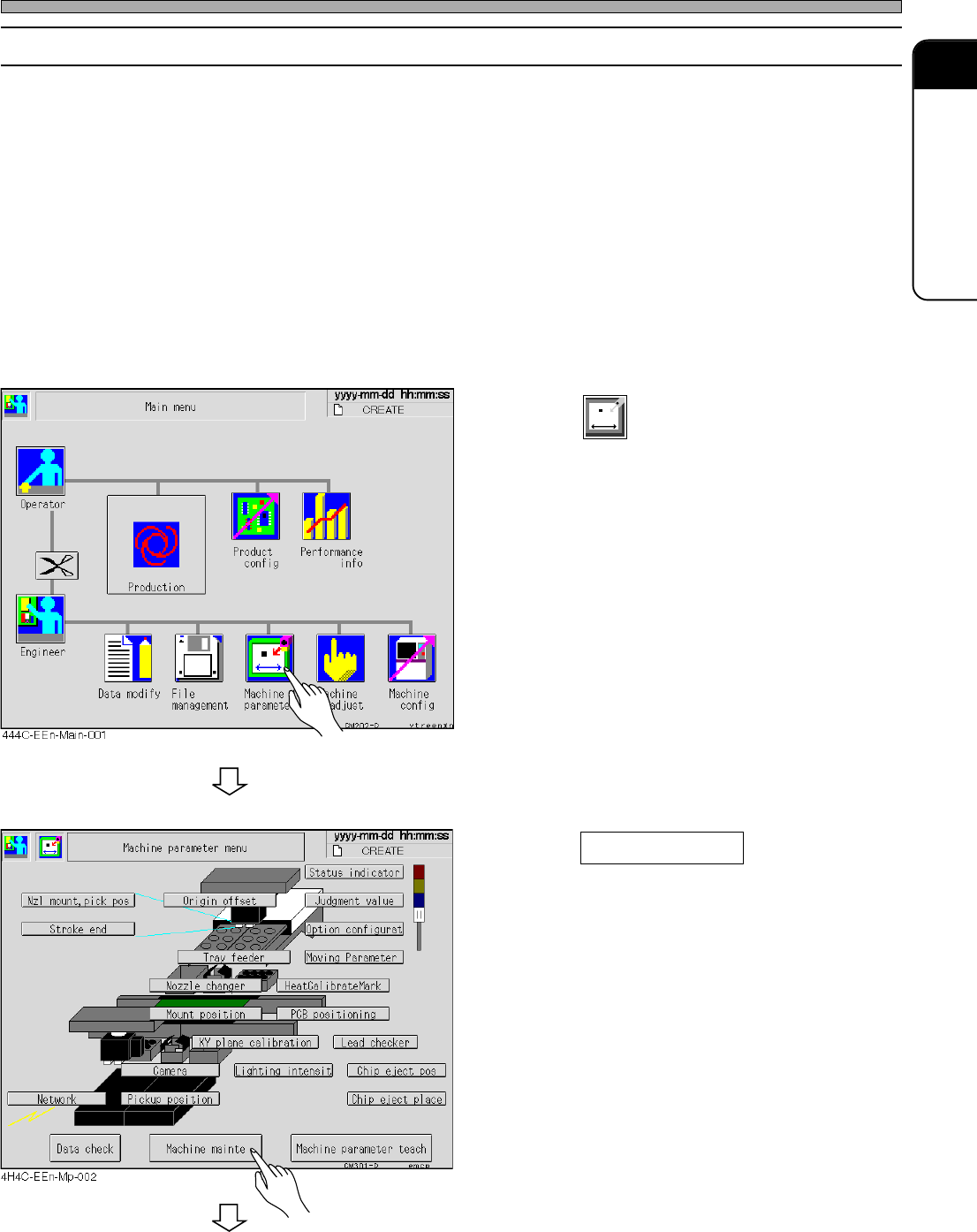
A-5-3 Recognition Device Update
This section describes updating the recognition system.
Copy the recognition system from the floppy disk with recognition system to be upgraded to RAM,
and after comparing (inspecting by reading) the system of floppy disk with that of RAM, the system
is written to the memory if no trouble is found.
<Description of Items>
ROM version : Current recognition ROM version
System version : Version of recognition system to upload
All blocks : Current recognition system volume
Transferring blocks : Transferred recognition system volume
1. Press
Machine
parameter
.
• The machine parameter menu is displayed.
2. Press Machine mainte .
• The machine maintenance menu is displayed.
HGR12-E-OMA0A-A03-03
To the next page