HGR12EOMA.pdf - 第95页
Page A-95 A RECOGNITION DEVICE Recognition Device Maintenance A-5-3 Recognition Device Update This section describes updating the recognition system. Copy the recognition system from the floppy disk with recognition syst…
Page A-94
Recognition Device Maintenance
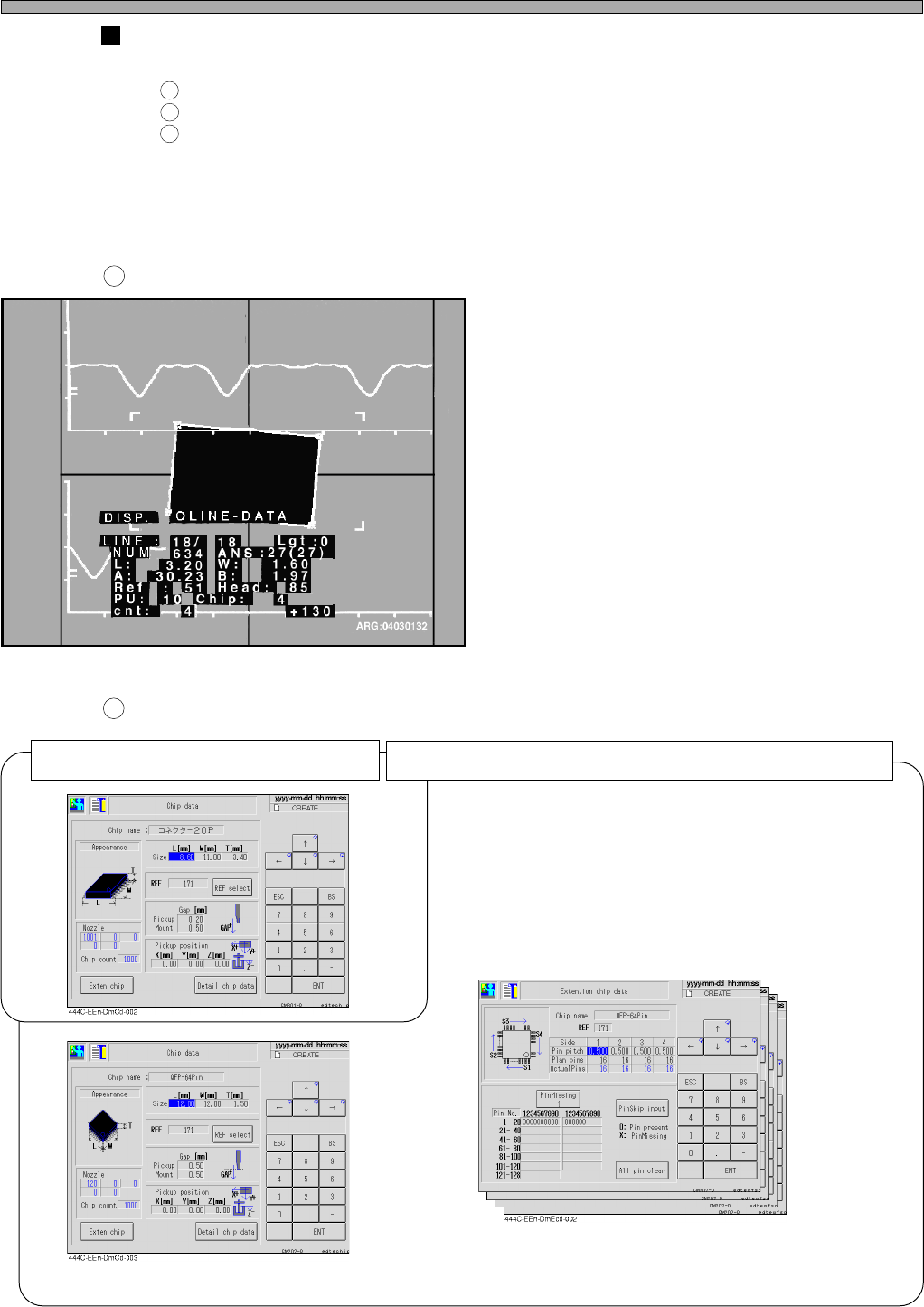
The information requisite for searching for the cause (Outline recognition)
Please send us the following information for quick investigation of the cause.
A sheet of printout of the recognition error screen
A sheet of printout of the chip data (Six ones of that for special part)
Note 1)
Several samples of the parts
Note 1) QFP, SOP, etc. include “QFP or SOP camera recognition data” and “QFP
or SOP batch recognition pin missing information.
Recognition error screen
Chip data
1
2
3
1
2
Four sheets of printout of “QFP or SOP
batch recognition pin missing informa-
tion” (From one side to four sides)
“QFP or SOP camera recognition data”
Six sheets of printout of the special chip data (QFP, SOP, etc.)
3Y3C-026P
A sheet of printout of the regular chip data
HGR12-E-OMA0A-A03-02
Page A-95
A
RECOGNITION DEVICE
Recognition Device Maintenance
A-5-3 Recognition Device Update
This section describes updating the recognition system.
Copy the recognition system from the floppy disk with recognition system to be upgraded to RAM,
and after comparing (inspecting by reading) the system of floppy disk with that of RAM, the system
is written to the memory if no trouble is found.
<Description of Items>
ROM version : Current recognition ROM version
System version : Version of recognition system to upload
All blocks : Current recognition system volume
Transferring blocks : Transferred recognition system volume
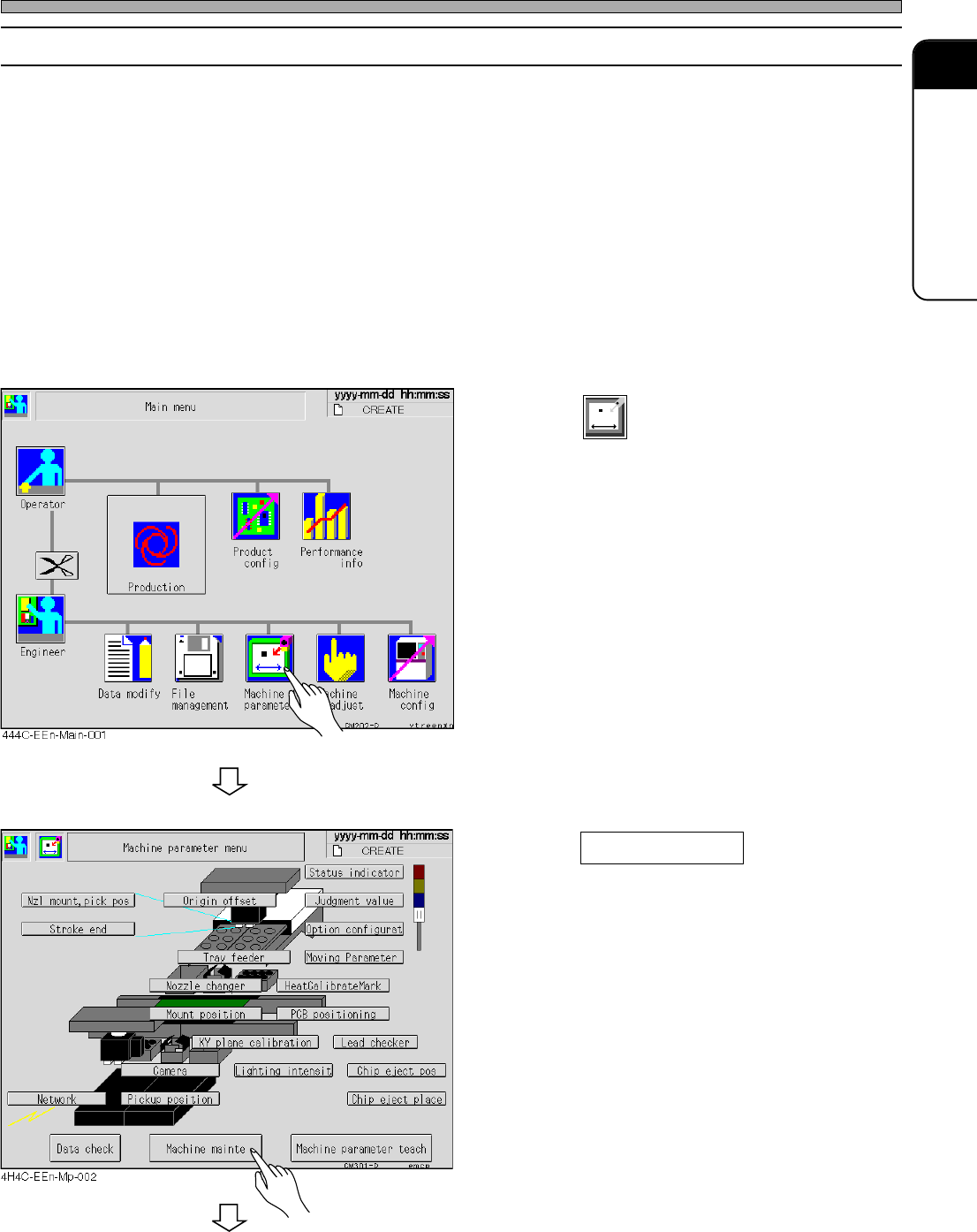
1. Press
Machine
parameter
.
• The machine parameter menu is displayed.
2. Press Machine mainte .
• The machine maintenance menu is displayed.
HGR12-E-OMA0A-A03-03
To the next page
Page A-96
HGR12-E-OMA0A-A03-02
Recognition Device Maintenance
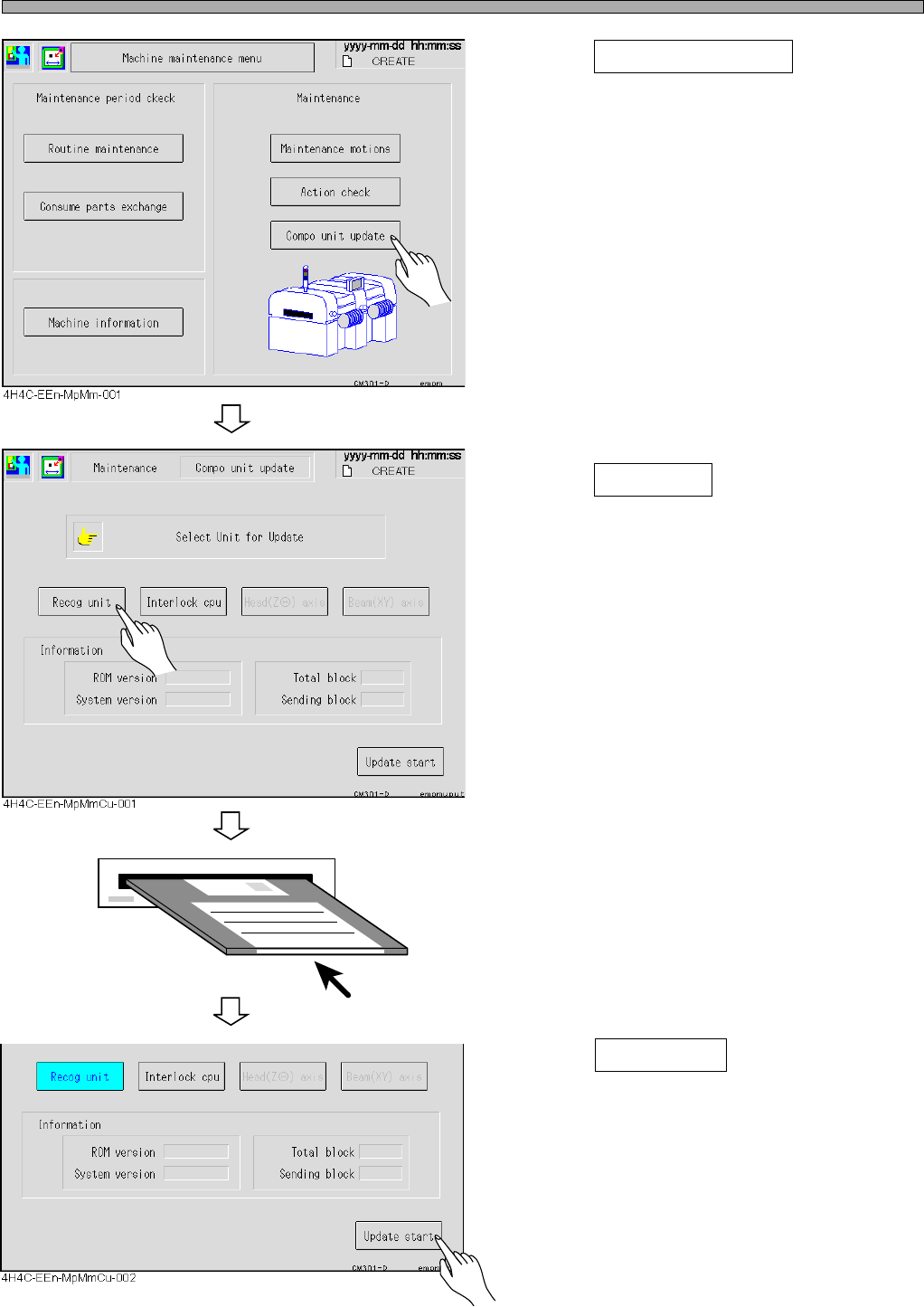
3. Press Compo unit update .
• The component unit update screen is
displayed.
4. Press Recog unit .
5. Insert the floppy disk of recognition
system to be upgraded into disk
drive.
6. Press Update start .
• Recognition system is started to update.