00196014-0102_AI_PCI_KarteAuteRecoveryFunktionX4i_DE+EN.pdf - 第19页
PCI card 2 Assembly Instructions PCI Card for SIPLACE X4I Auto Recovery Function 12/2007 Edition 19 : Screw on the ret ainer . : Close the cover an d screw it on. : Insert the BoxPC into the comput er unit and screw it i…
2 Assembly Instructions PCI Card for SIPLACE X4I Auto Recovery Function PCI card
12/2007 Edition
18
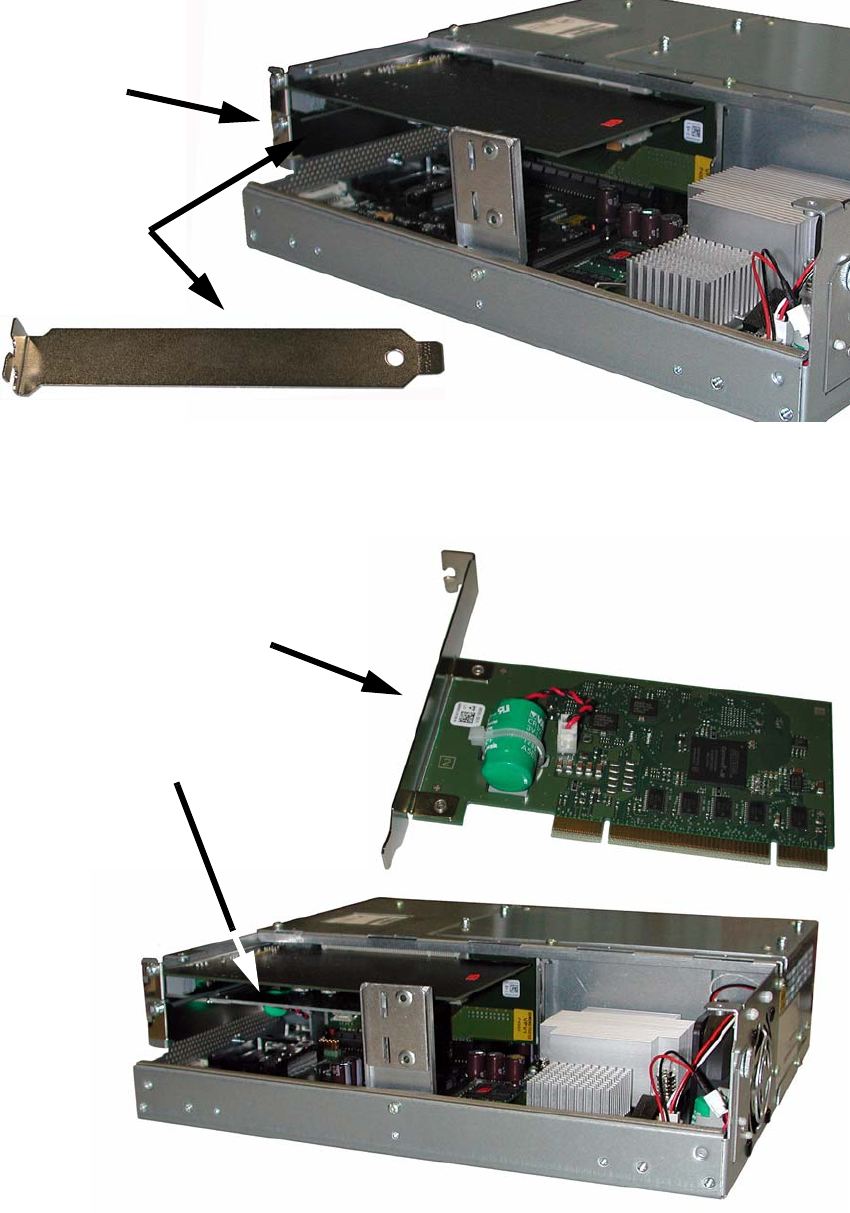
: Loosen the screw on the blanking plate and pull the plate out.
Screw
Blanking
plate
2
: Insert the AutoRecovery card in place of the blanking plate.
Press it in carefully, then screw it in place.
AutoRecovery card
AutoRecovery card installed
2

PCI card 2 Assembly Instructions PCI Card for SIPLACE X4I Auto Recovery Function
12/2007 Edition
19
: Screw on the retainer.
: Close the cover and screw
it on.
: Insert the BoxPC into the computer unit and screw it in place.
: Attach the cables in the correct order.
: Push the computer
unit back into th
e placement machine.
2
Watch out for the wiring harness!
Push it into the extension kit as far as possible b
efore you slide in the computer unit. 2
2
: Screw in the locking screw on the computer unit.
: Close the extensio
n kit cover.
2.7 Software settings
No software settings are needed for the AutoRecovery card. 2
2.8 Preventive maintenance
The "Battery Li/MnO2 CR1/2AA 3V 1000mAh" (item no. 03063235-) is a wearing part. 2
: Replace it every 5 years to guarantee the functionality.
: You can see the "Battery Li/MnO2 CR1/2AA 3V 1000mAh" (item no. 03063235-) (green with
re
d/bla
ck cable) in the middle picture on page 10.
2
2
2 Assembly Instructions PCI Card for SIPLACE X4I Auto Recovery Function PCI card
12/2007 Edition
20
2.9 Test
: Switch the placement machine on at the main switch.
: Test the card during the placement sequence to ensur
e that it works correctly.
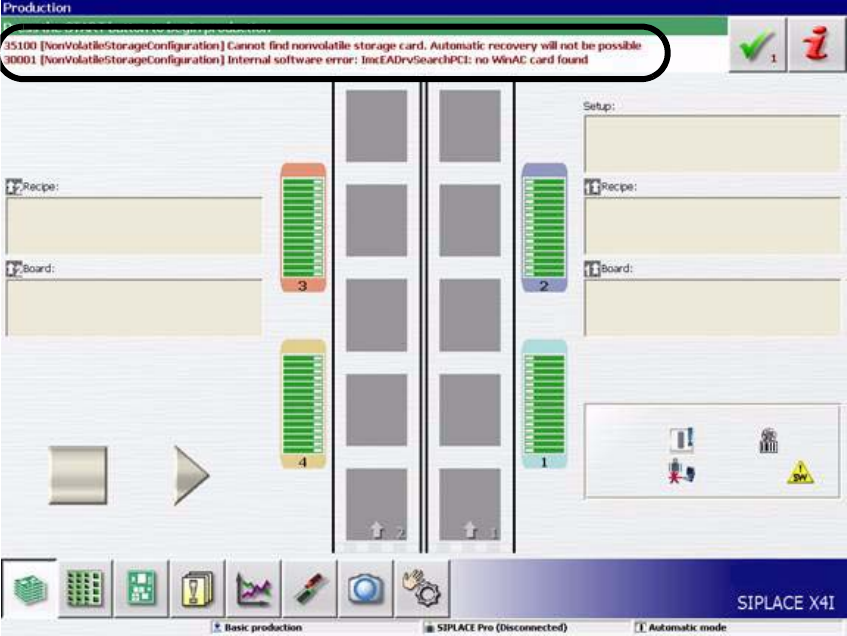
If the card is not working correctly, the following error mes
sages will appear:
– 35100 [NonVoltatile Storage Connfiguration] Cannot find storage card. Automatic recovery
will not be possible
–
30001 [NonVoltatile Storage Connfiguration] Internal so
ftware error: ImcEADrvSearchPCI:
no WINAIC card found
2
2
This message is for information only. It may be suppressed by the software. 2
: In this case, check that the card has been identified by the o
perating system under Hardware
> Device Manager (System Devices)
2