00198013-02_IM_OIS_SIS_13.1_DE_EN.pdf - 第24页
SIPLACE OIS V13.1 / Installat ion Manual Ausgabe 05/2016 Edition 24 3.4 Repairing the I nstallation This Repair opt ion is used to repai r an existing install ation. The program is restored using the specifications and e…
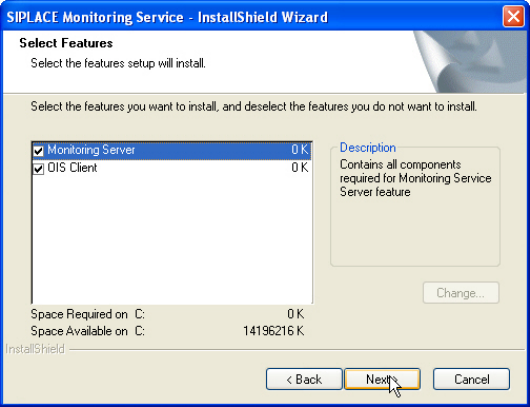
SIPLACE OIS V13.1 / Installation Manual Ausgabe 05/2016 Edition
24
3.4 Repairing the Installation
This Repair option is used to repair an existing installation. The program is restored using the
specifications and entries originally specified.
► Click the Windows Start button and select Settings and then Control Panel.
► Start the Add/Remove Programs dialog, by double-clicking on Add/Remove Programs.
► Select the program from the list (SIPLACE OIS / SIPLACE Monitoring Service) and click on
Change/Remove.
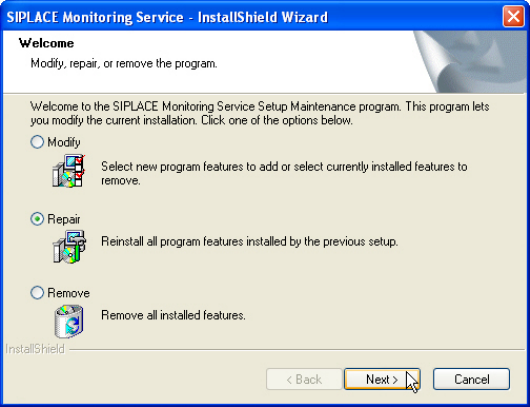
The setup program will start and display the following dialog box.
Figure 3-28: Repairing program
► Select Repair.
► Click Next >.
SIPLACE OIS V13.1 / Installation Manual Ausgabe 05/2016 Edition
25
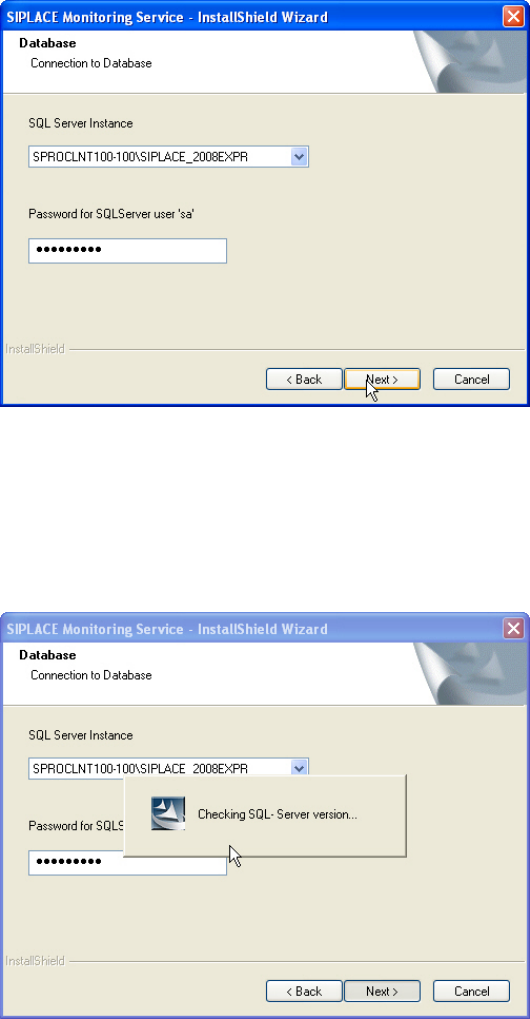
The following dialog box is opened.
Figure 3-29: Connection to database
► Select the database instance.
► Enter the system administrator password.
► Click Next >.
The following dialog is opened.
Figure 3-30: Checking database instance
Information on the selected database instance is gathered.