Galaxy EX Networking.pdf - 第12页
NE T W OR KI NG TES TIN G THE C ON NE CTION 28. 12 Techn i cal R ef erenc e Manual Ch apt er I ssue 2, A ug 1 4
NETWORKING
TESTING THE CONNECTION
28.10 Technical Reference Manual Chapter Issue 2, Aug 14
TESTING THE CONNECTION
Pinging the
Network
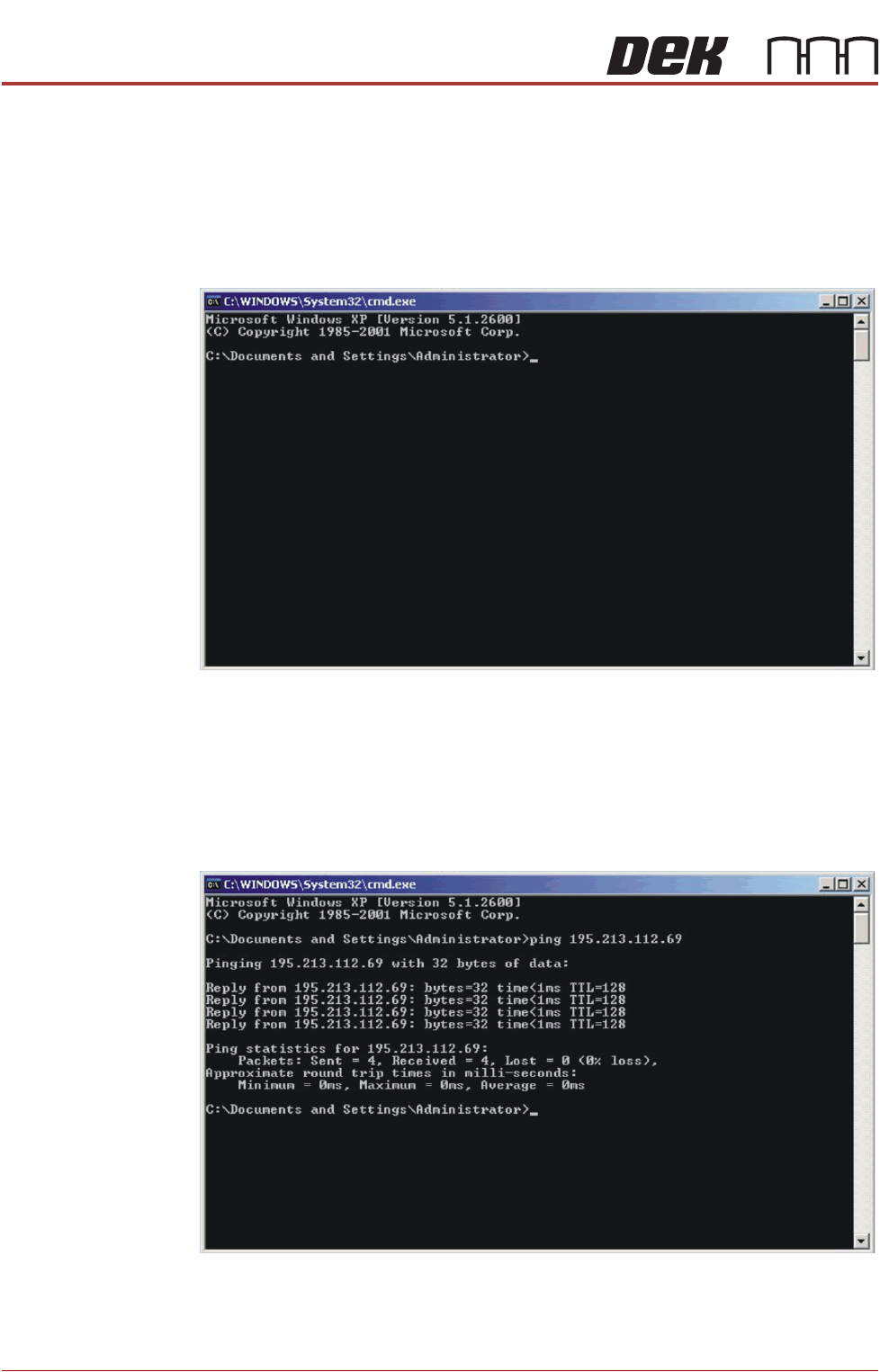
To test if the DEK machine is connected to the network, you can ‘Ping’ the
network using the following procedure:
1. From the Windows desktop, select Start - Run and enter CMD in the box
labelled ‘Open:’.
2. Select OK.
3. Type Ping <Server IP Address or Computer Name>.
4. NOTE
5. The network administrator can supply an IP Address or computer name to
ping.
6. If the ping is successful the reply shall contain information of the form:
Reply from 195.213.112.69: bytes=32 time<10ms TTL=128.
The installation of the printer to the company network has been successful.
NETWORKING
TESTING THE CONNECTION
Chapter Issue 2, Aug 14 Technical Reference Manual 28.11
Using a Laptop If ‘Pinging’ the network fails, a laptop computer can be attached to the printing
machine to test the network driver and card is working correctly.
NOTE
Before commencing testing, make a note of the original configurations of both
the laptop and the printer so that they can be reset on completion.
1. Connect the laptop to the DEK printer using a cross-over network cable.
2. On the laptop, change the IP Address to 195.100.100.2 with a subnet
mask of 255.255.255.0.
3. Select OK and reboot the laptop.
4. On the DEK printer, change the IP Address to 195.100.100.1 with a subnet
mask of 255.255.255.0.
5. Select OK and reboot the printer.
6. From the Windows desktop, select Start - Run and enter CMD in the box
labelled ‘Open:’.
7. Select OK.
8. Type Ping 195.100.100.2.
9. If the ping is successful, the reply displays the following information:
Reply from 195.100.100.2: bytes=32 time<10ms TTL=128.
10. Disconnect the cross-over network cable and reset the printer and laptop
to their original settings.
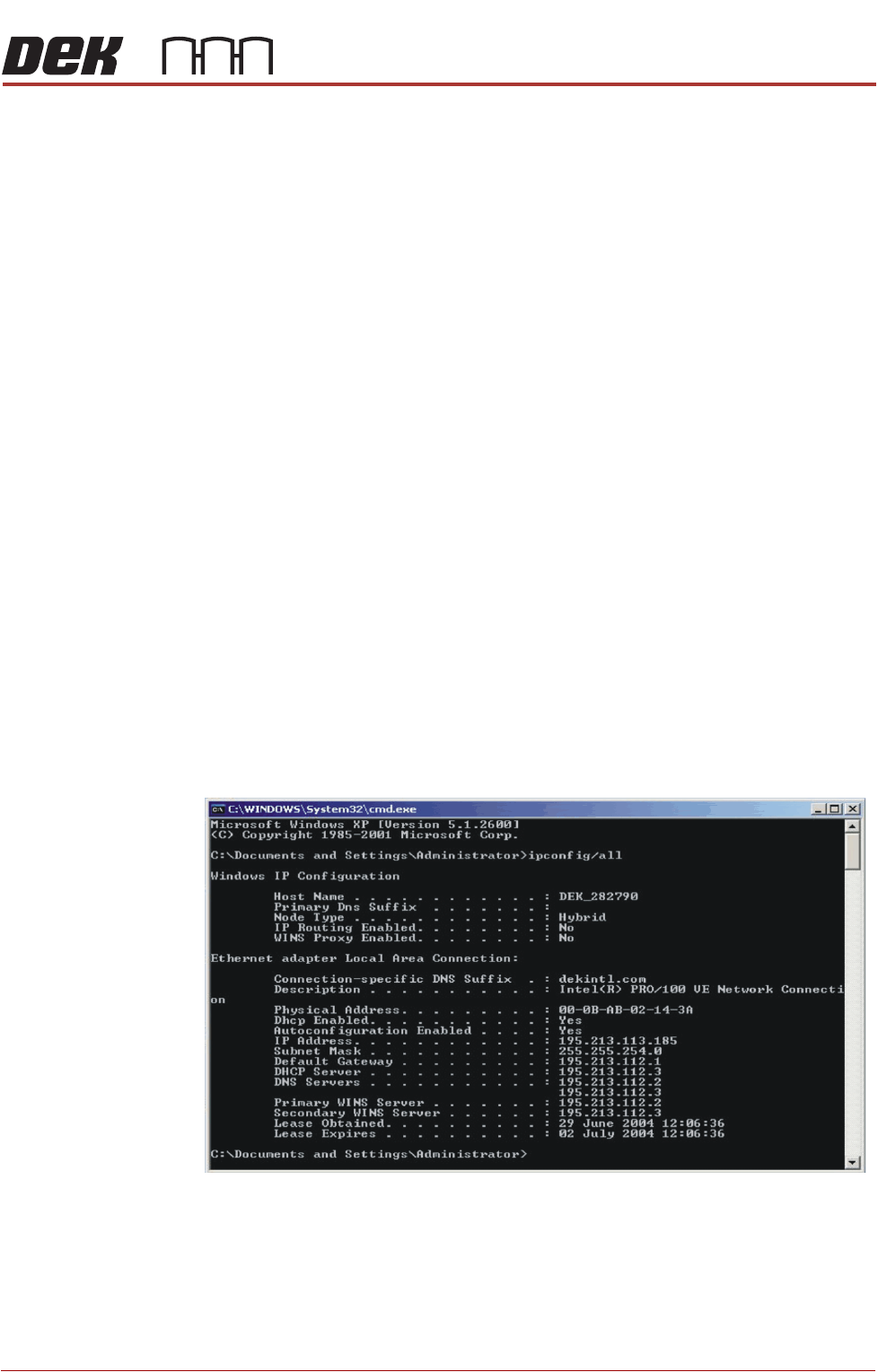
Finding an IP
Address
If the IP Address of a machine is not known (either PC or DEK Printer) these
can be obtained by opening the Command Prompt window. At the prompt
type IPCONFIG/ALL
All addresses are listed which the item is connected to including routers and
other servers.

NETWORKING
TESTING THE CONNECTION
28.12 Technical Reference Manual Chapter Issue 2, Aug 14