Introduction(CP45FV) Eng.pdf - 第104页
Samsung Component Placer CP45FV Series Intr oduction Figur e 7-12. “ W arming Up ” dialog box 2 3. Perform preparatory operation for about 10 minutes, then click on the <Stop> button in the dialog box. The preparat…
Transfer & Installation Procedure
7-13
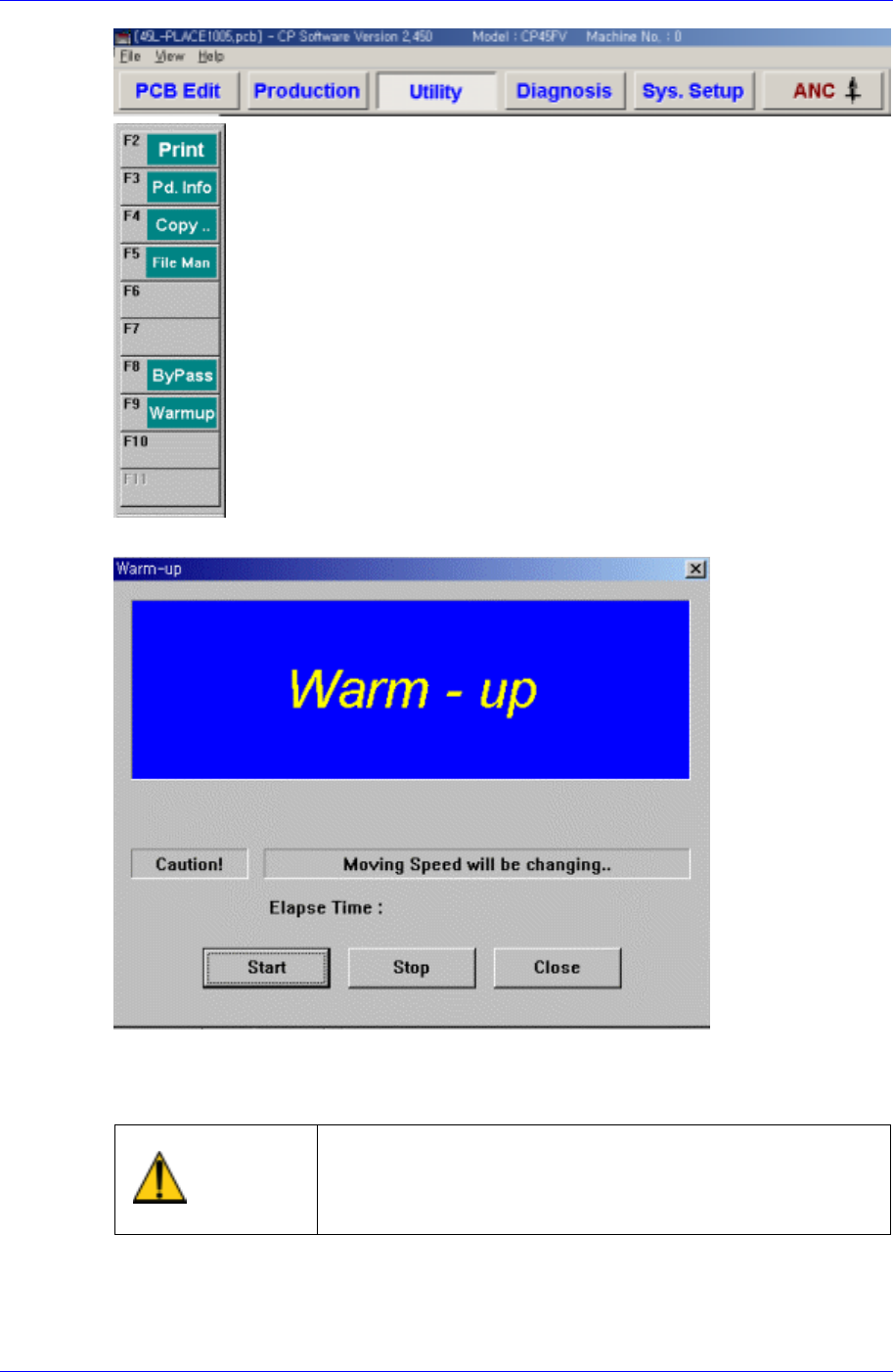
“Warming Up” dialog box is displayed.
Figure 7-11. “Warming Up” dialog box 1
2. Press <Start> button. Begin Warming Up operation after returning to the original
position. The Elapsed time is displayed in the dialog box.
Warning
Inserting a part of body while the machine is in operation
or in temporary stop could result in severe injury.
Do not insert a part of body while the machine is in
operation or in temporary stop.
Samsung Component Placer CP45FV Series Introduction
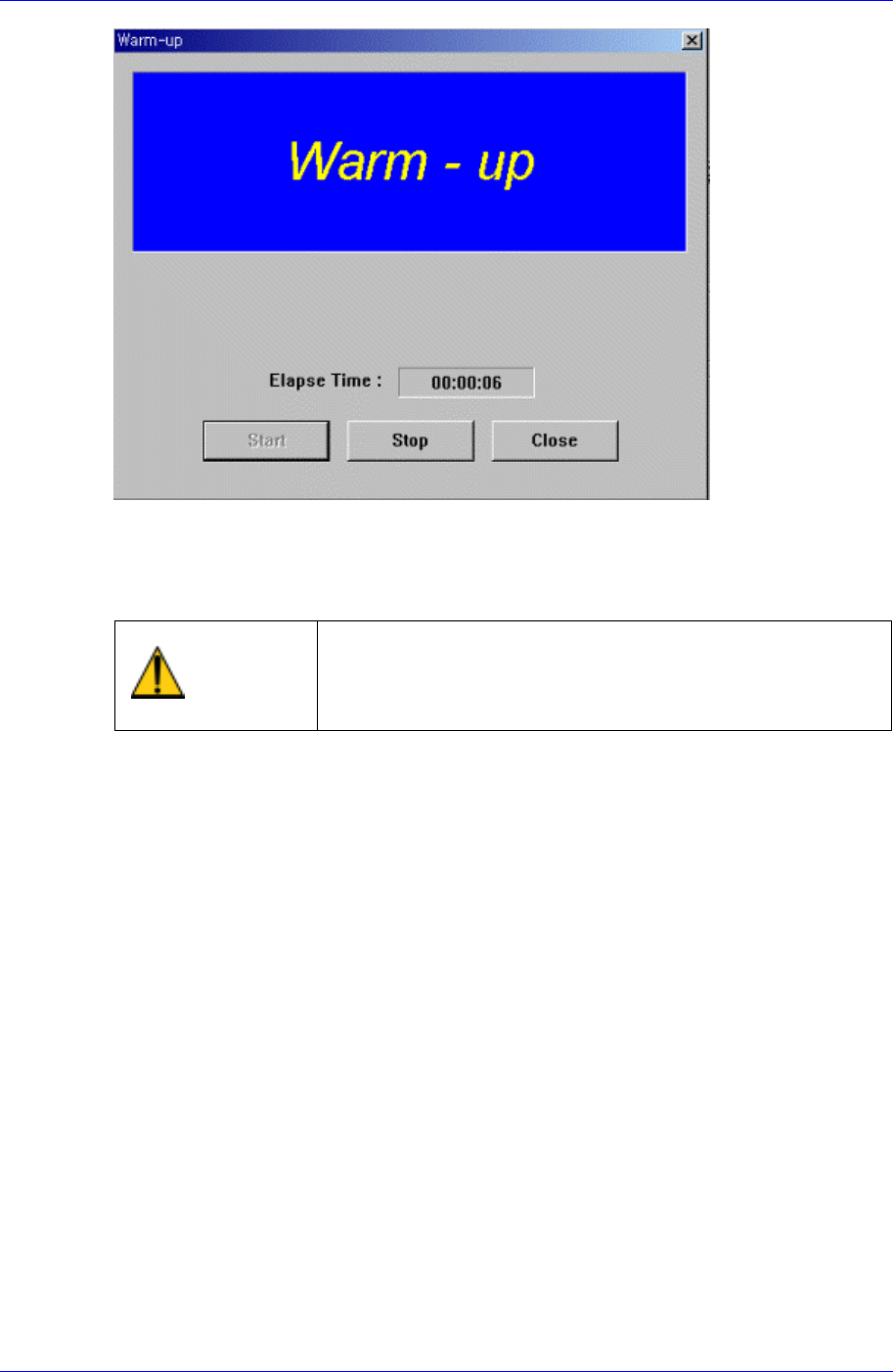
Figure 7-12. “Warming Up” dialog box 2
3. Perform preparatory operation for about 10 minutes, then click on the <Stop> button
in the dialog box. The preparatory operation is terminated, and the system returns to
the standby status.
Warning
Adjusting the sensor or correcting an error while the
machine is ready could result in personal injury.
Be sure to adjust the sensor or correct an error in the stop
status after canceling the ready status.
7-14
Transfer & Installation Procedure
7-15
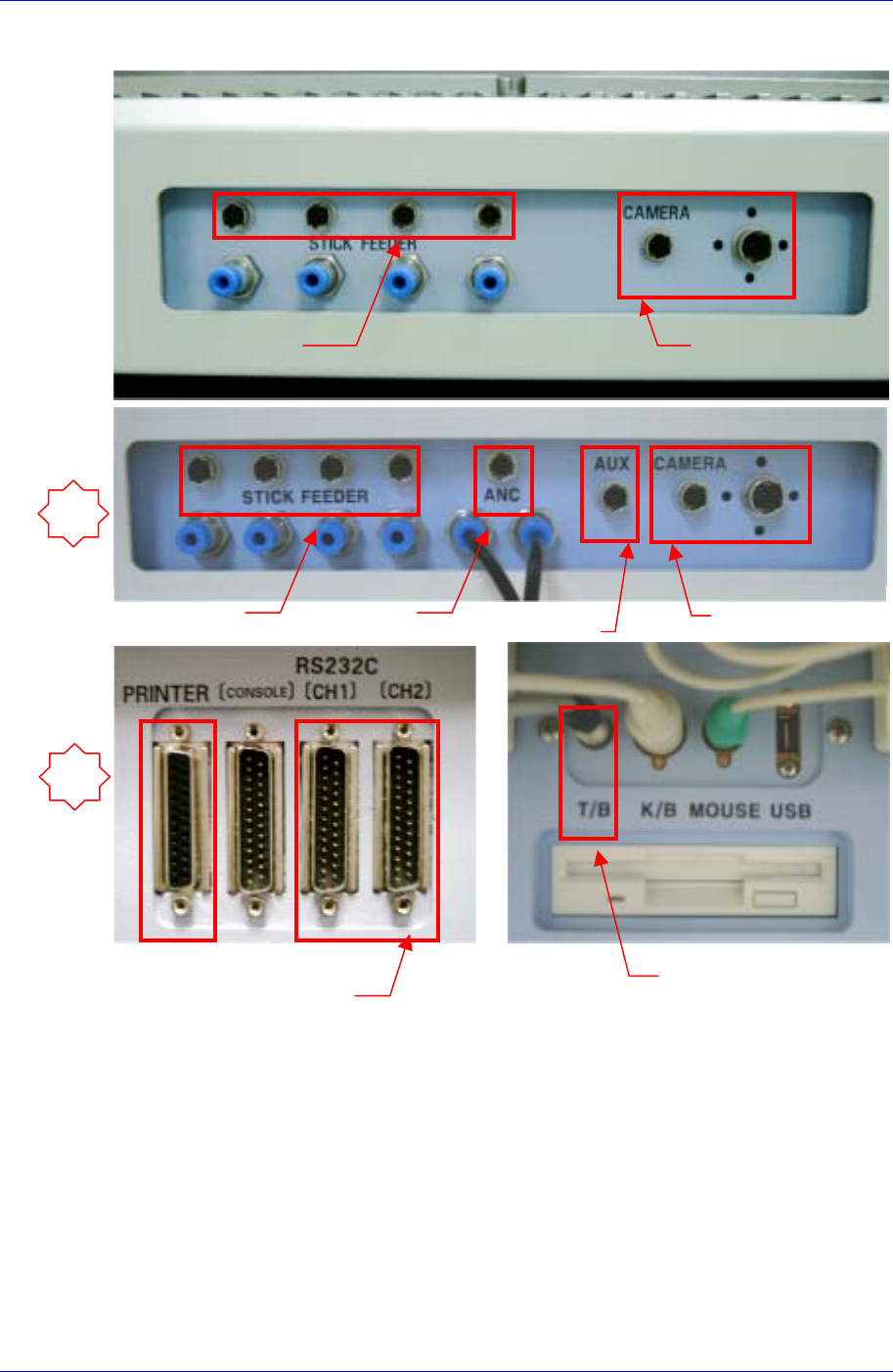
7.2. Connector Connection
Stick Feeder(Rear)
Lighting device (6pin)
Camera(12pin)
Lighting device (6pin)
Camera(12pin)
Stick Feeder(Front)
Tray Feeder
Large ANC
Dump Conveyo
r
1
2
Teaching Box