1OM-1086-002.pdf - 第118页
2.1 Startaing the Machine in "P ASS" Mode 021 1-005 Chapter 1 3 - 28 Tg0582-PM-D1 (4) Press the [MAINT .] button on the main menu bar . Fig. 1C40 "MAINTENANCE" Window (Main Menu) (5) When the [ZEROING…
2.1 Startaing the Machine in "PASS" Mode
Check carefully that there is no person around the
moving mechanisms of the machine. (Especially, the
other side of machine operation)
Make sure that no objects such as tools and parts re-
main within the moving mechanisms of the machine.
CAUTION
0211-005 Chapter 1 3-27 Tg0582-PM-D1
2. "PASS" Mode (Run Mode)
When the machine is set in the "PASS" mode, it just transfers the P.C.B.
over to the output machine (downstream) without printing solder paste.
2.1 Starting the Machine in "PASS" Mode
Operation Procedure
(1) Check that the safety doors are closed.
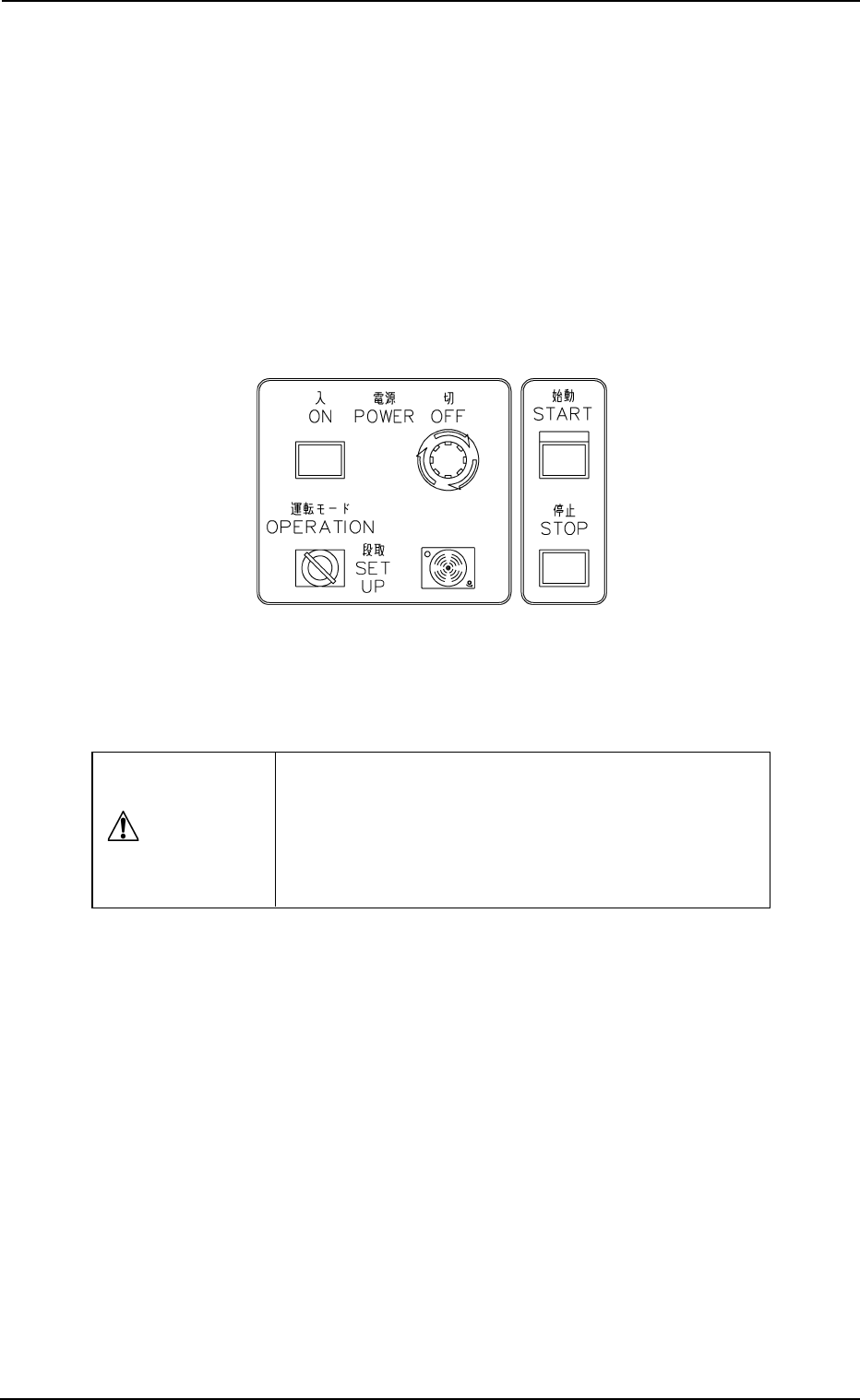
(2) Set the [OPERATION/SET UP] switch to the "OPERATION" side.
Be sure to remove the key from the switch.
Fig. 1C39
(3) Check the surroundings of the machine and confirm safety before
starting the machine in the "PASS" mode.
2.1 Startaing the Machine in "PASS" Mode
0211-005 Chapter 1 3-28 Tg0582-PM-D1
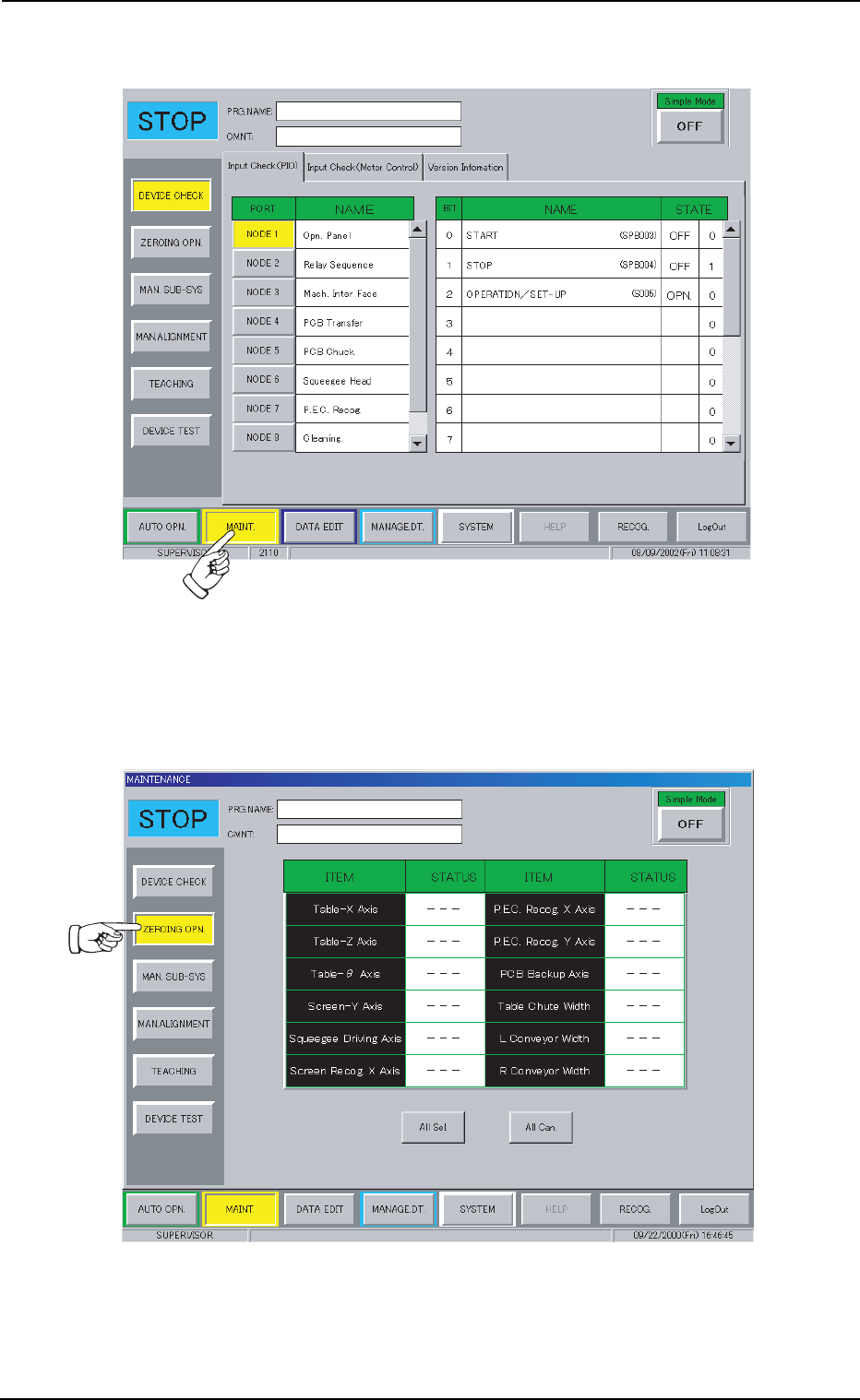
(4) Press the [MAINT.] button on the main menu bar.
Fig. 1C40 "MAINTENANCE" Window (Main Menu)
(5) When the [ZEROING OPN.] button on the submenu bar is pressed,
the following window opens.
Fig. 1C41 "ZEROING OPERATION" Window (Submenu)
2.1 Startaing the Machine in "PASS" Mode
0211-005 Chapter 1 3-29 Tg0582-PM-D1
(6) Press the [START] button on the front operation panel.
The devices other than the table chute width and the L/R conveyor
widths are zeroed.
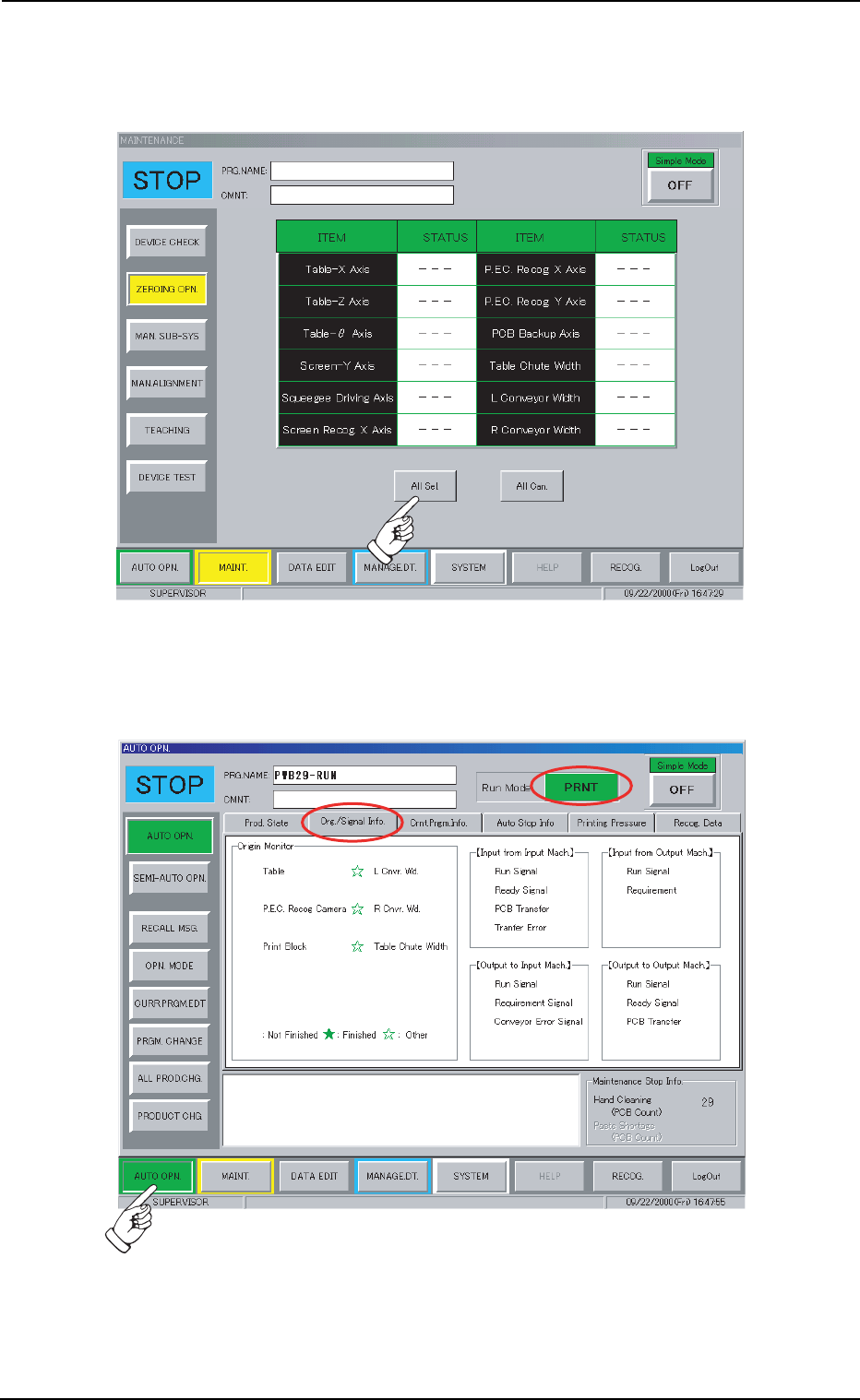
Fig. 1C42 "ZEROING OPERATION" Window (Submenu)
(7) Press the [AUTO OPN.] button on the main menu bar.
Fig. 1C43