F2-82M_FeederPartsList.pdf - 第102页
■ Set up the switch. 5. Pull up the end of the Tape Guide and relea se it. To make sure it to be fallin g by itse lf. 6. Hook the spring .. The adjusta ble feedin g spee d of 4mm pit ch is 6 to 9. The stand ard is “6”. I…
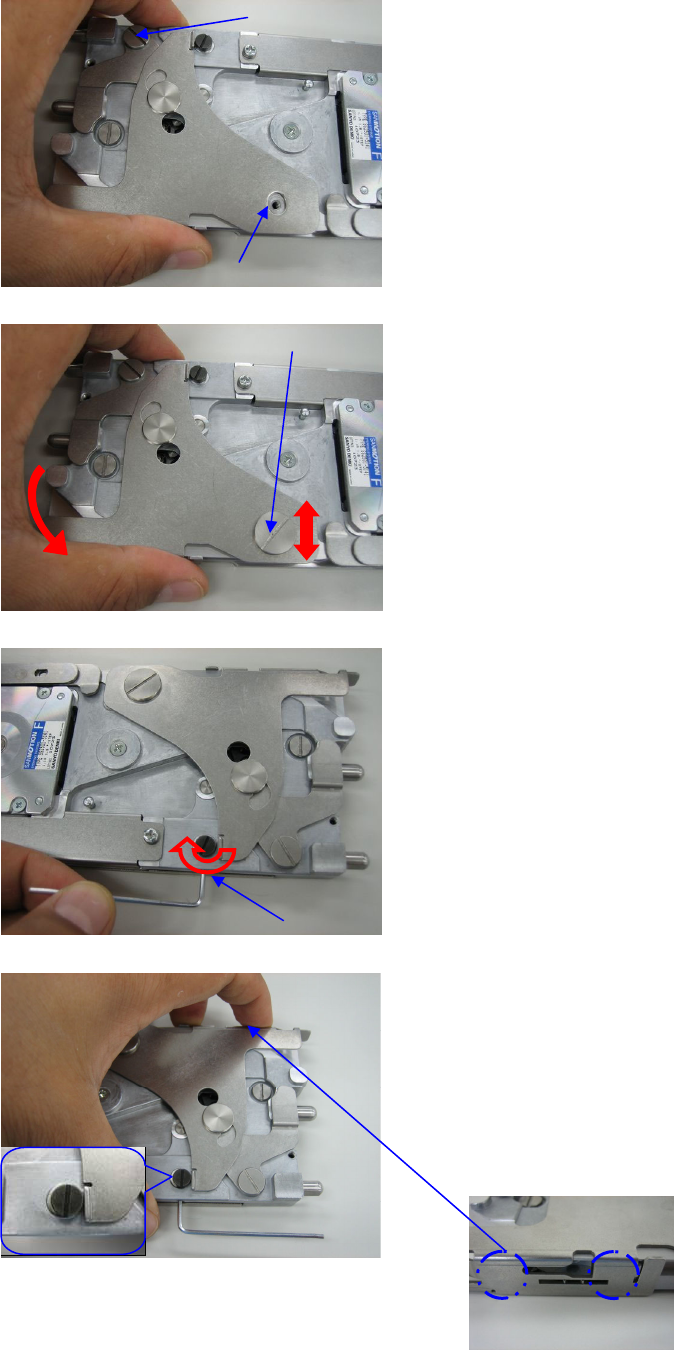
■ Install the new Tape Guide.
1. Put the new Tape guide on the feeder and
fasten the Arm Guide Pin loosely.
Align the long-hole of the Tape Guide
with the center of the tap hole and fasten
the Tape Guide Pin loosely.
2. Make sure if the Tape Guide moves
correctly(vertical and rotated motion).
Fasten the Tape Guide Pin and Arm
Guide Pin.
3. Loosen the set screw M3x5 by allen
wrench (1.5mm). Turn the eccentric pin
clockwise to make a gap between Tape
guide and eccentric pin.
4. Push the Tape guide on the tape running
surface and put it lightly. Turn the
eccentric pin counterclockwise to close
the gap from the Tape guide. And fasten
the set screw.
(↓The positions where to push by fingers)
Setscrew
Arm Guide Pin
Tape Guide Long-hole
Tape Guide Pin
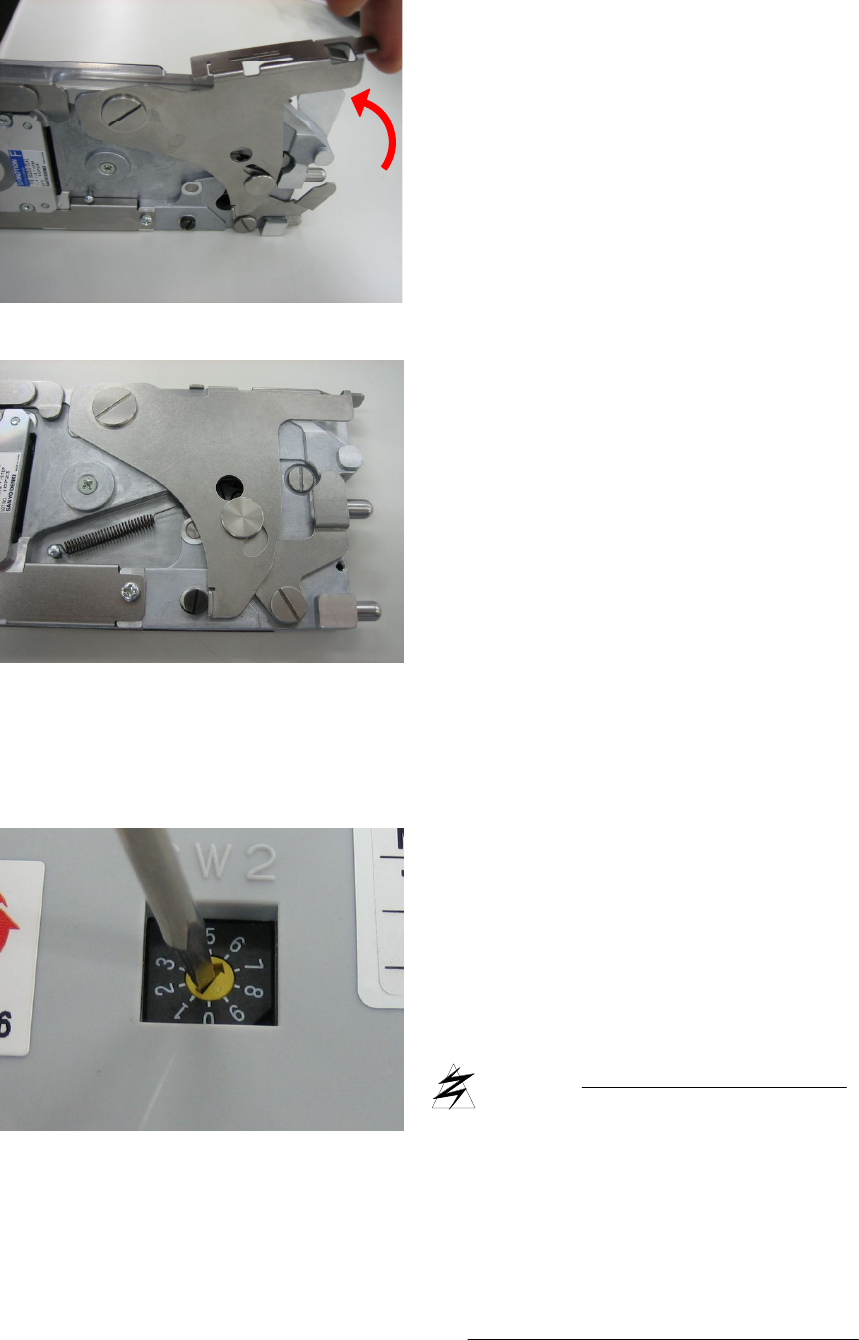
■ Set up the switch.
5. Pull up the end of the Tape Guide and
release it. To make sure it to be falling by
itself.
6. Hook the spring..
The adjustable feeding speed of 4mm pitch is 6
to 9.
The standard is “6”.
In case of rash of pickup error, it may
improve by the speed slow down.
The larger value of the switch makes
the speed slow.
CAUTION
Be sure to remove the feeder from the
mounter before working the switchover.
The switchover during power on, the
setting is not reflected. Tape Guide is
accurate parts so that require careful
handling.
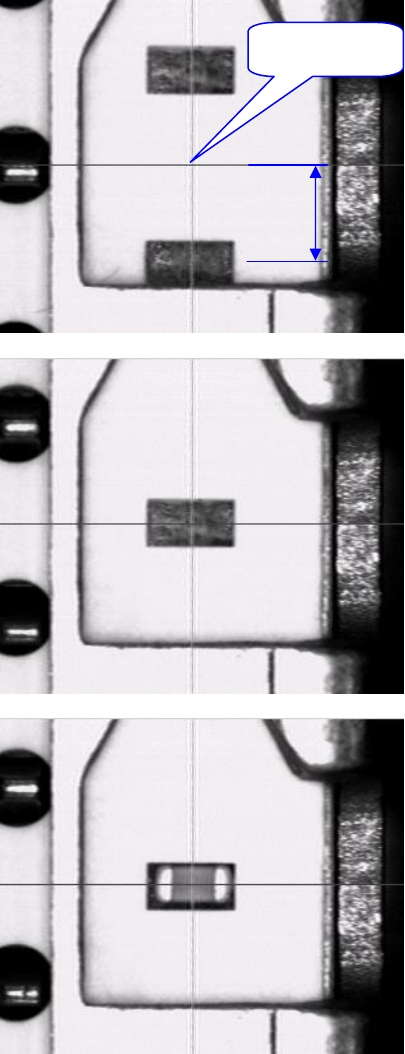
■ Check the pickup point on the mounter.
In the F2-82M feeder, press the manual
switch once. Then the feed pitch is 2mm.
Therefore in use and setting of this Tape
Guide, the feed pitch may shift 2mm.
Adjust the pickup point on the machine
monitor according to below procedure.
1. In case of the pocket is out of alignment
⇒Push the manual switch until the
component appear on the pickup
point.
↓
Continue to Step 3.
2. In case of the pocket is just in alignment
⇒ Push the manual switch until the
component appear in the pickup point.
↓
Continue to Step 3.
3. Make sure that the component appear on
the pickup point.
And start the production run.
Pickup point
2mm