00195963-03_MM SWS-EN.pdf - 第69页
69 M ain ten ance Wo rk at the Maga zine Li ft Vacuuming t he Magazine Support P late Interval: Weekly Equipment: Vacuum cleaner, brush Open the s liding door of the magazine l ift. Clean th e magazine s upport p lat…

Lubricating the Z Guide at the Left Location
Fill the Multipette (See ”Filling and Setting the Multipette” on page - 18.).
Apply 4µl lubricant onto the linear carriage.
Manually move the linear carriage back and forth for approx. 5 times.
Apply another 4µl lubricant.
Manually move the linear carriage back and forth for another 5 times.
Remove excess lubricant with a lint-free cloth.
Cleaning the Z Guide at the Right Location
Wipe the bolt of the sliding guide with a SIPLACE cleaning tissue.
69
Maintenance Work at the Magazine Lift
Vacuuming the Magazine Support Plate
Interval: Weekly
Equipment:
Vacuum cleaner, brush
Open the sliding door of the magazine lift.
Clean the magazine support plate with a vacuum cleaner or a brush from dust and dirt.
Close the sliding door.
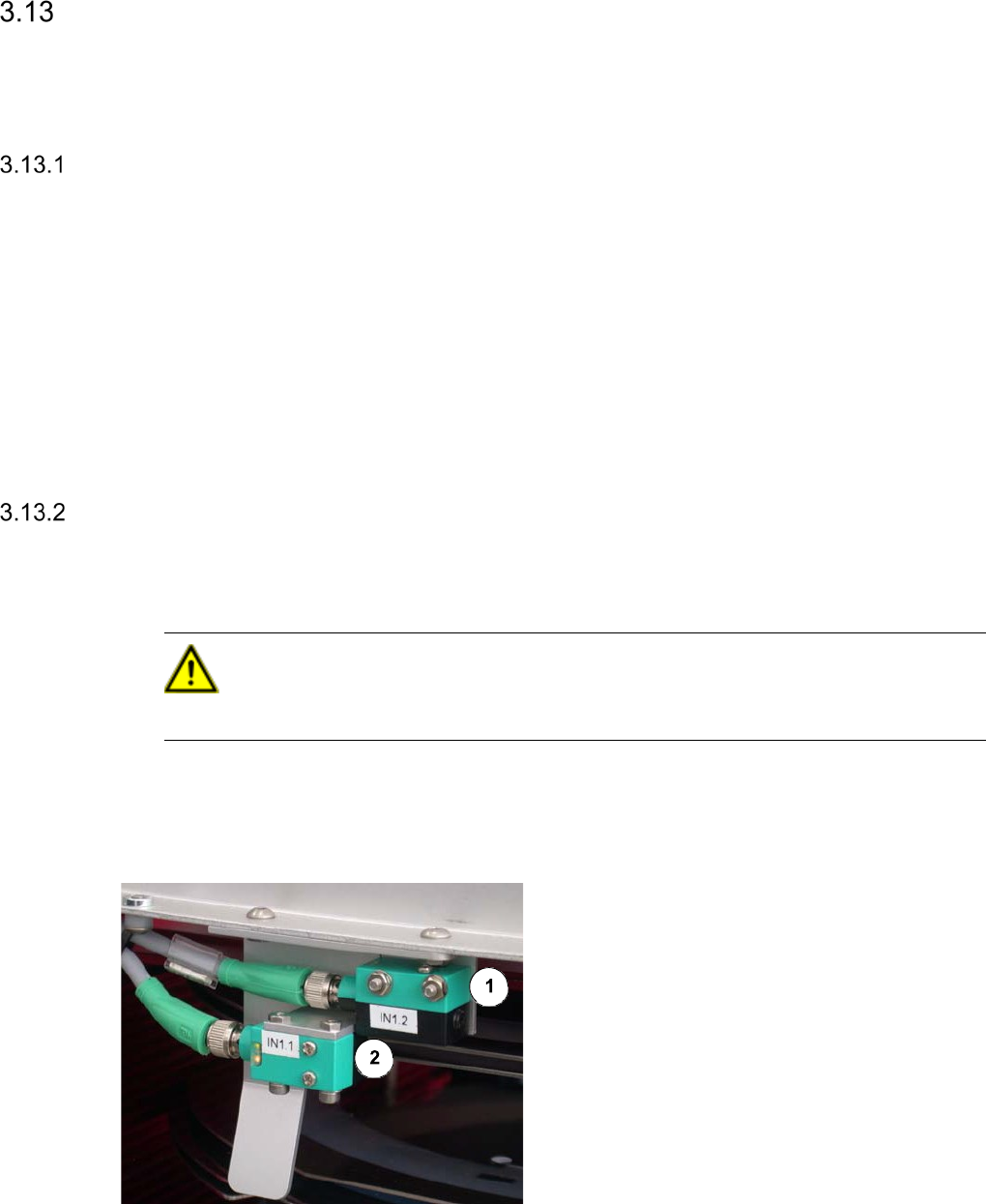
Cleaning the Frame Sensor
The two frame sensors are located at the rear side of the magazine lift.
CAUTION
Never use a solvent for cleaning the sensors, to prevent the plastic surface from being damaged.
Interval: Monthly
Equipment:
optical cloth
Legend
[1] Crash sensor
[2] Slot sensor
Clean both frame sensors with an optical
cloth.
Cleaning Z Guides and Z Spindle
NOTE
The spindle for the Z stroke as well as the Z linear guides of the magazine lift have got a lifetime
lubrication, so that it is only necessary to clean them.
Interval: Monthly
Equipment:
SIPLACE cleaning tissue
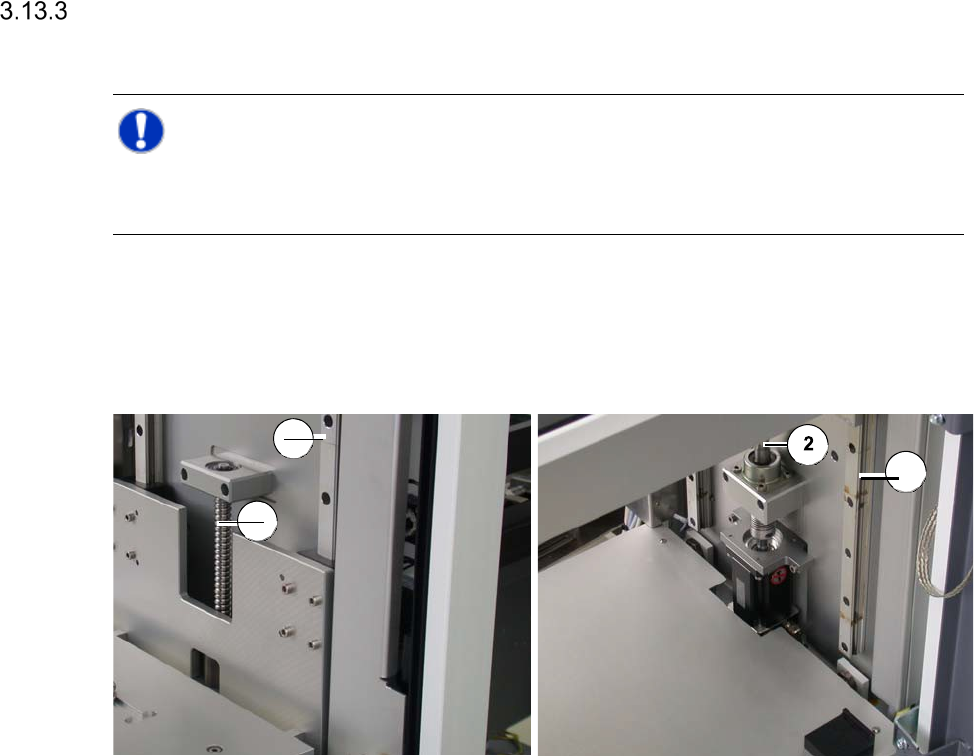
Magazine lift - linear guides and spindle at the top Magazine lift - linear guides and spindle at the bottom
Legend
[1] Linear guide
[2] Spindle for Z stroke
Open the sliding door of the magazine lift.
Wipe the whole length of the spindle and the linear guides with a SIPLACE cleaning tissue.
Close the sliding door of the magazine lift.
1
2
1