00194702_SIPLACE Trace Config Assistant Setup Center RF.pdf - 第9页
Installation Manual – SIPLACE Trace Config Assistant SIPLACE Setup Center RF 2.1 - Tools Figure 4 "Progress" page 9 von 20 -
SIPLACE Setup Center RF 2.1 - Tools Installation Manual – SIPLACE Trace Config Assistant
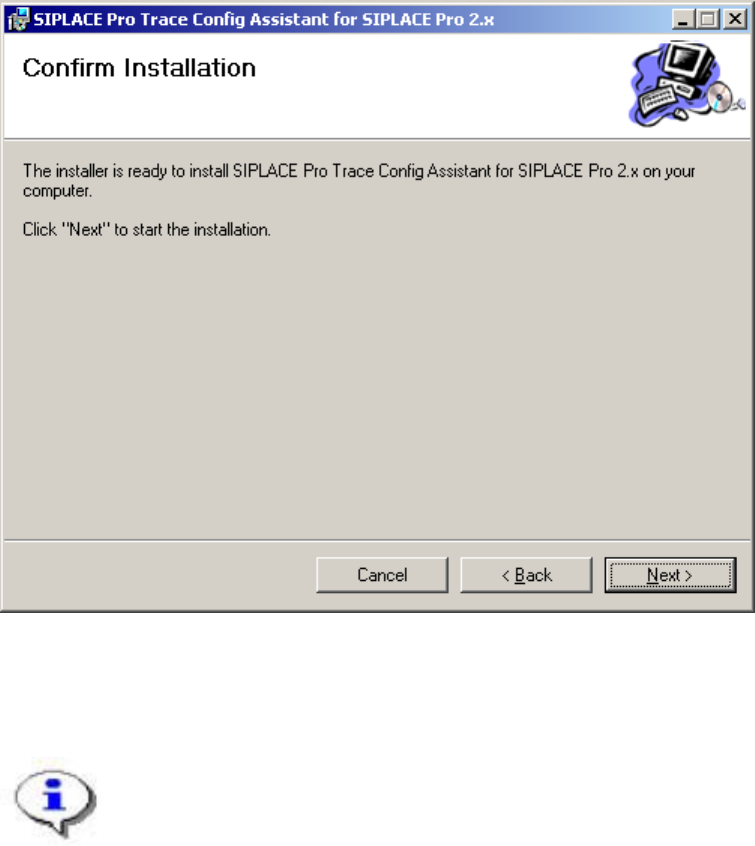
2.3 Step 3: Confirmation
Confirm the third step of the Setup Wizard to begin installing SIPLACE Trace Config Assistant to the
system:
Figure 3 "Confirmation" page
→ Click Next.
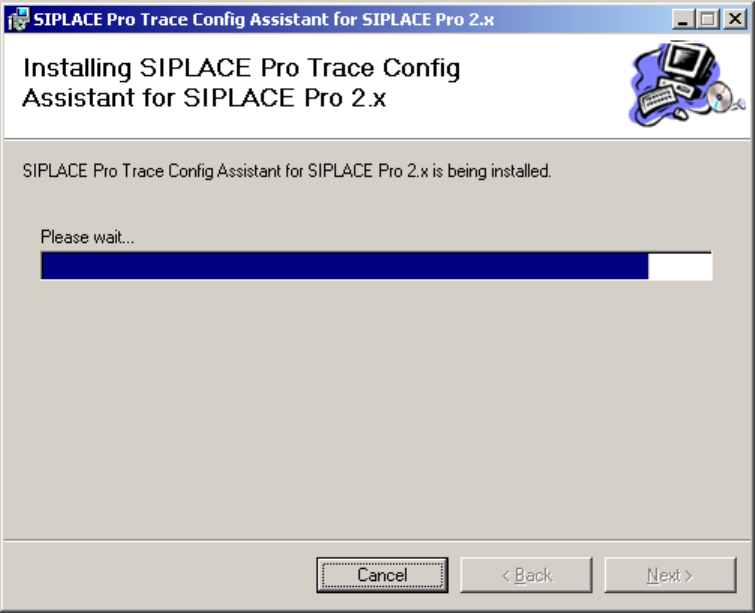
After confirming the third page of the wizard by clicking Next, the installation routine will
copy all necessary files to the installation folder. You are informed of the progress by the
following page:
8 von 20
Installation Manual – SIPLACE Trace Config Assistant SIPLACE Setup Center RF 2.1 - Tools
Figure 4 "Progress" page
9 von 20
-
SIPLACE Setup Center RF 2.1 - Tools Installation Manual – SIPLACE Trace Config Assistant
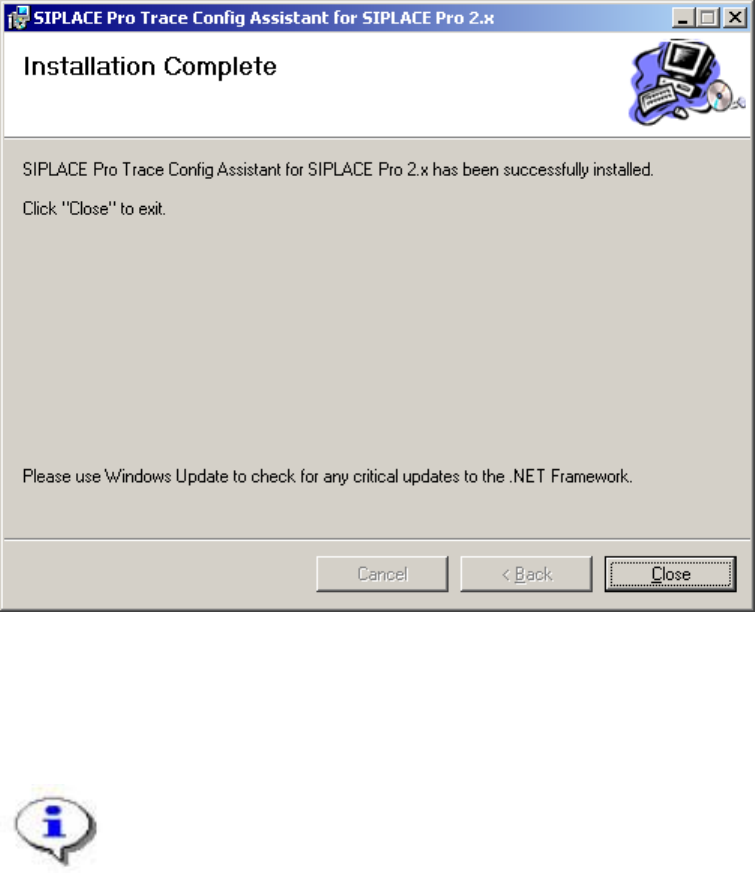
2.4 Step 4: Installation Complete
You are informed of the successful installation of SIPLACE Trace Config Assistant by the last page of
the wizard:
Figure 5 "Installation Complete" page
→ Click Close to finish the Setup Wizard.
The SIPLACE Trace Config Assistant is now installed on your system.
10 von 20