TM3111.Retry Log Output Function.pdf - 第3页
SMT Software Engin eering Group IM Operations Y AMAHA MOTOR CO., L TD MDOC-SOFT50141 3/6 3. Settings Please set th e output f older to [Setup] – [Software Se tting] – [Monitor] – [Retr y] – [Ser ver Path] to output a ret…
SMT Software Engineering Group
IM Operations
YAMAHA MOTOR CO., LTD
MDOC-SOFT50141
2/6
1. Introduction
The target model and the version are as follows.
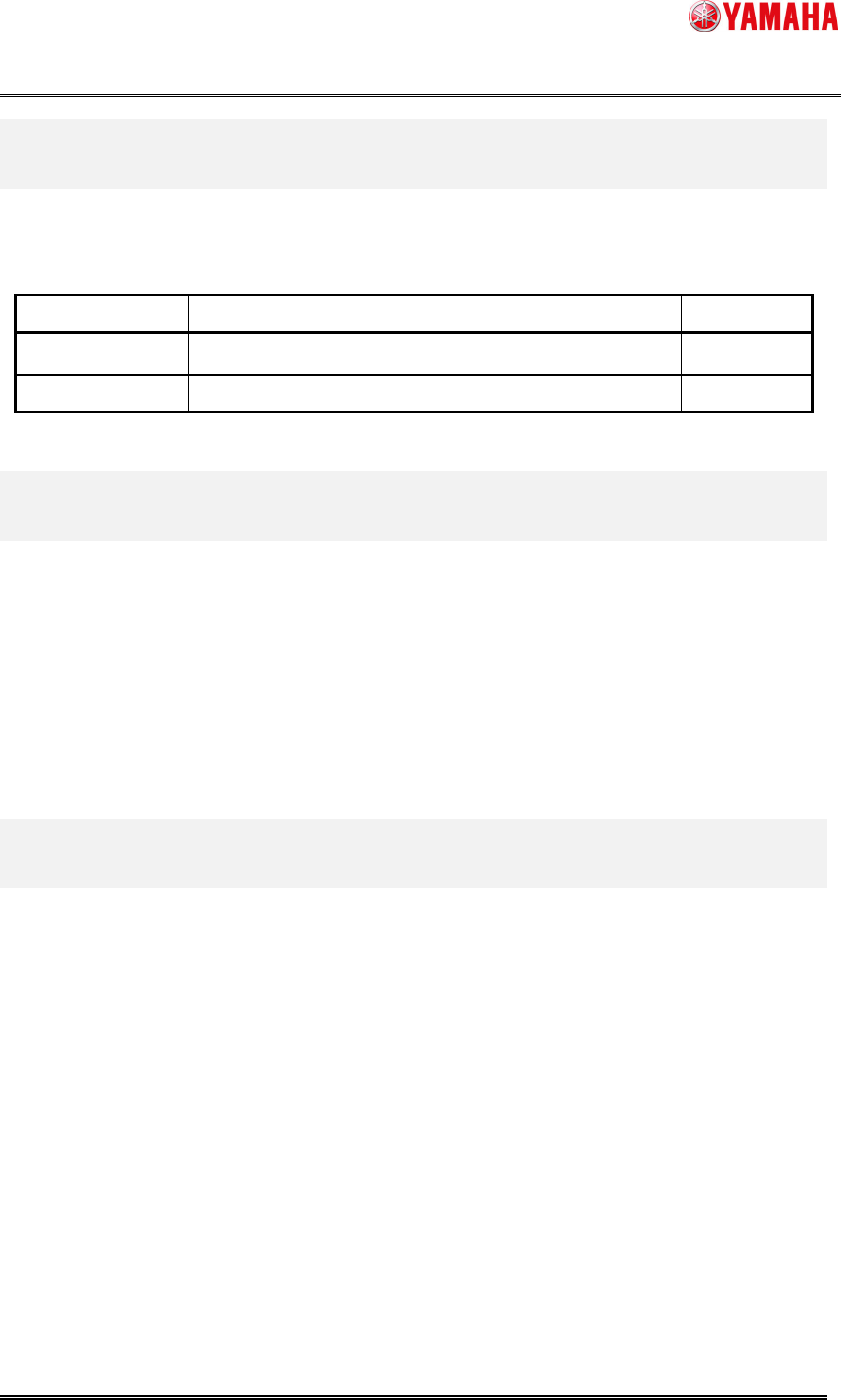
Table 1 Target model and Target version
Item Object Remarks
Target model YS Series Mounter, YG300, YG12 Series Mounter
Target version V3.27STD R1.000 or later
2. Summary
The following functions are added to the Retry Log output function.
1. It has become possible to automatically output logs. (It used to be done manually
before.)
2. It has become possible to output logs to the other server.
3. New items, like the lane number etc, have been added to the log output result.
The log can be output accurately also with dual lane machines.
SMT Software Engineering Group
IM Operations
YAMAHA MOTOR CO., LTD
MDOC-SOFT50141
3/6
3. Settings
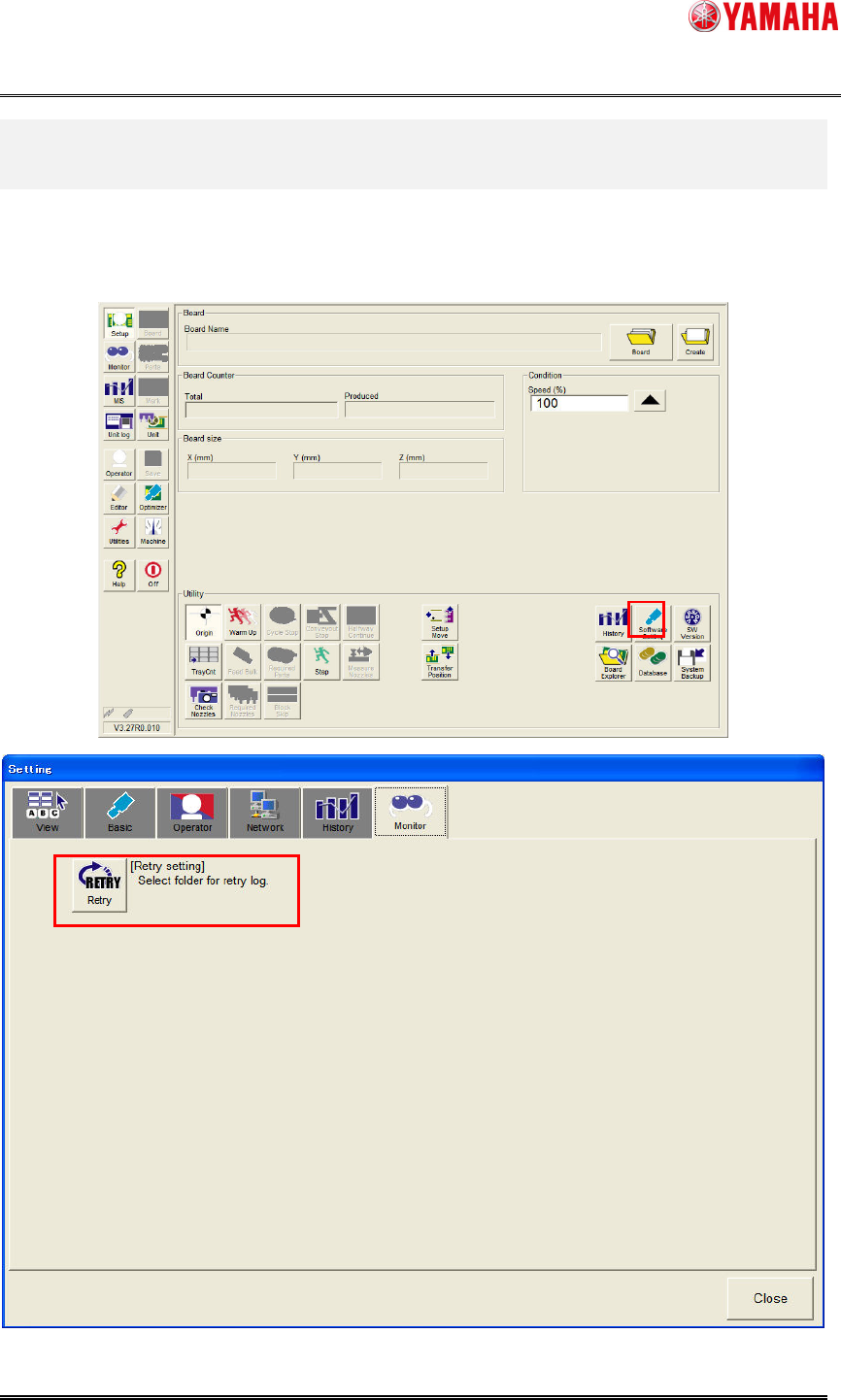
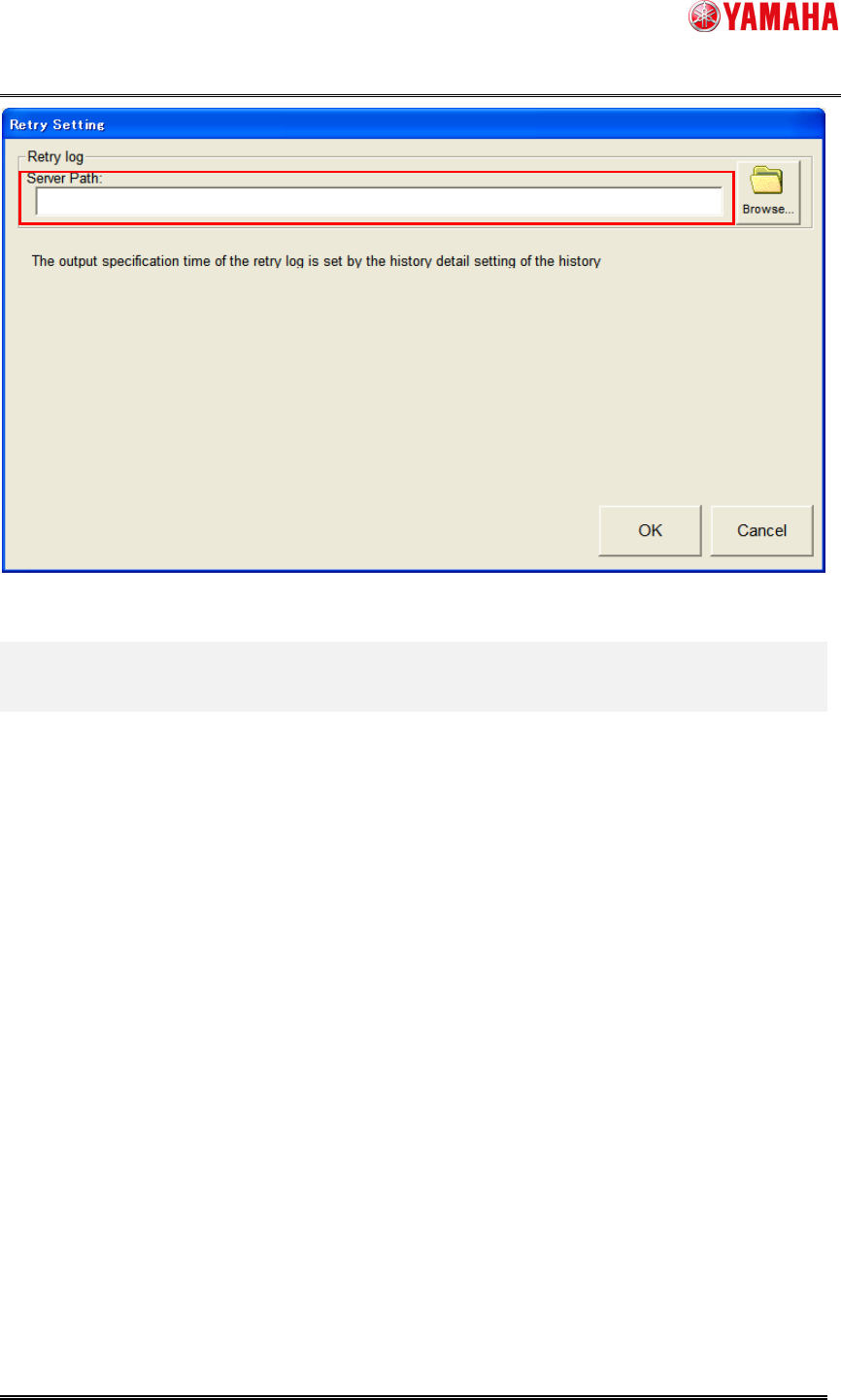
Please set the output folder to [Setup] – [Software Setting] – [Monitor] – [Retry] – [Server
Path] to output a retry log to the server.
There is no special setting because retry logs are always saved to the mounter.
SMT Software Engineering Group
IM Operations
YAMAHA MOTOR CO., LTD
MDOC-SOFT50141
4/6
4. Details of Operation
4.1 Retry Log output to mounter
Retry information on the monitor screen is output to the log file of “D:¥Machine¥My History”.
< Log file name >
RetryLog_local.csv
Number of RetryLog_local.csv which can be saved is up to 1000.
When 1000 retry logs or more are output, the older logs are deleted.
Retry logs of a mounter is saved in the system backup.
Log files of each day are output only to the server, not to the local files in mounter.
4.2 Retry Log output to server
Retry information on the monitor screen is output to a day log file in a folder selected on
[Setup] – [Software Setting] – [Monitor] – [Retry] – [Server Path].
< Log file name >
RetryLogXXXXXXXX.csv
(XX is a date when retry is executed. Example = RetryLog20110517.csv)
There is no maximum number to save day log files.
When a server folder is not set, a day log file is not output.