TM3111.Retry Log Output Function.pdf - 第4页
SMT Software Engin eering Group IM Operations Y AMAHA MOTOR CO., L TD MDOC-SOFT50141 4/6 4. Det ails of Op eratio n 4.1 Retry Log out put to mounter Retry inform ation on the m onitor sc reen is output to the log file of…
SMT Software Engineering Group
IM Operations
YAMAHA MOTOR CO., LTD
MDOC-SOFT50141
3/6
3. Settings
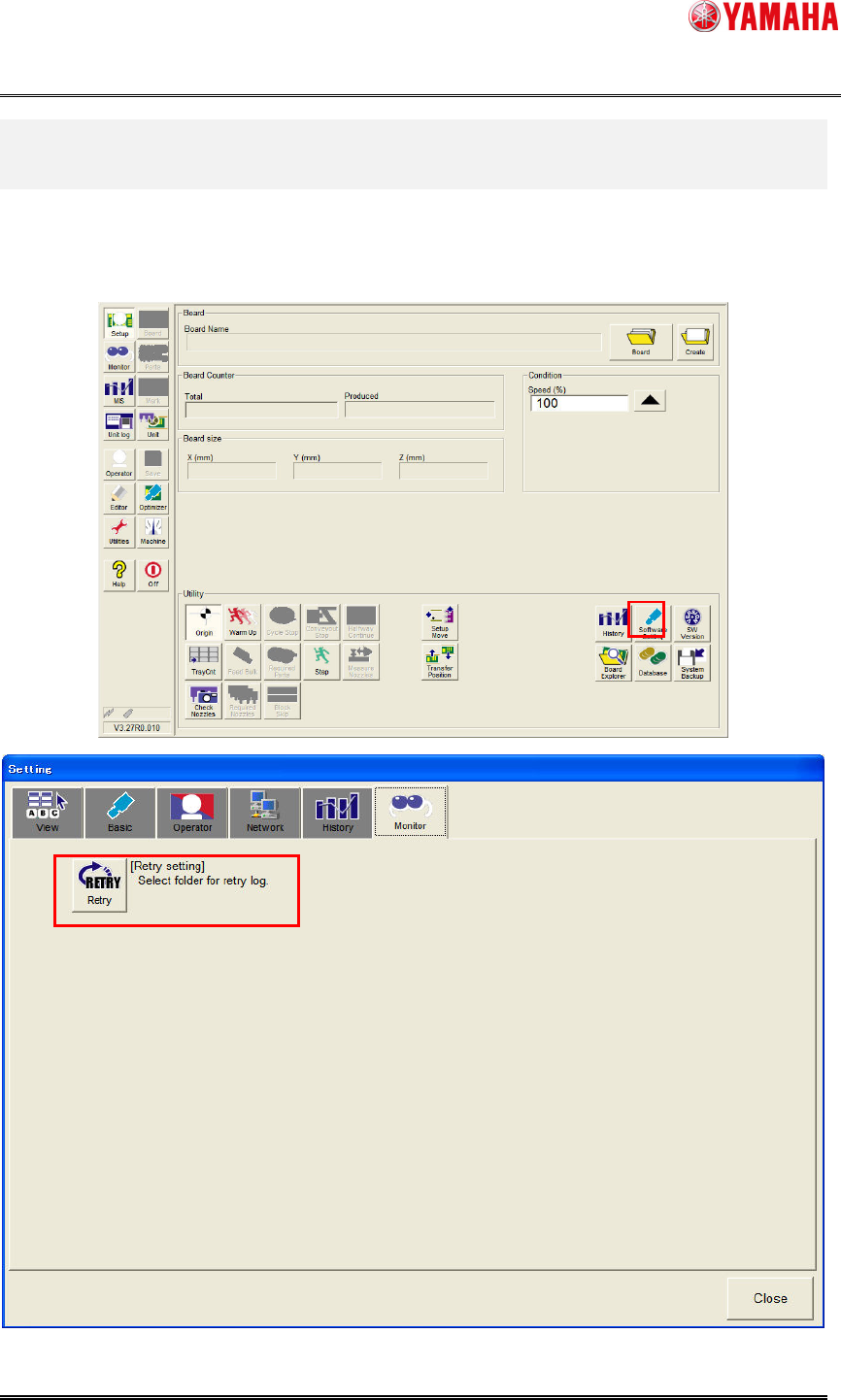
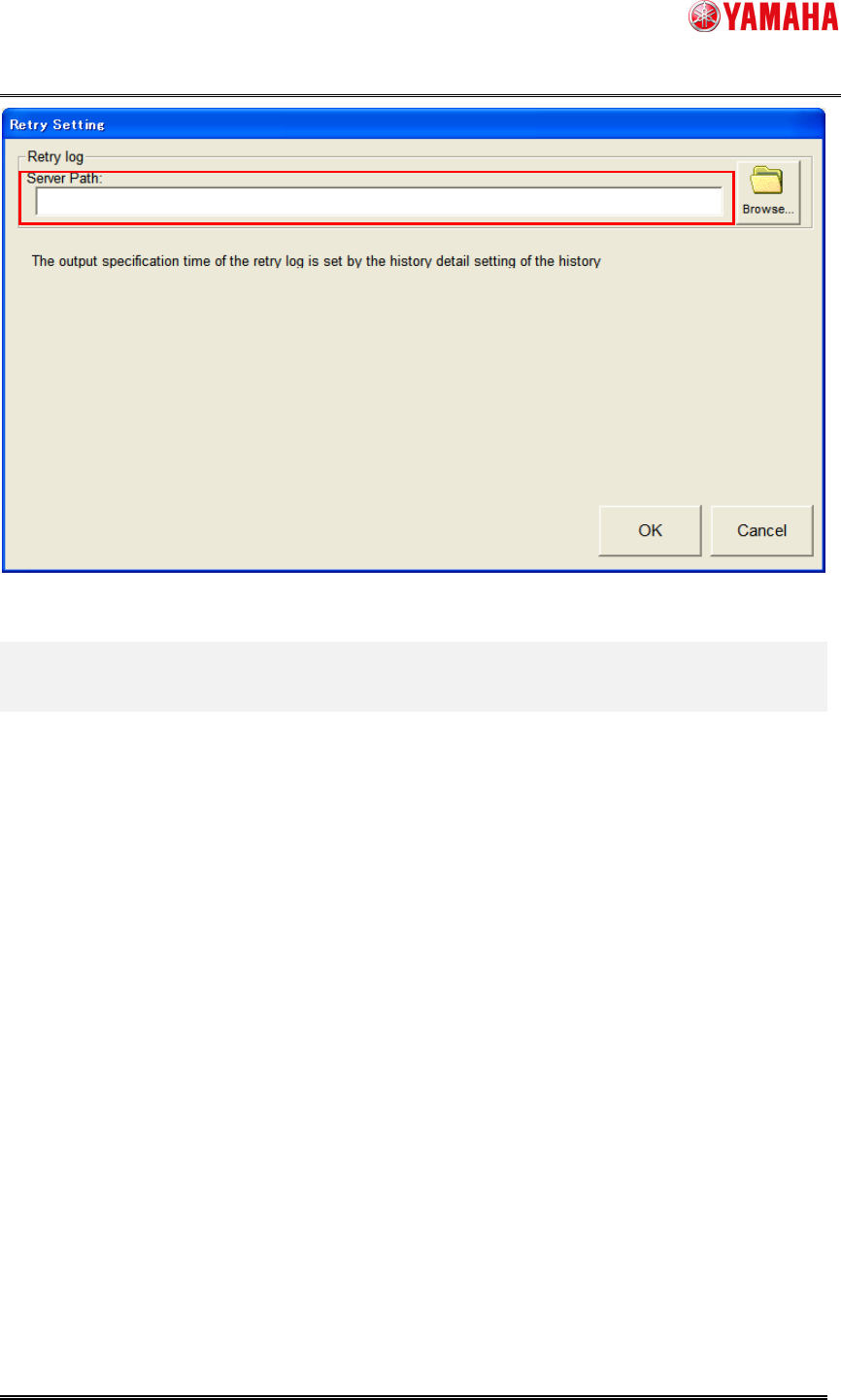
Please set the output folder to [Setup] – [Software Setting] – [Monitor] – [Retry] – [Server
Path] to output a retry log to the server.
There is no special setting because retry logs are always saved to the mounter.
SMT Software Engineering Group
IM Operations
YAMAHA MOTOR CO., LTD
MDOC-SOFT50141
4/6
4. Details of Operation
4.1 Retry Log output to mounter
Retry information on the monitor screen is output to the log file of “D:¥Machine¥My History”.
< Log file name >
RetryLog_local.csv
Number of RetryLog_local.csv which can be saved is up to 1000.
When 1000 retry logs or more are output, the older logs are deleted.
Retry logs of a mounter is saved in the system backup.
Log files of each day are output only to the server, not to the local files in mounter.
4.2 Retry Log output to server
Retry information on the monitor screen is output to a day log file in a folder selected on
[Setup] – [Software Setting] – [Monitor] – [Retry] – [Server Path].
< Log file name >
RetryLogXXXXXXXX.csv
(XX is a date when retry is executed. Example = RetryLog20110517.csv)
There is no maximum number to save day log files.
When a server folder is not set, a day log file is not output.
SMT Software Engineering Group
IM Operations
YAMAHA MOTOR CO., LTD
MDOC-SOFT50141
5/6
4.3 Retry Log Output Timing
Retry information is output to log files according to the following timing.
1. When the board data is read.
2. When shutting down.
3. When retry information not output reaches 500.
4. When a date changes without a history output time specified.
5. When a specified time passes with a history output time specified.
6. When saving it with the [Monitor] – [Retry] – [Save] button.
7. When clearing with the [Monitor] – [Retry] – [Clear] button.
8. When "Error Log" is saved with the [Setup] – [History] – [Save] button.
4.4 Contents of Retry Log File
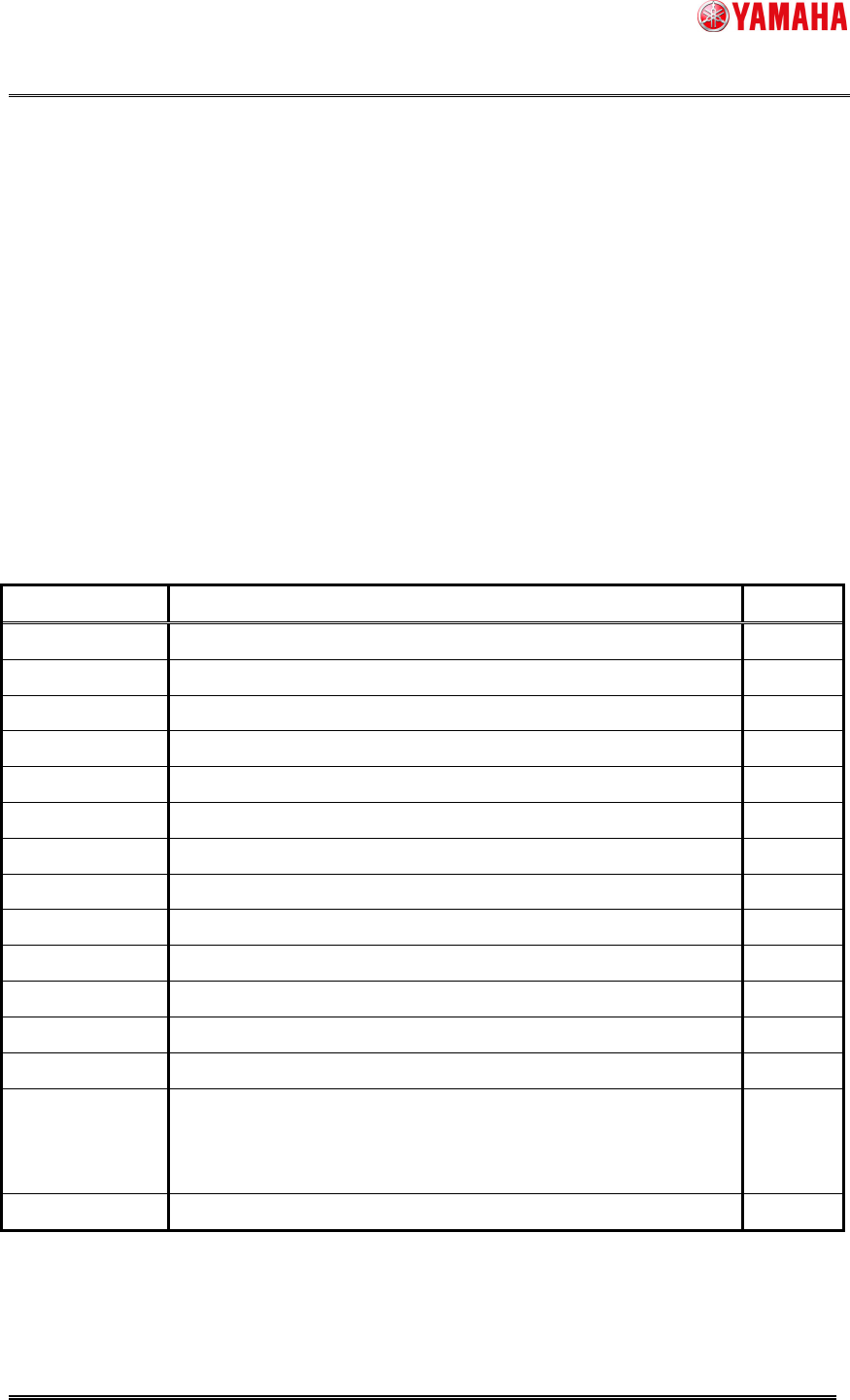
The following contents are output to a retry log file.
Item Content New item
Occurrence Time
Retrying date.
Lot Name Retrying board name. *1
Error No. Error number of cause retrying.
Error Name Error name of cause retrying.
Lane Retrying lane number. *1
Table Retrying table number. *1
Parts No. Retrying parts number.
Parts Name Retrying parts name.
Head No. Retrying head number.
Nozzle Type Retrying nozzle type. *1
Feeder No. Retrying set number.
Feeder ID Retrying feeder ID. *1
Cart ID Retrying cart ID. *1
Vis Error No. Vision error number when retrying.
VE: Vision error number of multi camera.
SV: Vision error number of side view camera.
*1
Error Vacuum Vacuum level when retrying. *1
Items with *1 are added to V3.27STD R1.000.