00193909_Prepare_Windows_For_Workgroup.pdf - 第6页
Prepare Windows for Workgroup mode Edition 04/2006 US 2 Inst allation The program is located in the directory “Prepare_Windows” o n the SIPLACE Pro Setup CD. → Start the program “SetSiplaceUmgebung .exe” You see the foll…

Prepare Windows for Workgroup mode Edition 04/2006 US
1 Introduction
After a Windows installation some configuration changes have to be made, before you can install
SIPLACE software systems for a successful operation. The changes will be made by a program.
1.1 Scope
This document explain you how to prepare a Windows installation for either a server or client
operation.
The following Windows versions are supported
- Windows XP Professional SP2
- Windows 2003 SP1
1.2 Requirements for preparation
Due to the fact, that the preparation program will install Windows software components which
requires additional software from the appropriate Windows installation CD, you should have the CD
appropriate ready.
Note:
You must be logged in as Administrator to perform these preparations.
1.3 Functionality
The preparation program will perform the following actions for SIPLACE Pro Client operation
- Create the necessary user accounts: plr, SIPLACEAdmin
- Authentication mode of Guest accesses will be changed to “Classic”. This enables the SIPLACE
Pro Server to authenticate the client accesses from other computers in workgroup mode.
- Logon behavior will be changed to the classic behavior (no fast user switching)
- Windows Messenger and Windows Tour will be disabled
- Installation Path for Windows components will be changed to “C:\I386”
- CDROM and Floppy will be locked for access over the network. You cannot share these
resources to other computers in the network.
- MSMQ Workgroup mode will be installed
The preparation program will perform the following additional actions for SIPLACE Pro Server
operation
- Create the necessary user accounts: SIPLACEServices
- Add SIPLACEServices into the group of local Administrators
5 von 9
Prepare Windows for Workgroup mode Edition 04/2006 US
2 Installation
The program is located in the directory “Prepare_Windows” on the SIPLACE Pro Setup CD.
→ Start the program “SetSiplaceUmgebung.exe”
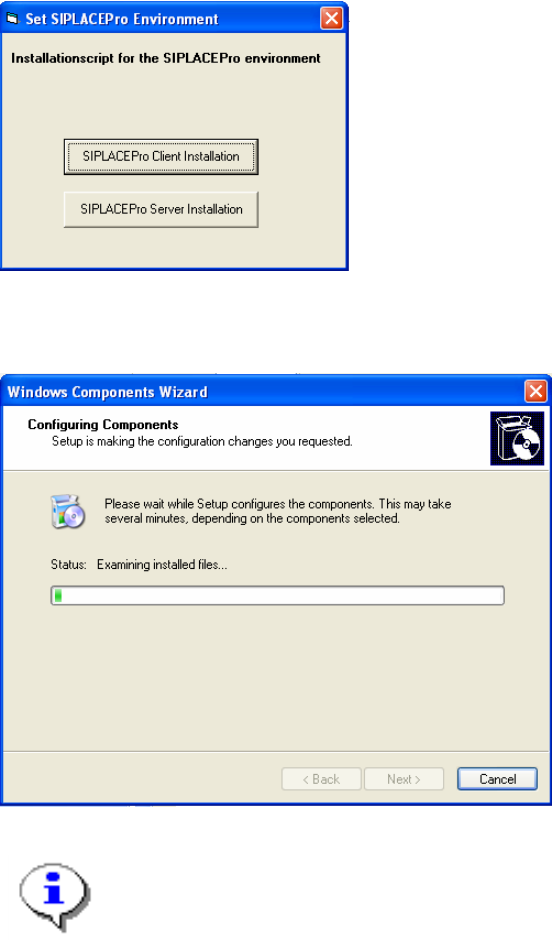
You see the following dialog:
Fig. 2-1: Set SIPLACEPro Environment
→ You can specify the role of the computer for the appropriate SIPLACE Pro usage
You will see during installation the following dialog, when Windows components will be installed.
Fig. 2-2: Configuring Components
Note:
You might be asked to insert the Windows installation CD of your operating system
version. If so please insert the requested CD.
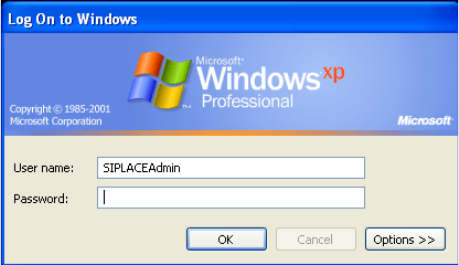
→ After installation, please reboot the Computer
Because the preparation program changed logon behavior, you will see the “classic” logon screen.
This is true only for Windows XP.
6 von 9
Prepare Windows for Workgroup mode Edition 04/2006 US
Fig. 2-3: Log on to Windows
If you see that, the installation was successfully.
7 von 9