00193909_Prepare_Windows_For_Workgroup.pdf - 第7页
Prepare Windows for Workgroup mode Edition 04/2006 US Fig. 2-3: Log on to Windows If you see that, the installation was successfully. 7 von 9
Prepare Windows for Workgroup mode Edition 04/2006 US
2 Installation
The program is located in the directory “Prepare_Windows” on the SIPLACE Pro Setup CD.
→ Start the program “SetSiplaceUmgebung.exe”
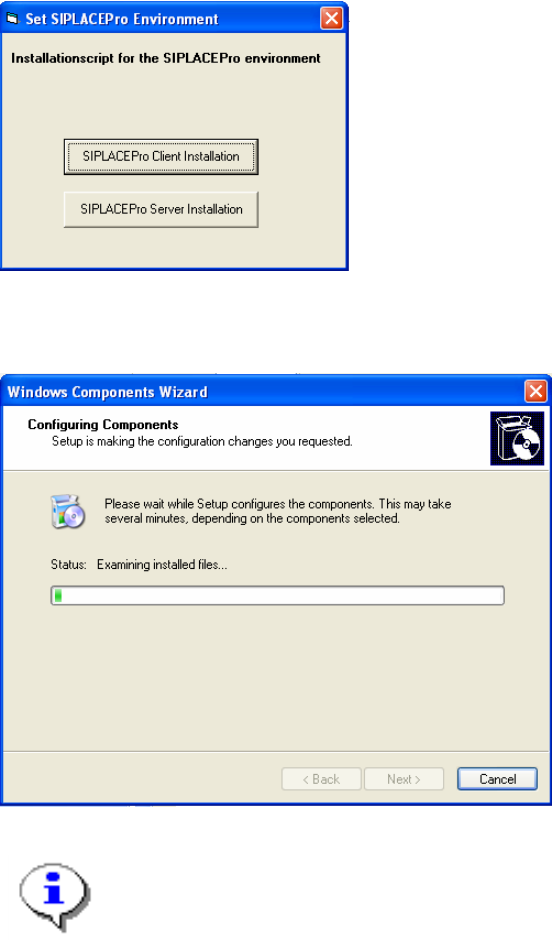
You see the following dialog:
Fig. 2-1: Set SIPLACEPro Environment
→ You can specify the role of the computer for the appropriate SIPLACE Pro usage
You will see during installation the following dialog, when Windows components will be installed.
Fig. 2-2: Configuring Components
Note:
You might be asked to insert the Windows installation CD of your operating system
version. If so please insert the requested CD.
→ After installation, please reboot the Computer
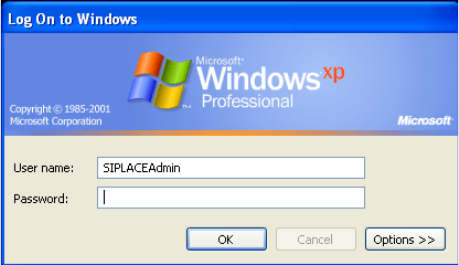
Because the preparation program changed logon behavior, you will see the “classic” logon screen.
This is true only for Windows XP.
6 von 9
Prepare Windows for Workgroup mode Edition 04/2006 US
Fig. 2-3: Log on to Windows
If you see that, the installation was successfully.
7 von 9