E By DEK Operator Manual 英文版.pdf - 第8页
MACHINE PREP ARA TION s T O P s T O s O P i 7
Cancel
Buzzer
Language Help
60min
60min+
30min+
Current Product: DEK04
-
+
Cycle Time
9.6 sec
0%
25%
50%
75%
100%
Batch Limit
200
Board Count
0
2323
Status
Process
Ready
Set up
Product
Maintenance
Paste Dispense Paper Solvent
30
Shut Down
23°C
68%
Temperature Humidity
Net Files
Adjust
90
20
60
Large
View
Board
View
Print
Change
Print Direction
Load
Screen
Change
Operator
QC Calc
Product
Changeover
Open Cover
Commands
Clean 1
Dispenser
Clean 1
Clean 2
Clear
Board
Count
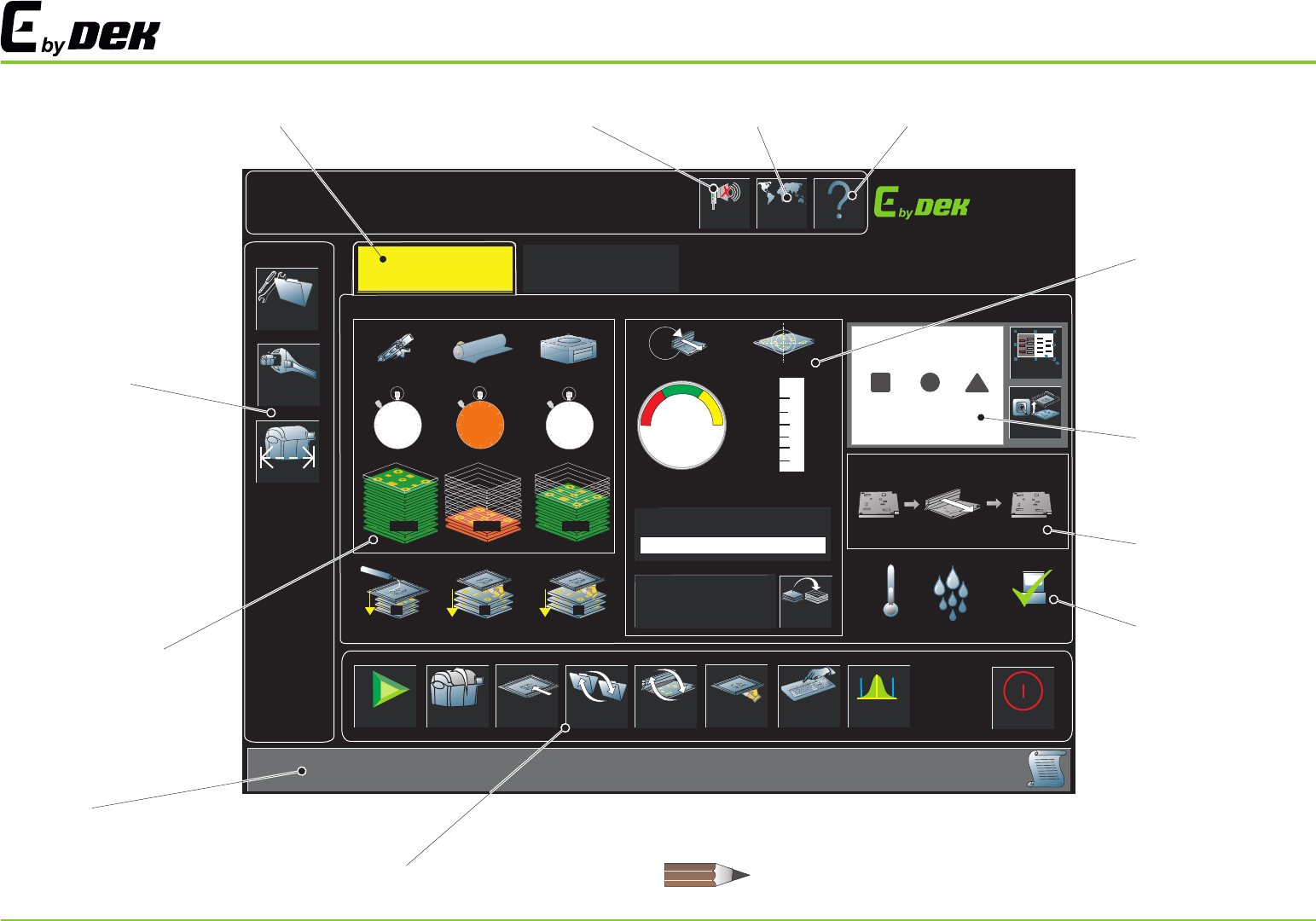
USER INTERFACE
The ASM User Interface may differ from the views shown in this manual. These
variations are only graphical and do not affect the functionality of the software.
Machine Status Page
Cancel
Buzzer Button
Help Menu Button
Environmental Panel
Machine Mimic Window
Productivity Panel
Vision Window
Navigation Panel
Consumable
Replenishment Panel
Prompt Bar
Machine Commands Panel
Language
Selection Button
6
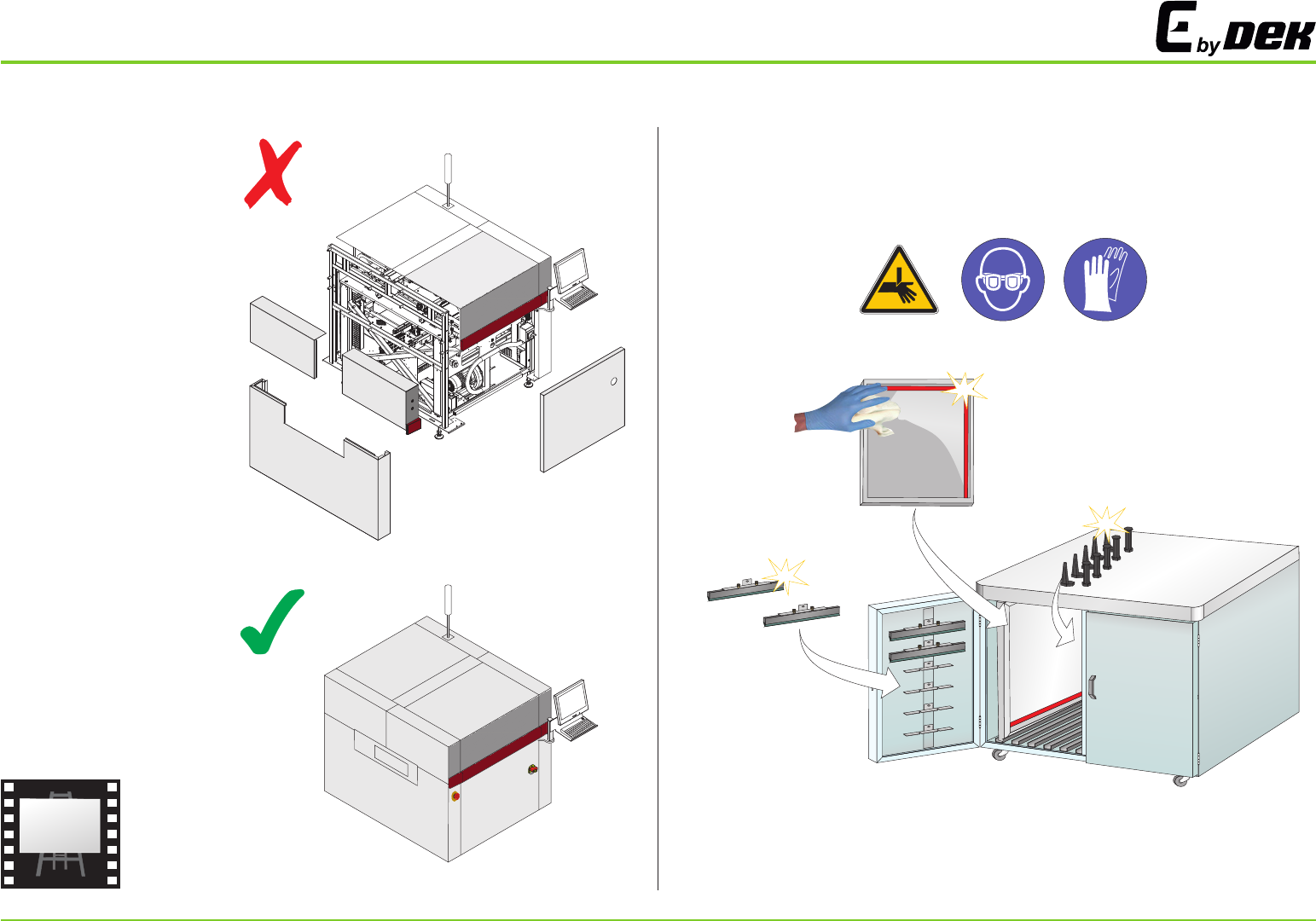
MACHINE PREPARATION
s
T
O
P
s
T
O
s
O
P
i
7
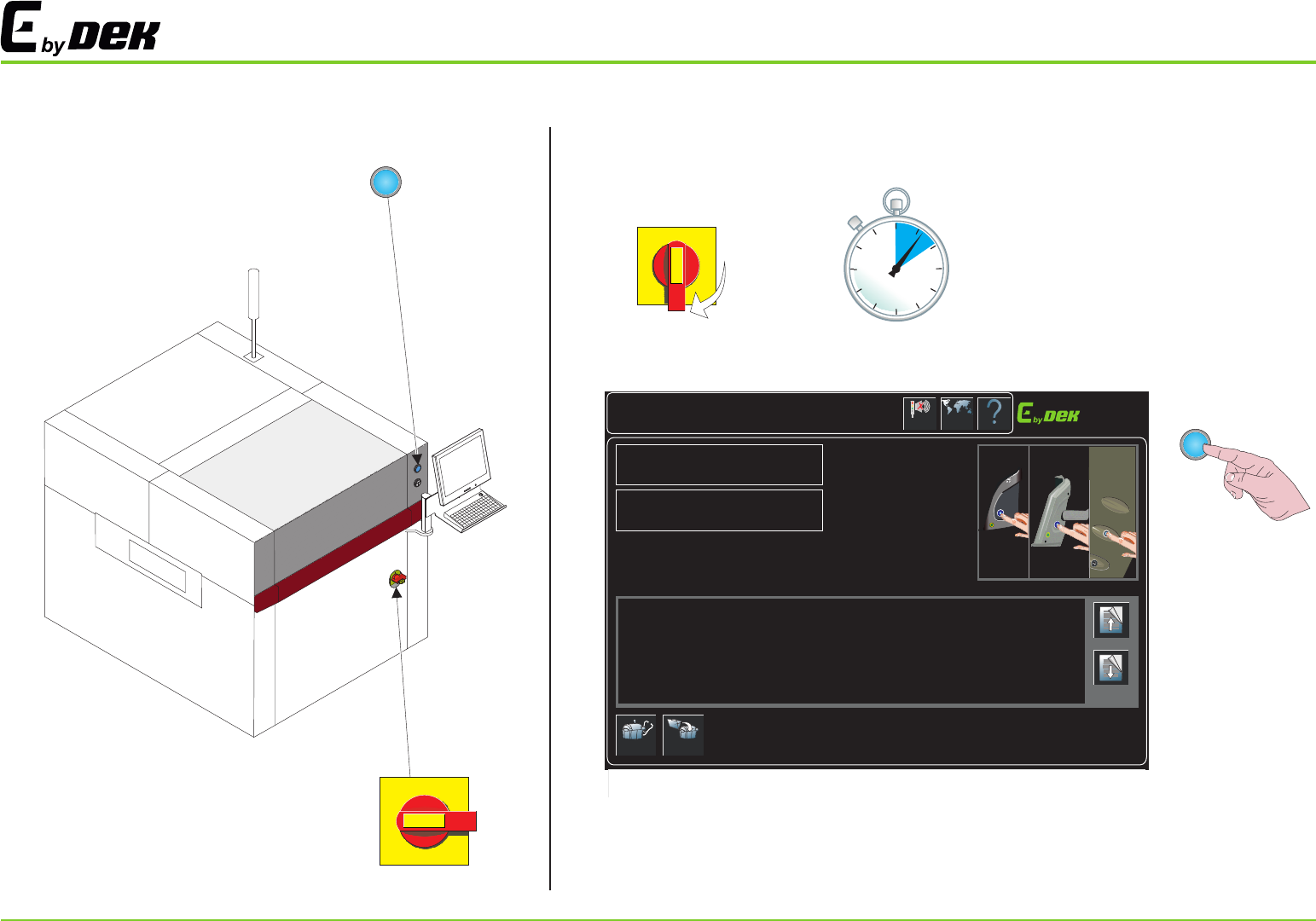
POWER UP
I
O
Cancel
Buzzer
Language Help
System Initialisation
Product ID
265 1TEST
Product Name
265test1
Diagnostics
Load
Press the System button on the outer cover, to initialise the machine.
...
Select Diagnostics - to enter the machine’s diagnostics
...
If the current product file needs to be changed, select Load to load another product file.
OR
OR
Page Up
Page Down
I
O
12
3
8