TP2378.Output of Parts Mount Log for Blocks.pdf - 第4页
SMT Software Engineering G roup IM Operations Y AMAHA MOTOR CO., L TD. MDOC-SOFT50137 4/6 4. How T o Use W hen a m ounter produces boards, "Parts Mount Lo g" is output. Refer to T-Tool : IMTools to see output l…
SMT Software Engineering Group
IM Operations YAMAHA MOTOR CO., LTD.
MDOC-SOFT50137
3/6
3. Settings
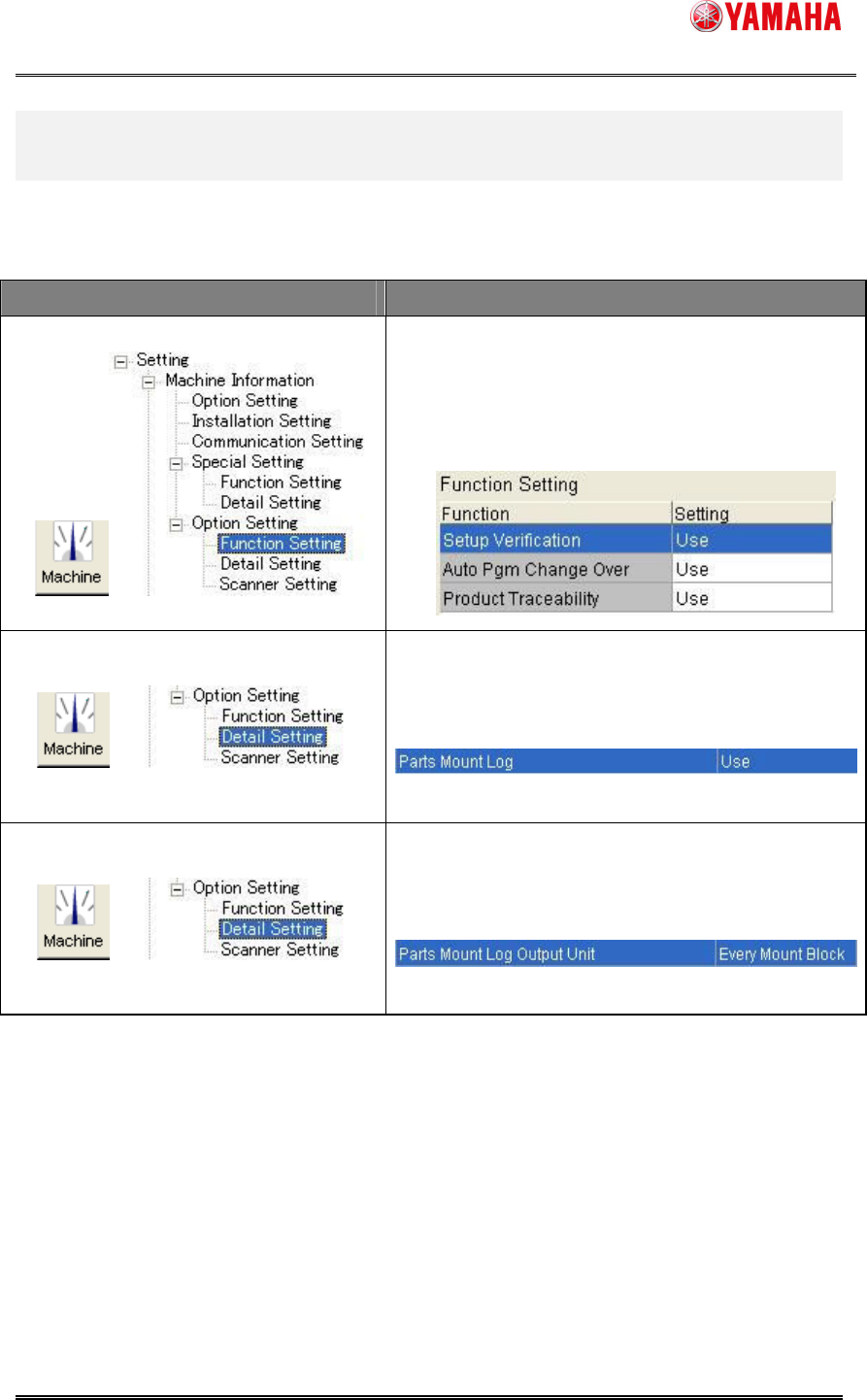
It is a necessary to set these item.
Menu Set Value
Set the following items to "use"
・Setup Verification
・Auto Pgm Change Over
・Product Traceability
Set “Parts Mount Log” of “Product Traceability”
to
"use"
Set “Parts Mount Log Output Unit” of
“Product Traceability”
to "Every Mount Block"
SMT Software Engineering Group
IM Operations YAMAHA MOTOR CO., LTD.
MDOC-SOFT50137
4/6
4. How To Use
When a mounter produces boards, "Parts Mount Log" is output.
Refer to T-Tool : IMTools to see output logs.
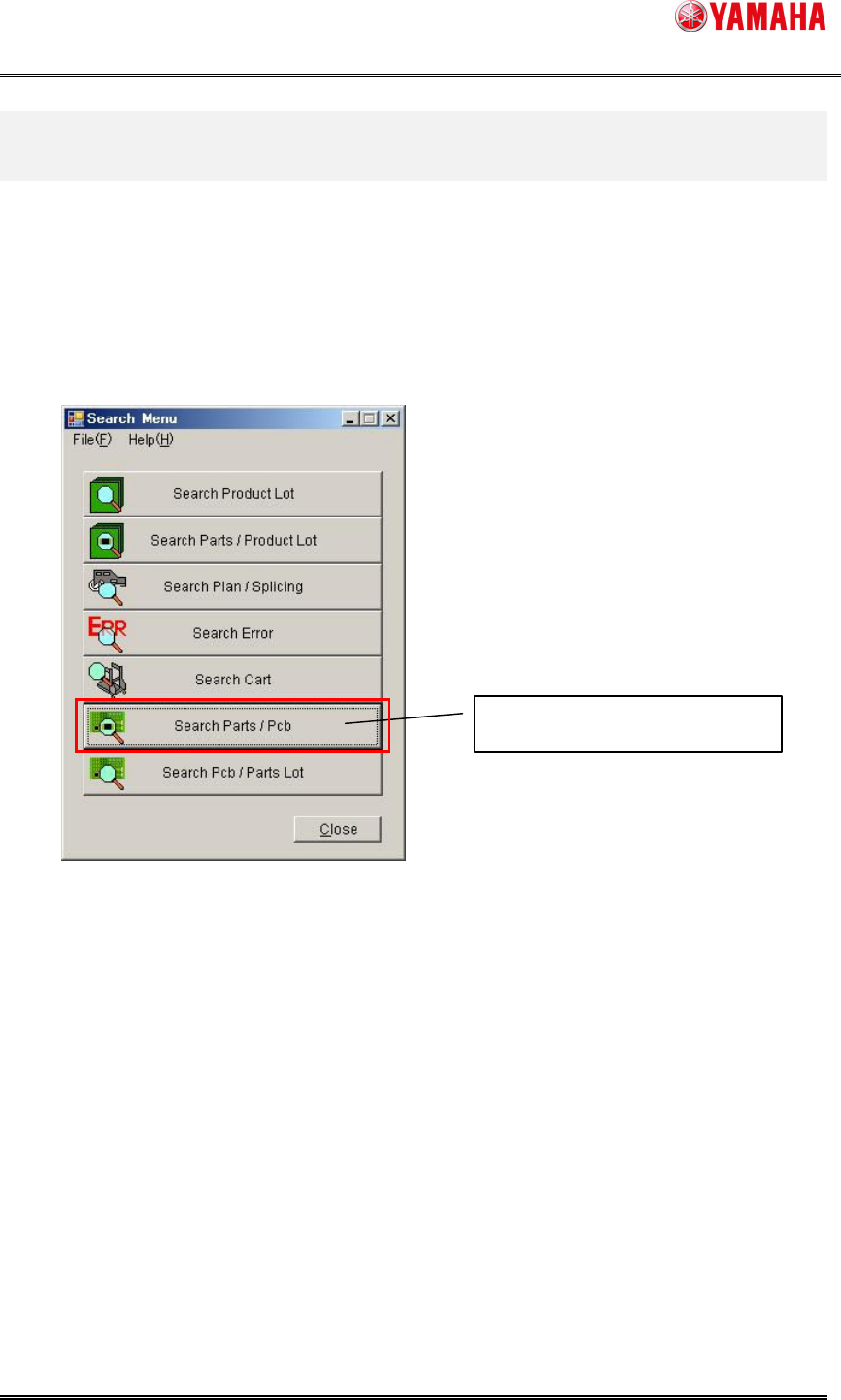
Logs are searched with block ID set as a searching condition on [Search Parts / Pcb].
1, Please click the [Search Parts / Pcb] button from menu window of T-Tool:IMTools.
Search Parts / Pcb
SMT Software Engineering Group
IM Operations YAMAHA MOTOR CO., LTD.
MDOC-SOFT50137
5/6
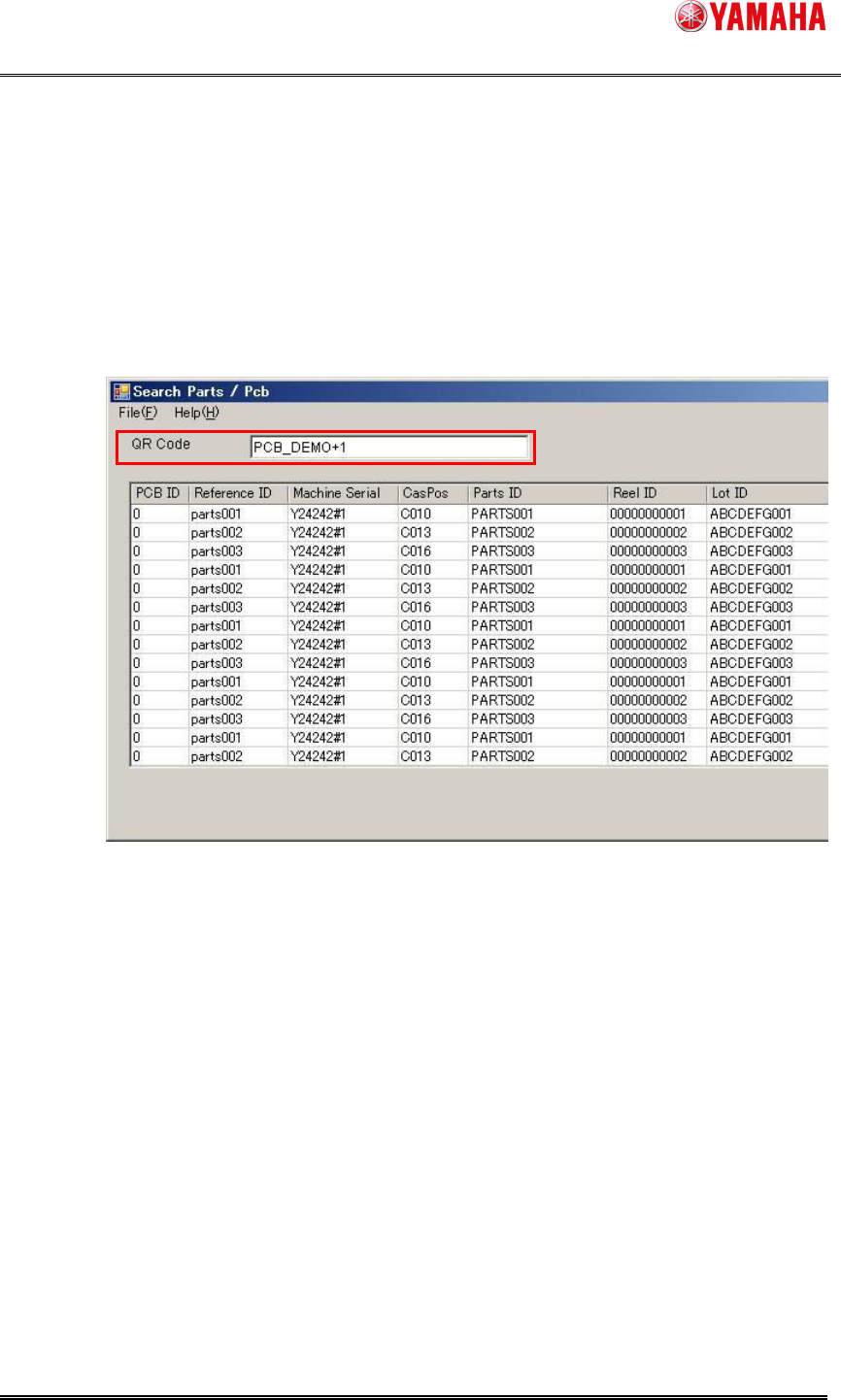
2, "Parts Mount Log" is searched with ID of the block.
Block ID is “board ID of label on the board + block No.”.
Please set ID of every block in search condition, "QR Code", and click the [Search]
button.
e.g.) A board ID on the label is "PCB_DEMO" which is divided into some blocks, and
produced.
To find block 1 of the log, search with "PCB_DEMO+1".