Micron Installation V9 Machine Performance.pdf - 第5页
MACHINE PERFORMANCE MACHINE CAPABILITY Chapter Issue 6, Jan 16 Installation Manual 8.5 within the specification. Select Next to view the further dimensions. 5. Record the results of the following in Section 21 of the Ins…
MACHINE PERFORMANCE
MACHINE CAPABILITY
8.4 Installation Manual Chapter Issue 6, Jan 16
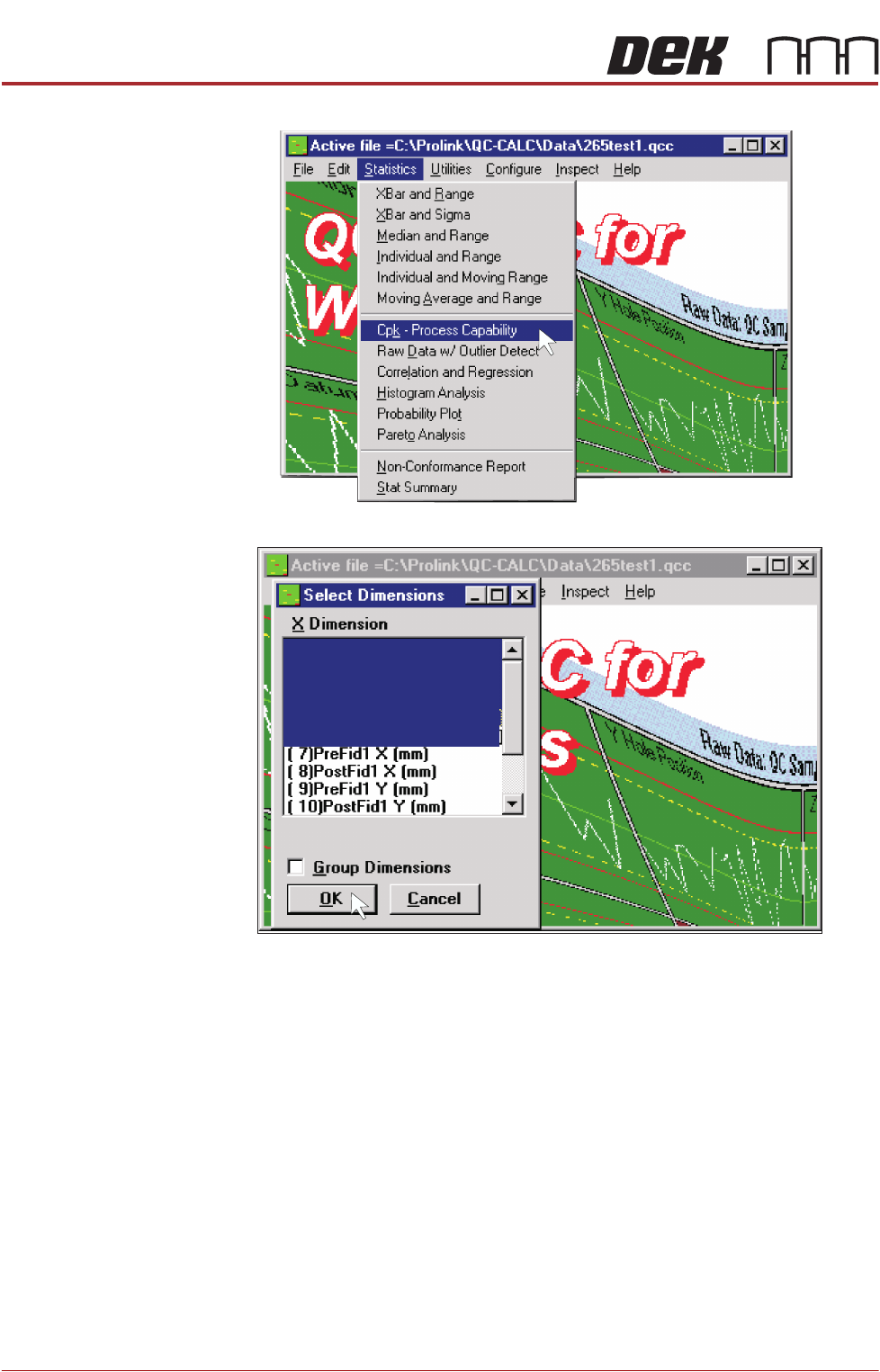
2. Select Statistics, Cpk - Process Capability.
3. Highlight the required dimensions to output and select OK.
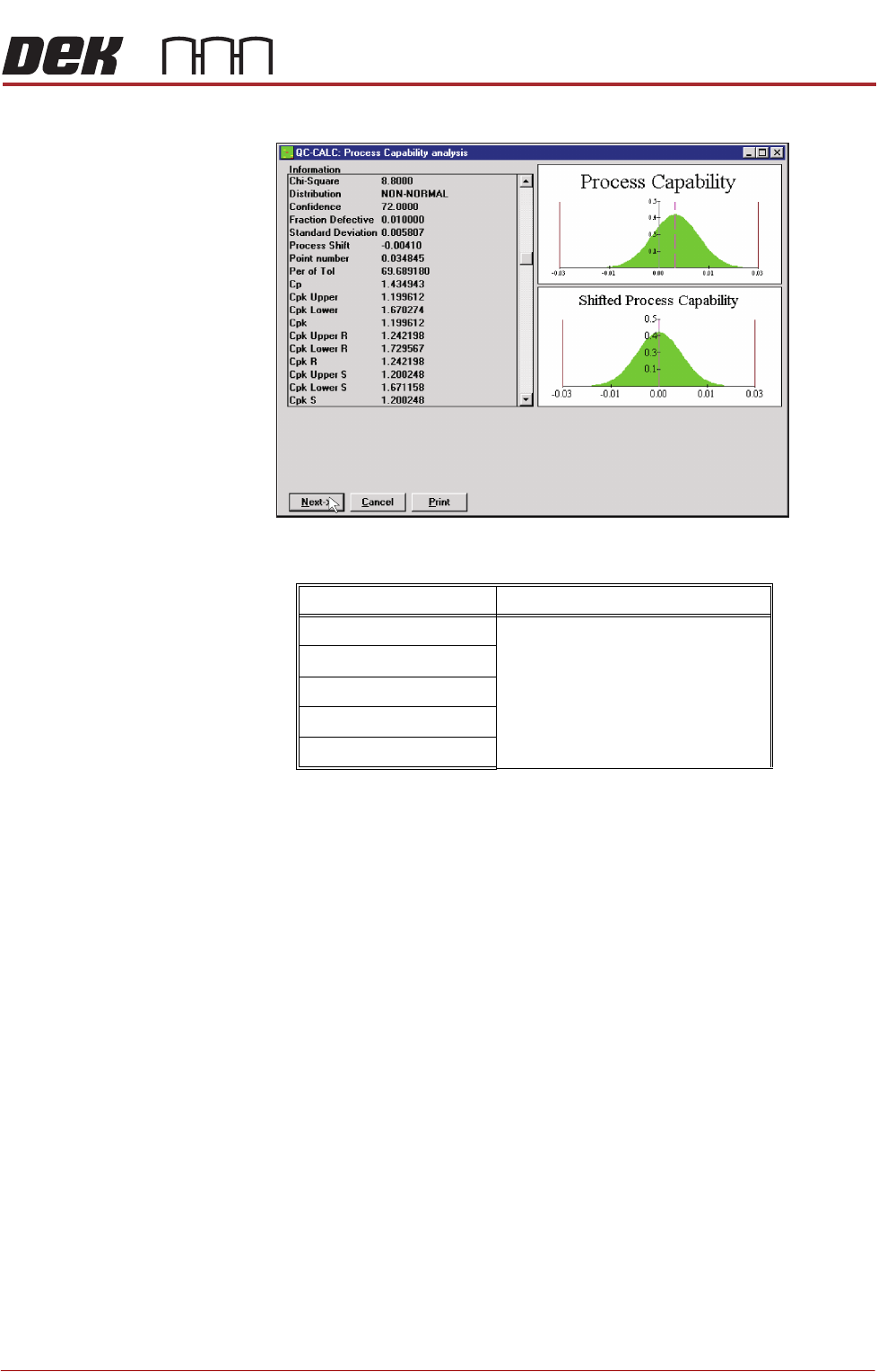
4. View the Cp/Cpk values for the dimension illustrated ensuring the values are
( 5)Pre Y Error (mm)
( 6)Pre Theta Error (arcsec. )
( 4)Pre X Error (mm)
( 3)Theta Error (arcsec. )
( 2)Y Error (mm)
( 1)X Error (mm)
MACHINE PERFORMANCE
MACHINE CAPABILITY
Chapter Issue 6, Jan 16 Installation Manual 8.5
within the specification. Select Next to view the further dimensions.
5. Record the results of the following in Section 21 of the Installation Checklist:
NOTE
On occasions no Cp/Cpk values are displayed for pressure and speeds due to
the small size of the error. Pressure is not recorded for ProFlow only machines.
Machine
Performance
Upgrades (MPU’s)
On completion of QC-Calc, fit and test all the MPU’s supplied with the machine.
Detail Specification
X Alignment
Refer to the Machine Performance
Document supplied with the machine
for the values of machine and pro-
cess alignment capability.
Y Alignment
θ Alignment
Pressure (See Note)
Print Speed (See Note)

MACHINE PERFORMANCE
MACHINE CAPABILITY
8.6 Installation Manual Chapter Issue 6, Jan 16