00198260-01_IM_SQL_Server_2016_EN.pdf - 第18页
SQL Server 2016 / I nstallation Manual 12/2016 Edition 18 The word SYSTEM should t hen be underlined and writ ten in uppercase letters. NOTICE Naming of local system accoun t depends on OS language The name of the local …
SQL Server 2016 / Installation Manual 12/2016 Edition
17
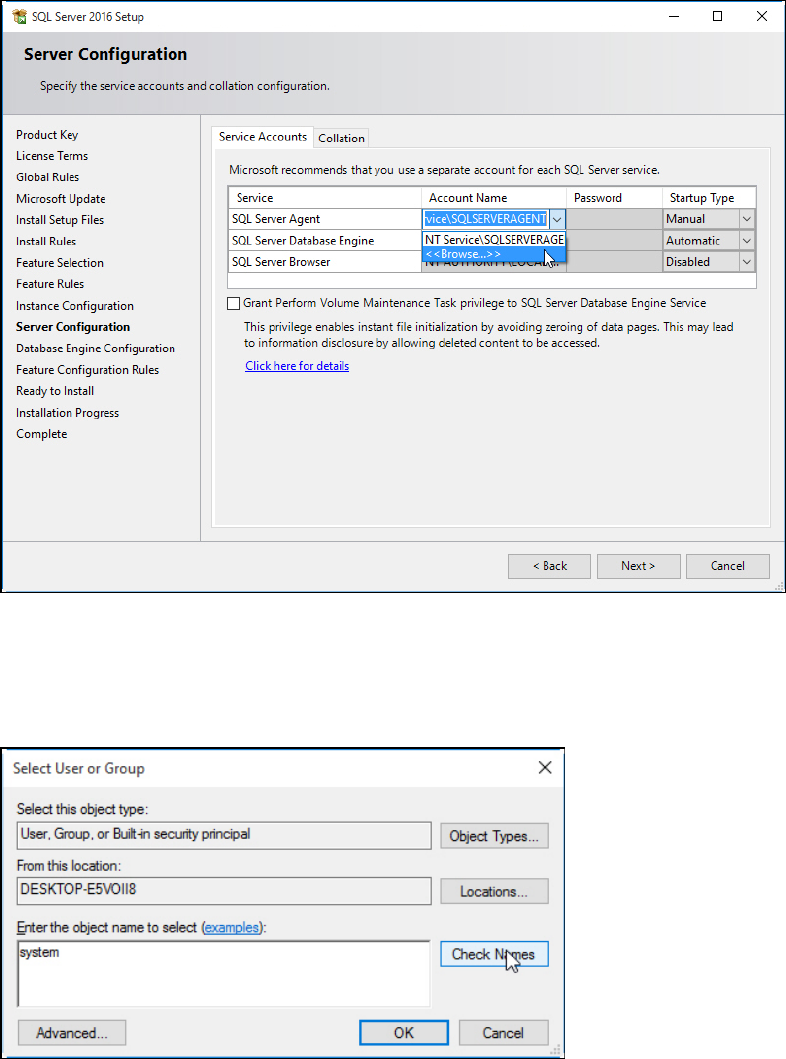
The Server Configuration window is displayed.
Figure 4-11: Server Configuration window
► Click the dropdown arrow besides Account Name in the first line of the table.
► Click the <<Browse…>> button.
The Select User or Group window is displayed.
Figure 4-12: Select User or Group window
► Ensure that the local computer name is selected under From this location: – otherwise you
have to select it using the Locations… button.
► Enter system and click the Check Names button.
SQL Server 2016 / Installation Manual 12/2016 Edition
18
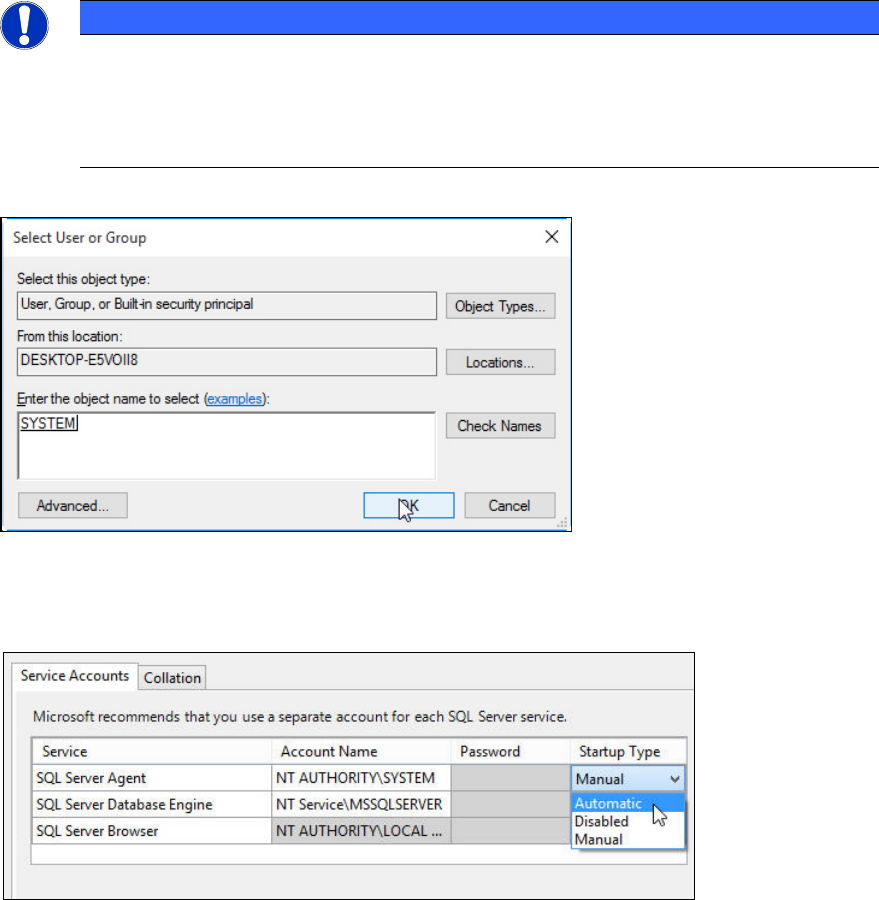
The word SYSTEM should then be underlined and written in uppercase letters.
NOTICE
Naming of local system account depends on OS language
The name of the local system account may vary if you have an operating system with
another language than English.
► In this case, ensure to enter the proper name of the system account.
Figure 4-13: Configuring SYSTEM account
► Click the OK button to close the window.
You return to the previous window.
Figure 4-14: Configuring Startup Type of SQL Server Agent Service
► Click the dropdown arrow besides the Startup Type of SQL Server Agent and select Automatic.
► Repeat these two steps (Account Name and Startup Type) for the SQL Server Database
Engine.
► Set the Startup Type of the SQL Server Browser service to Automatic, too.
SQL Server 2016 / Installation Manual 12/2016 Edition
19
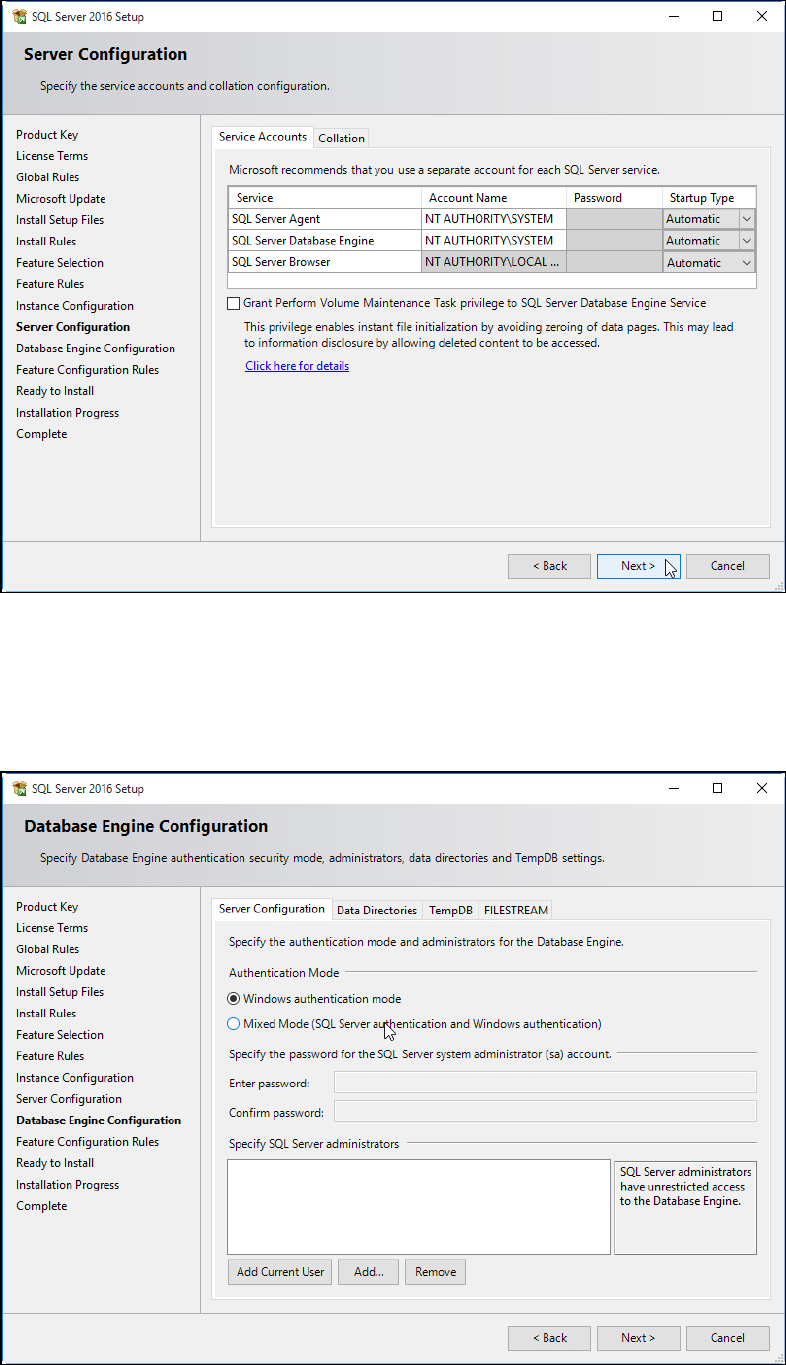
The window should now look like this:
Figure 4-15: Server Configuration – completed
► Check that the Startup Type of all services is set to Automatic and verify the Account Name of
SQL Server Agent and SQL Server Database Engine.
► Click the Next > button to continue.
The Database Engine Configuration window is displayed.
Figure 4-16: Database Engine Configuration window with default settings