182049 Viking Installation Manual.pdf - 第69页
semi automatic MACHIN E PER FORMAN CE MACHI N E CAPAB ILITY Chapter Issue 1 Oct 01 Instal lation Manual 7.7 8. Click on Specify an IP addre ss radio button. Set the IP addre ss to 195.100 .100.1 and a Subnet Mask of 2 55…
semi automatic
MACHINE PERFORMANCE
MACHINE CAPABILITY
7.6 Installation Manual Chapter Issue 1 Oct 01
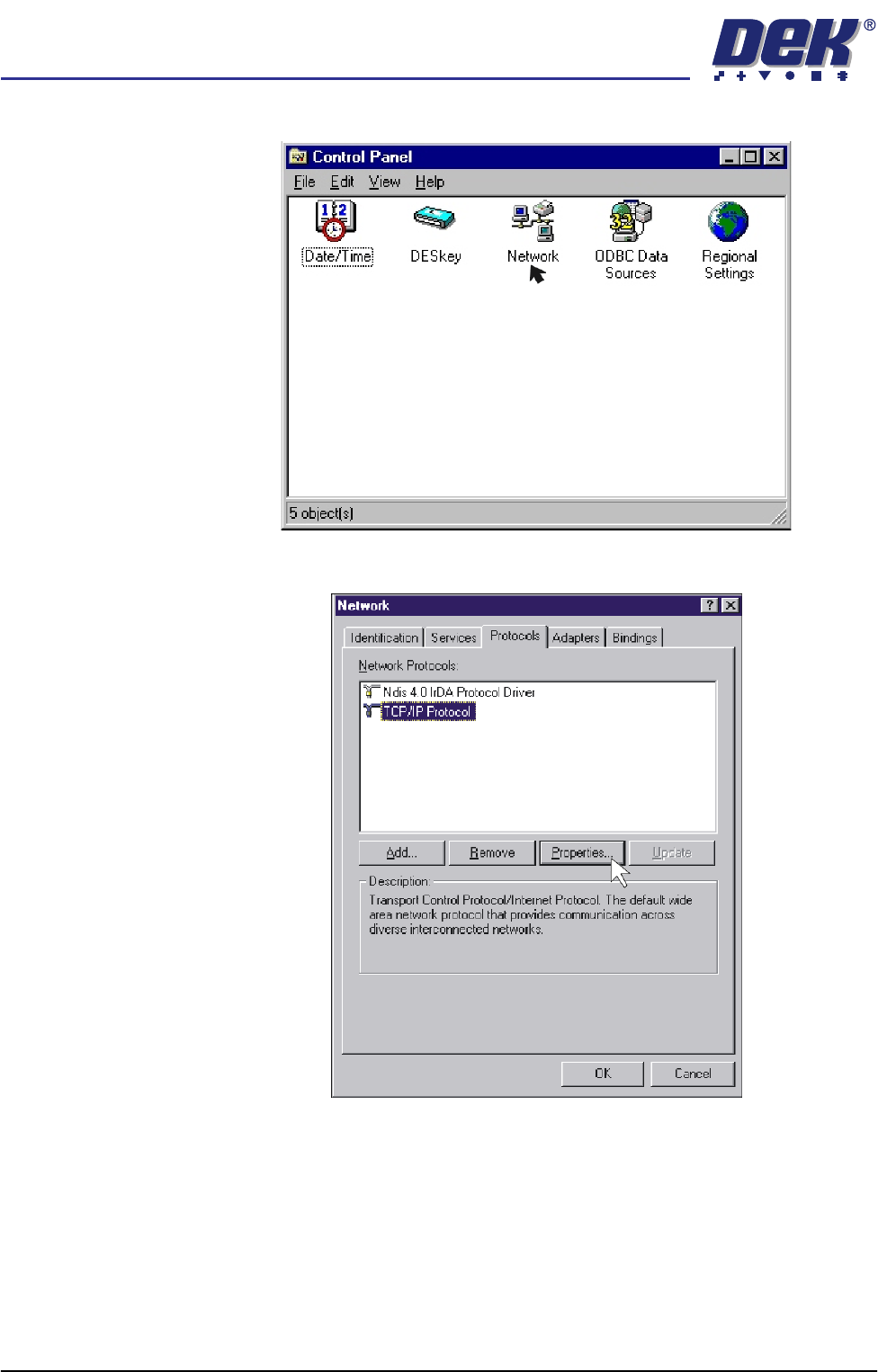
6. Double click on the Network icon.
7. Select Protocols, click on the TCP/IP Protocol and select Properties.
semi automatic
MACHINE PERFORMANCE
MACHINE CAPABILITY
Chapter Issue 1 Oct 01 Installation Manual 7.7
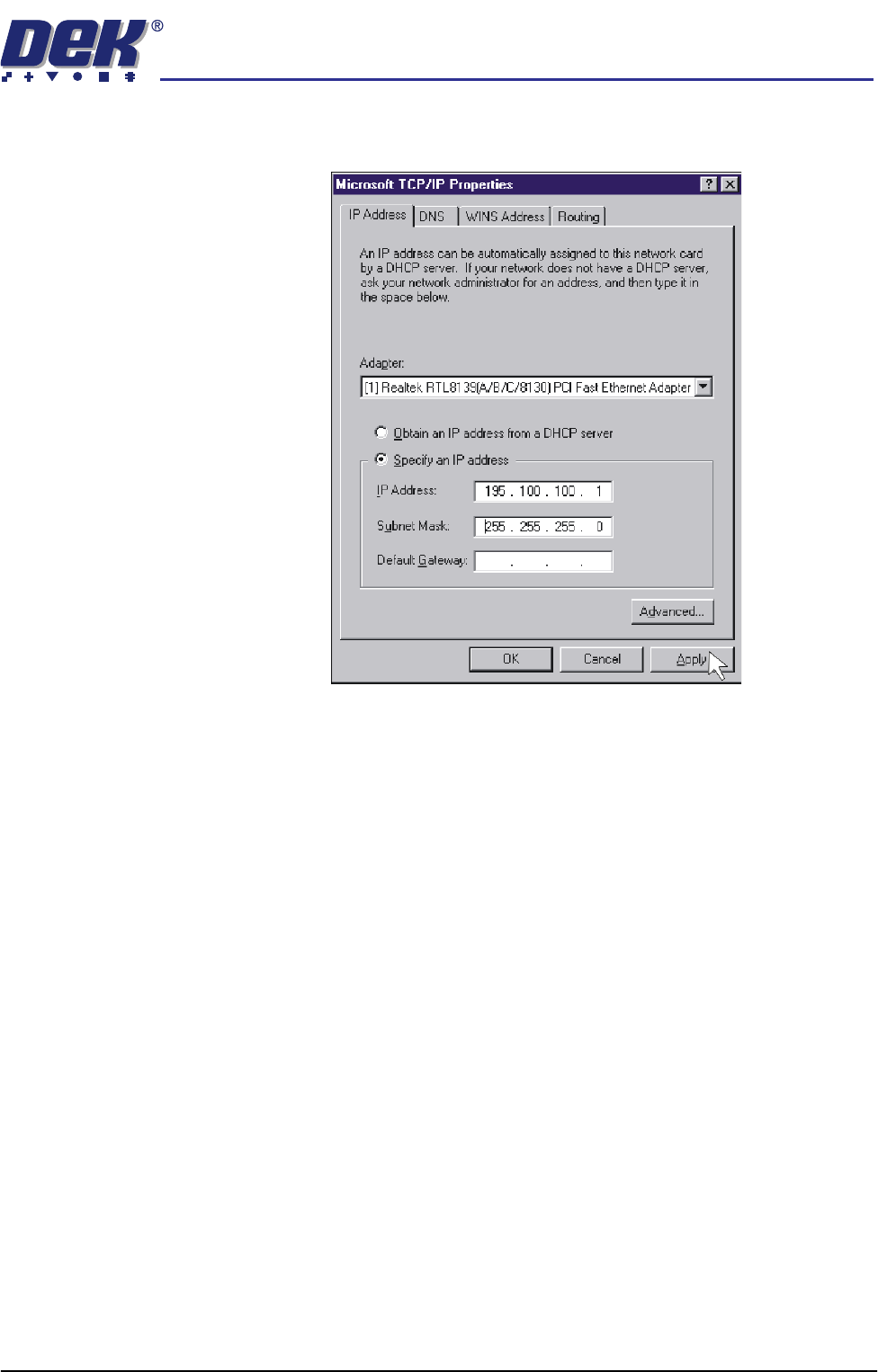
8. Click on Specify an IP address radio button. Set the IP address to
195.100.100.1 and a Subnet Mask of 255.255.255.0. Click on Apply.
9. Using the procedure above, ensure the laptop computer IP address is set to
195.100.100.10.
NOTE
Record the original settings on the laptop before changing the IP address.
10. On the DEK machine, double click on the My Computer icon on the
desktop.
semi automatic
MACHINE PERFORMANCE
MACHINE CAPABILITY
7.8 Installation Manual Chapter Issue 1 Oct 01
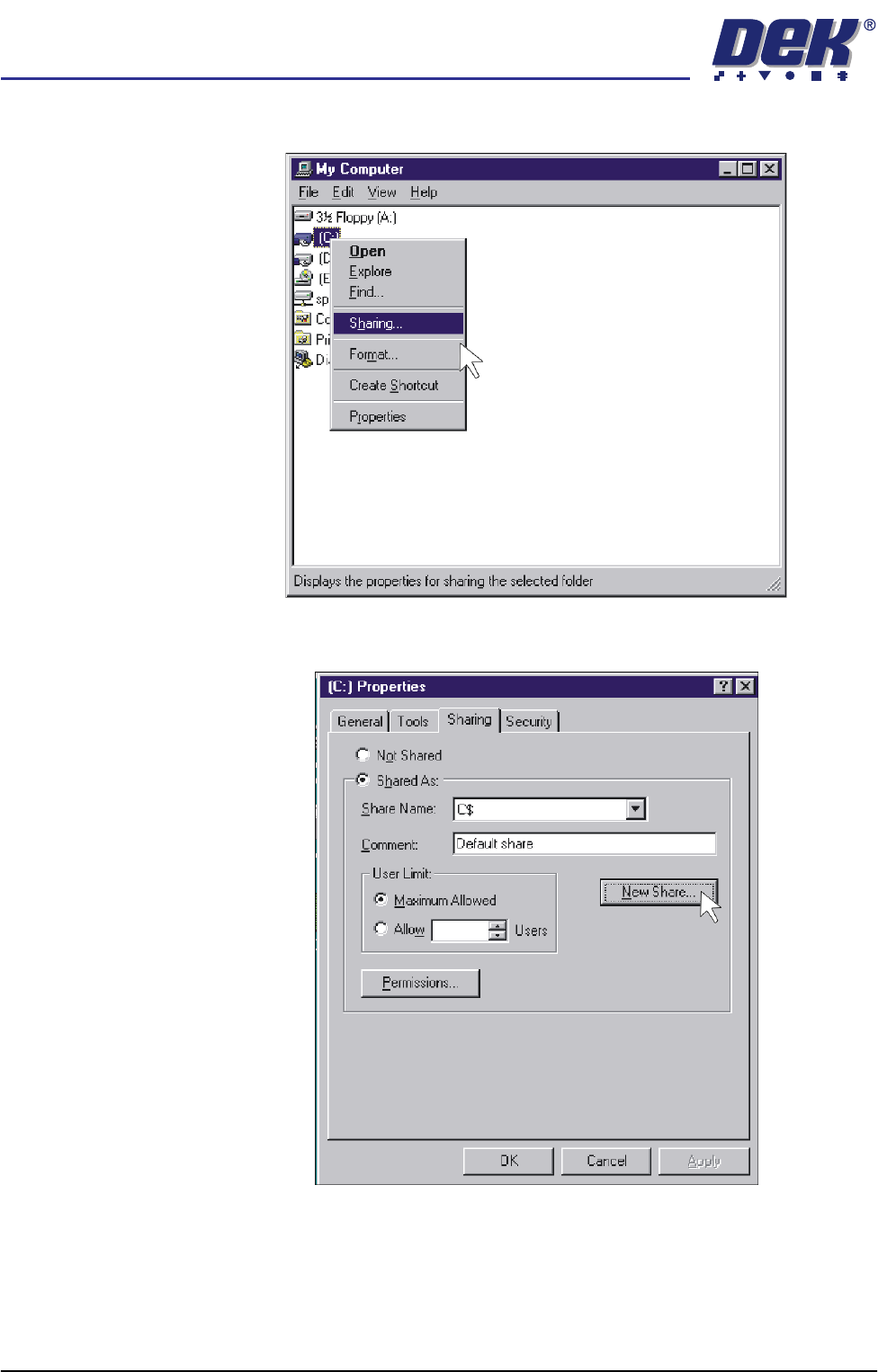
11. Right mouse click on C Drive and left mouse click on Sharing.
12. Select New Share.