PS288_OwnersMnl_PriorTo2009.pdf - 第74页
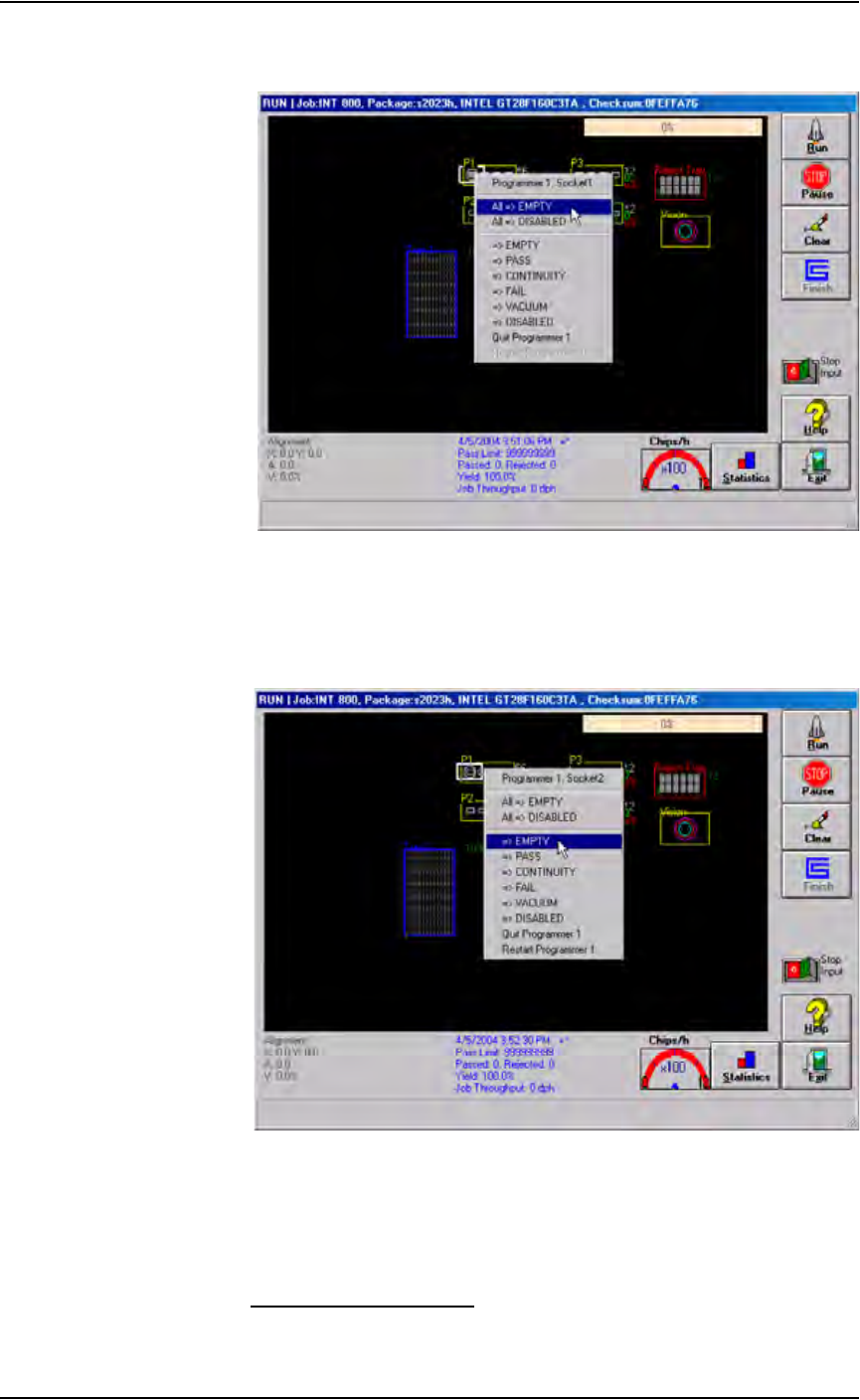
Operation • Operator Functions 3—14 PS288 Owner’s Manual Programmer outlines turn grey an d all sockets are re-enabled. See Fig- ur e 3-20 . Figur e 3-20—Re-enabling all sockets 2b) T o re-enable a single socket, right-c…

Operation • Operator Functions
PS288 Owner’s Manual 3—13
Monitor the Light Tower
During operation of the PS288, you can monitor the light tower to reduce
system down time. The light tower displays the following conditions:
Figure 3-19—Light tower indictors
Troubleshoot Programmer Problems
During operation, you may need to troubleshoot programmer problems.
Clearing Programmer Disabled Status
If the status indicator disappears from any of the programmer outlines, or the
PNP head skips a programmer, you might be able to correct the problem by
simply clearing the programmer disabled status using the following proce-
dure.
1. On the Run window, click Pause.
2. Place the cursor over the disabled programmer.
2a) To re-enable all sockets on a programmer, right-click the touchpad and
select
All => EMPTY
Light Condition Action Required Possible Causes PS288 Status
Red Major
error
Operator intervention is
mandatory. Likely that
tools and troubleshoot-
ing skills required.
Motion control system
error; actuator error;
vacuum sensor mal-
function; insufficient
air pressure; possible
collision; socket opener
sensor error; input shut-
ter error; laser not
ready; software excep-
tions.
Stopped
Yellow/
Red
(alternating)
Error Operator intervention is
mandatory. Correction
through AH500 or
minor hardware adjust-
ment.
Unprogrammed devices
on Input/Pass tray;
labeler error;
setup-related errors;
serialization errors;
chip lost; tape input
error; laser error, no
programmer can be
used; file read/write
error.
Stopped
Yellow Normal
stop
Operator intervention is
mandatory.
Output media full or
input media empty.
Stopped
Yellow/
Green
(alternating)
Normal Operator intervention is
suggested.
End of job; vacuum
errors present on pro-
grammers; sockets dis-
abled due to errors.
Processing or
Stopped (end of job)
Green Normal No operator action
needed.
Processing devices;
clearing sockets to
reject output.
Processing
Operation • Operator Functions
3—14 PS288 Owner’s Manual
Programmer outlines turn grey and all sockets are re-enabled. See Fig-
ure 3-20.
Figure 3-20—Re-enabling all sockets
2b) To re-enable a single socket, right-click the socket and select
=> EMPTY
The programmer outline turns grey and the socket is re-enabled. See
Figure 3-21.
.
Figure 3-21—Re-enabling a single socket
3. Resume job—
3a) Remove any devices in the programmer’s sockets.
3b) Click Run, and then click Run again to resume the job.
Disabling Programmers
If programmers are not performing and the error cannot be cleared, disable
those programmers and continue to use the other sites to process devices.
Operation • Operator Functions
PS288 Owner’s Manual 3—15
Perform the following to disable a programmer:
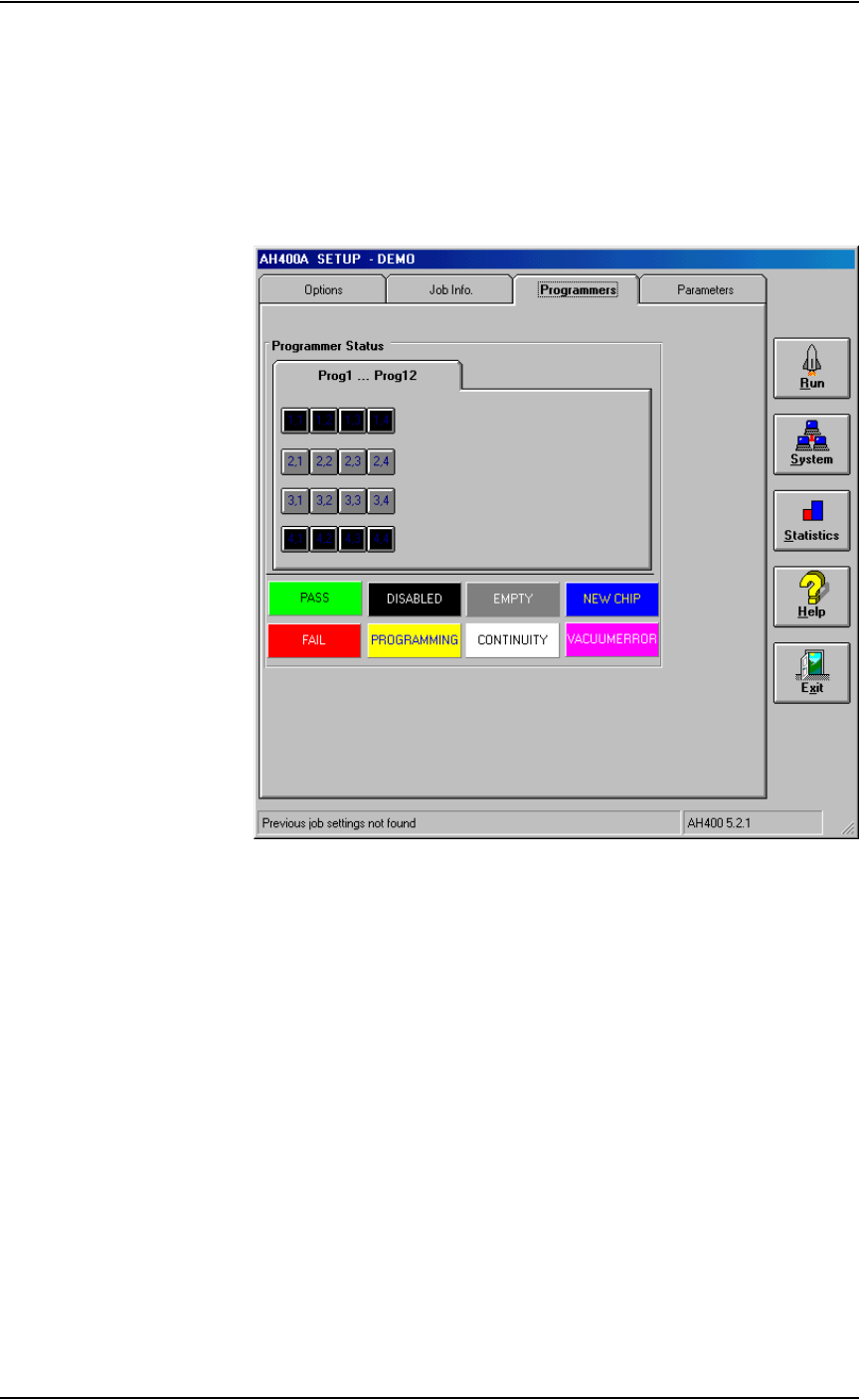
1. Setup window—
1a) From the Setup window, click the Programmers tab.
1b) Click the button for the failed programmers.
1c) Click the black DISABLED button. The programmer buttons change
to black. For example, in Figure 3-22, programmers 1 and 4 are dis-
abled.
Figure 3-22—Programmers 1 and 4 disabled
2. Resume job—
Click Run to resume the job.
(Optional) Preselect the Programmers
The PS288 has a FlashCORE Quad assembly that contains four FlashCORE
programmers. To improve efficiency, you may wish to shut off program-
mer(s) that are not used.
1. Preselect programmers —
1a) On the AH500 main window, click Preselect Programmers.