00197457-01_IM_EDM_2.2_en.pdf - 第10页
EDM V2.2 / I nstal lation M anual 10/2013 Edit ion 10 Figure 4-2 : Contact informati on ► S elect the targ et folder for the S IPLAC E EDM installati on . Figure 4-3 : Target folder for installation Since SI PLACE E DM c…
EDM V2.2 / Installation Manual 10/2013 Edition
9
4 Installing the SIPLACE EDM Software
This chapter describes the steps to be followed to install the SIPLACE EDM system components.
NOTICE
If you are migrating from an earlier version of EDM to EDM 2.2, please refer to chapter 6
for details of the installation procedure.
4.1 Starting the Installation
► Run the Setup.Exe program on the installation media.
► Click on the Next button of the dialog box that appears.
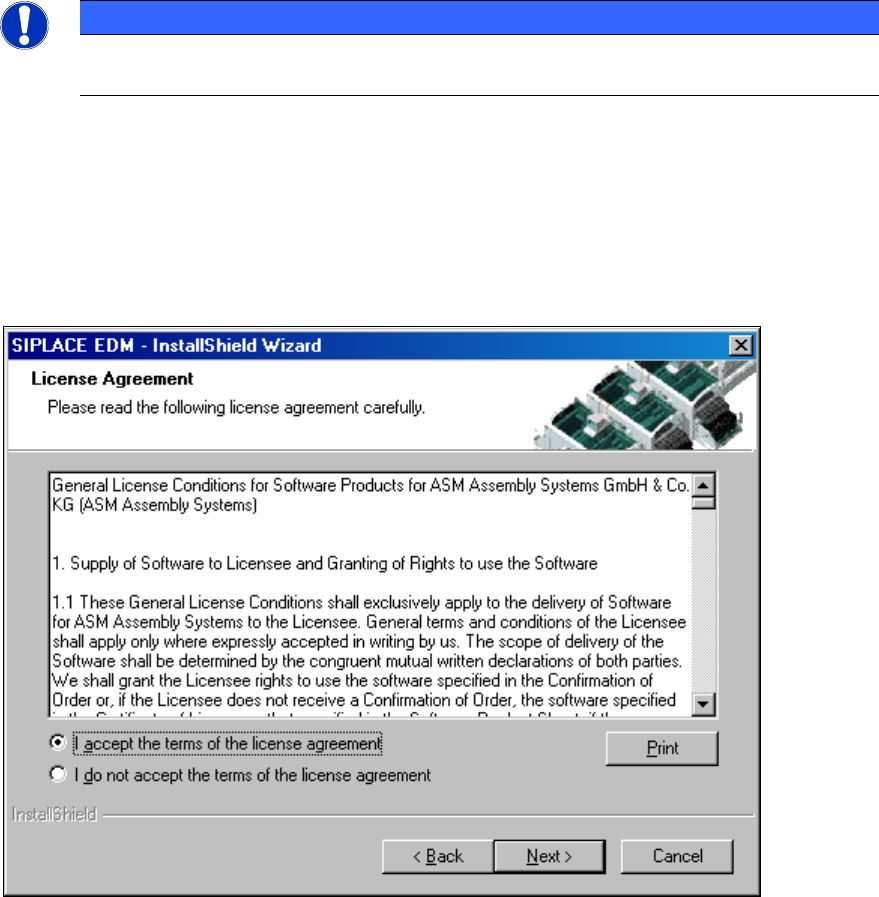
► Read and accept the License Agreement.
Figure 4-1: License agreement
► Click the Next button.
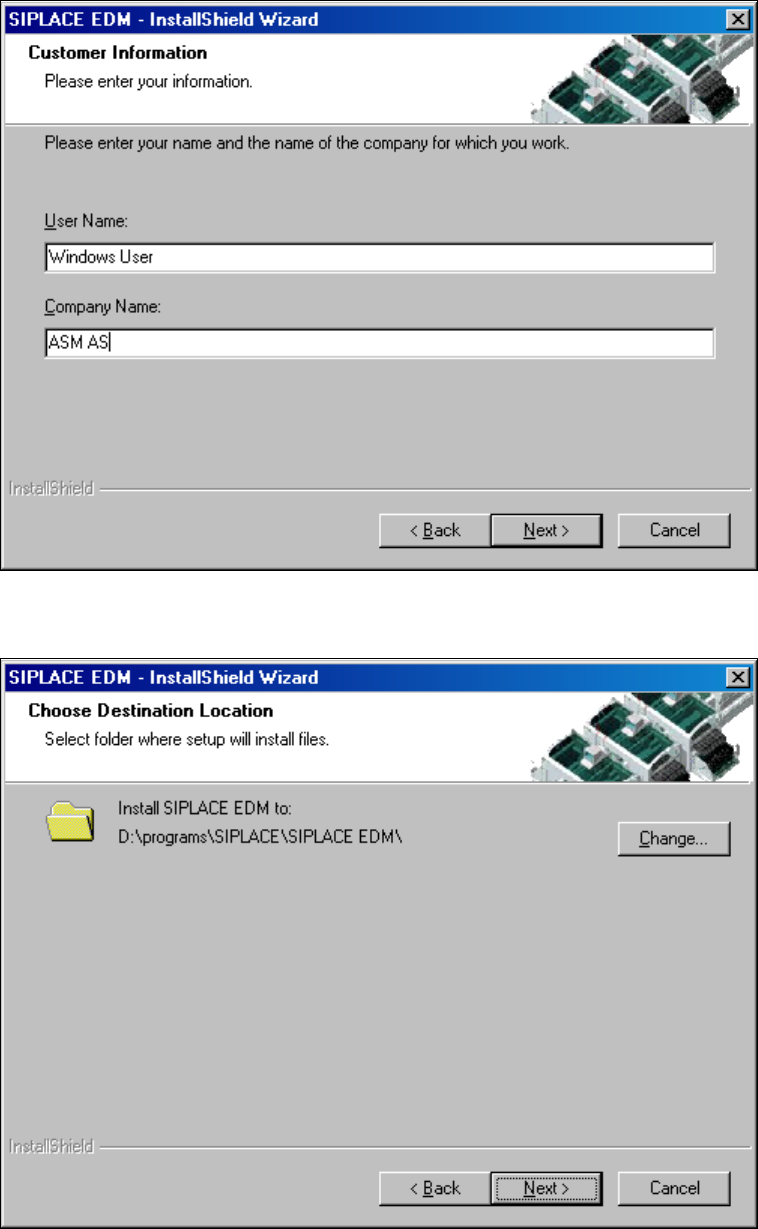
The following dialog box asks you to enter your contact information.
► Enter this information and click the Next button.
EDM V2.2 / Installation Manual 10/2013 Edition
10
Figure 4-2: Contact information
► Select the target folder for the SIPLACE EDM installation.
Figure 4-3: Target folder for installation
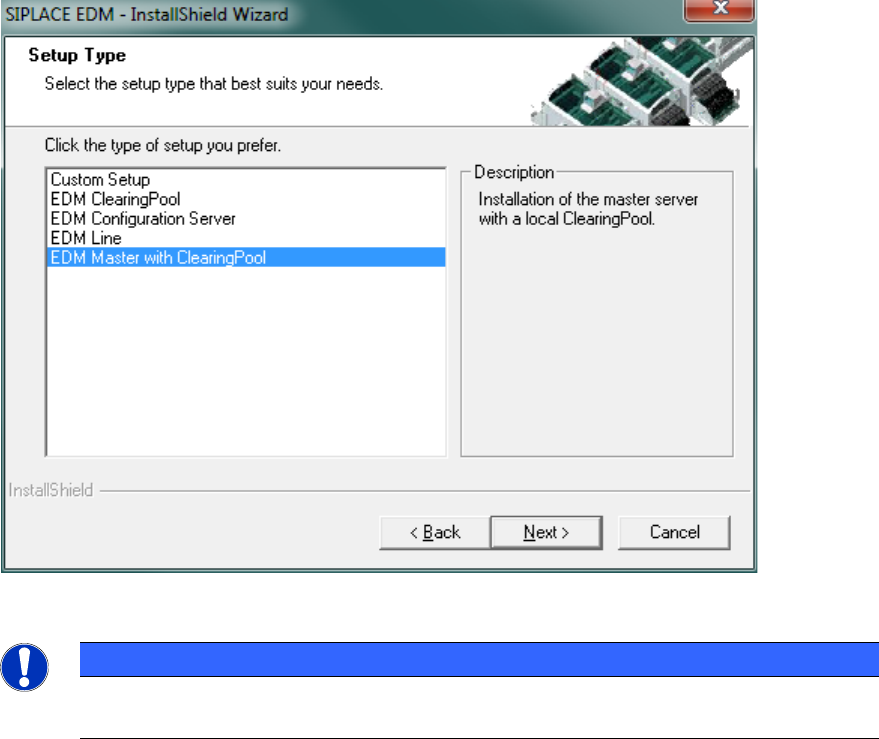
Since SIPLACE EDM comprises several applications whose installation procedure depends on the
role of the workstation, you must select the type of installation you want to perform.
EDM V2.2 / Installation Manual 10/2013 Edition
11
Figure 4-4: EDM installation – setup type selection
NOTICE
For a basic installation scenario, it may be sufficient to consider the EDM Master with
Clearing Pool, EDM Configuration Server and EDM Line setup types.
The setup program provides these setup types as options:
● Clearing Pool
Installs the Clearing Pool GUI, the EDM Data Transfer Manager and the EDM Tool. Use this
option if you want to grant a data preparation engineer access to the Clearing Pool database
and push mode from his workstation.
● EDM Configuration Server
Installs a dedicated EDM Configuration Server without any other EDM functionality.
● EDM Line (Line Server)
Installs an EDM Line Server including the EDM Client. Use this option if you want to insert a
local SIPLACE Pro installation into a line in your EDM system.
● EDM Master (Master Server)
Installs an EDM Configuration Server, the Master Server, the Clearing Pool database, a
Clearing Pool GUI and the EDM tool. Use this option to install EDM on your central SIPLACE
Pro server. There should only be one Master Server per EDM system.
● Custom Setup
This option lets you choose between all possible combinations of EDM applications on a
computer.
The following subsections provide a deeper insight into the different setup procedures.