JAKA Zu 7电控柜V2.1-硬件手册(英文版).pdf - 第14页
12 Fig 2-2 Ring Indicator and Pause Button Color Robot Status Blue Power on Green Enabled Red Fault Y ellow Drag Mode Flashing Y ellow Pause Mode T able 2-2 Indicator Meanings Wa rnings : The r isks related to using of p…
11
Terminal Type Tablet PC
OS Android 8.0 or above
CPU Kirin695or Snapdragon 660
ROM 32GB
RAM 4GB
Screen Size 8.0 inch
Network WIFI
Table2-1 Operation Terminal Required Hardware Configurations
The operation terminal can be requested during purchasing or provided by user themselves.
2.3 Robot Arm
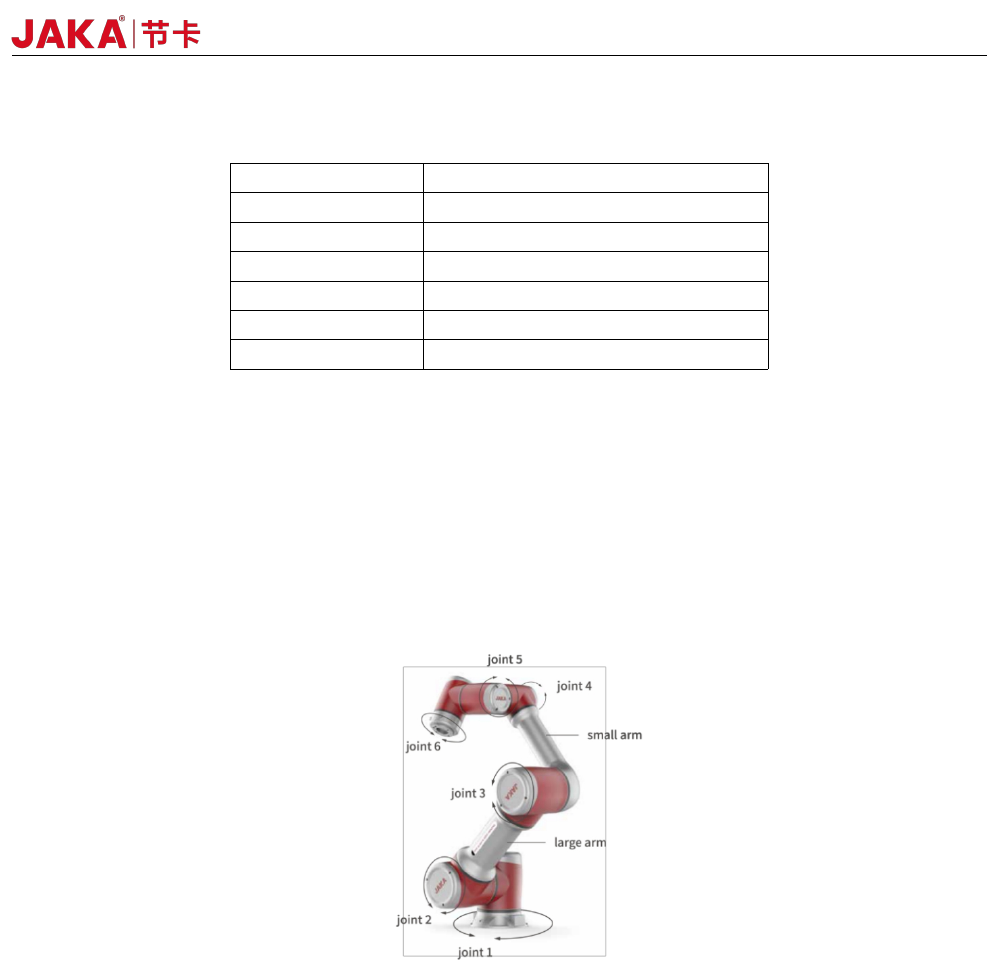
The robot arm is shown as Fig 2-1, and is composed of six rotation joints with two linkages. And at the end
of the arm,a ring indicator, buttons used to drag and tech, TIO interface are located.
Fig 2-1 Robot Arm
2.3.1 Robot End
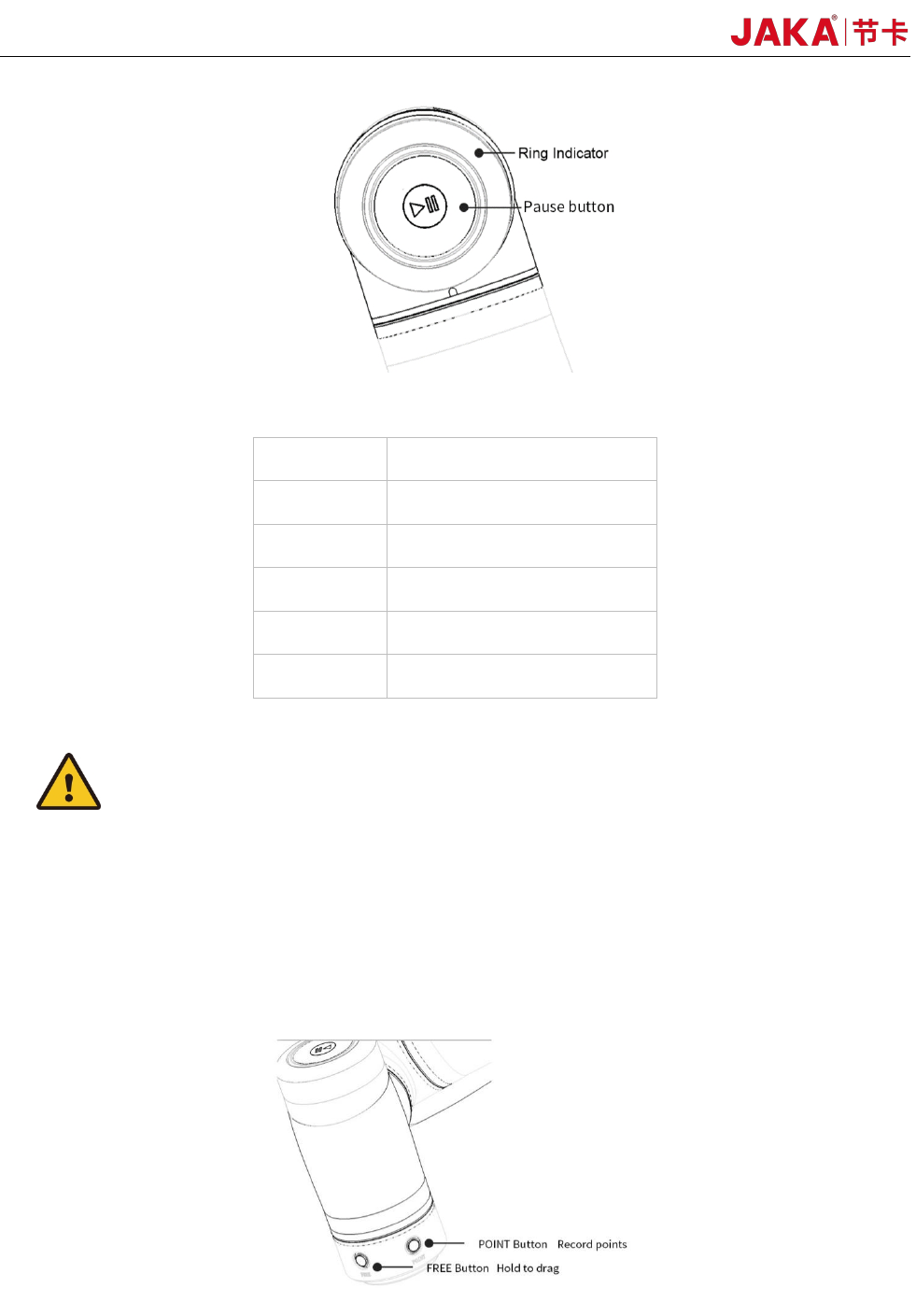
At the end of the robot, an indicator and apause button is located.
The indicator and the pause button is located as Fig 2-2 and the meanings of different color are listed in
table 2-2. When the robot is running program, press the pause button could pause and resume the program.
JAKA Zu 7 v2.5
12
Fig 2-2 Ring Indicator and Pause Button
Color Robot Status
Blue Power on
Green Enabled
Red Fault
Yellow Drag Mode
Flashing
Yellow
Pause Mode
Table 2-2 Indicator Meanings
Warnings:
The risks related to using of pause button should be evaluated carefully, the contact of robot and personnel
could cause server injury of personnel or damage of equipment.
2.3.2 Flange Buttons and interfaces
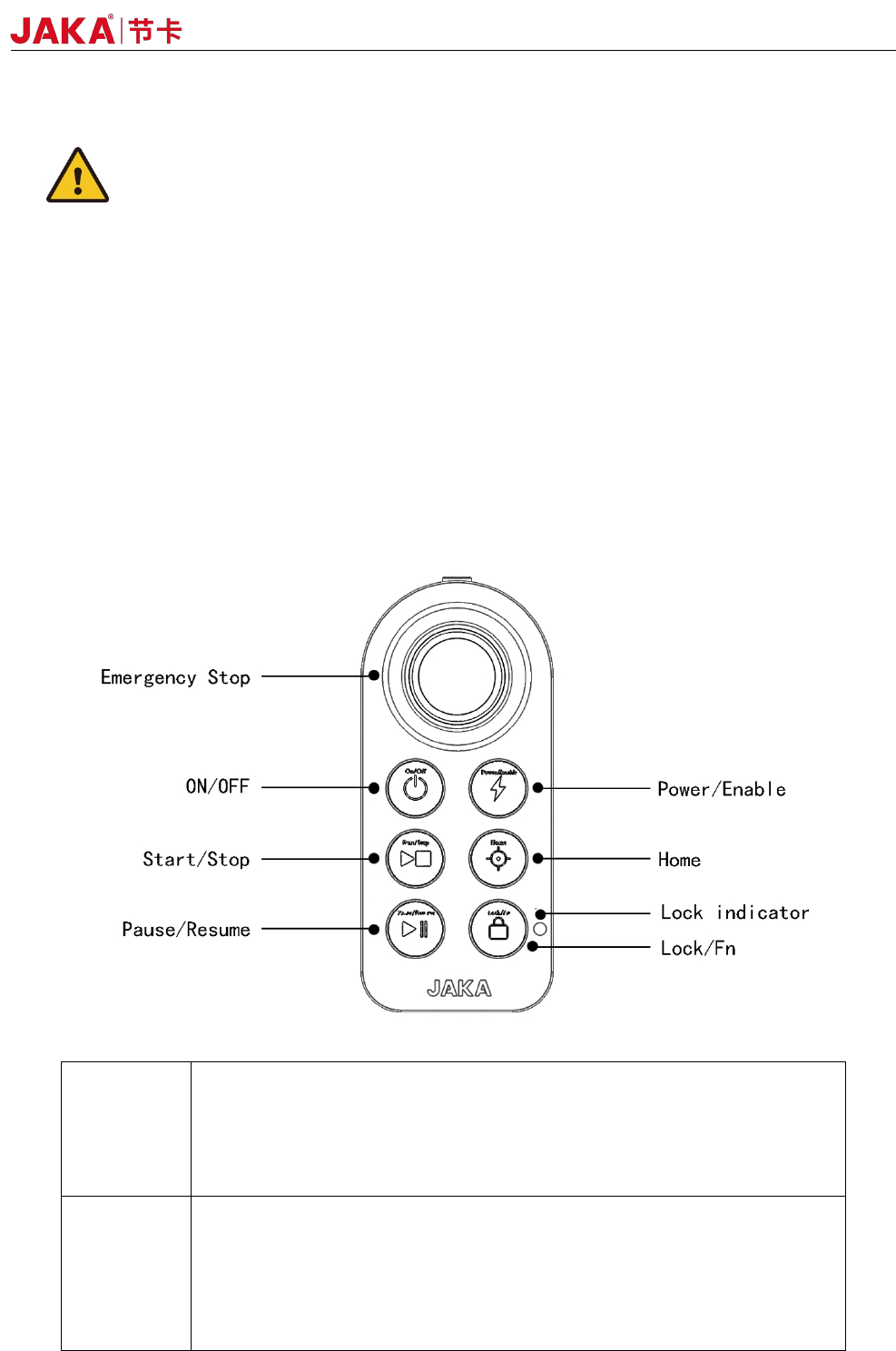
On the side of flange located two buttons and TIO interface.The buttons are FREE button and POINT
button Respectively, shown as below:
The detailed description of TIO is in chapter 4.
When the free button is pressed, the robot would enter free-drive mode.
JAKA Zu 7 V2.5
13
The point button could be used with the robot APP, and when this button is pressed the robot positon
would be recorded in the APP.
Warnings:
The risks related to using of pause button should be evaluated carefully, the playload、TCP setting should
be set properly, otherwise the contact of robot and personnel could cause server injury of personnel or
damage of equipment.
2.4 Electrical Cabinet and Control Stick
Along with the cabinet a stick is provided, and when the programming job is finished , the stick could be
sued to control the robot.
Commands can be sent to the robot using buttons on the stick, and are described as follows:
table 2-3 Stick Function Description
ON/OFF
ON:Press the power button for 1 second and release it, The buzzer will
ring and the electric control cabinet will start up.
OFF:Press and hold the power button for more than 3s, the handle
buzzers 6~7 times, and the electric control cabinet is turned off.
Power
/Enable
Turn on robot:When robot turned off, short press the button to turn on the
robot.
Turn off robot:When robot turned on, short press the button to turn off the
robot.
Enable robot:When robot turned on, short press the lock button a nd
enable button.
JAKA Zu 7 v2.5
The cabinet of JAKA Zu Robots contains several kinds of interfaces which are described in chapter 4.