4000 Bauelemente auf Basis SV 408-01-SP0.pdf - 第27页
SOKO SOKO 4000 Componente / Gantry 05/2006 Edition 27 : Enter your name and your comp anys name into the appropriate fields. Then press „Next“. 2 Fig. 2.1 1 - 10 Registration menu 2 : „Y es“ confirms the informat ion. Ch…
SOKO 4000 Componente / Gantry SOKO
05/2006 Edition
26
2.1.1.2 Deinstallation
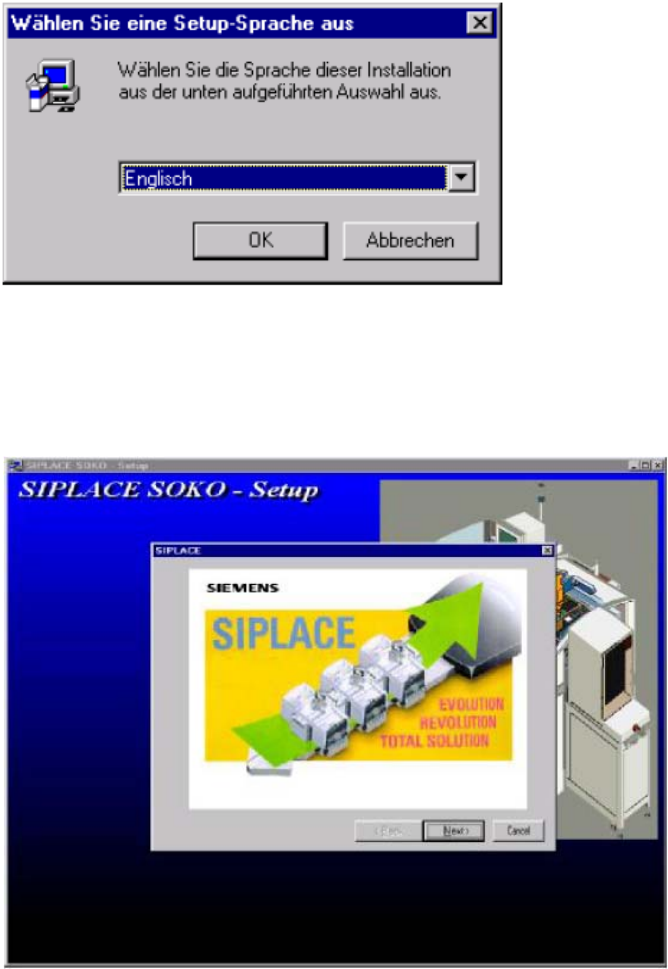
You can choose english or german descriptions for installation. 2
: Select your preferred language and press „OK“.
2
Fig. 2.11 - 8 Language selection
2
: Press „Next“ to reach the registration menu.
2
Fig. 2.11 - 9 Welcome
2
2
SOKO SOKO 4000 Componente / Gantry
05/2006 Edition
27
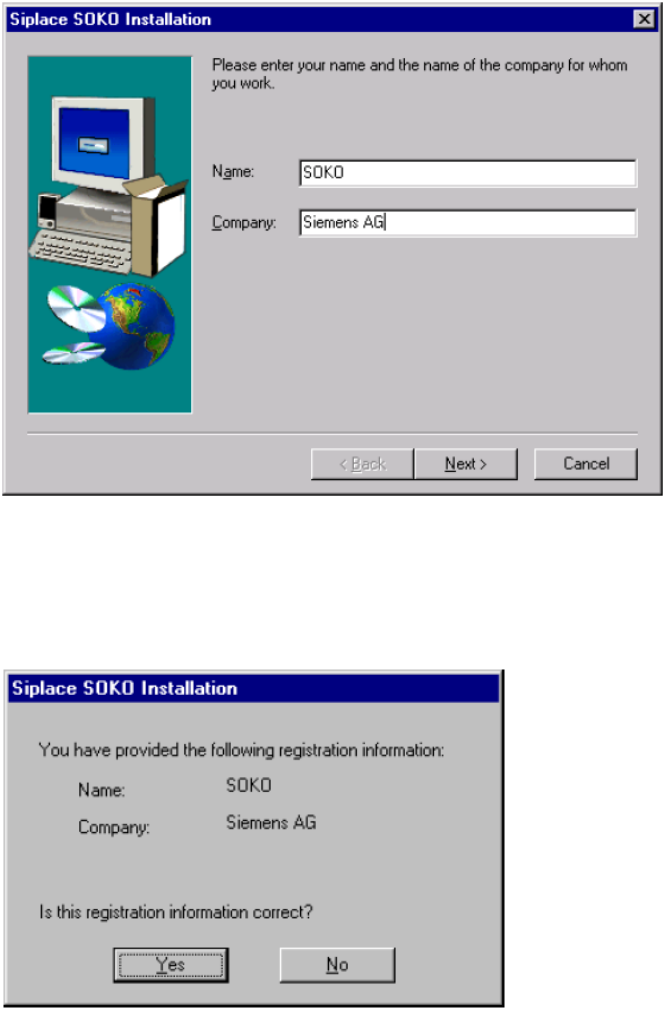
: Enter your name and your companys name into the appropriate fields. Then press „Next“.
2
Fig. 2.11 - 10 Registration menu
2
: „Yes“ confirms the information. Choosing „No“ will repeat the registration menu.
2
Fig. 2.11 - 11 Confirm registration
2
2
2
SOKO 4000 Componente / Gantry SOKO
05/2006 Edition
28
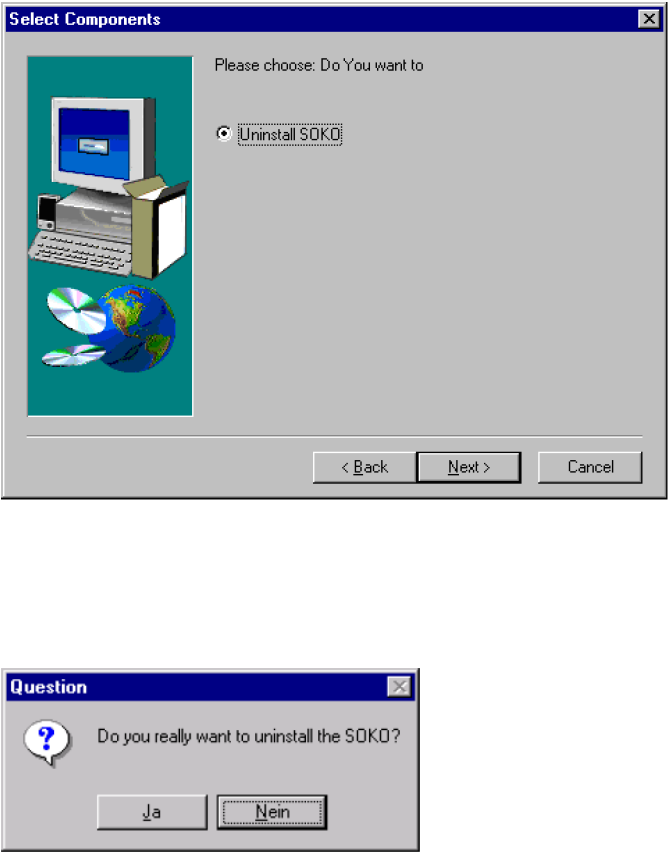
: Select „Uninstall SOKO“ and press „Next“.
2
Fig. 2.11 - 12 Select deinstallation
2
: Press „Yes“ to continue.
2
Abb. 2.11 - 13 Start Removing SOKO
2
2
2
2
2
2
2