SP08.pdf - 第14页
INSPECTION AND REPLACEMENTS Electric Motor Carbon Brushes Inspection Tools Required: 1x Pozidrive screw driver medium 1x Pozidrive screw driver small 1x Flat-bladed Screw driver small 1. Isolate the unit from the machine…

MAINTENANCE CHECKS
Suction Hose Tools required: None
1. Ensure that the suction hose is fitted securely to the outlet on the DEK
printing machine and has not suffered any distortion or breakage.
2. Ensure that the suction hose is securely fitted to vacuum and filtration unit.
3. Replace if necessary.
NOTE:
Replacement hoses and ends are available as spares.
Replacing the
Hose Ends
1. Firmly grip the suction hose with one hand and hold the hose steady.
2. Firmly grasp the cuff ends with the other hand and unscrew with a snap
action in a clockwise direction to break the seal.
3. Before replacing the new cuff end, apply a small amount of adhesive on the
1st two threads of the hose and screw on the new cuff in an anti-clockwise
direction.
4. It is recommended that the adhesive is left to set for a period of 1 hour before
use.
Issue 3. Nov 00 DEK Printing Machines Ltd 11
DEK VACUUM AND FILTRATION UNIT SP08
MAINTENANCE CHECKS
INSPECTION AND REPLACEMENTS
Electric Motor Carbon Brushes
Inspection Tools Required: 1x Pozidrive screw driver medium
1x Pozidrive screw driver small
1x Flat-bladed Screw driver small
1. Isolate the unit from the machine supplies and mains power.
2. Identify the 3 pan head screws at the top of the rear panel and remove them.
3. Remove the top cover by lifting it from the rear and sliding to the front of the
unit.
4. Disconnect the motor supply IEC connection from the electrical enclosure,
pivot the electrical enclosure to give full access to the top of the unit.
5. Remove the “Air Out” flexible hose from the exhaust positioned in the rear
right-hand corner, this requires a firm twist and pull to remove the hose.
6. The motor enclosure may now be lifted clear of the vacuum unit and placed
on a work surface.
7. Removal of the motor enclosure exposes the third stage filter ozone filter and
pre-filter should these need checking or replacement.
12 DEK Printing Machines Ltd Issue 3. Nov 00
DEK VACUUM AND FILTRATION UNIT SP08
INSPECTION AND REPLACEMENTS
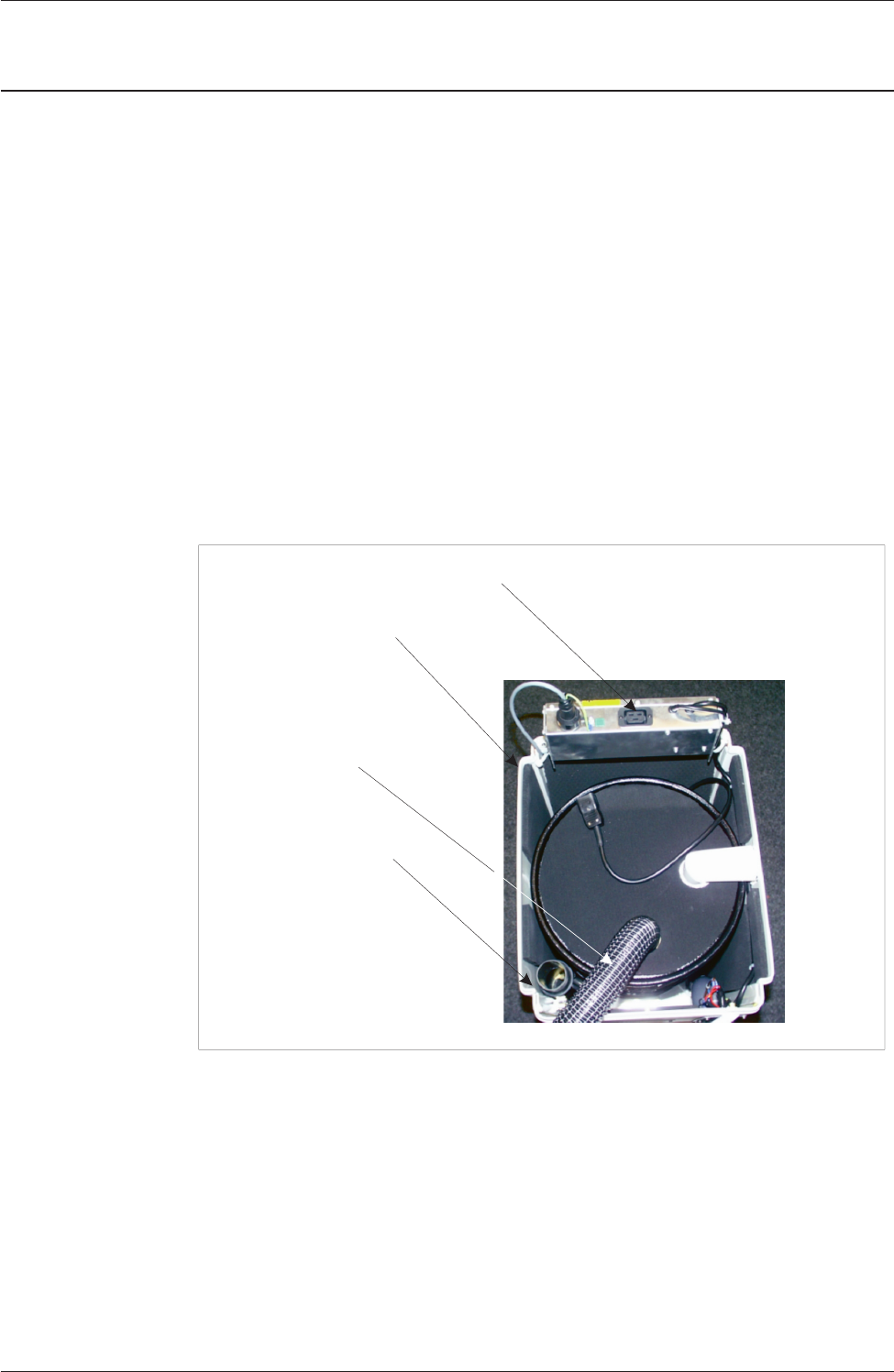
IEC Cover
Electrical Enclosure
Exhaust Silencer
Air Out Hose
Figure 4 Vacuum Motor Components
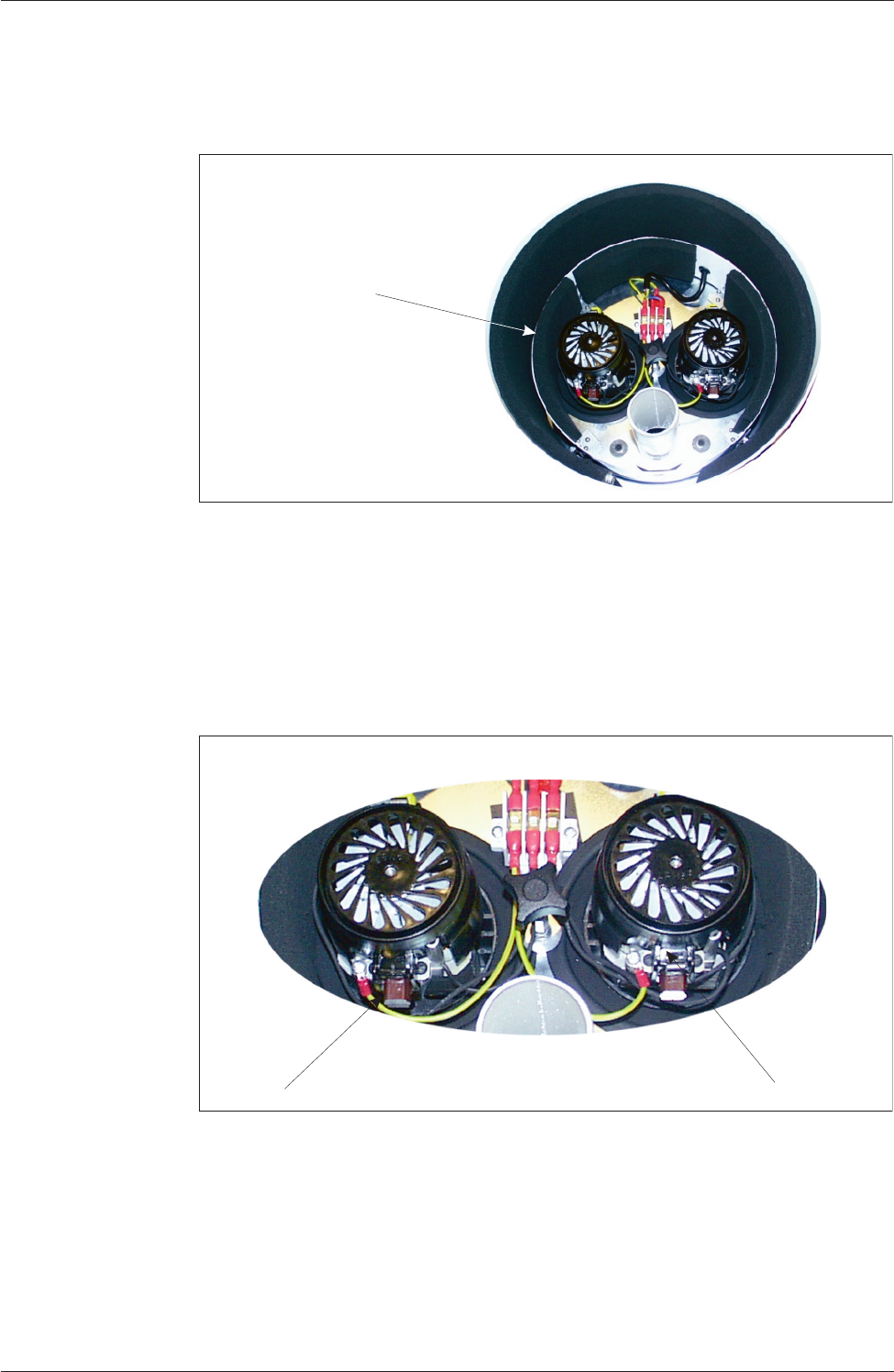
8. Remove the “Air Out” flexible hose from the motor enclosure, this allows
the top cover of the motor enclosure to be removed exposing the motors.
9. Remove the spring clip from the brushes, remove the black cover from each
motor.
10. Remove the bracket from each brush, disconnect the electrical connection
and remove each brush housing.
Issue 3. Nov 00 DEK Printing Machines Ltd 13
DEK VACUUM AND FILTRATION UNIT SP08
INSPECTION AND REPLACEMENTS
Plastic Motor Cover
Figure 5 Motor Cover
Spring Clips
Brushes
Figure 6 Spring Clips and Brushes