00194702_SIPLACE Trace Config Assistant Setup Center RF.pdf - 第12页
SIPLACE Setup Center RF 2.1 - Tools Installation Manual – SIPLACE Trace Config Assistant 3.2 The Assistant Steps in Detail Step 1: Welcome The assistant gives you a warm welcom e and informs about the following steps: Fi…
Installation Manual – SIPLACE Trace Config Assistant SIPLACE Setup Center RF 2.1 - Tools
3 Getting Started
Before using SIPLACE Trace Config Assistant take the time to get familiar with this tool to find out its
possibilities. The tool’s purpose is to update and prepare the data in SIPLACE Pro, so it can be used with
SIPLACE SetupCenter. It is also useful to handle the necessary configuration for traceability and splice
sensors.
SIPLACE Trace Config Assistant can be used intuitively by the manufacturing engineer. It is usually
enough to run this tool once to update the existing data in SIPLACE Pro. However, when new production
data is added in SIPLACE Pro, this tool can help to make sure the necessary options are set and the
verification and traceability systems work correctly.
3.1 Scenarios for the Use of Siplace Trace Config Assistant
SIPLACE Trace Config Assistant is a tool delivered with Setup Center to support the configuration of
SIPLACE Pro components and setups. The common use-cases are the following:
• Update the factory’s SIPLACE Pro data for the introduction of SIPLACE Setup Center RF.
When introducing SIPLACE Setup Center, it is important that the data in SIPLACE Pro is updated
correctly to support Barcode Verification and Traceability. SIPLACE Trace Config Assistant
assures that the changes are made correctly to the SIPLACE Pro data. It gives the option to skip
each step and to modify settings.
• Update the factory’s SIPLACE Pro data on a regular basis so the verification and traceability
systems can work correctly.
After new data is entered in SIPLACE Pro and the production data is ready to be downloaded to
the line, SIPLACE Trace Config Assistant can be used to assure that the necessary steps to
support the Barcode Verification and Traceability have been made.
11 von 20
-
SIPLACE Setup Center RF 2.1 - Tools Installation Manual – SIPLACE Trace Config Assistant
3.2 The Assistant Steps in Detail
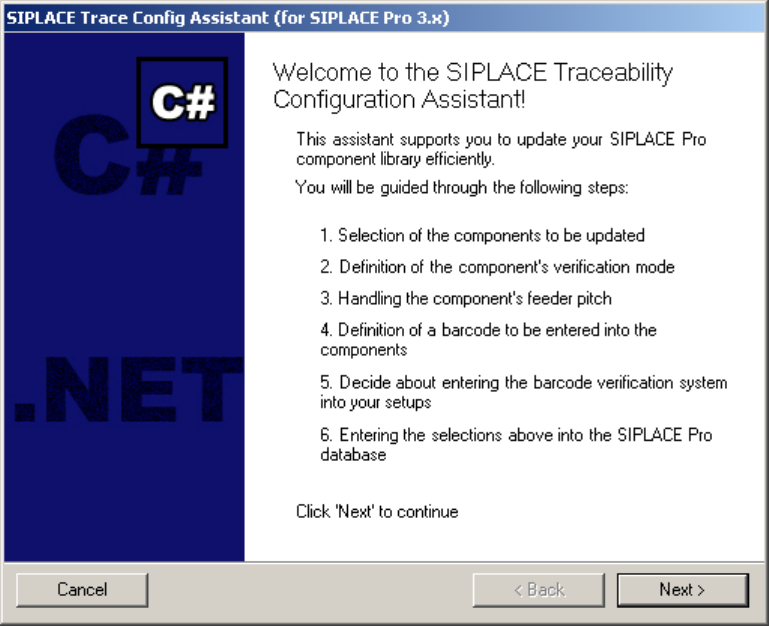
Step 1: Welcome
The assistant gives you a warm welcome and informs about the following steps:
Figure 6 "Welcome" page
12 von 20
Installation Manual – SIPLACE Trace Config Assistant SIPLACE Setup Center RF 2.1 - Tools
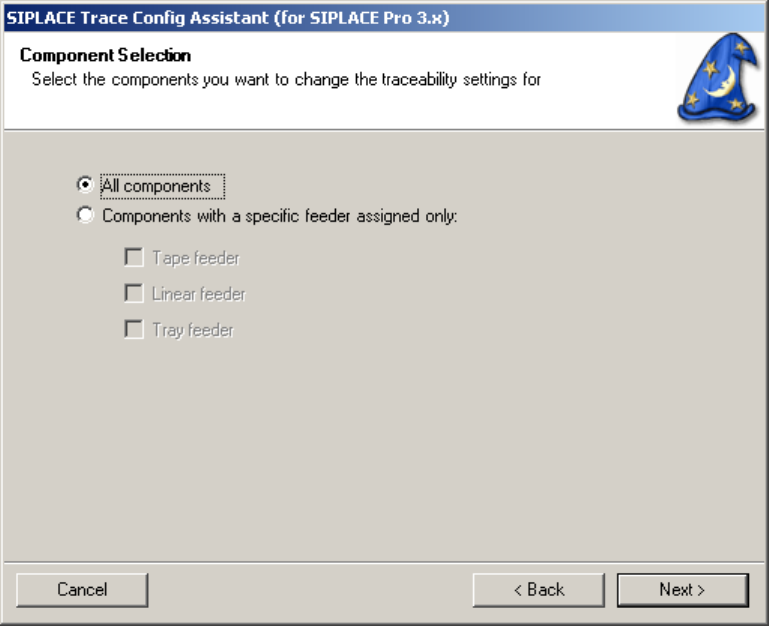
Step 2: Component Selection
In this step you can select what components will be updated in the following steps. It is possible to select
either all components or components that are used with a specific type of feeder.
Figure 6 "Component Selection" page
13 von 20
-