00194702_SIPLACE Trace Config Assistant Setup Center RF.pdf - 第16页
SIPLACE Setup Center RF 2.1 - Tools Installation Manual – SIPLACE Trace Config Assistant Step 5: Update Setups / Stations In this step you can update all Setups with the compone nt barcode reader. Options are to enter no…
Installation Manual – SIPLACE Trace Config Assistant SIPLACE Setup Center RF 2.1 - Tools
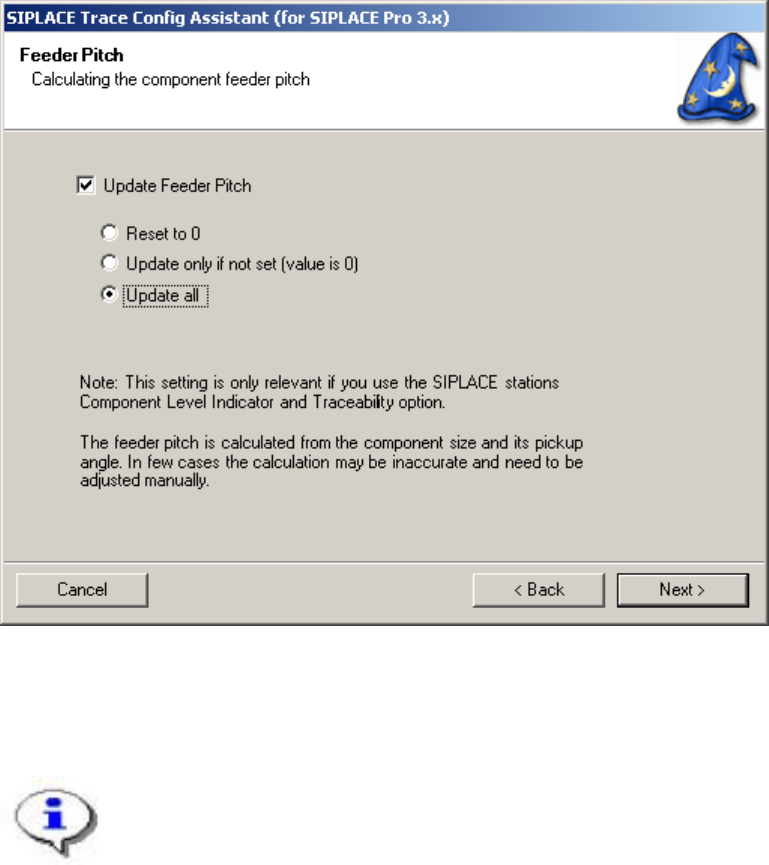
Step 4: Feeder Pitch
In this step you can update the feeder pitch of the selected components from Step 2.
You can select to reset the values, to update new ones or to update all components.
The Feeder Pitch is calculated from the component size and its pickup angle. In a few cases the
calculation may differ from the actual value and needs to be adjusted manually in SIPLACE Pro.
The feeder pitch is used to determine the component threshold for the remaining length of a reel.
Figure 7 "Feeder Pitch" page
These settings are relevant if you use the SIPLACE Component Level indicator and
Traceability options on the stations.
15 von 20
-
SIPLACE Setup Center RF 2.1 - Tools Installation Manual – SIPLACE Trace Config Assistant
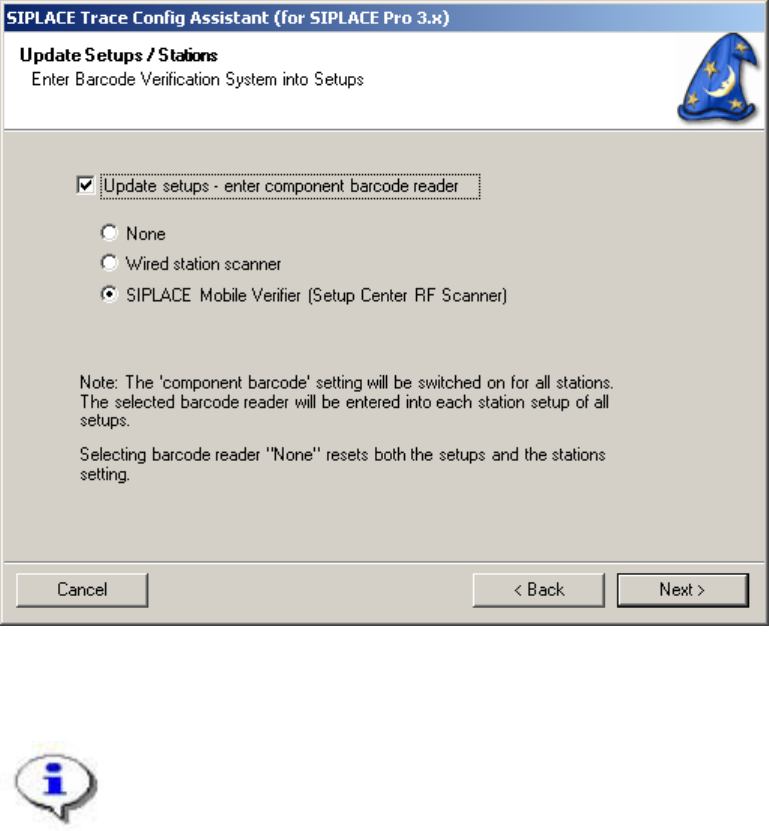
Step 5: Update Setups / Stations
In this step you can update all Setups with the component barcode reader.
Options are to enter no barcode reader, the wired station scanner or SIPLACE Mobile Verifier. Latter is
used by SIPLACE Setup Center RF.
Figure 8 "Update Setups / Stations" page
These settings are relevant if you use the SIPLACE Component Level indicator and
Traceability options on the stations.
16 von 20
Installation Manual – SIPLACE Trace Config Assistant SIPLACE Setup Center RF 2.1 - Tools
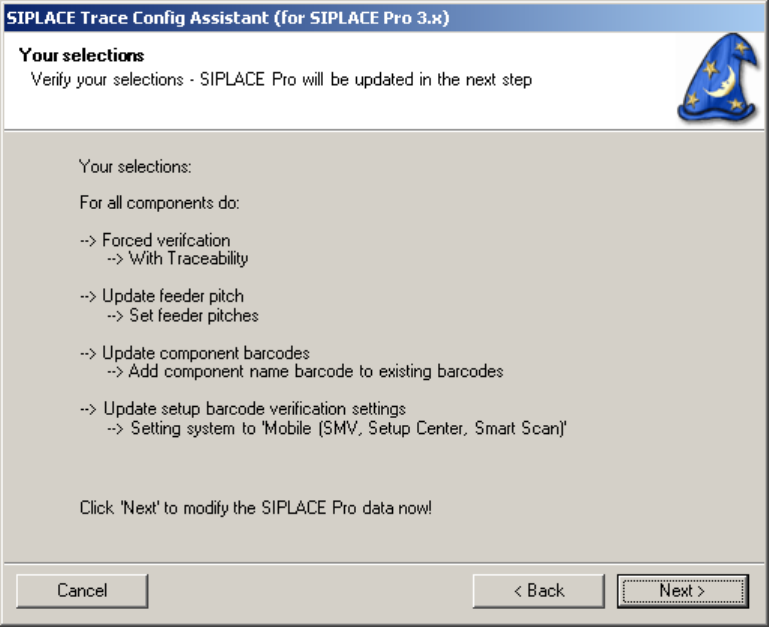
Step 6: Verify Selections
In this step you can verify the selection. The update process of the SIPLACE Pro data will start when
“next” is pressed.
Figure 8 "Verify Selections" page
17 von 20
-