00194702_SIPLACE Trace Config Assistant Setup Center RF.pdf - 第7页
Installation Manual – SIPLACE Trace Config Assistant SIPLACE Setup Center RF 2.1 - Tools 2.2 Step 2: Select Installation Folder The second step of the Setup Wizard is a page al lowing you to choose the pl ace for install…
SIPLACE Setup Center RF 2.1 - Tools Installation Manual – SIPLACE Trace Config Assistant
2 Installation Steps
This chapter describes the steps of the Setup Wizard needed to install the SIPLACE Trace Config
Assistant.
2.1 Step 1: Welcome
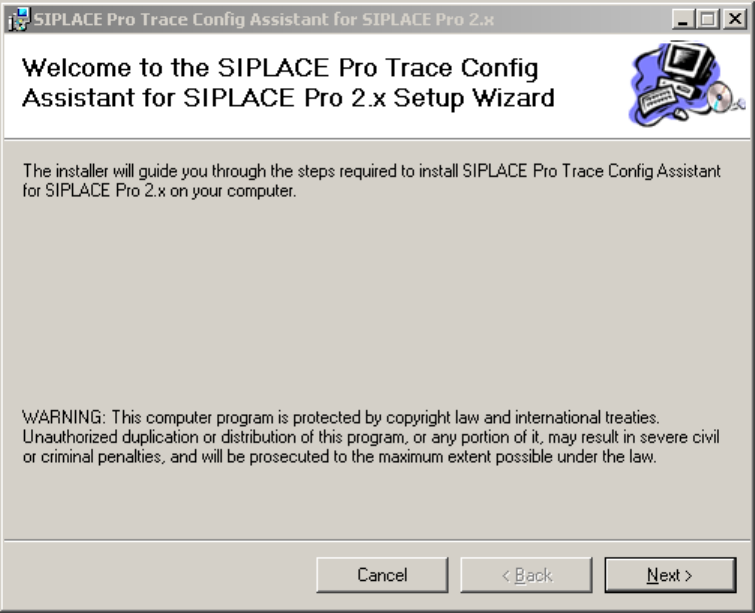
The first step of the Setup Wizard is a page with the welcome message:
Figure 1 "Welcome" page
→ Click Next.
6 von 20
Installation Manual – SIPLACE Trace Config Assistant SIPLACE Setup Center RF 2.1 - Tools
2.2 Step 2: Select Installation Folder
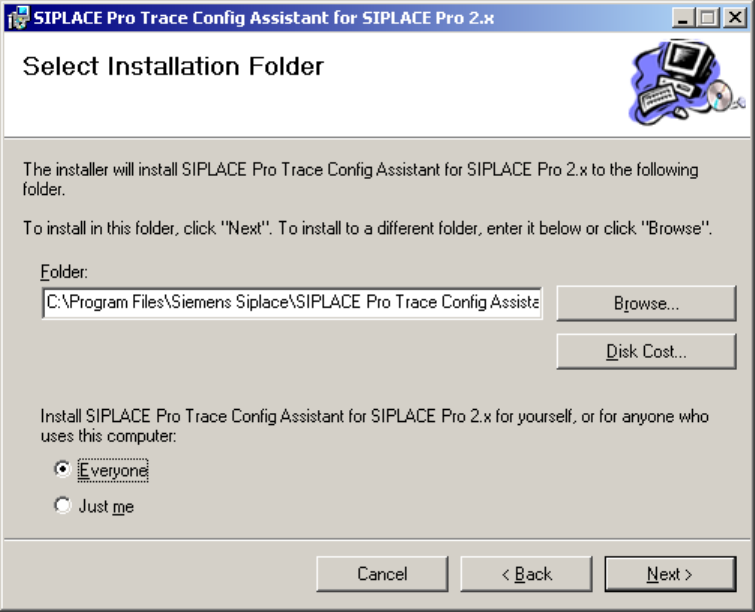
The second step of the Setup Wizard is a page allowing you to choose the place for installing SIPLACE
Trace Config Assistant:
Figure 2 "Select Installation Folder" page
→ Choose the folder where the SIPLACE Trace Config Assistant is to be installed.
→ Choose whether to install the tool for all users of the computer or for the user currently logged on
only.
→ Click Next.
7 von 20
-
SIPLACE Setup Center RF 2.1 - Tools Installation Manual – SIPLACE Trace Config Assistant
2.3 Step 3: Confirmation
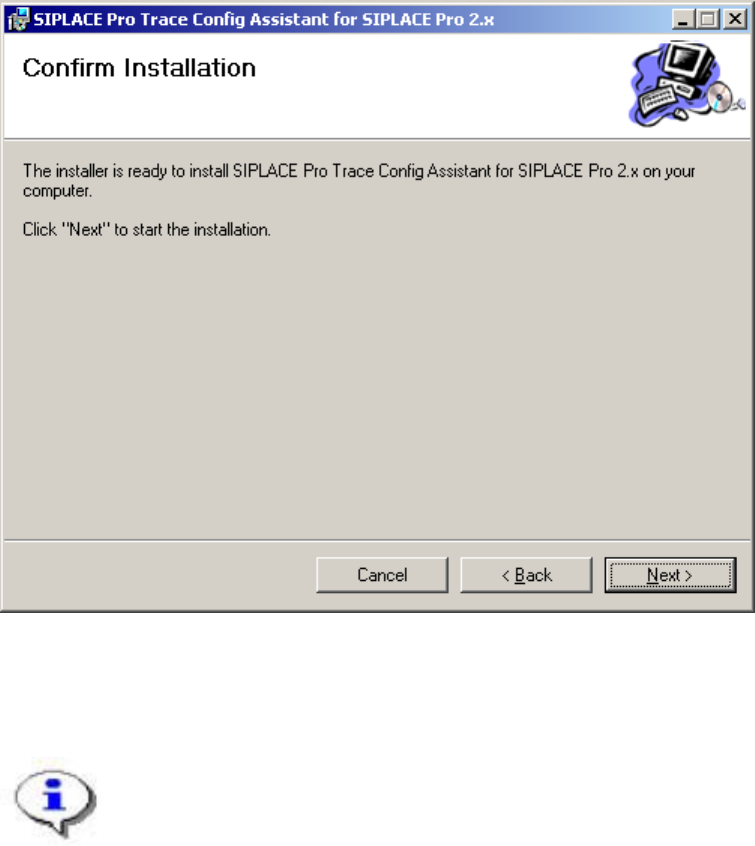
Confirm the third step of the Setup Wizard to begin installing SIPLACE Trace Config Assistant to the
system:
Figure 3 "Confirmation" page
→ Click Next.
After confirming the third page of the wizard by clicking Next, the installation routine will
copy all necessary files to the installation folder. You are informed of the progress by the
following page:
8 von 20