00197479-02_IM_BoardGateKeeper1.2-SP1_EN.pdf - 第10页
System Requirements Configuration 10 Installation Manual SIPLACE BoardGateKeeper 1.2 SP1 3.1 3 . 1 C o n f ig u r a t io n Configuration The BoardGateKeeper can either be installed on the line server (once per line) or o…

System Requirements
Installation Manual SIPLACE BoardGateKeeper 1.2 SP1 9
3
3 System Requirements
System Requirements
Perform the Prerequisite Installation for the product SIPLACE BoardGateKeeper 1.2 SP1 from the Sup-
port Media DVD. See the "Prerequisite Analyzer" chapter in the Support Media Getting Started
[00195490-xx].
NOTICE
System Requirements
The Support Media DVD included in the installation package checks the necessary system re-
quirements of your system and installs these. Amongst others e.g. Microsoft .NET Framework,
the License Manager and the Error Reporting tool. The use of the Support Media V2.1 is oblig-
atory.
The system requirements (supported operating systems and database variants) and an over-
view of the interoperable products can be found in the SIPLACE Support Media Installation
Manual, item no. [00197214-xx].
System Requirements
Configuration
10 Installation Manual SIPLACE BoardGateKeeper 1.2 SP1
3.1
3.1 Configuration
Configuration
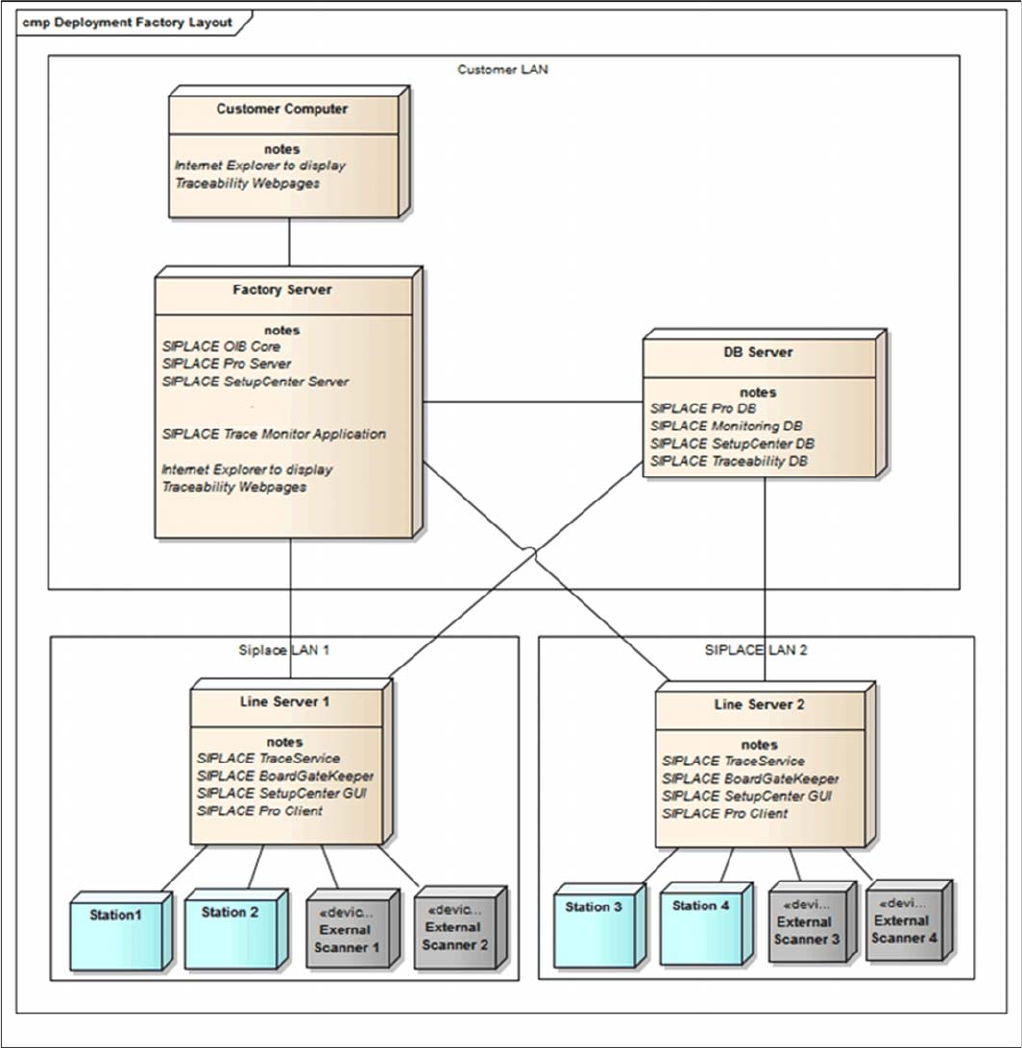
The BoardGateKeeper can either be installed on the line server (once per line) or on the factory server
(once per production site). In the case of central installations, only one network segment may be config-
ured for all lines (otherwise a connection to the hardware equipment will not be possible)
Installation
Installation Manual SIPLACE BoardGateKeeper 1.2 SP1 11
4
4 Installation
Installation
NOTICE
Administrator
You must be logged as Administrator
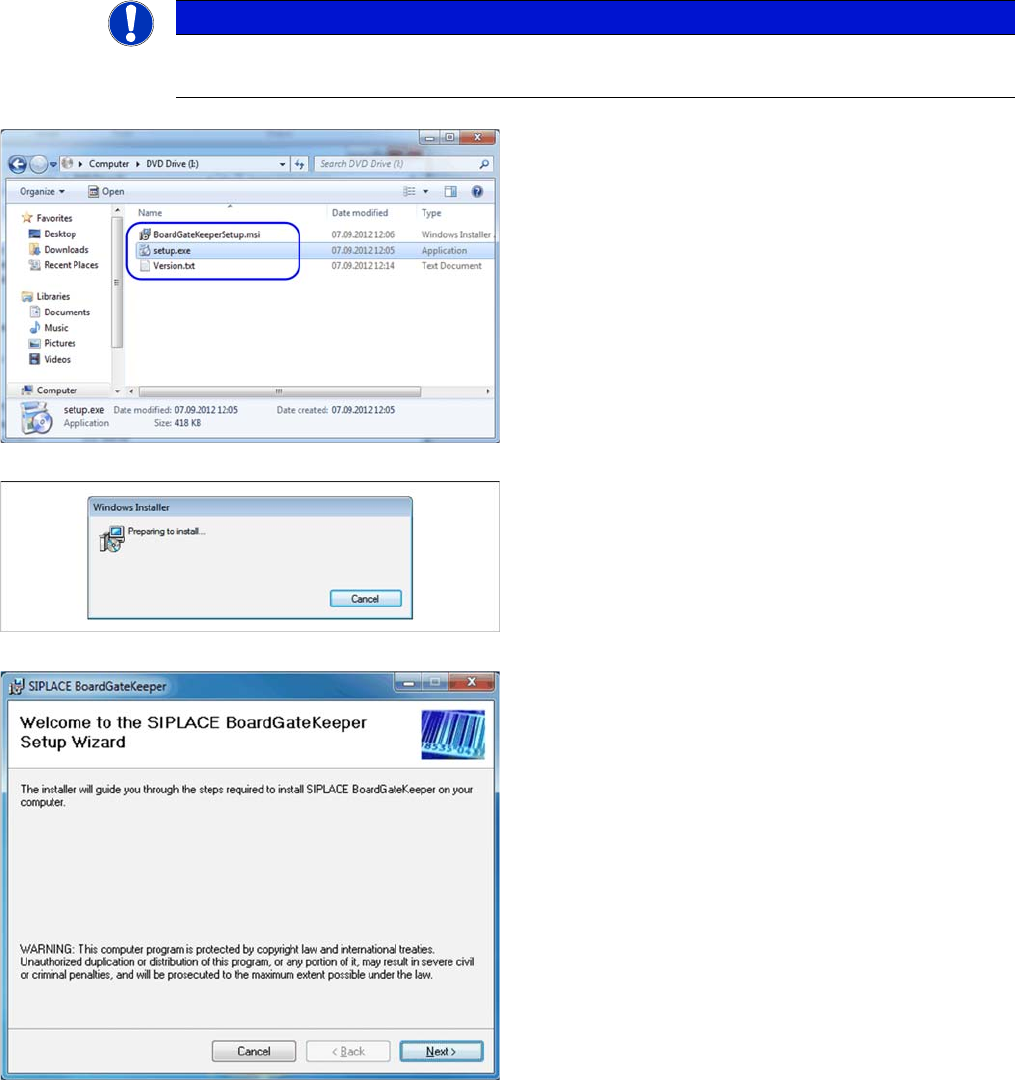
► Place the SIPLACE BoardGateKeeper CD into the
CD ROM drive of your SIPLACE Pro Computer.
► Open the CD folder manually via. the Windows Ex-
plorer (Win-E).
► Execute "setup.exe". You will be guided through the
installation procedure.
The dialog boxes shown below will be displayed during
the installation procedure.
The Welcome dialog will appear.
► Click on Next to continue the installation procedure.