00196591-04 UM S-Feeder Test Station EN.pdf - 第30页
Operating the S-Feeder Test Station Creating an Error Report 5.2.3 Error Images 30 User Manual SIPLACE S-Feeder Test Station ► Enter y our name an d a detailed description of the err or. ► Click on the Generate Bugreport…
Operating the S-Feeder Test Station
5.2.3 Error Images Checking the Test Tapes
User Manual SIPLACE S-Feeder Test Station 29
► Use the 8mm tape with one row of holes for the 3x8mm SL and 0201/0402 feeders.
► Repeat the measurement with the new tape.
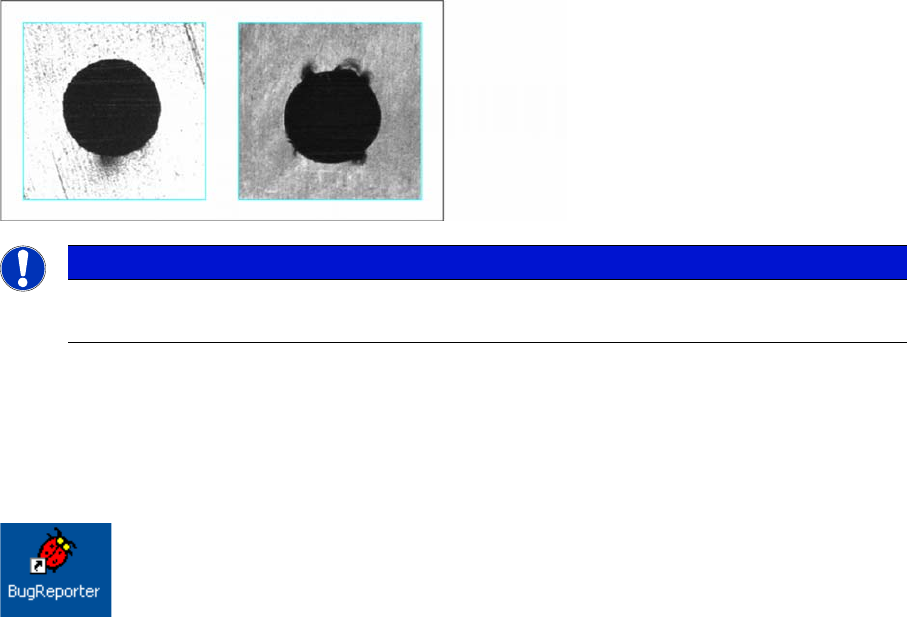
Several 0201/0402 feeder modules with version -03 have shown a problem in which the perforation of
the measuring tape slips off of the teeth. The position of the tape is then no longer correct and inaccurate
measurements will occur.
► Repeat measurement.
In this case, use a NEW empty 0201 or 01005 paper tape instead of the metal measuring tape.
The toothed wheel is damaged.
► siftradThe feeder module needs to be repaired.
5.3
5.3 Checking the Test Tapes
Checking the Test Tapes
The accuracy of the measuring results is primarily affected by the condition of the test tapes. Check the
tapes regularly for apparent damage, such as dents, folds. Also check the condition of the perforations
(with a magnifying glass if necessary). This should have no corners or dents.
5.4
5.4 Creating an Error Report
Creating an Error Report
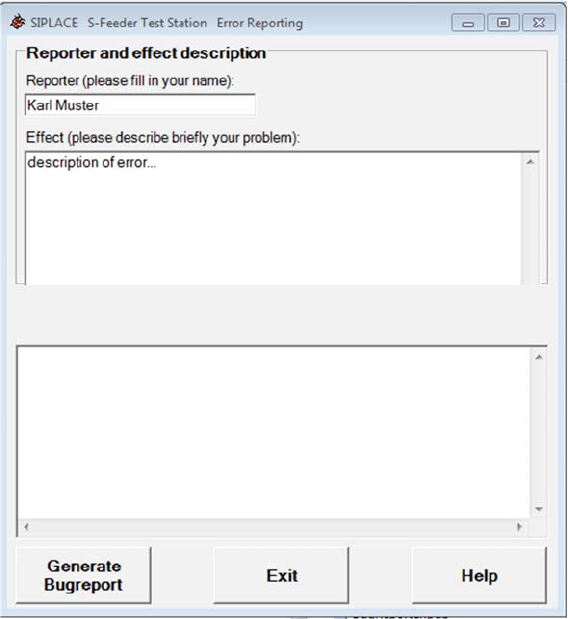
If the
S-Feeder test software
requests that you generate an error report, proceed as follows.
► Start the program
BugReporter
.
To do this, click on the following icon on the desktop of your PC:
The following dialog box will be shown.
NOTICE
Damaged tapes
Always replace damaged tapes.
Operating the S-Feeder Test Station
Creating an Error Report 5.2.3 Error Images
30 User Manual SIPLACE S-Feeder Test Station
► Enter your name and a detailed description of the error.
► Click on the Generate Bugreport button.
A confirmation dialog will be shown.
► Click on the OK button.
The bug reporter will collect the required information and save this in a ZIP file.
A dialog box for saving the ZIP file will be shown.
► Connect a memory stick to the PC.
► Navigate to your memory stick in the dialog box and save the ZIP file there.
► Click on the Exit button to terminate the bug reporter.
► Send the ZIP file per e-mail to the SIPLACE service team.
Service Work Conveyor
6.1.1 Required Tools Replace the ring light illumination board
User Manual SIPLACE S-Feeder Test Station 31
6
6 Service Work Conveyor
Service Work Conveyor
6.1
6.1 Replace the ring light illumination board
Replace the ring light illumination board
6.1.1
6.1.1 Required Tools
Required Tools
Spare part
Calibration tools
Tools
▪ Allen key set
▪ Set of socket keys
▪ Adjustment tool (plastic or ceramic - non-conductive!)
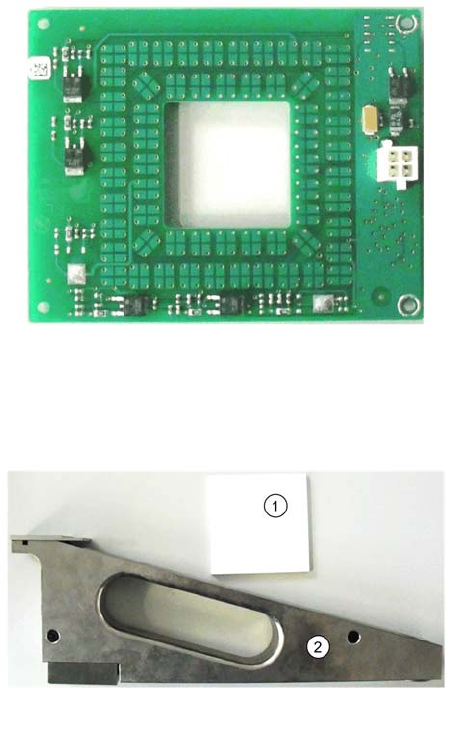
▪ 03072792-xx Ringlicht Beleuchtungspl.
1. 03048660-03 Normal White 70x70
2. 03073729-01 calibration part SFTS